
Close Menu
Battery Spotlight
    Battery Spotlight
    • Home
    • Phone Batteries
    • Laptop Batteries
    • Car Batteries
      • Golf Cart Batteries
    • Battery Info
      • Battery Chargers
      • Battery Life
      • Battery Maintenance
      • Marine Batteries
      • Rechargeable Batteries
      • Solar Batteries
    • About Us
      • Contact
    Battery Spotlight
    Navigation: Home » Phone Batteries » Android Batteries » How to Take Battery Out of Samsung Phone: A Step-by-Step Guide for Troubleshooting Issues
    Android Batteries

    How to Take Battery Out of Samsung Phone: A Step-by-Step Guide for Troubleshooting Issues

    Leo HudsonBy Leo HudsonApril 28, 20258 Mins Read
    Share Facebook Twitter Pinterest LinkedIn Tumblr Email WhatsApp Copy Link
    Share
    Facebook Twitter LinkedIn Pinterest Email Copy Link

    Key Takeaways

    • Understand Battery Types: Samsung phones have removable and non-removable batteries; knowing which type your device has is crucial for proper handling.
    • Benefits of Battery Removal: Removing the battery can resolve issues like software glitches, power cycling, and is essential for replacing faulty batteries.
    • Preparation is Key: Gather necessary tools (screwdriver, pry tool) and take safety precautions (turn off the device, avoid liquids) before attempting battery removal.
    • Step-by-Step Process: Follow a clear guide to safely turn off the device, access the battery compartment, and remove the battery without causing damage.
    • Identify Replacement Signs: Be aware of symptoms such as rapid battery drain, swelling, and overheating, which indicate the need for battery replacement.

    Have you ever found yourself in a situation where your Samsung phone just won’t turn on, and you’re not sure what to do? Maybe it’s freezing up or acting strangely, and you think a quick battery removal could do the trick. You’re not alone—many people face this issue and wonder how to safely take the battery out of their device.

    Table of Contents

    Toggle
    • Key Takeaways
    • Understanding Samsung Phone Batteries
    • Types of Samsung Phone Batteries
    • Importance of Battery Removal
    • Preparing to Remove the Battery
    • Tools You Might Need
    • Safety Precautions to Consider
    • Step-by-Step Guide to Remove Battery
    • Turning Off the Device
    • Accessing the Battery Compartment
    • Removing the Battery
    • Common Issues and Troubleshooting
    • What to Do If the Battery Is Stuck
    • Signs You May Need a Replacement
    • Conclusion
    • Frequently Asked Questions
    • What should I do if my Samsung phone won’t turn on?
    • How can I tell if my Samsung phone has a removable battery?
    • Why should I remove the battery from my Samsung phone?
    • What tools do I need to remove a Samsung phone battery?
    • Are there any safety precautions I should take while removing the battery?
    • What should I do if the battery is stuck?
    • How can I tell if my Samsung phone’s battery is failing?

    Understanding Samsung Phone Batteries

    Samsung phones typically use lithium-ion batteries, known for their efficiency and longevity. Understanding these batteries helps you manage power issues and know when to remove them.

    Types of Samsung Phone Batteries

    Samsung phones may have two main battery types: removable and non-removable.

    1. Removable Batteries: Found in older Samsung models, this type allows you to quickly replace the battery without tools. You can easily take it out with a simple slide or pull.
    2. Non-Removable Batteries: Present in newer Samsung smartphones, these batteries are integrated into the device. Removing them requires specific tools and techniques, emphasizing careful handling.

    Importance of Battery Removal

    Battery removal can resolve various issues, such as charging problems or software glitches. Here are key reasons for removing the battery:

    1. Soft Reset: Taking out the battery provides a quick way to reset your device. It clears temporary glitches that may affect performance.
    2. Troubleshooting: If your phone won’t turn on, removing the battery may help to identify if the battery is the issue or if there’s a different problem.
    3. Power Cycling: This action can refresh your phone’s memory and improve its performance after prolonged usage.
    4. Replacement: If the battery shows signs of swelling, overheating, or poor performance, removing it allows for safe replacement with a new battery.

    Following these guidelines ensures you handle your Samsung phone’s battery safely and effectively.

    Preparing to Remove the Battery

    Before removing your Samsung phone’s battery, ensure you’re equipped and ready for the task ahead. Take a moment to gather necessary tools and consider safety precautions.

    SEE ALSO  How to Turn on Battery Protection Samsung: Step-by-Step Guide for Extended Battery Life

    Recommended Products

    2PCS Specially Sized Sim Card Tray Opening Removal Tool,Eject Pin Tool for Samsung Galaxy S10/S20 /S21/Galaxy S22 Ultra ,S23 Ultra,S24 Ultra,S25 Sereies/Galaxy Note 20 Ultra/Z Fold 5 6 7 /and Tablet
    2PCS Specially Sized Sim Card Tray Opening Removal Tool,Eject Pin Tool for Samsung Galaxy S10/S20 /S21/Galaxy S22 Ultra ,S23 Ultra,S24 Ultra,S25 Sereies/Galaxy Note 20 Ultra/Z Fold 5 6 7 /and Tablet

    ✔ Compatible With: Samsung Galaxy S7 S8 S8 Plus S9 S9 Plus S10,S10 Plus,S20,S20+,S20 Ultra ,S21,S21 Plus,S21 Ultra,Galaxy S22,S22 Plus,S22 Ultra,S23,S23 Ultra,Galaxy S24 Ultra,Galaxy S25 S25 Ultra,S25 Edge,Note8, Note 9,Note 10,Note 10 Plus,Note 20,Note 20 Ultra,Galaxy Z Flip 2 3 4 5 ,Galaxy Z Fold 2 3 4 5 6 7 Galaxy Tab S7 S8 S9 S10 S11Series and other Samsung Galaxy Models
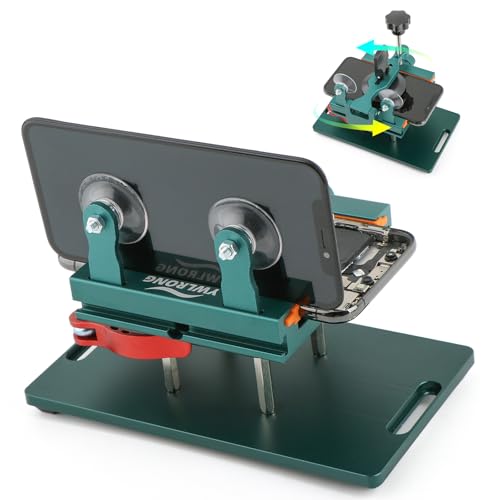
    VIEW LATEST PRICE

    As an affiliate, we earn on qualifying purchases.

    Showpin Smart Phones Suction Cup Tool Opening Pliers Repair LCD Screen, 3 in 1 iPhone Repair Tool Prying Tool Compatible with Cell Phone/Laptop/Tablet PC
    Showpin Smart Phones Suction Cup Tool Opening Pliers Repair LCD Screen, 3 in 1 iPhone Repair Tool Prying Tool Compatible with Cell Phone/Laptop/Tablet PC

    Professional Tools: Showpin's 3-in-1 iopener includes LCD and double-headed screen opening tool plus a cleaning cloth. Suitable for mobile phones, iPads, and other mobile devices, facilitating the easy removal or replacement of the LCD screen and battery.

    VIEW LATEST PRICE

    As an affiliate, we earn on qualifying purchases.

    12 Pack SIM Card Removal Pin SIM Card Tray Removal Tool Eject Pin Tools Compatible with iPhone iPad Samsung Galaxy HTC Smartphone Ejector Pins Needle Remover for All Models Cell Phone Ejector Opener
    12 Pack SIM Card Removal Pin SIM Card Tray Removal Tool Eject Pin Tools Compatible with iPhone iPad Samsung Galaxy HTC Smartphone Ejector Pins Needle Remover for All Models Cell Phone Ejector Opener

    【Premium Material】Our SIM card removal pins are made of high-quality steel and iron material, strong and durable, not easy to bend, suitable for long time use. The card removal pin undergoes strict quality control to ensure that it will not cause any damage to the card and slot during use, which is definitely your best choice

    VIEW LATEST PRICE

    As an affiliate, we earn on qualifying purchases.

    Tools You Might Need

    • Small Phillips screwdriver: You’ll use this to unscrew any back cover if your device has one.
    • Plastic pry tool: This helps in gently prying open the back cover without damaging the phone.
    • Magnetic mat: Keep screws organized while you work.
    • Soft cloth or pad: Protects your phone’s surface during the process.

    Safety Precautions to Consider

    • Power off your device: Always turn off your phone before starting the battery removal. This prevents any electrical shorts or harm.
    • Avoid overexertion: Don’t force components apart if resistance occurs. Take your time to identify the issue.
    • Keep liquids away: Work in a dry environment to prevent any accidental spills.
    • Practice static control: Touch a metal object to discharge static electricity from your body, protecting sensitive components inside your phone.

    Step-by-Step Guide to Remove Battery

    Removing the battery from your Samsung phone can be straightforward, especially if you follow these steps.

    Recommended Products

    ITMBET Galaxy A11 Battery, 5000mAh Upgraded 2026 New 0 Cycle Battery Replacement for Samsung Galaxy A11 SM-A115U, SM-A115A HQ-70N/HQ-70T with Professional Replacement Tool Kits
    ITMBET Galaxy A11 Battery, 5000mAh Upgraded 2026 New 0 Cycle Battery Replacement for Samsung Galaxy A11 SM-A115U, SM-A115A HQ-70N/HQ-70T with Professional Replacement Tool Kits

    ►【 Upgrade Capacity to 5000mAh】- Galaxy A11 battery replacement use advanced technology makes the battery capacity for A11 up to 5000mAh with the same size. Best Replacement for the original A11 battery, With extra enhanced talk time, standby time and longevity . It will provide you with up to 1000+ charge cycles with the high-speed and efficient charge.

    SEE ALSO  How Much Does a LG Battery Cost: A Complete Guide to Pricing and Buying Options
    VIEW LATEST PRICE

    As an affiliate, we earn on qualifying purchases.

    LeeCrynoid for Samsung Galaxy Note 20 Battery,5800mAh (New Upgraded) Replacement Battery for Samsung Galaxy Note 20 5G SM-N980 SM-N981U with Professional Repair Tool Kits
    LeeCrynoid for Samsung Galaxy Note 20 Battery,5800mAh (New Upgraded) Replacement Battery for Samsung Galaxy Note 20 5G SM-N980 SM-N981U with Professional Repair Tool Kits

    【Battery Compatible Model】: This Upgraded high capacity battery compatible with Samsung Galaxy Note 20 SM-N980, N980V, N980A, N980T, N980P, N980R4, N980U, N980U1

    VIEW LATEST PRICE

    As an affiliate, we earn on qualifying purchases.

    GREEN FUSION for Galaxy Watch Active 2 Battery 40mm Replacement EB-BR830ABY Battery for SM-R830 SM-R835 with Installation Instruction & Repair Toolkit
    GREEN FUSION for Galaxy Watch Active 2 Battery 40mm Replacement EB-BR830ABY Battery for SM-R830 SM-R835 with Installation Instruction & Repair Toolkit

    Compatible Model: This battery replacement kit is only compatible with Samsung Galaxy Watch Active 2nd 40mm with model numbers SM-R830 SM-R835, please carefully check your device model before purchasing

    VIEW LATEST PRICE

    As an affiliate, we earn on qualifying purchases.

    Turning Off the Device

    1. Press and hold the power button.
    2. Select “Power Off” from the menu that appears.
    3. Wait for the device to completely shut down.

    Accessing the Battery Compartment

    1. Locate the back cover.
    2. Use your fingernail or a plastic pry tool to gently lift the back cover.
    3. Set the cover aside, exposing the battery compartment.

    Removing the Battery

    1. Identify the battery.
    2. Gently pull the battery tab or edge to lift it out.
    3. Make sure to avoid touching any internal components.

    By following these steps, you can safely remove the battery from your Samsung phone.

    Common Issues and Troubleshooting

    Addressing battery-related problems can enhance your experience with Samsung phones. Here’s how to tackle common issues effectively.

    Recommended Products

    HamnaKhu Galaxy J3 Battery,3800mAh Replacement Battery for Samsung Galaxy Grand Prime G530 Galaxy J3 J320V/A/F/P J327A/P J3 Emerge,Galaxy J5 SM-G550F On5 EB-BG530BBC EB-BG530BBE
    HamnaKhu Galaxy J3 Battery,3800mAh Replacement Battery for Samsung Galaxy Grand Prime G530 Galaxy J3 J320V/A/F/P J327A/P J3 Emerge,Galaxy J5 SM-G550F On5 EB-BG530BBC EB-BG530BBE

    Compatible Models:►Compatible with Samsung Galaxy J3 (model:variants: J3 Prime/ Grand Prime/ J3 Emerge/ J3 Eclipse/ J3 Mission/ J3 Luna Pro/ J3 Star/ J3 Achieve/ J3 V/ J3 Orbit/ Express Prime/ Amp Prime/ Galaxy On5/EB-BG530CBU EB-BG530BBC EB-BG530BBU EB-BG530BBE EB-BG530BBZ/ J320A/ J320V/ J320F/ J320P/ J327A /J327P / J337A/J337T SM-G530/ G530T/ G530H/ G530R/ G530AZ/ G550T/ G550T1/ G550F/ Galaxy J5 etc.) only,Please Check the model number on the back of your phone.

    VIEW LATEST PRICE

    As an affiliate, we earn on qualifying purchases.

    HamnaKhu Galaxy S5 Battery,High Capacity Battery Replacement for Samsung Galaxy S5 AT&T EB-BG900BBU G900A,G900F,G900H,G900R4,I9600,SM-G900V,SM-G900P,SM-G900T
    HamnaKhu Galaxy S5 Battery,High Capacity Battery Replacement for Samsung Galaxy S5 AT&T EB-BG900BBU G900A,G900F,G900H,G900R4,I9600,SM-G900V,SM-G900P,SM-G900T

    ✾Compatible Models: This Battery Suitable for all Galaxy S5 variants.Compatible with SM-G900 Series, SM-G900A, SM-G900P, SM-G900V, SM-G900T, SM-G900F, SM-G900H, SM-G900R4, SM-G900TR, SM-G900W8, SM-G900BVB, i9600, EB-BG900BBC EB-BG900BBU EB-BG900BBE/ for Samsung Galaxy S5 Active SM-G870.

    VIEW LATEST PRICE

    As an affiliate, we earn on qualifying purchases.

    Galaxy J7 Prime Battery, 𝗨𝗽𝗴𝗿𝗮𝗱𝗲𝗱 Replacement Battery for Samsung SM-J710, SM-J727, J7 Perx, J7 Sky Pro, J7(2017 Ver), EB-BJ710CBC EB-BJ710CBE EB-BJ710CBU EB-BJ710CBZ EB-BJ710CBK Battery
    Galaxy J7 Prime Battery, 𝗨𝗽𝗴𝗿𝗮𝗱𝗲𝗱 Replacement Battery for Samsung SM-J710, SM-J727, J7 Perx, J7 Sky Pro, J7(2017 Ver), EB-BJ710CBC EB-BJ710CBE EB-BJ710CBU EB-BJ710CBZ EB-BJ710CBK Battery

    ❁Compatible Models: This Battery Suitable for all Galaxy J7 Prime variants.Compatible with Samsung Galaxy J7 Prime (2017 Ver) J727 J7 Perx J7 Sky Pro J727P J727A J727V J727T J727R J727U J7 2016 J710 J710F J710T J710P EB-BJ710CBC EB-BJ710CBE EB-BJ710CBU EB-BJ710CBZ EB-BJ710CBK. ★NOT FOR Galaxy J7 (2015/2018 Ver).

    VIEW LATEST PRICE

    As an affiliate, we earn on qualifying purchases.

    What to Do If the Battery Is Stuck

    If the battery is stuck, remain calm. Use the following steps to safely resolve the situation:

    1. Check the Surroundings: Ensure no obstructions are blocking the battery compartment.
    2. Gentle Pressure: Apply gentle pressure around the edges of the battery. Avoid excessive force to prevent damage.
    3. Pry Carefully: Use a plastic pry tool to create a small gap. Insert it gently between the battery and the compartment, then slowly work your way around.
    4. Warm It Up: If the battery remains stuck, slightly warming the back cover can help. Hold a hair dryer at a safe distance for a few seconds. This can make it easier to dislodge the battery.
    5. Seek Professional Help: If the above methods don’t work, consider taking the device to a professional technician.
    SEE ALSO  How to Replace OnePlus One Battery: A Step-by-Step Guide for Success and Longevity

    Signs You May Need a Replacement

    Recognizing the signs of a failing battery can save you time and frustration. Look for these indicators:

    1. Rapid Battery Drain: If you charge your phone fully but the battery depletes within a few hours, replacement might be necessary.
    2. Swollen Battery: A bulging battery indicates a serious issue. Do not ignore this; replace the battery immediately.
    3. Overheating: Excessive heat during charging or usage is a bad sign. This can lead to further damage or even battery failure.
    4. Frequent Random Shutdowns: If your phone shuts off unexpectedly, even with charge left, battery replacement may be required.
    5. Charging Issues: Persistent charging problems, like the phone not charging at all, can signal battery failure.

    Keeping an eye on these signs can help maintain smooth operation of your Samsung phone.

    Conclusion

    Taking the battery out of your Samsung phone can be a game changer when you’re facing issues. Whether it’s to troubleshoot or replace a faulty battery you now have the tools and knowledge to do it safely. Remember to keep an eye on those warning signs of battery trouble to maintain your phone’s performance.

    With a little care and the right approach you can ensure your device runs smoothly and efficiently. Don’t hesitate to reach out for professional help if you ever feel unsure about the process. Your phone deserves the best care and you’re now equipped to give it just that. Happy troubleshooting!

    Frequently Asked Questions

    What should I do if my Samsung phone won’t turn on?

    One of the first steps is to try removing the battery, especially if your model has a removable battery. This can help reset the device and potentially fix power-related issues. If the phone still doesn’t turn on after replacing the battery, consider charging it or seeking professional assistance.

    How can I tell if my Samsung phone has a removable battery?

    To determine if your Samsung phone has a removable battery, check the user manual or look for a small latch or mechanism on the back cover. Typically, older Samsung models feature removable batteries, while newer models usually come with non-removable ones.

    Why should I remove the battery from my Samsung phone?

    Removing the battery can resolve issues like software glitches, charging problems, or frequent shutdowns. It acts as a soft reset, refreshing the phone’s memory and allowing it to start fresh. Always ensure your device is powered off before removal.

    What tools do I need to remove a Samsung phone battery?

    You’ll typically need a small Phillips screwdriver, a plastic pry tool, a magnetic mat for organizing screws, and a soft cloth or pad to protect the phone’s surface during the process. These tools help facilitate safe and effective battery removal.

    Are there any safety precautions I should take while removing the battery?

    Yes, ensure the phone is powered off, avoid working near liquids, and be cautious of static electricity to protect sensitive components. Always handle tools gently to prevent damage to the device during battery removal.

    What should I do if the battery is stuck?

    If the battery is stuck, gently use a plastic pry tool to carefully dislodge it. Avoid using excessive force, as this can damage the internal components. If you have difficulty, consider seeking professional help rather than risking further damage.

    How can I tell if my Samsung phone’s battery is failing?

    Signs of a failing battery include rapid battery drain, swelling, overheating, frequent random shutdowns, and persistent charging issues. Recognizing these signs early can help you maintain your phone’s performance and prevent potential damage.

    Share. Facebook Twitter Pinterest LinkedIn Tumblr Email WhatsApp Copy Link
    Leo-Hudson
    Leo Hudson

      Technical writer with 3+ years of experience. Bachelor of Arts in Environmental Studies from UC Santa Cruz. Passionate about sustainability and providing clear, concise how-to guides for common battery problems.

      Related Posts

      Android Batteries

      How to Replace Battery in Samsung Phone: A Step-by-Step Guide for Easy Replacement

      October 25, 2025
      Android Batteries

      How to Remove Battery from Samsung Smart TV Remote: A Step-by-Step Guide for Easy Replacement

      October 25, 2025
      Android Batteries

      How to Check Your Battery Health on Samsung: Simple Methods to Extend Your Phone’s Lifespan

      October 25, 2025
      Android Batteries

      How Much Is a Battery for a Samsung Galaxy S6: Pricing and Replacement Options Explained

      October 25, 2025
      Android Batteries

      How to Remove Battery from Samsung Galaxy S7: A Step-by-Step Guide for Easy DIY Fixes

      October 25, 2025
      Android Batteries

      Why is My Battery Going Down While Charging Android – Effective Solutions to Fix the Issue

      October 25, 2025
      Add A Comment
      Leave A Reply Cancel Reply

      Search
      Affiliate Disclaimer

      As an Amazon Associate I earn from qualifying purchases.

      Latest Articles

      How to Replace Battery in Samsung Phone: A Step-by-Step Guide for Easy Replacement

      Android Batteries

      How to Remove Battery from Samsung Smart TV Remote: A Step-by-Step Guide for Easy Replacement

      Android Batteries

      How to Check Your Battery Health on Samsung: Simple Methods to Extend Your Phone’s Lifespan

      Android Batteries

      How Much Is a Battery for a Samsung Galaxy S6: Pricing and Replacement Options Explained

      Android Batteries

      How to Remove Battery from Samsung Galaxy S7: A Step-by-Step Guide for Easy DIY Fixes

      Android Batteries

      Why is My Battery Going Down While Charging Android – Effective Solutions to Fix the Issue

      Android Batteries
      Battery Spotlight

      Battery Spotlight is a website dedicated to helping you solve common battery problems.

      Read more about us here

      Affiliate Disclaimer
      As an Amazon Associate I earn from qualifying purchases.

      Site Navigation
      • Above Mirror Bathroom Lighting
      • Android Batteries
      • Bathroom Pendant Lighting
      • Battery Chargers
      • Battery Life
      • Battery Maintenance
      • Car Batteries
      • Ceiling Lighting Ideas
      • Golf Cart Batteries
      • Japandi Lighting
      • Laptop Batteries
      • Marine Batteries
      • Mood Lighting Living Room
      • Phone Batteries
      • Rechargeable Batteries
      • Reviews
      • Solar Batteries
      • Uncategorized
      • Vaulted Ceiling Lighting
      Latest Articles

      How to Replace Battery in Samsung Phone: A Step-by-Step Guide for Easy Replacement

      How to Remove Battery from Samsung Smart TV Remote: A Step-by-Step Guide for Easy Replacement

      How to Check Your Battery Health on Samsung: Simple Methods to Extend Your Phone’s Lifespan

      How Much Is a Battery for a Samsung Galaxy S6: Pricing and Replacement Options Explained

      How to Remove Battery from Samsung Galaxy S7: A Step-by-Step Guide for Easy DIY Fixes

      • Home
      • About
      • Contact
      • Privacy Policy
      • Editorial Policy
      • Disclaimer
      • Terms and Conditions
      • Affiliate Disclosure
      © 2026 Battery Spotlight

      Type above and press Enter to search. Press Esc to cancel.