

Key Takeaways
- Battery Replacement Saves Money: Replacing the battery of your Sony WF-1000XM3 can extend its life instead of buying new earbuds, offering an economical solution for users facing battery issues.
- Essential Tools Required: Gather tools such as a Phillips screwdriver, plastic pry tool, tweezers, soldering iron, and a replacement battery to facilitate a smooth battery replacement process.
- Safety First: Always power down your earbuds before starting repairs, and work in a well-lit area while using protective gear to avoid static electricity and ensure safety during the process.
- Follow Step-by-Step Guide: Carefully follow instructions for removing the old battery, connecting the new one, and reassembling the earbuds to ensure successful operation after replacement.
- Regular Maintenance is Key: After battery replacement, clean your earbuds regularly, charge them properly, and monitor battery health to maintain their performance over time.
- Keep Software Updated: Regularly check for firmware updates through the Sony app to ensure optimal battery management and access the latest features for your earbuds.
Are your Sony WF-1000XM3 earbuds running out of juice way too quickly? You’re not alone. Many users face this frustrating issue as their trusty earbuds age. Instead of tossing them aside or spending money on a new pair, why not consider replacing the battery yourself?
Overview of Sony WF-1000XM3
The Sony WF-1000XM3 earbuds are designed for high-quality sound and noise cancellation. These true wireless earbuds feature a sleek design, comfortable fit, and impressive battery performance, making them popular among users seeking portability and enhanced audio experiences.
Key Features:
- Active Noise Cancellation: The earbuds block external noise, allowing you to focus on your music or calls uninterrupted.
- Touch Controls: You can easily control playback and calls with simple touch gestures on the earbuds.
- Voice Assistant Compatible: The WF-1000XM3 supports voice assistants like Google Assistant and Amazon Alexa for hands-free control.
- Long Battery Life: Each earbud provides up to 6 hours of playtime, with an additional 18 hours available from the charging case.
Battery Information:
As these earbuds age, battery performance may decline. Factors such as usage frequency and charging habits contribute to battery degradation. Knowing how to replace the battery enables you to extend the lifespan of your WF-1000XM3, saving you the cost of a new pair.
The earbuds utilize a compact lithium-ion battery, specifically designed for the tiny form factor. Replacement requires careful handling to avoid damaging components.
Considerations Before Replacement:
- Warranty Status: Check if your device is still under warranty. Unauthorized repairs might void it.
- Skill Level: Assess your comfort with small electronic repairs. If you’re uncertain, seeking professional assistance might be wiser.
Familiarize yourself with these aspects to help maintain your Sony WF-1000XM3 while ensuring a seamless listening experience.
Tools Needed for Battery Replacement
Before starting the battery replacement process for your Sony WF-1000XM3 earbuds, gather the necessary tools to ensure a smooth experience. Having the right equipment simplifies the task and helps prevent damage to your earbuds.
Recommended Products
![SONXIAVIVO 𝟮𝟬𝟮𝟲 𝗡𝗲𝘄 𝗨𝗽𝗴𝗿𝗮𝗱𝗲𝘀 Z55 Battery, Compatible with Sony Headset Battery for WF-1000XM3 SP600 700 900 Jabra Rox Bando H5 E6 Galaxy• Truly Wireless Earbud+ Tools [2PCS]](https://m.media-amazon.com/images/I/41GXeFl97SL._SL500_.jpg)
♫ 【Battery part】part number:Z55 for original battery.
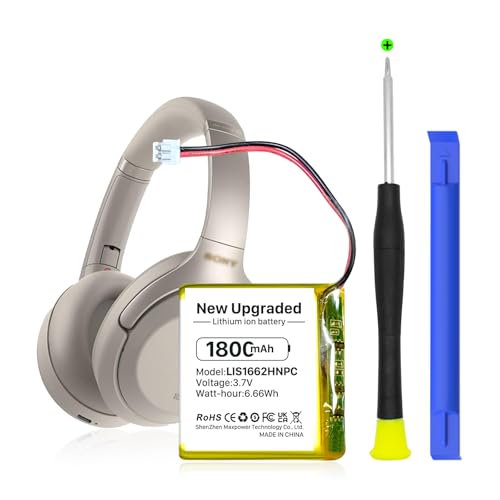
【Compatible Model】: This 624038 Replacement Battery Suitable for Sony WH-1000XM3 WH-1000XM4 WH-XB900N WH-H910N WH-CH710N Bluetooth Wireless Headset SM-03 SP 624038 LIS1662HNPC,
Recommended Tools
- Small Phillips Head Screwdriver: You’ll need this to remove the screws on the earbuds.
- Plastic Pry Tool: This tool helps open the casing without scratching or damaging the surface.
- Tweezers: Use tweezers to handle small components safely and accurately.
- Replacement Battery: Ensure you purchase a compatible battery specifically for the WF-1000XM3 model.
- Soldering Iron: A soldering iron assists in connecting the new battery to the circuit board for a secure fit.
- Solder: Use a suitable solder type for electronic connections to ensure a reliable electrical joint.
- Safety Goggles: These protect your eyes when working with small parts and tools.
Safety Precautions
- Unplug and Power Down: Always make sure the earbuds are turned off and disconnected from any charging source to avoid electrical shocks.
- Avoid Static Electricity: Use an anti-static wrist strap to discharge any static electricity before handling internal components. This prevents damage to the electronic parts.
- Work in a Well-Lit Area: A well-lit workspace allows you to see tiny screws and components clearly, reducing the risk of losing pieces.
- Keep Track of Screws: Organize screws in a small container to avoid misplacing them during the replacement process.
- Handle Components Carefully: Use tweezers to avoid touching sensitive parts directly, which helps maintain their integrity.
Gather these tools and follow the precautions to ensure a successful battery replacement for your earbuds.
Step-by-Step Guide to Replacing the Battery
Replacing the battery in your Sony WF-1000XM3 earbuds can restore their performance. Follow these steps for a smooth process.
Recommended Products

𝐏𝐞𝐫𝐟𝐞𝐜𝐭 𝐂𝐨𝐦𝐩𝐚𝐭𝐢𝐛𝐢𝐥𝐢𝐭𝐲: 100% compatible with Sony WF1000XM4 WF-1000XM4 genuine battery.

★【Please note that the original battery connector of earphones in individual batches will be different, and you need to replace the connector yourself.】for Sony WH-1000XM3、WH-1000XM4、WH-XB900N、WH-H910N、WH-CH710N Bluetooth Wireless Noise canceling Stereo Headset and Part NO SP624038 Battery Replacement。It can also be used in other 3.7-5V electronic products with power less than 4.44Wh (1200mAh).
Removing the Earbuds
- Power Off: Ensure the earbuds are turned off. Disconnect them from any devices.
- Access the Housing: Use a small Phillips head screwdriver to remove the screws. You’ll find them on the outer casing. Keep screws together to avoid losing them.
- Pry Open Gently: Insert a plastic pry tool into the seam of the earbud housing. Carefully work your way around to open it without damaging the plastic.
Accessing the Battery Compartment
- Locate the Battery: Once open, identify the battery inside. It’s usually positioned near the speaker driver.
- Disconnect Wires: Look for wires connecting the battery to the circuit board. Use tweezers to gently pull the connectors apart. Be cautious to avoid pulling on the wires directly.
Replacing the Battery
- Remove the Old Battery: If the battery is secured with adhesive, gently loosen it. Use a soldering iron to detach any soldered connections.
- Install the New Battery: Place the new battery in the compartment. Ensure it fits snugly.
- Reconnect Wires: Attach the wires to the new battery. If necessary, solder the connections for a secure fit.
Reassembling the Earbuds
- Close the Housing: Align the earbud halves and press them together. Ensure all connectors are inside before sealing.
- Secure Screws: Replace the screws with your screwdriver. Tighten them uniformly to avoid stress on the casing.
- Test the Earbuds: Power on the earbuds and connect them to your device. Check for functionality to confirm the battery replacement was successful.
Following these steps carefully can help extend the life of your Sony WF-1000XM3 earbuds.
Tips for Maintenance After Replacement
Maintaining your Sony WF-1000XM3 earbuds after a battery replacement ensures they perform optimally. Follow these tips for ongoing care:
Recommended Products

✅【Battery specification】Electric voltage:3.7,Capacity:800mAh / 2.96Wh,Weight:46.4g,Product type:Li-ion,Dimension:49.50 x 17.10 x 14.50mm,Safe and durable large capacity battery

Clean Your Earbuds Regularly
- Wipe the exterior with a soft, dry cloth to remove any fingerprints or dust.
- Examine the mesh screens for debris and gently clean them with a soft brush.
Charge Properly
- Charge the earbuds using the original charging case for the best results.
- Avoid overnight charging to prevent battery overuse, which can degrade performance.
Store Safely
- Keep the earbuds in their case when not in use to protect them from physical damage.
- Place the case in a cool, dry environment to maintain temperature stability.
Monitor Battery Life
- Pay attention to battery levels during use, and recharge before they fully deplete to preserve battery health.
- Note any unusual battery drain, which can indicate other issues.
Avoid Extreme Conditions
- Don’t expose your earbuds to high humidity or extreme temperatures, as these conditions can damage electronic components.
- Limit use in situations with excessive moisture, such as heavy rain or swimming.
Use a Quality Cable and Adapter
- Select a high-quality USB cable and adapter for charging to avoid damaging your battery.
- Inspect cables for wear or fraying before use.
Update Firmware
- Check for software updates regularly through the Sony app to ensure your earbuds run the latest features and improvements.
- Install any available updates for optimal battery management and performance enhancements.
Implementing these maintenance practices will help you maximize the lifespan of your Sony WF-1000XM3 earbuds and enjoy their features for a longer time.
Conclusion
Replacing the battery in your Sony WF-1000XM3 earbuds can breathe new life into them and save you money in the long run. By following the steps outlined in the article and taking the necessary precautions, you can tackle this DIY project with confidence.
Remember to keep your earbuds clean and charge them properly to maintain their performance. Regular maintenance will help ensure you get the most out of your earbuds for years to come. Enjoy your music and the freedom of wireless listening without the hassle of battery issues!
Frequently Asked Questions
What causes the battery drain in Sony WF-1000XM3 earbuds?
As Sony WF-1000XM3 earbuds age, battery performance can decline due to frequent use and charging habits. Over time, lithium-ion batteries naturally lose capacity, leading to rapid battery drain.
Can I replace the battery in my Sony WF-1000XM3 earbuds?
Yes, you can replace the battery yourself to extend the lifespan of your earbuds. However, it’s essential to assess your comfort level with small electronic repairs and check warranty status before proceeding.
What tools do I need to replace the battery?
You’ll need a small Phillips head screwdriver, plastic pry tool, tweezers, a compatible replacement battery, soldering iron, solder, and safety goggles to safely replace the battery.
What steps are involved in replacing the battery?
To replace the battery, power off the earbuds, remove screws, gently pry open the housing, disconnect the old battery, install the new one, and then reassemble. Follow a detailed guide for each step.
How can I maintain my Sony WF-1000XM3 earbuds after a battery replacement?
To maintain your earbuds, clean them regularly, charge properly using the original case, monitor battery life, avoid extreme conditions, and update firmware through the Sony app to ensure optimal performance.
