

Key Takeaways
- Understand Battery Life: Familiarize yourself with factors influencing battery life to manage it more effectively on your Android device.
- Optimize Settings: Use battery optimization features, including power-saving modes and limited background activity, to extend battery longevity.
- Identify Power-Hungry Apps: Be aware of apps that significantly drain battery life, such as social media, streaming, navigation, and gaming applications.
- Adjust Screen Brightness: Lower your screen brightness and enable Night Mode to save battery power during the evening.
- Manage Location Services: Optimize location tracking by using Battery Saving Mode and limiting access to essential apps only when in use.
- Utilize Battery Saver Apps: Consider using specialized apps like Greenify and Battery Doctor to monitor and manage your phone’s battery consumption effectively.
Ever found yourself frantically searching for a charger while your Android phone’s battery dwindles? You’re not alone. With all the apps and features at our fingertips, it’s easy to drain your battery faster than you’d like.
Understanding Battery Life
Battery life affects how long your Android phone functions before needing a charge. Understanding the factors that influence battery life can help you manage it better.
Importance of Battery Optimization
Battery optimization plays a crucial role in extending your phone’s battery life. By adjusting settings, you can prevent unnecessary background activity from draining the battery. For example, enabling power-saving modes reduces performance while increasing battery longevity. Limiting app background data usage also helps minimize battery drain. Regularly checking for app updates ensures you benefit from bug fixes and performance enhancements that can improve battery efficiency.
Common Battery Draining Apps
Certain apps are notorious for draining battery faster than others. Here are examples of those apps:
- Social Media Apps: Applications like Facebook and Instagram consume power through constant updates and notifications.
- Streaming Services: Services like Netflix and YouTube use significant battery power while streaming video content.
- Navigation Apps: Google Maps and Waze can rapidly deplete battery life, especially during long trips.
- Gaming Apps: Intensive games demand substantial resources, leading to quicker battery use.
Identifying these apps can help you make informed choices about when to use them and how to manage battery consumption on your Android phone.
Essential Tips to Save Battery
You can save battery life on your Android phone by following these essential tips. Implementing practical adjustments helps maintain battery longevity.
Recommended Products

LIGHTWEIGHT AND COMFORTABLE - SUUNTO Run, a lightweight sports watch designed for runners, features a 1.32" AMOLED touch screen and a crown ensuring excellent readability and quick viewing. The customization function allows different widgets to be adjusted on the watch face. With its lighter weight, it adds comfort to running, training, and daily life. Weight: 36g (with textile velcro strap), thickness: 11.5 mm, diameter: 48 mm

【High performance】The RG Cube is equipped with Unisoc T820 processor, 6nm EUV 5G SOC chip, 8 cores, Includes Hall joystick, six-axis gyroscope, Hall trigger, high-speed fan, and heat pipe cooling for smooth performance. Supports 3.5mm stereo headphones, Power-saving settings, Joystick light control, Display brightness, and various function properties and free settings.

🖥【1.85" HD AMOLED Touchscreen & 200+ Watch Faces】 This women's smartwatch features 1.85-inch HD AMOLED touchscreen (360x360 resolution),Even in bright sunlight outdoors, the AMOLED screen suppresses glare, making it easier to read the watch's contents. Choose from over 200 preloaded watch faces, or personalize it by uploading your favorite photos to make a unique style statement that is truly your own.
Adjusting Screen Brightness
Reduce screen brightness to extend battery life. Lower brightness settings use less power. You can set your brightness to automatic, allowing your phone to adjust based on ambient light. For manual adjustment, go to Settings > Display > Brightness Level, and slide the bar to your preference. Consider enabling Night Mode to reduce blue light and further save battery during evenings.
Managing Location Services
Managing location services optimizes battery usage significantly. Limit tracking to only when necessary. Access Settings > Location, and switch it to Use Battery Saving Mode. Configure apps to use location services only while in use rather than continuously. Regularly review location settings in individual apps like navigation or social media to prevent excess battery drain.
By following these steps, you can effectively conserve battery life and enhance your Android phone’s performance.
Advanced Techniques
Implementing advanced techniques can significantly improve your Android phone’s battery life. Explore these methods to enhance your device’s efficiency.
Recommended Products

Power Saver and Optimizer

Customizable Neon Colors – Personalize your clock with vibrant neon hues.

64GB Storage, 800+ Hours: Built-in memory holds an entire semester of lectures. No microSD needed. Low-battery auto-save prevents data loss.
Utilizing Battery Saver Mode
Activating Battery Saver Mode instantly reduces background activity. When engaged, it limits app usage and lowers performance, which helps extend battery life. To turn it on, go to Settings > Battery > Battery Saver. You can also set it to activate automatically when your battery drops below a specific percentage.
Limiting Background Data Usage
Another effective strategy involves limiting background data for apps. Background data drains battery since many apps continuously update and sync information. To restrict this, navigate to Settings > Network & internet > Data usage > Mobile data usage. Select apps and toggle off Background data. Prioritizing which apps you allow to use background data saves battery life and ensures only essential apps consume power when not actively used.
Apps to Help Save Battery
Utilizing specific apps can significantly enhance your Android phone’s battery life. Explore the following options to maximize your device’s efficiency.
Recommended Products
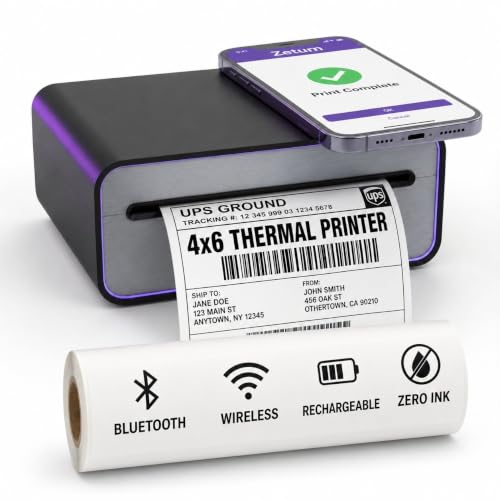
Portable Thermal Printer – Built-in 2600mAh rechargeable battery lets you print shipping labels away from outlets at home, in the kitchen, or in a home office

Battery Widget information that indicates battery power as a % with remaining battery life indicated in minutes.

This Device Requires a Subscription. To start using it, simply select the tariff plan that fits your needs. Check the product gallery to see the tariff plans.
Recommended Battery Saver Apps
- Greenify
Greenify hibernates apps running in the background, stopping them from draining your battery when not in use. You can easily identify and manage battery-draining apps with this tool.
- Battery Doctor
Battery Doctor offers a user-friendly interface for optimizing your phone’s battery consumption. It provides features like one-tap optimization and detailed statistics on power usage.
- AccuBattery
AccuBattery monitors battery health and usage. It helps you understand how your apps affect battery life and recommends charging habits to prolong overall battery longevity.
- Power Battery
Power Battery provides real-time monitoring of your battery status. It includes a battery usage chart, allowing you to pinpoint what’s consuming power most.
- Kaspersky Battery Life
Kaspersky’s app identifies apps that are draining your battery. It offers suggestions to optimize your device’s overall performance, ensuring a more extended runtime.
Monitoring Battery Health
Keeping track of your battery’s health is essential for maintaining optimal performance. Use these practices:
- Check Battery Stats
Navigate to Settings > Battery to see which apps consume the most power. Understanding this helps you make informed decisions about usage.
- Install Battery-Health Apps
Consider apps like GSam Battery Monitor, which provides detailed statistics on battery usage, charging times, and discharge rates.
- Regular Calibration
Calibrating your battery every few months can improve its accuracy. Full charges and discharges help ensure the battery readings remain correct.
Monitor your battery health and choose the right apps to effectively manage your Android phone’s battery life.
Conclusion
Taking control of your Android phone’s battery life doesn’t have to be a daunting task. With a few simple adjustments and mindful habits, you can keep your device running longer throughout the day. Remember to regularly check your settings and be aware of which apps are draining your battery.
Utilizing tools and features like Battery Saver Mode and managing background data can make a significant difference. By making these changes, you’ll not only enjoy a more reliable phone experience but also avoid the frustration of searching for a charger when you need it most. Embrace these tips and enjoy a battery that lasts longer, giving you peace of mind on the go.
Frequently Asked Questions
What are the main causes of battery drain on Android phones?
Battery drain on Android phones can be caused by various factors, including background apps, high screen brightness, and location services. Apps like social media, streaming, navigation, and gaming are particularly notorious for using a significant amount of battery. Understanding these factors is essential for managing usage effectively.
How can I extend my Android phone’s battery life?
To extend battery life, adjust settings like screen brightness, enable Night Mode, and use Battery Saver Mode. Limiting background data for apps, managing location services, and reducing unnecessary app usage also contribute to saving battery life.
What is Battery Saver Mode?
Battery Saver Mode is a feature that reduces background activity on your Android phone, limiting app usage and notifications to extend battery life. It can easily be activated within the phone’s settings for better power management.
Which apps should I limit to save battery life?
Common battery-draining apps include social media, streaming services, gaming, and navigation apps. Limiting their background data usage and minimizing their active time can significantly help conserve battery power.
How can I monitor my battery health?
You can monitor your battery health by checking battery stats in your phone’s settings and using battery-health apps like GSam Battery Monitor. Regularly calibrating your battery and understanding its performance can help maintain its optimal condition.
Are there any apps that help save battery life?
Yes, there are several apps designed to help save battery life. Recommended options include Greenify, Battery Doctor, AccuBattery, Power Battery, and Kaspersky Battery Life, each offering unique features for monitoring and optimizing battery usage.
