

Key Takeaways
- Preparation is Key: Gather essential tools like a Phillips screwdriver, plastic pry tool, and heating device before starting the battery removal process to ensure efficiency.
- Power Off First: Always turn off your Samsung A52 before attempting to remove the battery to prevent damaging the device.
- Heat for Adhesive Release: Use a heat gun or hairdryer to soften the adhesive on the back cover, making it easier to remove without causing damage.
- Handle with Care: Use appropriate tools gently to avoid scratching or damaging components, and always pry from the edges.
- Follow Safety Precautions: Work in a well-ventilated area, wear an anti-static wrist strap, and inspect the battery for swelling or damage to ensure safety during the removal process.
- Dispose Responsibly: Properly dispose of the old battery according to local regulations to promote environmental safety.
Have you ever found yourself struggling with a device that just won’t hold a charge? If you own a Samsung A52, you might be wondering how to tackle battery issues effectively. Whether you’re facing a slow drain or just want to replace an old battery, knowing how to remove it can save you time and money.
Overview of Samsung A52 Battery Removal
Removing the Samsung A52 battery involves a few essential steps. This process helps when addressing issues like slow drainage or replacing an old battery. Before starting, gather the necessary tools: a plastic opening tool, a small Phillips screwdriver, and a heat gun or hairdryer.
Steps to Remove the Battery
- Power Off the Device: Turn off your Samsung A52 to prevent any damage during the removal process.
- Heat the Back Cover: Use a heat gun or hairdryer on a low setting to warm the edges of the back cover. This softens the adhesive and makes it easier to remove.
- Pry Open the Back Cover: Insert the plastic opening tool between the back cover and the frame. Gently slide it around to detach the adhesive. Take your time to avoid cracking the cover.
- Unscrew the Battery Connector: Once the back cover is off, locate the battery connector. Use a Phillips screwdriver to remove the screws securing it.
- Disconnect the Battery: Carefully lift the battery connector away from the motherboard. Avoid pulling on any wires.
- Remove the Battery: If you’re replacing the battery, gently lift it out of the casing. If the battery is stuck, apply a bit more heat to loosen the adhesive around it.
Tips for a Smooth Battery Removal
- Work in a Well-Lit Area: Ensure you have good lighting to see small screws and components clearly.
- Keep Track of Small Parts: Use a small container to keep screws organized and prevent loss during the process.
- Consult a Guide or Video: Watching a tutorial can provide a visual aid to make the process easier.
By following these steps, you’ll effectively remove the A52 battery, allowing you to replace it or address any issues with your device.
Tools and Materials Required
Before starting the battery removal process for your Samsung A52, gather the necessary tools and materials. Having everything ready ensures a smoother experience.
Recommended Products
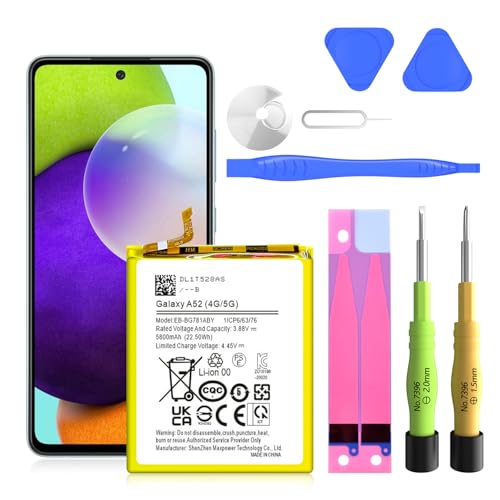
✅SHENMZ Galaxy A52 Battery Replacement ONLY Work For Model Samsung Galaxy A52/A52S (4G/5G) SM-A526 SM-A526B/DS SM-A5260 EB-BG781ABY. Note: Galaxy A52 Battery ,NOT for Other Samsung Model. Please Confirm Your Phone Model From Phone Back Cover to Avoid Wrong Order.[Not for Galaxy other Phone Models.]

Compatible Phone Model: This battery kit is specifically designed for Samsung Galaxy A52 (with model SM-A525 series) / A52s (with model SM-A528 series), please double confirm your phone model before purchasing
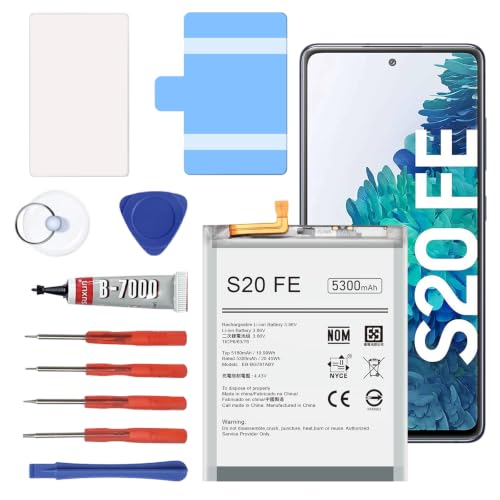
【5300mAh High Capacity & 0 Cycle】 Experience extended usage with our 5300mAh high-capacity replacement battery, providing significantly more power than standard batteries. Featuring a brand-new 0 cycle count.
Necessary Tools
- Phillips screwdriver: You’ll need a small Phillips screwdriver to remove screws.
- Plastic pry tool: This will help you safely open the back cover without damaging the device.
- Tweezers: Useful for handling small components and screws.
- Heating pad or hairdryer: Use this to soften the adhesive on the back cover, making it easier to remove.
- Suction cup tool: Helpful for lifting the back cover gently from the device.
Additional Materials
- Isopropyl alcohol: Keep this on hand for cleaning any residue left on the battery connectors.
- Anti-static wrist strap: Wear this to prevent static electricity from damaging delicate components.
- Small container: Use a container for keeping screws and small parts organized during the process.
- Replacement battery: Ensure you have the correct replacement battery ready for installation.
Step-by-Step Guide on How to Remove Samsung A52 Battery
Follow these simple steps to remove the battery from your Samsung A52 effectively.
Recommended Products

COMPATIBILITY: This battery only fits for Samsung Galaxy A52 / A52s, SM-A525F, SM-A525F/DS, SM-A525M, SM-A525M/DS, SM-A528B, SM-A528B/DS, SM-A528N. Please carefully confirm your phone model before purchase.
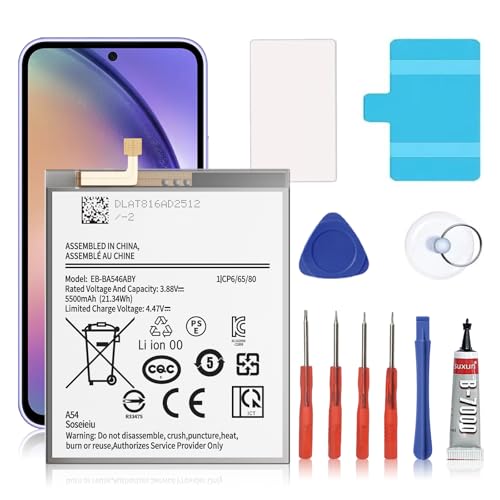
🎋【Compatible Model】EB-BA546ABY Replacement Battery for Galaxy A54 5G & A34 5G, SM-A546V, SM-A546U, SM-A546U1, SM-A546B, SM-A546B/DS, SM-A546E, SM-A546E/DS, SM-A5460, SM-A546M, SM-A546M/DS, SM-A346M, SM-A346E, SM-A346B.[Note: Not for Galaxy A52 ,Galaxy A53 or other Phone Models]
![TQTHL Galaxy A52 Battery,[5800mAh] Li-Polymer EB-BG781ABY Replacement Battery for Galaxy A52 (4G / 5G) SM-A526 SM-A526B/DS SM-A5260&Galaxy S20 FE SM-G780 & S20 FE 5G SM-G781](https://m.media-amazon.com/images/I/41KxasUXrNL._SL500_.jpg)
【Compatible Model】This battery only compatible with Galaxy S20 FE EB-BG781ABY, SM-G781B, G781U, G781W, SM-A526, A526B/DS, A5260, A526W. Please verify your existing battery's part number matches before purchasing this replacement.
Preparing Your Device
- Gather Your Tools: Collect the necessary tools, such as a Phillips screwdriver, plastic pry tool, tweezers, heating pad or hairdryer, and a suction cup tool.
- Power Off the Device: Ensure your Samsung A52 is completely powered off. Press and hold the power button, then select “Power Off.”
- Work in a Clean Area: Find a well-lit workspace to prevent losing tiny screws or parts.
Removing the Back Cover
- Heat the Back Cover: Use a heating pad or hairdryer to warm the back cover for about 30 seconds. This softens the adhesive, making removal easier.
- Create an Opening: Attach a suction cup tool to the bottom of the back cover. Gently pull upwards while sliding a plastic pry tool into the gap to pry it open.
- Pry Open the Cover: Carefully run the pry tool around the edges until the back cover separates from the body. Move slowly to avoid damaging the cover.
Disconnecting the Battery
- Unscrew the Battery Connector: Locate the battery connector, usually secured by small screws. Use the Phillips screwdriver to remove these screws.
- Disconnect the Connector: Gently lift the connector with a plastic pry tool. Be cautious to avoid damaging any surrounding components.
Removing the Battery
- Pry the Battery Loose: If the battery is stuck, use the plastic pry tool to carefully detach it from the adhesive.
- Lift the Battery Out: Once detached, lift the battery out of the compartment using tweezers or your fingers.
Always dispose of the old battery properly according to local regulations. Following these steps ensures a smooth battery removal and prepares you for successful replacement.
Tips for Safe Battery Removal
Removing the Samsung A52 battery can be straightforward, but following safety tips ensures a smooth process. Here are some important recommendations.
Recommended Products

【High Quality】passed through a series strict tests before shipping out and have been well-packed,if installed correctly, will have exactly the same functionality as before.
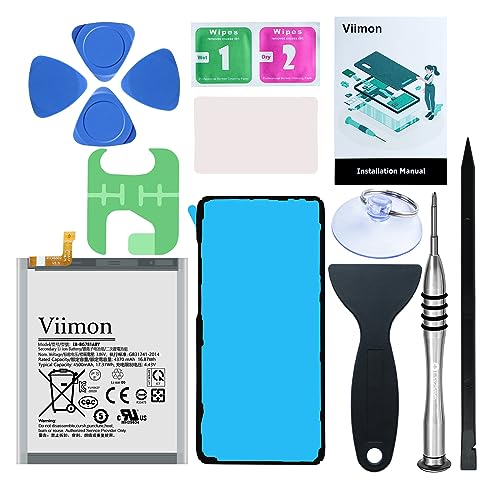
【Compatible Model】It is compatible with Samsung Galaxy S20 FE, A52 and A52S 5G, Model: S20 FE 5G SM-G781B G781U G781W SM-A526 A526B/DS A5260 A526W. Not for S20 and S20+ Plus. Please double identify and check your phone model matches before purchasing the battery.
Safety Precautions
- Power Off Your Device: Always turn off your Samsung A52 completely before starting the battery removal process. This prevents accidental shorts or device damage.
- Work in a Ventilated Area: Make sure you’re in a well-ventilated space. If you use a heating device, it minimizes the risk of inhaling fumes.
- Use Anti-Static Gear: Wear an anti-static wrist strap to protect sensitive components from static electricity. This gear is especially useful when handling internal parts.
- Inspect the Battery: Look for any signs of swelling or damage on the battery. If you notice these issues, avoid handling it further and seek professional help.
Handling the Battery
- Use Tools Carefully: Use the plastic pry tool gently to avoid scratching or damaging the device. Always pry from the edges instead of the screen.
- Keep a Firm Grip: When removing the battery, hold it securely to prevent slips that could lead to accidental damage.
- Avoid Puncturing the Battery: Be cautious when prying. Puncturing the lithium battery can cause harmful reactions and is hazardous.
- Store Properly: Once removed, keep the battery in a safe container away from metal objects, such as coins and keys, to prevent short-circuits.
- Dispose of Responsibly: Ensure proper disposal by following local regulations regarding electronic waste. This protects the environment and promotes safety.
Following these tips helps ensure a safe and efficient battery removal process for your Samsung A52.
Conclusion
Removing the battery from your Samsung A52 can seem daunting but with the right tools and a little patience you can tackle it like a pro. Remember to take your time and follow the steps carefully to avoid any mishaps.
Always prioritize safety by working in a well-lit area and handling components gently. Once you’ve successfully removed the battery you’ll not only fix your current issues but also gain confidence for future repairs.
Don’t forget to dispose of the old battery responsibly and enjoy the peace of mind that comes with knowing how to maintain your device. Happy repairing!
Frequently Asked Questions
What are common battery issues for Samsung A52 users?
Many Samsung A52 users experience slow battery drainage and the need for battery replacement. These issues can stem from software glitches, heavy app usage, or battery aging.
How do I remove the Samsung A52 battery?
To remove the Samsung A52 battery, power off the device, heat the back cover to soften adhesive, use a suction cup tool to create an opening, and carefully pry off the cover. Unscrew and disconnect the battery connector, then lift the battery out.
What tools do I need for battery removal?
You’ll need a Phillips screwdriver, plastic pry tool, tweezers, heating pad or hairdryer, suction cup tool, isopropyl alcohol for cleaning, an anti-static wrist strap, and a small container for organizing screws.
Are there safety tips for removing the battery?
Yes, ensure the device is powered off, work in a ventilated area, and wear anti-static gear. Inspect the battery for damage, handle tools carefully, maintain a firm grip, and avoid puncturing the battery.
How should I dispose of the old battery?
Dispose of the old battery responsibly by following local regulations. Many communities offer battery recycling programs to ensure safe disposal and minimize environmental impact.
