

Key Takeaways
- Understand Battery Types: Familiarize yourself with the different varieties of Samsung batteries, including Lithium-Ion (Li-ion) and Lithium Polymer (LiPo), to identify genuine products.
- Prioritize Authenticity: Using original Samsung batteries is crucial for optimal performance and safety. Counterfeit batteries can overheat, degrade quicker, and pose fire hazards.
- Conduct Visual Inspections: Look for clear brand markings, labels, and holograms when verifying battery authenticity. Genuine Samsung batteries should feature crisp logos and consistent branding.
- Check Serial Numbers: Verify the battery’s serial number through Samsung’s official website or the Samsung Members app to confirm its legitimacy.
- Use Verification Tools: Utilize apps like Samsung Members, AccuBattery, GSam Battery Monitor, and Battery Guru to gather insights on battery health and detect potential counterfeits.
- Buy from Reputable Retailers: Purchase batteries from authorized retailers, check seller reviews, and be cautious of steep discounts to avoid counterfeit products.
Have you ever wondered if your Samsung battery is the real deal? With so many counterfeit products out there, it’s easy to feel unsure about what you’re using. You might’ve experienced issues with battery life or performance, and that’s frustrating.
Understanding Samsung Batteries
Knowing about Samsung batteries helps you assess their authenticity and performance. Counterfeit batteries can lead to issues, so understanding the types and the importance of authenticity is crucial.
Types of Samsung Batteries
Samsung manufactures several battery types, including:
- Lithium-Ion (Li-ion): Commonly used in smartphones, these batteries offer high energy density and low self-discharge rates, enhancing performance and lifespan.
- Lithium Polymer (LiPo): Found in thinner devices, LiPo batteries are flexible and have a compact design, making them ideal for sleek devices.
- Removable and Non-Removable: Some Samsung devices feature removable batteries, allowing for easy replacement. Others come with non-removable batteries, requiring professional help for replacement.
Understanding these types aids you in identifying genuine Samsung batteries. Each type has specific characteristics that should match with your device.
Importance of Authenticity
Using authentic Samsung batteries ensures optimal performance and safety. Genuine batteries undergo rigorous testing, ensuring they meet safety standards. Counterfeit batteries may:
- Overheat: Counterfeit batteries lack proper thermal regulation, increasing the risk of overheating.
- Decrease Lifespan: Non-genuine batteries can degrade faster, leading to frequent replacements.
- Compromise Safety: Low-quality materials may pose fire hazards or harm your device.
Always prioritize authentic batteries to maintain performance and safety. Check labels, holograms, and packaging to verify authenticity before purchase.
Identifying Original Samsung Batteries
Identifying original Samsung batteries requires attention to detail and specific checks. By following the steps below, you can ensure your battery is genuine.
Recommended Products
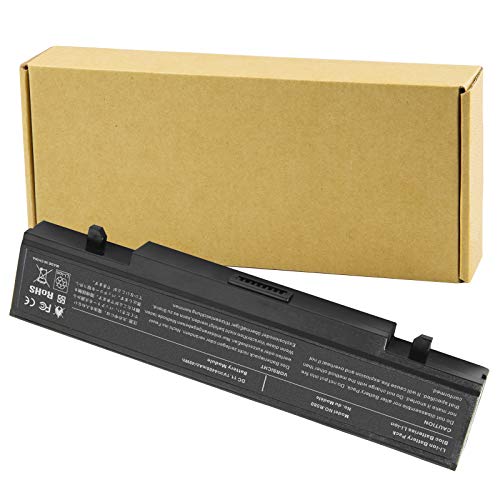
Specifications: Li-ion battery, Rated at 11.1V(10.8V Compatible) 5200mAh

Compatible Phone Model: This battery kit is specifically designed for Samsung Galaxy S9 (with model SM-G960 series), NOT work for Galaxy S9 Plus/Note 9, please double confirm your phone model before purchasing

PREMIUM QUALITY REPLACEMENT NOTEBOOK BATTERY: Bring your laptop back to life with Ninjabatt's high quality laptop battery - Made of high quality materials, top grade battery cells and packed with safety features.
Visual Inspection
Inspect the battery for any discrepancies. Look for clear text and high-quality printing on the label. Genuine Samsung batteries often feature the company logo, which should be crisp, not blurry. Check for the following:
- Brand markings: Authentic batteries have consistent branding elements.
- Labels: Look for uniform fonts and no color fading.
- Holograms: Many original Samsung batteries include a holographic sticker. Ensure it is secure and correctly placed.
Checking Serial Numbers
Checking the serial number adds another layer of verification. Follow these steps:
- Locate the serial number: Find it on the battery label or the packaging.
- Compare with Samsung’s database: Visit Samsung’s official website or use the Samsung Members app to verify the number.
- Contact support: If unsure, reach out to Samsung customer service with your serial number to confirm authenticity.
By conducting these checks, you can filter out counterfeit batteries and protect your device’s performance and safety.
Tools and Apps for Verification
You can utilize several tools and apps to verify if your Samsung battery is original. These resources make it easier to determine authenticity and safeguard your device’s performance.
Samsung Members App
The Samsung Members app offers a reliable way to check your battery’s authenticity. After downloading it from the Samsung Galaxy Store or Google Play, you can access various features, including diagnostics. Open the app, navigate to “Support,” and select “Device Diagnostics.” Choose “Battery Status” to view information about your battery, including its model number and health. If the details match the specifications for your device, you most likely have an original battery.
Third-Party Apps
Several third-party apps can assist in verifying the authenticity of your Samsung battery. Consider the following options:
- AccuBattery: This app provides detailed insights into your battery’s health and charging patterns. It tracks capacity, charge cycles, and estimated lifespan, helping you identify discrepancies that may suggest a counterfeit battery.
- GSam Battery Monitor: This app delivers in-depth information about battery usage, including discharge rates and app impact on battery performance. A significant deviation from typical performance may indicate a non-genuine battery.
- Battery Guru: With Battery Guru, you can monitor your battery’s temperature, charge cycles, and capacity. The app can unveil unusual behaviors that may stem from a counterfeit product.
These apps can reveal critical information about your battery, allowing you to ensure it’s a certified Samsung product.
Tips for Purchasing Genuine Samsung Batteries
Ensure your Samsung battery purchase is genuine by following these essential tips.
Recommended Products

❁Compatible Models: This Battery Suitable for all Galaxy J7 Prime variants.Compatible with Samsung Galaxy J7 Prime (2017 Ver) J727 J7 Perx J7 Sky Pro J727P J727A J727V J727T J727R J727U J7 2016 J710 J710F J710T J710P EB-BJ710CBC EB-BJ710CBE EB-BJ710CBU EB-BJ710CBZ EB-BJ710CBK. ★NOT FOR Galaxy J7 (2015/2018 Ver).

LIGHTNING FAST AND EFFICIENT: The new power adapter accommodates your active lifestyle by giving you up to 25W of Super Fast Charging* for devices compatible with USB Type-C cables**; So when you do run low on power, it won't be for long

POWER ANYWHERE YOU WANT IT: Charge up any of your devices with the Galaxy Magnetic Wireless Battery Pack. Whether you want to plug in to the USB-C port or use the built-in magnetic wireless charger, the 5,000mAh battery is waiting to power you up throughout the whole day.
Where to Buy
Purchase Samsung batteries from authorized retailers. You’ll find them at Samsung stores, certified online platforms, and major electronic retailers. Verify that the sellers are official partners to avoid counterfeits. Check websites like Samsung’s official site or trusted e-commerce platforms known for selling authentic products.
Recognizing Reputable Sellers
Recognize reputable sellers by assessing their credentials. Look for retailers with positive customer reviews and strong return policies. Avoid sellers offering overly steep discounts, as these may suggest counterfeit products. Additionally, inspect their contact information and customer support options. Reliable sellers maintain good communication channels for your inquiries. Check for warranty offerings on batteries; genuine products usually come with manufacturer warranties.
Conclusion
Ensuring your Samsung battery is original is key to maintaining your device’s performance and safety. By following the tips outlined in this article you can confidently identify genuine batteries and avoid the pitfalls of counterfeits.
Always remember to check for clear text quality branding and secure holograms. Using tools like the Samsung Members app can also give you peace of mind about your battery’s authenticity.
When purchasing make sure to stick with authorized retailers and look for warranties to guarantee you’re getting a reliable product. Taking these steps will help you enjoy your device to the fullest while keeping it safe.
Frequently Asked Questions
What are the risks of using counterfeit Samsung batteries?
Using counterfeit Samsung batteries can lead to overheating, decreased lifespan, and safety hazards. These batteries may not undergo proper testing, potentially causing devices to malfunction or posing fire risks.
How can I tell if my Samsung battery is genuine?
To determine if your Samsung battery is authentic, check for clear text, high-quality printing, consistent branding, and secure holographic stickers. Additionally, verify the serial number on the sticker through Samsung’s website.
What types of Samsung batteries are available?
Samsung offers two main types of batteries: Lithium-Ion (Li-ion) and Lithium Polymer (LiPo). They also provide both removable and non-removable battery options, depending on the device model.
Why is it important to use genuine Samsung batteries?
Genuine Samsung batteries ensure optimal performance and safety. They undergo rigorous testing to meet safety standards, ultimately extending battery life and preventing potential hazards compared to counterfeit batteries.
Where can I buy authentic Samsung batteries?
To purchase authentic Samsung batteries, buy from authorized retailers like Samsung stores or certified online platforms. Always verify the seller’s credentials to avoid counterfeit products.
What tools can help verify Samsung battery authenticity?
You can use the Samsung Members app and third-party apps like AccuBattery, GSam Battery Monitor, and Battery Guru to check the health and performance of your battery, assisting in verifying authenticity.
How can I identify reputable sellers of Samsung batteries?
Look for sellers with positive customer reviews and check their credentials. Be cautious of steep discounts that could indicate counterfeit products, and prioritize retailers offering manufacturer warranties.
