

Key Takeaways
- Google Nest Products Depend on Power: Most Google Nest devices, including the Hub, Mini, and Audio, do not feature built-in batteries and require a constant power source to function.
- Battery-Equipped Options Available: The Google Nest Cam (battery) includes a built-in battery, allowing it to operate during power outages while providing continued security and monitoring capabilities.
- Comparative Analysis: Unlike some competitors, such as the Amazon Echo Show 5, most Google Nest models lack battery backups, necessitating alternative power solutions like Uninterruptible Power Supplies (UPS).
- User Feedback Highlights Pro and Cons: Battery-powered Google Nest devices offer convenience and security during outages but can have limited battery life and higher initial costs.
- Consider Backup Solutions: If maintaining smart home functionality during power outages is crucial, consider exploring battery-powered options or other smart speakers that include battery support.
Have you ever wondered what happens to your Google Nest devices during a power outage? It’s a common concern for many smart home users. You rely on these gadgets for everything from security to convenience, and losing power can be frustrating.
Overview of Google Nest Products
Google Nest products enhance smart home experiences but depend on a stable power source. Understanding their battery capabilities helps assess their reliability during outages.
Recommended Products

Google Nest Hub 1st Gen H1A – 7-inch smart display with Google Assistant built in for hands-free help, smart home control, entertainment, and daily organization.

VALUE BUNDLE INCLUDES: Google Nest Hub 2nd Generation with English, Spanish, French and Portuguese Global Language Compatibility so it works everywhere, Universal Power Adapter and Quick Start Guide with International Manual for Global Users

Google Nest Hub
Google Nest Hub displays information and controls connected devices. It includes a built-in speaker, microphone, and touchscreen for seamless interaction. The Hub connects via Wi-Fi but lacks an internal battery. Without power, it becomes non-functional, making it essential to consider backup options, like an Uninterruptible Power Supply (UPS).
Google Nest Mini
Google Nest Mini serves as a compact smart speaker. It supports voice commands, answers questions, and controls devices. The Mini also doesn’t feature a built-in battery. When power is lost, the device won’t operate, so consider smart plugs or battery-powered options for uninterrupted functionality.
Google Nest Audio
Google Nest Audio focuses on superior sound quality. It plays music and responds to voice requests efficiently. Similar to its counterparts, it lacks an internal battery. During power outages, you’ll lose all functionality. A reliable power backup solution ensures these devices remain operational, even when the grid goes down.
Battery Features in Google Nest Devices
Google Nest devices primarily operate using a steady power supply. Unfortunately, most models, including the Google Nest Hub, Nest Mini, and Nest Audio, don’t include built-in batteries. Without power, these devices won’t function, leaving you without smart home control or security features during outages.
Recommended Products

Nest Cam has built-in intelligence and can tell the difference between a person, animal, and vehicle and send alerts directly through the Google Home app[1], no subscription required.Controller Type:Google Assistant.Connectivity protocol:Bluetooth;Wi-Fi.Power source type:Battery Powered.Operating Temperature : –4°F to 104°F (–20°C to 40°C).
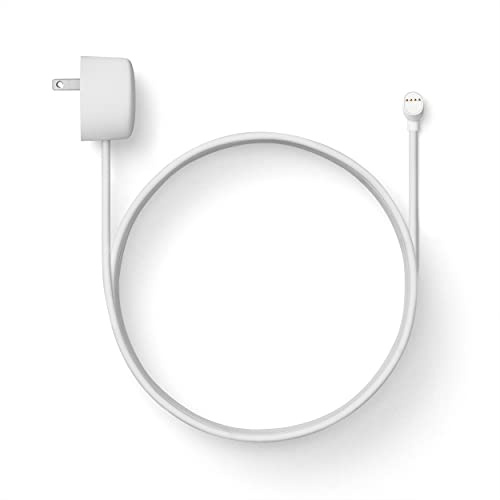
Weatherproof cable[1] and power adapter keep your Nest Cam home security camera connected with continuous power[2]

【Compatible with】The nest camera power cord for for your Google 2nd Generation camera. NOT for Google Nest Cam Outdoor, Google Nest Cam Indoor, Google Nest Cam IQ, nest cam outdoor 1st Generation.(Current: 0.706A; Voltage: 5.24V)
Devices with Battery Backup
Some Google Nest products, like the Google Nest Cam (battery), come equipped with internal batteries. These models provide flexibility and reliability during power outages. A fully charged Nest Cam can operate for several hours or longer, depending on settings and usage. This functionality enables continued monitoring and security even when your home loses power.
Comparison with Competing Smart Speakers
When comparing Google Nest devices to competing smart speakers, such as Amazon Echo and Apple HomePod, battery options vary. While the Echo Show 5 offers a battery-powered version, the standard models from both Apple and Amazon typically require a constant power source. If battery backup is a vital feature for your smart home, exploring options among other smart speakers may prove beneficial. Ultimately, understanding these distinctions helps in choosing the best device for your needs.
User Experience and Feedback
User feedback regarding the battery capabilities of Google Nest devices highlights both advantages and disadvantages. Understanding these aspects can help you make informed decisions about which devices suit your smart home needs.
Pros of Battery-Powered Options
- Convenience: Battery-powered models, such as the Google Nest Cam (battery), offer flexibility and placement options without needing a nearby power outlet.
- Power Outage Functionality: These devices continue operating during power outages, ensuring security and monitoring capabilities remain intact.
- User-Friendly Setup: Setting up battery-operated devices often requires minimal effort, allowing quick installation and immediate use.
- Portability: Lightweight and cordless options provide the ability to move devices easily, optimizing home security and accessibility.
Cons and Limitations
- Limited Battery Life: Battery-powered devices, like the Nest Cam, may require frequent recharging, which can disrupt usability.
- Higher Initial Costs: Such devices may cost more upfront than traditional models, affecting your budget.
- Features Restriction: Some features may be limited or unavailable in battery-operated versions compared to their wired counterparts.
- Potential Reliability Issues: Battery failure or depletion may leave your home unmonitored, creating security risks if not addressed immediately.
By weighing these pros and cons, you can determine whether battery-powered Google Nest devices fit your security and convenience needs.
Conclusion
Choosing the right Google Nest device for your smart home needs involves understanding their power requirements. While most models don’t have built-in batteries and can’t function during outages, options like the Google Nest Cam (battery) offer some flexibility. If you want uninterrupted service during power interruptions, consider investing in backup solutions like a UPS or explore battery-powered alternatives.
Ultimately, it’s about finding the balance between convenience and reliability. By weighing the pros and cons of each device, you can ensure your smart home remains functional and secure, even when the lights go out.
Frequently Asked Questions
Do Google Nest devices work during a power outage?
Google Nest devices typically do not work during power outages since they lack built-in batteries. Without a stable power source, these devices will remain non-functional.
Are there any Google Nest devices with batteries?
Yes, some Google Nest products, like the Google Nest Cam (battery), come with internal batteries. These can function for several hours during power outages.
How can I keep my Google Nest devices running during outages?
To maintain operation during power outages, consider using an Uninterruptible Power Supply (UPS) or look into battery-powered alternatives.
What are the pros of using battery-powered Google Nest devices?
Battery-powered Google Nest devices offer convenience, functionality during outages, easy setup, and portability, making them versatile for smart home setups.
What are the cons of battery-powered Google Nest devices?
Cons include limited battery life, higher upfront costs, restrictions on features, and potential reliability issues, which might affect the overall user experience.
