Close Menu
Battery Spotlight
    Battery Spotlight
    • Home
    • Phone Batteries
    • Laptop Batteries
    • Car Batteries
      • Golf Cart Batteries
    • Battery Info
      • Battery Chargers
      • Battery Life
      • Battery Maintenance
      • Marine Batteries
      • Rechargeable Batteries
      • Solar Batteries
    • About Us
      • Contact
    Battery Spotlight
    Navigation: Home » Phone Batteries » Android Batteries » Does Charging Overnight Damage Battery Android? Tips for Maintaining Battery Health and Lifespan
    Android Batteries

    Does Charging Overnight Damage Battery Android? Tips for Maintaining Battery Health and Lifespan

    Leo HudsonBy Leo HudsonJune 6, 20258 Mins Read
    Share Facebook Twitter Pinterest LinkedIn Tumblr Email WhatsApp Copy Link
    Share
    Facebook Twitter LinkedIn Pinterest Email Copy Link

    Key Takeaways

    • Understanding Battery Technology: Android devices mainly use lithium-ion batteries, which can last 300-500 full charge cycles when maintained properly.
    • Optimal Charging Habits: It’s best to charge your battery between 20% and 80%, use quality chargers, and unplug your device once it’s fully charged to prevent overheating.
    • Risks of Overnight Charging: Charging overnight may lead to excess heat generation, contributing to battery wear over time, despite modern devices having safeguards like trickle charging.
    • Myth Busting: Common misconceptions include that overnight charging immediately damages batteries; in reality, while it doesn’t cause instant harm, it can affect long-term health.
    • Best Practices for Battery Maintenance: Enable battery saver features, monitor battery health regularly using built-in tools or third-party apps, and adjust charging habits to extend battery life.

    Do you ever wonder if charging your Android overnight is hurting its battery life? You’re not alone. Many people plug in their phones before bed, thinking it’s the easiest way to ensure they wake up to a fully charged device. But is this habit actually doing more harm than good?

    Table of Contents

    Toggle
    • Key Takeaways
    • Understanding Android Battery Technology
    • Lithium-Ion Batteries
    • Battery Lifespan and Health
    • Charging Practices for Android Devices
    • Optimal Charging Habits
    • Impact of Overnight Charging
    • Does Charging Overnight Damage Battery Android?
    • Myths vs. Facts
    • Effects of Charging Overnight
    • Best Practices for Battery Maintenance
    • Using Battery Saver Features
    • Monitoring Battery Health
    • Conclusion
    • Frequently Asked Questions
    • Does charging my Android phone overnight damage the battery?
    • What is the ideal battery level to maintain for longevity?
    • How can I optimize my Android phone's battery performance?
    • Are there any charging habits I should avoid?
    • What are some myths about overnight charging I should be aware of?

    Understanding Android Battery Technology

    Android phones primarily use lithium-ion batteries. These batteries are popular for their efficiency and longevity. Understanding how they function helps clarify the charging practices around these devices.

    Lithium-Ion Batteries

    Lithium-ion batteries store energy using a chemical reaction between lithium ions and other materials. As you charge the battery, lithium ions move from the positive electrode to the negative electrode. When discharging, the process reverses. This cycle can repeat hundreds of times. For optimal performance, avoid extreme temperatures, both cold and hot.

    Battery Lifespan and Health

    Battery lifespan refers to how long the battery holds a charge, while battery health indicates its overall performance. A new lithium-ion battery typically lasts 300 to 500 full charge cycles. Charging overnight is convenient, but it may shorten battery lifespan over time due to heat generated during charging. Keeping the phone in a cool, ventilated area while charging can help maintain its health. Consider enabling features like battery optimization settings to manage power usage effectively.

    Charging Practices for Android Devices

    Charging habits significantly affect the longevity and health of your Android device’s battery. Understanding these practices can help you optimize battery performance.

    Recommended Products

    AOGUERBE for MagSafe Portable Charger, 10000mAh Magnetic Power Bank 22.5W Fast Charging, Mini Battery Pack Wireless with LED Display&Foldable Stand for iPhone 17/16/15/14/13/12 Series (Royal Blue)
    AOGUERBE for MagSafe Portable Charger, 10000mAh Magnetic Power Bank 22.5W Fast Charging, Mini Battery Pack Wireless with LED Display&Foldable Stand for iPhone 17/16/15/14/13/12 Series (Royal Blue)

    【Magnetic Power Bank for 17/16/15/14/13/12】 The mag-safe portable charger with the remarkable 10,000mAh battery designed for iPhone 17 Air, iPhone 17, iPhone 17 Pro, iPhone 17 Pro Max, iPhone 16, iPhone 16 Plus, iPhone 16 Pro, iPhone 16 Pro Max, iPhone 15, iPhone 15 Plus, iPhone 15 Pro, iPhone 15 Pro Max, iPhone 14, iPhone 14 Plus, iPhone 14 Pro, iPhone 14 Pro Max, iPhone 13, iPhone 13 mini, iPhone 13 Pro, iPhone 13 Pro Max, iPhone 12, iPhone 12 mini, iPhone 12 Pro, and iPhone 12 Pro Max. (Note: Suitable for use without cases or with mag-safe cases)

    SEE ALSO  Can I Change the Battery in My Samsung Phone: A Complete Guide for DIY and Professional Options
    VIEW LATEST PRICE

    As an affiliate, we earn on qualifying purchases.

    AsperX 2 Pack 10000mAh Portable Charger, USB C Fast Charging Power Bank Input & Output, Travel External Battery Pack Compatible with iPhone Samsung Android Phones, Heated Vest, Dual Black
    AsperX 2 Pack 10000mAh Portable Charger, USB C Fast Charging Power Bank Input & Output, Travel External Battery Pack Compatible with iPhone Samsung Android Phones, Heated Vest, Dual Black

    【Dual-Pack Power Bank】This high-capacity battery pack is portable and easy to store,easily fitting into a pocket or backpack.It's super practical for couples and families on daily outings.10000mAh ample capacity,double the peace of mind.

    VIEW LATEST PRICE

    As an affiliate, we earn on qualifying purchases.

    Portable Charger,50000mAh Power Bank Built-in Cable, 22.5W PD USB C In & Out Fast Charging, External Battery Pack with 6 Output & 2 Input, Travel Camping Essential for iPhone 17/16/15/14/13/12(Onyx)
    Portable Charger,50000mAh Power Bank Built-in Cable, 22.5W PD USB C In & Out Fast Charging, External Battery Pack with 6 Output & 2 Input, Travel Camping Essential for iPhone 17/16/15/14/13/12(Onyx)

    Massive 50000mAh High-Density Battery – 10+ Full Charges: Equipped with a premium high-density polymer battery, YILANS Portable charger power bank delivers 10+ Iphone 15, Widely compatible with charges for iPhone 17/16/15/14/13/12 Series, iPad, Samsung, Google Pixel series, Switch, and other Android phones and tablets. (IMPORTANT: 50000MAH PORTABLE CHARGER ARE NOT ALLOWED ON AIRPLANE)

    VIEW LATEST PRICE

    As an affiliate, we earn on qualifying purchases.

    Optimal Charging Habits

    • Charge Between 20% and 80%: Aim to keep your battery level between these percentages. Avoid letting it drop to 0% or consistently charging to 100%.
    • Use Quality Chargers: Stick to chargers from reputable brands to ensure safe and efficient charging. Cheap or counterfeit chargers can overheat the battery.
    • Enable Battery Saver Mode: Activate this mode when your battery level is low. This feature limits background activity to conserve power.
    • Disconnect When Fully Charged: Once your device reaches 100%, unplug it. Continuous charging can create excess heat, potentially affecting battery health over time.

    Impact of Overnight Charging

    Overnight charging poses risks to battery lifespan. Here’s what to consider:

    • Heat Generation: The charging process creates heat, which can harm battery life. If your phone charges overnight and overheats, it can lead to accelerated wear.
    • Trickle Charging: Many modern devices employ trickle charging to prevent damage. However, extended periods plugged in can still stress the battery.
    • Battery Health Monitoring: Use apps to monitor battery health over time. This way, you can gauge how overnight charging impacts your battery’s performance.

    By following these guidelines, you can enhance your Android device’s battery life and maintain its overall health.

    Does Charging Overnight Damage Battery Android?

    Charging your Android phone overnight sparks concern among many users regarding battery damage. It’s important to understand how this practice affects battery health and lifespan.

    Recommended Products
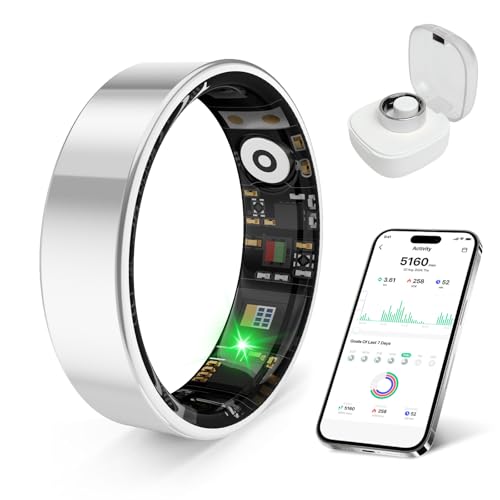
    RingConn Gen 2, World’s First Smart Ring with Sleep Apnea Monitoring, No APP Subscription, 12-Day Battery Life, Stress/Heart Rate/Women's Health Tracker, Android & iOS Compatible (Black, Size 11)
    RingConn Gen 2, World’s First Smart Ring with Sleep Apnea Monitoring, No APP Subscription, 12-Day Battery Life, Stress/Heart Rate/Women's Health Tracker, Android & iOS Compatible (Black, Size 11)

    [Sleep Apnea Monitoring] RingConn Gen 2 Smart Ring supports sleep health with advanced technology. Developed with leading universities and hospitals, this AI-powered ring accurately tracks sleep apnea. Unlike traditional devices, it's lightweight and comfortable, offering multi-day monitoring with real-time AHI data and personalized insights via a dedicated app for easy sleep health management

    SEE ALSO  How to Check Battery Health Samsung S9 to Maximize Your Device's Performance and Longevity
    VIEW LATEST PRICE

    As an affiliate, we earn on qualifying purchases.

    Evopow 2-Pack Portable Charger, Slimmer 10000mAh Power Bank, Fast Charging Battery Pack, USB C in&Out External Portable Power Bank for iPhone Tablet Samsung Pixel Headphones etc (Blue&Purple)
    Evopow 2-Pack Portable Charger, Slimmer 10000mAh Power Bank, Fast Charging Battery Pack, USB C in&Out External Portable Power Bank for iPhone Tablet Samsung Pixel Headphones etc (Blue&Purple)

    【Smaller & Slimmer】A 0.55-inch power bank that breaks the 10000mAh limit, weighing just 219g and only 14mm thick. Enjoy the days’ worth of charging capacity, enough to top up iPhone 16 1.9 times, Samsung S23 1.9 times, or AirPods Pro 11.5 times. The battery pack easily slipped into any travel lover's pockets or bag.

    VIEW LATEST PRICE

    As an affiliate, we earn on qualifying purchases.

    RingConn Gen 2, World’s First Smart Ring with Sleep Apnea Monitoring, No APP Subscription, 12-Day Battery Life, Stress/Heart Rate/Women's Health Tracker, Android & iOS Compatible (Rose Gold, Size 6)
    RingConn Gen 2, World’s First Smart Ring with Sleep Apnea Monitoring, No APP Subscription, 12-Day Battery Life, Stress/Heart Rate/Women's Health Tracker, Android & iOS Compatible (Rose Gold, Size 6)

    [Sleep Apnea Monitoring] RingConn Gen 2 Smart Ring supports sleep health with advanced technology. Developed with leading universities and hospitals, this AI-powered ring accurately tracks sleep apnea. Unlike traditional devices, it's lightweight and comfortable, offering multi-day monitoring with real-time AHI data and personalized insights via a dedicated app for easy sleep health management

    VIEW LATEST PRICE

    As an affiliate, we earn on qualifying purchases.

    Myths vs. Facts

    • Myth: Charging overnight causes immediate battery damage.
    • Fact: Modern Android phones use sophisticated charging systems that prevent overcharging. They often switch to trickle charge once at 100%, minimizing potential damage.
    • Myth: Heating while charging is harmless.
    • Fact: Excess heat during charging can contribute to battery wear. Keeping your device in a cool environment helps maintain battery health.
    • Myth: Lithium-ion batteries forget their maximum capacity.
    • Fact: Lithium-ion batteries don’t suffer from this issue. They can maintain their capacity for a long time with proper care.

    Effects of Charging Overnight

    Charging overnight can lead to several effects on your Android’s battery performance:

    • Heat Generation: Charging at night may cause your device to heat up, especially if it’s in a confined space. Heat accelerates chemical reactions inside the battery, which can shorten its lifespan.
    • Battery Cycle Count: Every full charge cycle impacts battery health. Overnight charging contributes to more frequent charge cycles. Limiting cycles reduces wear over time.
    • Battery Lifespan vs. Battery Health: While it doesn’t cause immediate failure, overnight charging may reduce the battery’s overall lifespan. A healthy battery retains its capacity longer.

    To reduce any potential damage, consider these tips:

    • Charge in a Cool Place: Place your phone on a hard surface while charging. Avoid charging it under pillows or blankets where heat can build up.
    • Use Quality Chargers: Invest in high-quality chargers and cables from reputable brands to ensure safe charging practices.
    • Adjust Settings: Enable battery optimization features on your device. These features help manage charging behavior and extend battery life.

    Focusing on these practices helps improve your Android’s battery health while still benefiting from the convenience of overnight charging.

    Best Practices for Battery Maintenance

    Proper battery maintenance is crucial for extending the life of your Android device. By following specific practices, you can enhance battery longevity and improve overall performance.

    Recommended Products

    Miady 2-Pack 5000mAh Mini Portable Charger with Built-in Type C Connector, USB-C Output Charging Small Power Bank, Ultra-Compact Battery Pack Compatible with iPhone 17/16 Galaxy S24/S22 iPad (2 Black)
    Miady 2-Pack 5000mAh Mini Portable Charger with Built-in Type C Connector, USB-C Output Charging Small Power Bank, Ultra-Compact Battery Pack Compatible with iPhone 17/16 Galaxy S24/S22 iPad (2 Black)

    Plug and Play: No Cable NeededCharge anytime, anywhere with the all-in-one design. This mini power bank features a built-in USB-C connector, allowing you to plug directly into your phone without the hassle of carrying or connecting an extra cable. Perfect for on-the-go charging — just plug, and power up!

    SEE ALSO  How Much Samsung Battery Cost: A Complete Guide to Replacement Options and Prices
    VIEW LATEST PRICE

    As an affiliate, we earn on qualifying purchases.

    How to Make Your Android Battery Last Longer: Simple Settings, Proven Tips and Daily Habits to Fix Battery Drain and Save Power on Android
    How to Make Your Android Battery Last Longer: Simple Settings, Proven Tips and Daily Habits to Fix Battery Drain and Save Power on Android
    VIEW LATEST PRICE

    As an affiliate, we earn on qualifying purchases.

    One Power Guard - one and only kernel-level power-saving and unique battery protection app
    One Power Guard - one and only kernel-level power-saving and unique battery protection app

    1. Extend stand-by time and battery life,optimize charging parameters

    VIEW LATEST PRICE

    As an affiliate, we earn on qualifying purchases.

    Using Battery Saver Features

    Utilizing built-in battery saver features maximizes battery efficiency. Here’s how you can enable and optimize these settings:

    1. Access Settings: Open your device’s settings.
    2. Select Battery: Tap on the Battery option.
    3. Enable Battery Saver: Look for the Battery Saver or Power Saving mode and turn it on.

    You can also customize which apps can run in the background while saving battery by managing app settings. This reduces unnecessary power usage, providing improved battery health over time.

    Monitoring Battery Health

    Regularly monitoring your battery health helps you understand its state and react accordingly. Here are steps to keep track of it:

    1. Use Built-in Features: Some devices offer battery health statistics in the settings. Look for Battery Usage or Device Care options.
    2. Third-Party Apps: Consider apps like AccuBattery or GSam Battery Monitor. These tools provide detailed insights and graphs about battery performance.
    3. Watch for Signs: Pay attention to unusual behavior, like rapid draining or unexpected shutdowns. These can indicate declining health.

    By routinely checking your battery’s condition, you can make informed decisions on when to replace it or change your charging habits for better maintenance.

    Conclusion

    Charging your Android phone overnight can be convenient but it’s good to be mindful of how it affects your battery. While modern devices have systems to prevent overcharging there are still factors like heat that can impact battery health over time.

    By following best practices like keeping your phone cool while charging and using quality chargers you can help extend your battery’s lifespan. Regularly checking your battery health and adjusting your charging habits can make a real difference.

    With a little care you can enjoy the convenience of overnight charging while keeping your device in great shape.

    Frequently Asked Questions

    Does charging my Android phone overnight damage the battery?

    Charging your Android phone overnight may not cause immediate damage, but it can shorten the battery’s lifespan over time. This is due to heat generation during charging, which can stress the battery. Modern devices have systems to prevent overcharging, but it’s still best to monitor your charging habits.

    What is the ideal battery level to maintain for longevity?

    To enhance battery longevity, keep your Android’s battery level between 20% and 80%. This reduces stress on the battery and helps maintain its health over time, extending overall usability and performance.

    How can I optimize my Android phone’s battery performance?

    You can optimize your Android phone’s battery performance by enabling battery saver mode, using quality chargers, and avoiding extreme temperatures. Regularly monitoring your battery health through settings or apps can also help you identify potential issues early.

    Are there any charging habits I should avoid?

    Avoid charging your device in extreme temperatures and try not to leave it plugged in for long periods after reaching 100%. It’s also a good idea to disconnect the charger once fully charged to prevent unnecessary wear on the battery.

    What are some myths about overnight charging I should be aware of?

    One common myth is that overnight charging will overcharge your phone. Modern Android phones have built-in mechanisms to prevent this. However, they still generate heat, which can negatively affect battery health over time if not managed properly.

    Share. Facebook Twitter Pinterest LinkedIn Tumblr Email WhatsApp Copy Link
    Leo-Hudson
    Leo Hudson

      Technical writer with 3+ years of experience. Bachelor of Arts in Environmental Studies from UC Santa Cruz. Passionate about sustainability and providing clear, concise how-to guides for common battery problems.

      Related Posts

      Android Batteries

      How to Replace Battery in Samsung Phone: A Step-by-Step Guide for Easy Replacement

      October 25, 2025
      Android Batteries

      How to Remove Battery from Samsung Smart TV Remote: A Step-by-Step Guide for Easy Replacement

      October 25, 2025
      Android Batteries

      How to Check Your Battery Health on Samsung: Simple Methods to Extend Your Phone’s Lifespan

      October 25, 2025
      Android Batteries

      How Much Is a Battery for a Samsung Galaxy S6: Pricing and Replacement Options Explained

      October 25, 2025
      Android Batteries

      How to Remove Battery from Samsung Galaxy S7: A Step-by-Step Guide for Easy DIY Fixes

      October 25, 2025
      Android Batteries

      Why is My Battery Going Down While Charging Android – Effective Solutions to Fix the Issue

      October 25, 2025
      Add A Comment
      Leave A Reply Cancel Reply

      Search
      Affiliate Disclaimer

      As an Amazon Associate I earn from qualifying purchases.

      Latest Articles

      How to Replace Battery in Samsung Phone: A Step-by-Step Guide for Easy Replacement

      Android Batteries

      How to Remove Battery from Samsung Smart TV Remote: A Step-by-Step Guide for Easy Replacement

      Android Batteries

      How to Check Your Battery Health on Samsung: Simple Methods to Extend Your Phone’s Lifespan

      Android Batteries

      How Much Is a Battery for a Samsung Galaxy S6: Pricing and Replacement Options Explained

      Android Batteries

      How to Remove Battery from Samsung Galaxy S7: A Step-by-Step Guide for Easy DIY Fixes

      Android Batteries

      Why is My Battery Going Down While Charging Android – Effective Solutions to Fix the Issue

      Android Batteries
      Battery Spotlight

      Battery Spotlight is a website dedicated to helping you solve common battery problems.

      Read more about us here

      Affiliate Disclaimer
      As an Amazon Associate I earn from qualifying purchases.

      Site Navigation
      • Above Mirror Bathroom Lighting
      • Android Batteries
      • Bathroom Pendant Lighting
      • Battery Chargers
      • Battery Life
      • Battery Maintenance
      • Car Batteries
      • Ceiling Lighting Ideas
      • Golf Cart Batteries
      • Japandi Lighting
      • Laptop Batteries
      • Marine Batteries
      • Mood Lighting Living Room
      • Phone Batteries
      • Rechargeable Batteries
      • Reviews
      • Solar Batteries
      • Uncategorized
      • Vaulted Ceiling Lighting
      Latest Articles

      How to Replace Battery in Samsung Phone: A Step-by-Step Guide for Easy Replacement

      How to Remove Battery from Samsung Smart TV Remote: A Step-by-Step Guide for Easy Replacement

      How to Check Your Battery Health on Samsung: Simple Methods to Extend Your Phone’s Lifespan

      How Much Is a Battery for a Samsung Galaxy S6: Pricing and Replacement Options Explained

      How to Remove Battery from Samsung Galaxy S7: A Step-by-Step Guide for Easy DIY Fixes

      • Home
      • About
      • Contact
      • Privacy Policy
      • Editorial Policy
      • Disclaimer
      • Terms and Conditions
      • Affiliate Disclosure
      © 2026 Battery Spotlight

      Type above and press Enter to search. Press Esc to cancel.