

Key Takeaways
- Common Signs of Battery Drain: Recognize rapid battery decrease, overheating, frequent charging needs, and short standby times to identify battery issues early.
- Major Contributing Factors: Background apps, high screen brightness, and excessive location services significantly impact your battery life.
- User Behavior Matters: App usage patterns and charging habits, like overnight charging and frequent partial charging, play a pivotal role in battery performance.
- Adjust Settings for Efficiency: Fine-tune your phone’s brightness, limit background data, and turn off unused connectivity features to enhance battery efficiency.
- Utilize Power Saving Mode: Activate this mode to conserve energy by limiting background activity and reducing resource usage for extended battery life.
- Identify Battery-Intensive Apps: Regularly check which apps consume the most battery and manage or limit their usage for better longevity.
Ever noticed your Samsung phone’s battery draining faster than you’d like? You’re not alone. Many users face this frustrating issue, especially when they rely on their devices for everything from staying connected to managing daily tasks.
Understanding why your battery runs low can save you from constant charging and help you make the most of your phone’s performance. In this article, you’ll find practical tips and insights to tackle this common problem. You’ll learn about factors that contribute to battery drain and discover simple adjustments to extend your battery life.
Understanding Battery Drain Issues
Understanding why a Samsung battery drains quickly helps you make informed decisions on managing your device. Several factors contribute to battery depletion, which affects overall performance.
Common Signs of Battery Drain
Recognizing signs of battery drain enables you to address issues promptly. Common indicators include:
- Rapid decrease in battery percentage: If your battery drops significantly after a short period, this signals potential problems.
- Overheating: A warm device often indicates excessive battery usage or background processes.
- Frequent charging needs: Needing to recharge your phone multiple times a day suggests increased battery consumption.
- Short standby time: If your phone discharges fast while idle, background apps may contribute to the drain.
The Impact of Software on Battery Life
- Background apps: Apps running in the background frequently consume battery power. Check your settings to close or limit these apps.
- Updates and bugs: Outdated software or bugs can lead to inefficient battery usage. Regularly update your device to fix such issues.
- Location services: Apps using GPS or location tracking can drain your battery quickly. Turn off location services for apps that don’t require it.
- Display settings: Features like high screen brightness or always-on displays increase battery usage. Adjust brightness levels or enable adaptive brightness for better efficiency.
Factors Contributing to Fast Battery Drain
Several factors can lead to rapid battery drain on your Samsung phone. Understanding these can help you make necessary adjustments to extend your battery life.
Recommended Products

【Precise Compatibility, Perfect Fit】Please confirm your device model before placing an order. This product is a replacement battery for the [EB-BS926ABY] model, specifically designed for the [Samsung Galaxy S24 Plus 5G S926] model, ensuring a perfect fit with the original device and restoring your phone's vitality.


Background App Activity
Background apps can significantly drain your battery. Apps running behind the scenes consume resources even when you’re not actively using them. You might notice this with social media or streaming apps that constantly update content. To minimize this effect, close apps you’re not using by going to the recent apps menu. Additionally, consider using the settings to restrict background data for specific apps. Here’s how:
- Open Settings.
- Select Apps.
- Choose an app and tap Mobile Data.
- Turn off Allow background data usage.
High Screen Brightness and Resolution
High screen brightness and resolution can quickly consume battery power. When your screen’s brightness is set to maximum, it uses more energy, especially with features like high-refresh-rate displays. Adjusting your brightness can lead to noticeable battery savings. Use the following:
- Set brightness to auto in Settings > Display > Adaptive brightness.
- Lower the brightness manually when at home or in dark environments.
- Switch to a lower screen resolution if available. You can do this by navigating to Settings > Display > Screen resolution.
Location Services and GPS Usage
Location services and GPS can drain your battery quickly, especially if they’re constantly active. Apps that track your location—like navigation or weather apps—can continuously use energy. To manage this:
- Go to Settings.
- Select Location.
- Adjust app permissions to limit access to necessary apps only.
- Turn off location services when they’re not in use.
By keeping these factors in check, you’ll notice an improvement in your Samsung phone’s battery life.
User Behavior and Battery Performance
User behavior plays a significant role in battery performance. Simple habits can either help or hinder battery life. Knowing how your actions affect battery drain helps you make better choices.
Recommended Products

40% Smaller & Lighter Portable Charger: Powered by the industry’s first TinyCell high-density battery technology, this ultra-compact 10,000mAh portable charger power bank is 40% smaller and 36% lighter than conventional chargers. Whether you are an office user slipping a mini small portable battery into a purse for commuting, or a student looking for lightweight college essentials, you get powerful daily carry convenience without the extra bulk to keep you powered on the go.

【3 in 2 Multi Charging Cable】Includes a 4ft 3 in 2 charging cable that features USB C/USB A input ports and three output ports: Type-C, L and for apple watch charger.The multi charger cable is compatible with both USB C and USB A chargers, making it a versatile option for various devices(designed for iWatch Series 2-10,SE/Ultra models,compatible with iPhone 17-11 and newer models,and alos for iPads,Samsung Galaxy S25-21,Airpods,car charging etc.)
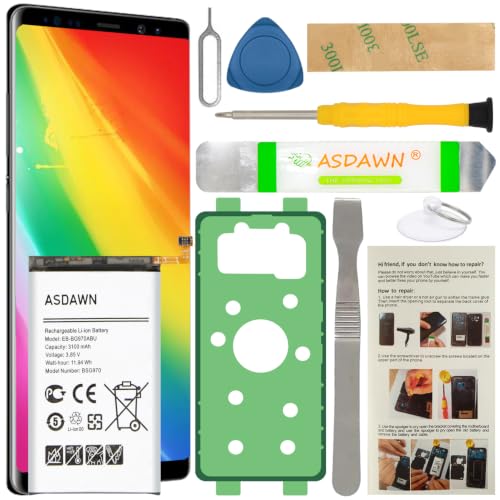
[FOR COMPATIBLE MODEL] -- Contains the instruction to guide you step by step installation, and we have professional engineers to answer all your questions about the repair process. Please verify your old battery part number and model before purchasing this replacement battery. Compatible with Samsung Galaxy S10e SM-G970, EB-BG970ABU, SM-G970F/DS, SM-G970U, SM-G970W ★NOT FOR Samsung Galaxy S10/ S10 Plus/ Note 10/ Note 10 Plus★
App Usage Patterns
Frequent app usage greatly influences battery drain. Apps running in the background consume power even when you’re not actively using them.
- Social Media Apps: Apps like Facebook and Instagram continuously refresh, pulling data and using battery.
- Gaming Apps: High-performance games demand more processing power and graphics usage, leading to quicker battery depletion.
- Streaming Services: Watching videos or listening to music through apps causes significant battery use, especially at high resolutions.
To manage this, regularly review open apps and close those not in use.
Charging Habits and Techniques
Charging practices also impact battery longevity. Common mistakes can lead to faster battery drain over time.
- Overnight Charging: Leaving your phone plugged in overnight may cause unnecessary charge cycles, which can wear down your battery.
- Using Non-Approved Chargers: Third-party chargers sometimes provide inconsistent voltage, risking battery health.
- Frequent Partial Charging: Rather than letting your battery drop low, aim for consistent charges in the 20% to 80% range.
Try to avoid these habits to enhance battery performance and prolong battery life. Making small adjustments to your behavior leads to noticeable improvements.
Troubleshooting Tips to Extend Battery Life
You can make several adjustments to prolong your Samsung phone’s battery life. By implementing these tips, you’ll notice a significant improvement in how long your battery lasts.
Recommended Products
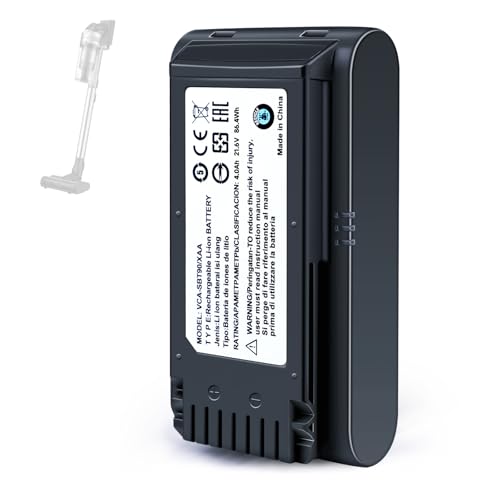
【Specifications】 Model:VCA-SBT90 ;Battery Type: Li_ion, Voltage:21.6V Capacity: 4000mAh ; Color: Gray and black

PLS CONFIRM DEVICE MODEL --- Contains the instruction to guide you step by step installation, and we have professional engineers to answer all questions about the repair process. Please verify your old battery part number and model before purchasing this battery. Compatible with Samsung Galaxy Gear S2 3G SM-R730 R730A R730V R730S R730T, Gear S2 Classic 3G SM-R735 R735A R735T R735V, Gear Sport SM-R600, EB-BR730ABE. ★NOT FOR Samsung Galaxy Gear S2 R720 Or Gear S2 Classic R732★

Compatible Smartwatch Model: This battery kit is specifically designed for Samsung Galaxy Watch 5 40mm (with model SM-R900 SM-R905 series), please double confirm your smartwatch model before purchasing
Adjusting Settings for Optimal Performance
Adjusting your phone’s settings can lead to better battery efficiency. Consider these changes:
- Reduce Screen Brightness: Lower the screen brightness manually or set it to adjust automatically based on ambient light conditions.
- Limit Background Data: Restrict apps from using mobile data in the background. Go to Settings > Network > Data Usage, and select the apps to limit.
- Turn Off Unused Connectivity Features: Disable Bluetooth, Wi-Fi, and mobile data when not in use. Keeping these off prevents continual searches for connections, which drains battery.
- Use Dark Mode: If your Samsung model features an AMOLED display, switching to dark mode reduces power consumption significantly.
Using Power Saving Mode
Activating Power Saving Mode can conserve battery energy when charging isn’t feasible. To enable this feature:
- Open Settings.
- Tap on Battery and Device Care.
- Select Battery, then choose Power Saving Mode.
- Customize the settings based on your needs, such as limiting CPU speed and brightness.
Using this mode limits background app activity and reduces resource usage, prolonging your phone’s battery life.
Identifying Battery-Intensive Apps
Identifying apps that drain your battery helps you manage resource usage better. Follow these steps:
- Open Settings and tap on Battery and Device Care.
- Select Battery, then tap on Usage.
- Review the list of apps ranked by battery consumption.
Look for apps that consume a disproportionate amount of battery. You can decide to uninstall, restrict, or find alternatives for those apps. Reducing reliance on heavy apps can lead to noticeable battery preservation.
By applying these troubleshooting tips, you enhance your Samsung phone’s overall battery performance, ensuring it lasts throughout the day.
Conclusion
By understanding the factors that contribute to fast battery drain you can take control of your Samsung phone’s performance. Simple adjustments in your usage habits can lead to significant improvements in battery life.
Monitoring background apps and adjusting your screen settings are just a couple of ways to keep your device running longer. Remember to be mindful of your charging habits too.
With these tips in mind you’ll not only enhance your phone’s battery performance but also enjoy a more reliable experience throughout the day. So go ahead and make those changes—you’ll be glad you did!
Frequently Asked Questions
What causes rapid battery drain in Samsung phones?
Rapid battery drain can be caused by factors like background app activity, high screen brightness, outdated software, and frequent use of location services. Understanding these issues helps users manage their devices better and extend battery life.
How can I identify signs of battery drain?
Common signs include a quick drop in battery percentage, the phone overheating, needing to charge frequently, and short standby time. Monitoring these signals can help you take necessary actions to mitigate battery drain.
What are effective tips to extend my Samsung phone’s battery life?
To extend battery life, reduce screen brightness, close background apps, limit location services, and use dark mode on AMOLED screens. Additionally, activating Power Saving Mode can significantly conserve battery energy.
Does software impact battery performance?
Yes, outdated software and numerous background apps can significantly impact battery consumption. Keeping your phone updated and limiting app activity can lead to better battery performance.
What charging habits should I avoid?
Avoid overnight charging, using non-approved chargers, and frequently charging your phone partially. Instead, maintaining a charging range of 20% to 80% is recommended for optimal battery longevity.
