

Key Takeaways
- Common Causes of Battery Drain: Background apps, high screen brightness, and always-on display functionalities significantly contribute to fast battery depletion.
- Optimize Display Settings: Lowering screen brightness and disabling the always-on display can extend battery life dramatically.
- Utilize Power-Saving Features: Enabling Battery Saver Mode reduces background activity and limits functions, conserving power effectively.
- Manage Connectivity Options: Turning off Wi-Fi, Bluetooth, and mobile data when not in use helps minimize battery drain.
- Adjust Usage Habits: Limit background app refresh, uninstall unnecessary apps, and use fitness tracking and GPS features judiciously to enhance battery life.
- Stay Updated: Regular software updates are essential for optimizing battery performance and fixing known issues that lead to battery drain.
Ever find yourself checking your Samsung watch only to realize the battery’s nearly dead? You’re not alone. Many users experience frustrating battery drain that leaves them constantly searching for a charger.
In this article, we’ll explore the common reasons behind that rapid battery depletion. You’ll discover simple tips and tricks to extend your watch’s battery life, helping you get the most out of your device. With a few adjustments, you can enjoy your Samsung watch without the constant worry of running out of power.
Common Reasons for Battery Drain
Samsung watch users often face rapid battery depletion. Understanding the common reasons can help you manage battery life more effectively.
Background Apps and Notifications
Background apps can consume power continuously. Certain apps require constant updates or notifications. Turn off unnecessary notifications or limit background activity to preserve battery. You can manage these settings through the watch’s app management feature. Regularly check which apps run in the background and restrict them as needed. This can lead to noticeable improvements in battery life.
Screen Brightness and Always-On Display
Adjusting screen brightness impacts battery usage significantly. High brightness settings drain battery quickly. Lower the brightness level to extend usage time. If the always-on display feature is active, consider disabling it. This feature keeps the screen lit at all times, consuming extra power. Keeping the display off when not in use can make a considerable difference. Adjust these settings in the display options menu for optimal performance.
Power-Saving Features
Samsung watches include several power-saving features that help extend battery life. By making a few adjustments, you can significantly reduce battery drain.
Enabling Battery Saver Mode
Activating Battery Saver Mode reduces background activity and limits certain functions to conserve power. To enable this feature, follow these steps:
- Open the Settings app on your Samsung watch.
- Tap on Battery.
- Select Power saving mode.
- Toggle it on, adjusting settings based on your preferences.
This mode decreases screen brightness, limits notifications, and disables the always-on display. You can enjoy extended usage without frequent recharges.
Managing Connectivity Options
Connectivity options contribute significantly to battery consumption. You can manage these settings to save power:
- Turn Off Wi-Fi and Bluetooth when not in use. Access the quick settings menu, then toggle off both features.
- Disable Mobile Data if your watch supports LTE. Go to Settings, tap Connections, and switch off mobile data.
- Use Airplane Mode in situations where you don’t need any connectivity. This feature disables all wireless communication, vastly improving battery life.
Adjusting these connectivity options helps minimize battery drain, allowing you to get more out of your Samsung watch throughout the day.
Usage Habits Impacting Battery Life
Your usage habits significantly impact your Samsung watch’s battery life. Simple adjustments can make a noticeable difference in how long your watch lasts between charges.
App Usage Patterns
App activity directly influences battery drain. Apps running in the background consume power continuously. To mitigate this, check your app settings regularly.
- Limit background app refresh. Disable updates for infrequently used apps.
- Uninstall unnecessary apps. Keep only those you actively use to reduce resource consumption.
- Close apps when not in use. Swipe them away to halt background processes.
Fitness Tracking and GPS
Fitness tracking and GPS functions require substantial battery power. Frequent use of these features can lead to faster depletion.
- Monitor workout frequency. Consider whether you need to track every workout or only significant sessions.
- Use GPS sparingly. Track your location only during essential activities, like outdoor running.
- Set a limited tracking duration. Adjust the settings to enable GPS for shorter intervals.
By adjusting how you use apps and fitness features, you can enhance your Samsung watch’s battery life, making it more efficient for your daily needs.
Software Updates and Optimization
Keeping your Samsung watch updated is crucial for optimizing battery life. Software updates often include bug fixes and enhancements that help improve performance and efficiency.
Recommended Products
![Samsung Galaxy Watch 7 40mm Bluetooth AI Smartwatch w/Energy Score, Wellness Tips, Heart Rate Tracking, Sleep Monitor, Fitness Tracker, 2024, Green [US Version, 1Yr Manufacturer Warranty]](https://m.media-amazon.com/images/I/41ew4GQ5kML._SL500_.jpg)
PUSH PAST YESTERDAY: Looking for a great way to bring out your personal best every day. Challenge yourself to excel on your next run or bike ride using tracking with Galaxy AI¹ that lets you compare your current performance to your last one²
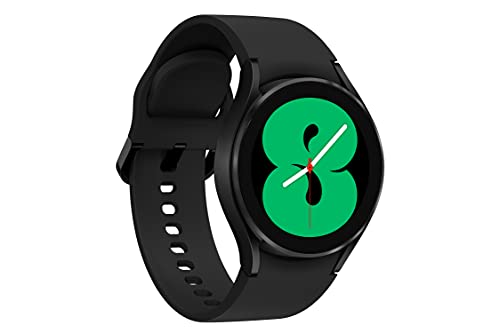
BODY COMPOSITION ANALYSIS: Galaxy Watch4 is the first smartwatch to off body composition data right on your wrist, On your own schedule, now you can get readings on body fat, skeletal muscle, body water, basal metabolic rate, and Body Mass Index.Supported Application:Heart Rate Monitor,Sleep Monitor,Fitness Tracker. Connectivity technology:LTE,Bluetooth,GPS. Wireless comm standard:Bluetooth
![SAMSUNG Galaxy FIT 3 [2024] 1.6" AMOLED Display | 14 Days Battery Life | 100+ Watchfaces | 100+ Exercise Modes | International Model - (Gray)](https://m.media-amazon.com/images/I/31JyN7HkB8L._SL500_.jpg)
Vibrant 1.6” AMOLED Display – Large, high-res screen with smooth touch for easy navigation
Importance of Regular Updates
Regular software updates enhance your watch’s battery management. Updates address known issues that cause battery drain. For example, the latest firmware might optimize app behavior or improve power-saving features, helping extend battery life. Ensure you check for updates by navigating to Settings > Software Update on your watch.
Troubleshooting Software Issues
Sometimes, battery drain results from software glitches. You can troubleshoot by resetting your watch or clearing the cache. To reset, go to Settings > General > Reset. Clearing the cache helps with performance and can minimize power consumption. If issues persist, consider reinstalling apps that consume excessive battery or contacting support for assistance.
Conclusion
Battery drain on your Samsung watch can be a hassle but with a few adjustments you can make a big difference. By managing notifications and background apps you’ll find that your watch lasts longer between charges. Lowering screen brightness and disabling features like always-on display can also help keep your battery in check.
Don’t forget to utilize Battery Saver Mode and adjust your connectivity settings when you’re not using them. Keeping your watch updated and regularly checking app settings will ensure everything runs smoothly. With these simple changes your Samsung watch can become a reliable companion that keeps up with your daily adventures.
Frequently Asked Questions
Why does my Samsung watch have a battery drain issue?
Battery drain issues on Samsung watches often stem from background apps, constant notifications, high screen brightness, and always-on display features. Limiting these can significantly improve battery life.
How can I extend my Samsung watch’s battery life?
You can extend your Samsung watch’s battery life by turning off unnecessary notifications, reducing screen brightness, disabling the always-on display, and activating Battery Saver Mode to limit background activity.
What settings should I adjust to save battery?
Adjust settings such as background app refresh, notification preferences, and connectivity options by turning off Wi-Fi, Bluetooth, and mobile data when not needed. Also, consider using Airplane Mode.
Does GPS usage affect my Samsung watch’s battery life?
Yes, GPS and fitness tracking use a lot of battery power. It’s advisable to monitor your workout frequency and limit GPS usage to save power while exercising.
How often should I update my Samsung watch?
For optimal battery management, regularly check for and install software updates. These updates can fix issues that contribute to battery drain and enhance overall performance.
What should I do if my watch’s battery continues to drain quickly?
If you’re still experiencing battery issues, try resetting your watch, clearing the cache, or uninstalling apps that may be draining your battery. If problems persist, seek support for further assistance.
