

Key Takeaways
- Identify Common Battery Drain Culprits: Background app activity, high screen brightness, and excessive location service usage can significantly impact your Samsung S24’s battery life.
- Utilize Battery-Saving Features: Enable battery saver mode and adjust app settings to limit background data, ensuring apps consume less power when not actively in use.
- Optimize Display Settings: Reduce screen brightness, enable adaptive brightness, and use dark mode to minimize battery consumption, especially on AMOLED screens.
- Monitor Battery Usage Statistics: Regularly check which apps use the most battery through Settings > Battery to make informed decisions about limiting app activity or uninstalling unnecessary apps.
- Seek Professional Help When Needed: If battery issues persist despite troubleshooting, consult a technician to assess potential hardware malfunctions or software problems.
- Keep Software Updated: Ensure your device runs the latest software updates to fix bugs and improve battery performance, accessible via Settings > Software Update.
Ever noticed your Samsung S24’s battery dropping faster than you’d like? You’re not alone. Many users find themselves constantly searching for a charger, wondering why their phone can’t keep up with their busy lives.
This article tackles the common reasons behind that frustrating battery drain. You’ll discover simple tips and tricks to extend your phone’s battery life, helping you stay connected without the constant worry of running out of power. Let’s get your S24 back on track so you can enjoy your day without interruptions.
Common Reasons for Battery Drain
Numerous factors can contribute to the rapid battery drain on your Samsung S24. Understanding these reasons can help you take action and extend your phone’s battery life.
Background App Activity
Background apps often consume battery power without your knowledge. Apps like social media, email, and messaging frequently refresh content even when not actively used. To minimize this, check your app settings:
- Limit background data: Go into Settings, select Apps, choose an app, and disable background data.
- Close unused apps: Swipe them away from the recent apps list.
- Use battery saver mode: Turn on this feature in Settings to restrict background activity.
High Screen Brightness
High screen brightness significantly affects battery life. The brighter your screen, the more power your phone uses. Adjust your screen settings:
- Reduce brightness settings: Navigate to Settings, then display, and lower the brightness level.
- Enable adaptive brightness: This feature automatically adjusts your screen brightness based on ambient light.
- Use dark mode: Activate dark mode in your display settings to reduce battery consumption on AMOLED screens.
Location Services Usage
- Limit location access: Change app settings to allow location access only when in use.
- Disable location services: Turn off GPS in your device settings when not needed.
- Use battery optimization: Enable location optimizations within Settings to reduce usage when on battery saver mode.
Troubleshooting Steps
To address battery drain issues on your Samsung S24, follow these troubleshooting steps designed to help optimize battery performance.
Recommended Products

✅ 【Perfect Compatibility】: Specifically designed for Galaxy S24 5G (SM-S921U/U1/W/B/E/N Series). Model: EB-BS921ABY EB-BS922ABY. Check your model in Settings > About Phone before ordering to ensure a perfect match.

☑️【5800mAh 2026 High-Capacity Upgrade】 Upgraded 5800mAh Li-ion battery delivers more than the original 4000mAh cell. Extend your Galaxy S24 usage significantly – perfect for heavy users and long days out. Brand new 0-cycle cell with built-in over-charge, over-discharge, short-circuit, and over-heat protection.

Compatible Phone Model: This battery kit is specifically designed for Galaxy S24 Ultra (with model SM-S928 series), NOT work for S24 or S24 Plus, please double confirm your phone model before purchasing
Check Battery Usage Statistics
Begin by reviewing battery usage statistics. Go to Settings > Battery and Device Care > Battery > Battery Usage. Here, you’ll see a breakdown of which apps consume the most battery. Focus on apps with high usage. If one app stands out, consider updating, limiting its background activity, or uninstalling it if unnecessary.
Optimize App Settings
Next, optimize your app settings. Access Settings > Apps. Select apps that run frequently and adjust settings. Disable options like Background data or Auto-sync. For social media apps, minimize notifications and updates. Always check if apps offer battery-saving modes in their settings, which can significantly reduce power consumption.
Disable Unnecessary Features
Lastly, disable unnecessary features. Turn off features like Bluetooth, NFC, or Wi-Fi when not in use. Access Settings > Connections to toggle these features off. Additionally, minimize usage of Location Services. In Settings > Location, choose Battery saving mode or select specific apps to limit location access.
Tips to Extend Battery Life
To keep your Samsung S24’s battery lasting longer, implement these practical tips.
Recommended Products
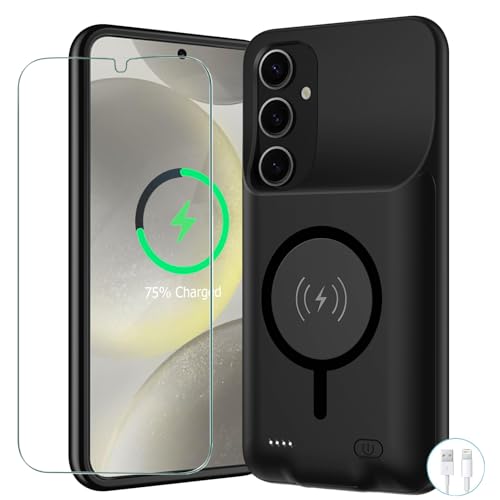
[Safe charging and protection design] Passed CE, FC, RoHS certification to ensure your charging safety. Use high-quality battery cells to ensure power, safety and reliability, and long-term use will not reduce the health of the battery life.

Compatibility: Designed specifically for Galaxy S24 (Not for S24+ or S24 Ultra). Please confirm your exact model before purchase. Compatible models include SM-BS921 series and BS922 series.

【Designed Only for Samsung Galaxy S24 Ultra】Precision cutouts ensure unobstructed access to buttons, speakers, camera and USB-C port. Fully compatible with Samsung Pay, Android Auto and Bluetooth wireless earbuds without removing the S24 Ultra battery case.
Adjust Display Settings
Adjusting your display settings can significantly reduce battery consumption. Lower your screen brightness manually or enable adaptive brightness, which automatically adjusts based on your surroundings. Use dark mode when possible, as it consumes less power on OLED screens. Set a shorter screen timeout duration to ensure your display turns off quickly when not in use.
Limit Background Data
Limiting background data helps preserve battery by reducing app activity when not in use. Go to Settings > Apps, select an app, and disable background data. Additionally, close apps that aren’t actively needed rather than leaving them running. You can also restrict auto-syncing for apps that don’t require constant updates.
Use Battery Saver Mode
Enabling Battery Saver Mode is an effective way to extend battery life. Access this option through Settings > Battery and Device Care > Battery > Power Saving Mode. This mode reduces performance and limits background processes, helping your phone last longer when you’re short on charge. Customize the power-saving settings to balance performance and battery life based on your preferences.
When to Seek Professional Help
You may notice symptoms that indicate a need for professional assistance. If you’ve tried numerous troubleshooting steps without success, it’s wise to consult a technician. Additionally, specific indicators can clarify when to seek expert advice.
Recommended Products

Compatible Smartwatch Model: This battery kit is specifically designed for Samsung Galaxy Gear S2 (with model SM-R720 series) and Gear S2 Classic (with model SM-R732 series), please double confirm your smartwatch model before purchasing

Perfect Compatibility: Designed specifically for the Samsung Galaxy S24 5G (Models: SM-S921U, SM-S921U1, SM-S921W, SM-S921B, SM-S921E, SM-S921N). Replaces part numbers EB-BS921ABY and EB-BS922ABY. Please confirm your phone model in Settings > About Phone before ordering.

Compatible Phone Model: This battery kit is specifically designed for Galaxy S24 (with model SM-S921 series), NOT work for S24+ or S24 Ultra, please double confirm your phone model before purchasing
Hardware Issues
Hardware malfunctions can significantly impact battery performance. If the battery appears swollen, it poses a danger and requires immediate attention. Likewise, if the phone overheats frequently, it may signal internal damage or defective components. Age also plays a role—older batteries may lose capacity over time. A professional can provide diagnostics to determine if replacement parts or a new battery is necessary, ensuring the device’s safe operation.
Software Updates
Outdated software can lead to quick battery drain. If your Samsung S24 hasn’t updated in a while, you might experience performance issues or bugs affecting battery life. Check for updates regularly under Settings > Software Update. Install the latest updates as soon as they become available. If problems persist after updating, a professional can assist in troubleshooting software conflicts or reinstalling the operating system as needed.
Conclusion
Dealing with a fast-draining battery on your Samsung S24 can be frustrating but you’re not alone in this. By following the tips and tricks outlined in this post you can take control of your battery life and keep your phone running longer throughout the day.
Remember to regularly check your settings and adjust them according to your usage habits. If you find that the battery issues persist despite your efforts it might be time to consult a professional. Staying proactive about your device’s health ensures you can enjoy all the features your Samsung S24 has to offer without the worry of running out of power.
Frequently Asked Questions
Why is my Samsung S24 battery draining quickly?
The Samsung S24 battery may drain quickly due to background app activity, high screen brightness, and location services being used excessively. Limiting app background data, reducing screen brightness, and managing location settings can help improve battery life.
How can I extend my Samsung S24 battery life?
You can extend your battery life by reducing screen brightness, enabling adaptive brightness, using dark mode, and turning on Battery Saver Mode. Additionally, close unused apps and limit background data for non-essential applications.
What should I do if my Samsung S24 battery drains even after troubleshooting?
If your battery continues to drain rapidly despite troubleshooting, consider seeking professional help. Symptoms like a swollen battery or overheating may indicate hardware issues, while software conflicts may require updates or reinstalling the operating system.
How do I check which apps are draining my Samsung S24 battery?
To check which apps are consuming battery, go to Settings > Battery and Device Care > Battery > Battery Usage. This will show you a list of apps and how much power each one is using.
Is it bad to leave Bluetooth and Wi-Fi on all the time?
Leaving Bluetooth and Wi-Fi on can drain your Samsung S24 battery quicker than necessary. It’s advisable to turn these features off when not in use to conserve battery life.
