

Key Takeaways
- Background apps and high screen brightness are common culprits of fast battery drain; regularly check and manage app usage and brightness settings to conserve power.
- Keeping your software updated is crucial for optimal battery performance; check for updates frequently to benefit from performance enhancements and bug fixes.
- Physical factors such as battery age and environmental conditions can significantly affect battery life; consider replacing the battery if it’s over two years old or damaged.
- Making simple adjustments, like reducing screen timeout and disabling unnecessary location services, can greatly extend battery life.
- Utilize battery saver mode and customize its settings to optimize battery usage during critical times, allowing for longer device usage between charges.
Ever found yourself frantically searching for a charger because your Samsung phone battery seems to vanish in no time? You’re not alone. Many users face the frustration of watching their battery percentage drop faster than expected, leaving them tethered to a power source.
Understanding why your battery drains quickly can save you from those annoying moments. This article will walk you through common culprits and simple fixes to help you extend your phone’s battery life. With just a few adjustments, you can get back to enjoying your device without constantly worrying about running out of juice.
Common Reasons for Fast Battery Drain
Understanding why your Samsung phone battery drains quickly helps you take action to preserve its life. Several common issues contribute to rapid depletion.
Background Apps
Background apps consume power while running unnoticed. Apps that refresh data automatically or run processes in the background, like social media or email apps, drain your battery. You can check which apps use the most battery by going to Settings > Battery and device care > Battery > Usage since last full charge. Close or limit background activity in Settings > Apps to boost battery performance.
High Brightness and Screen Time
High brightness settings and extended screen time significantly affect battery life. Keeping your screen brightness at maximum can deplete the battery within hours. To adjust brightness, swipe down from the top of the screen and slide the brightness bar. Reducing screen time or enabling auto-brightness helps conserve power. Consider switching to a dark theme, which reduces battery usage on AMOLED screens and prolongs usage time.
Software Issues Affecting Battery Life
Software issues can significantly impact your Samsung phone’s battery life. Identifying and addressing these concerns helps optimize performance.
Recommended Products

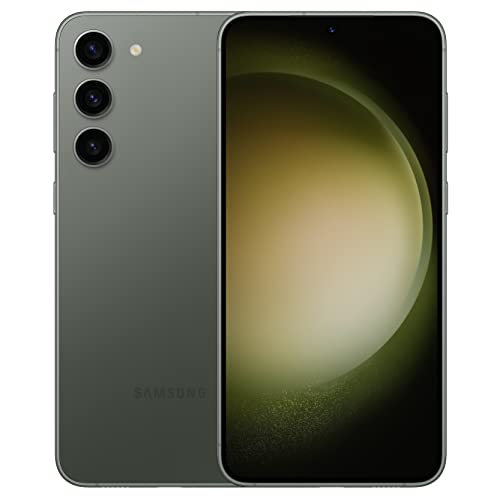
GALAXY AI IS HERE: Search like never before¹, get real-time interpretation on a call², format your notes into a clear summary³, and effortlessly edit your photos⁴ - all from your smartphone, all with AI
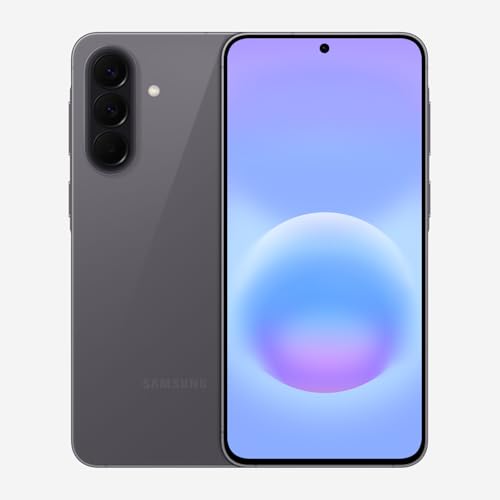
ELEVATED DESIGN. EVERYDAY EASE: Galaxy A57 5G features the best of A Series design that’s lighter, slimmer¹ and made to fit with your outfit
Outdated Software
Outdated software often contributes to battery drain. Manufacturers regularly release updates to improve performance and fix bugs. Check for software updates in your settings by navigating to Settings > Software update > Download and install. Keeping your phone’s operating system current enhances stability and can lead to improved battery life.
Malfunctioning Apps
Malfunctioning apps may also cause rapid battery depletion. Sometimes, apps drain power even when not in use. To identify culprits, go to Settings > Battery and device care > Battery > Usage since last full charge. This section shows which apps consume the most energy. If you find any unusual activity, consider updating, reinstalling, or uninstalling the problematic app to conserve battery life.
Hardware Factors to Consider
Understanding hardware-related aspects can help you diagnose the rapid battery drain on your Samsung phone. Several factors related to your device’s hardware affect battery performance significantly.
Recommended Products
![TQTHL Galaxy J3 Battery,[3600mAh] Upgraded 2025 New Replacement Battery for Samsung Galaxy Grand Prime G530, Galaxy J5, Galaxy J3 J320V J320A J320F J320P J327A J327P J3 Emerge EB-BG530BBC EB-BG530BBE](https://m.media-amazon.com/images/I/41+lo0HzMjL._SL500_.jpg)
Upgraded Battery--100% New High quality updated battery for J3 , Uses Grade A+ battery cells with CE and ROHS certified, Each battery comes with a tested under strict quality control standard, and built-in IC chip to prevent from over-charging, over-heating and other defects. It will provide you with up to 800+ charge cycles with the high-speed and efficient charge.

🌠【Compatible Battery Model】: This a Updated Galaxy J3 Replacement Battery Compatible with Samsung Galaxy J3 (2016) J320V J320A J320F J320P EB-BG530BBE /J3 Prime, Emerge, Star, Orbit, Eclipse, On5, Mission, Luna Pro, Achieve Battery

🎋【Compatible Model】EB-BG991ABY Replacement Battery for Samsung Galaxy S21 SM-G991U1 SM-G991F [Note: Not for Galaxy S21 FE or Galaxy S21 Ultra other Phone Models]
Battery Age and Condition
Battery age impacts performance. Lithium-ion batteries, commonly used in smartphones, degrade over time, reducing their ability to hold a charge. If your phone’s battery is over two years old, it might be time to consider a replacement. You can check the battery health in the settings App under “Device Care” or “Battery.” Look for any warnings or recommendations to replace the battery if necessary.
Additionally, physical damage can compromise battery health. If you notice bulging, swelling, or leakage, stop using the device immediately and seek professional repair or battery replacement.
Environment and Usage
Environmental factors play a crucial role in battery performance. High temperatures, especially above 95°F (35°C), can accelerate battery drain. Operating your phone in extreme conditions may affect battery longevity. Keep your device out of direct sunlight and avoid leaving it in hot cars.
Frequent usage patterns also affect battery life. Heavy tasks like gaming, video streaming, or GPS navigation consume more power. If you use your phone for demanding applications regularly, consider limiting their use or switching to battery-saving modes when possible.
Tips to Improve Battery Life
Improving your Samsung phone’s battery life requires making simple adjustments to settings and utilizing available features. Here are some effective strategies.
Recommended Products

40% Smaller & Lighter Portable Charger: Powered by the industry’s first TinyCell high-density battery technology, this ultra-compact 10,000mAh portable charger power bank is 40% smaller and 36% lighter than conventional chargers. Whether you are an office user slipping a mini small portable battery into a purse for commuting, or a student looking for lightweight college essentials, you get powerful daily carry convenience without the extra bulk to keep you powered on the go.
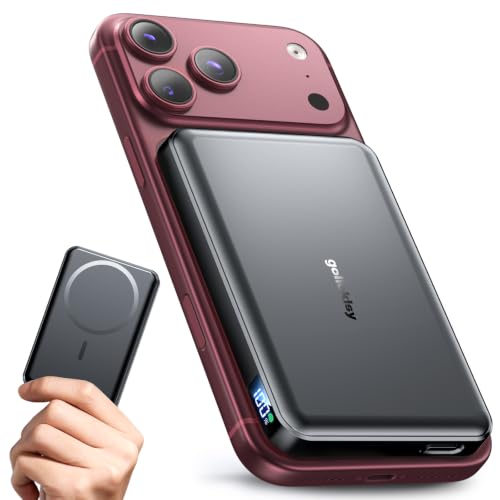
【Why Choose This Magnetic Power Bank?】It packs an upgraded 10000mAh capacity, 20W fast charging, and a tiny body all in one. Unlike bulky chargers, it won't block your iPhone's rear camera. The strong magnetic grip holds your phone firmly – no slipping, no wobble. The smart LED display shows exact remaining battery percentage in real-time – so you're never caught off guard. Works with iPhone 18/17/16/15/14/13/12 series, giving you 1.8~2.5 full charges. When used with a magnetic phone case, it also supports fast wireless charging for Samsung Galaxy S26/S25/S25 Ultra, Huawei Mate 70/Pura 80 Pro and most Android phones, no need to remove the case.

POWER ANYWHERE YOU WANT IT: Charge up any of your devices with the Galaxy Magnetic Wireless Battery Pack. Whether you want to plug in to the USB-C port or use the built-in magnetic wireless charger, the 5,000mAh battery is waiting to power you up throughout the whole day.
Adjusting Settings
- Reduce Screen Brightness: Lowering your screen brightness significantly conserves battery life. You can adjust this in the settings under “Display.”
- Limit Screen Timeout: Set a shorter screen timeout to turn off the display more quickly when not in use. Navigate to “Display” settings and select a time between 15 and 30 seconds.
- Disable Location Services: Turn off GPS when not needed. Go to “Settings,” then “Location,” and select “Use location” to disable it completely or adjust it for specific apps.
- Turn Off Background Data: Restrict background data for apps that you don’t use often. Access this by going to “Settings,” then “Apps,” selecting the app, and toggling off background data usage.
Using Battery Saver Mode
- Activate Battery Saver: Enable Battery Saver to extend usage when your battery is low. Find this option in “Settings” under “Battery.”
- Customize Battery Saver Settings: In Battery Saver mode, you can choose to limit background processes and reduce performance settings for further savings.
- Schedule Battery Saver: Set a schedule for Battery Saver mode to activate automatically during peak battery-draining hours. Locate this option in the “Battery” settings.
- Quick Access: Add Battery Saver to your Quick Settings for easy access. Swipe down from the top of your screen, tap the pencil icon, and drag Battery Saver to your Quick Settings menu.
Implementing these tips enhances your Samsung phone’s battery life, allowing you to use your device longer without frequent recharging.
Conclusion
Dealing with a fast-draining battery can be frustrating but you’re not alone. By taking the time to understand the factors that affect your Samsung phone’s battery life and making a few simple adjustments, you can significantly improve your experience.
From managing background apps to keeping your software updated, every little change counts. Remember to check your battery health and consider the environment in which you use your phone.
With these tips in mind, you can enjoy your device longer without the constant worry of running out of power. Happy texting and browsing!
Frequently Asked Questions
What causes rapid battery drain in Samsung phones?
Rapid battery drain can be caused by several factors, including background apps running unnoticed (like social media or email), high screen brightness, and extended screen time. Software issues, such as outdated applications or the device software, can also contribute to the problem.
How can I check which apps are draining my battery?
You can check battery usage by going to your phone’s Settings, then navigating to Battery. Here, you’ll find a breakdown of which apps are consuming the most power. Consider limiting background activity for apps that are draining your battery excessively.
Is it important to update my phone’s software?
Yes, keeping your phone’s software updated is crucial. Software updates often include fixes for bugs that can impact performance and battery life. Regularly checking for and installing updates can help maintain your device’s efficiency.
How does screen brightness affect battery life?
High screen brightness can significantly drain your battery. Reducing the brightness level or using adaptive brightness can conserve energy. Consider using dark mode on AMOLED screens, which can also enhance battery longevity by using less power.
When should I consider replacing my phone’s battery?
If your battery is over two years old or shows signs of physical damage, it’s a good idea to consider replacing it. You can check your battery health in the settings, and if you notice significant drain despite following tips, a replacement may be necessary.
Are there specific settings to improve battery life?
Yes! To improve battery life, reduce screen brightness, limit screen timeout, disable location services, and turn off background data for infrequently used apps. Activating Battery Saver mode can also help manage power usage effectively.
How do environmental factors affect battery performance?
Environmental factors, such as high temperatures or using demanding applications (like gaming or GPS), can accelerate battery drain. Keeping your device out of extreme conditions and utilizing battery-saving modes during intense tasks can help maintain battery life.
