

Key Takeaways
- Flashing Battery Icon: A flashing battery icon on your Samsung device usually indicates issues with charging or the battery itself, requiring immediate attention.
- Common Causes: Frequent reasons for the flashing icon include using incompatible chargers, damaged cables, software glitches, battery health degradation, and overheating during charging.
- Preventive Actions: To prevent flashing issues, always use the original charger, keep the charging port clean, and routinely check for software updates.
- Basic Troubleshooting: Restarting your phone and inspecting charging accessories can often resolve temporary issues causing the flashing battery icon.
- When to Seek Help: Persistent flashing, overheating, battery swelling, or repeated charging failures necessitate consulting a professional for potential hardware issues.
Have you ever noticed your Samsung battery icon flashing while it’s charging? It can be confusing and a bit alarming, especially when you just want your phone to power up without any issues. You’re not alone in this; many users experience the same flickering icon and wonder what it means.
Understanding The Battery Icon
The battery icon on your Samsung device serves as a key indicator of its charging status. When the icon flashes, it often signals an issue with either the charging process or the battery itself. Here’s what you need to know.
Possible Reasons for a Flashing Battery Icon
- Incompatible Charger
Using a charger that isn’t officially certified by Samsung can lead to charging errors. An incompatible charger may fail to provide consistent power.
- Cable Issues
Damaged or frayed charging cables can interrupt the charging process, causing the battery icon to flash. Regularly inspect your cable for wear and tear.
- Software Glitches
Sometimes software bugs or glitches can affect battery display. Performing a system update can address these issues and improve performance.
- Battery Health
An aging or degraded battery may struggle to hold a charge. If your battery is old, consider evaluating its health with Samsung’s Device Care.
- Phone Overheating
Charging a device in high temperatures can cause the battery icon to flash. Make sure to charge your phone in a cool, ventilated area to prevent overheating.
What You Can Do
- Use the Original Charger
Always use the charger and cable that came with your device. If it’s lost or damaged, purchase a certified replacement.
- Clean Charging Port
Dirt or lint in the charging port can interfere with charging. Use a soft brush or compressed air to clean the port gently.
- Restart Your Device
A simple restart can often resolve software-related issues that cause the battery icon to flash.
- Check for System Updates
Go to Settings > Software update and ensure your device is running the latest software for optimal performance.
By understanding the battery icon’s behavior and taking preventive steps, you can reduce charging disruptions and enhance your device’s overall functionality.
Common Reasons For Flashing Battery Icon
A flashing battery icon during charging indicates potential issues that you must address. Understanding these reasons can help you resolve the problem promptly.
Recommended Products

40% Smaller & Lighter Portable Charger: Powered by the industry’s first TinyCell high-density battery technology, this ultra-compact 10,000mAh portable charger power bank is 40% smaller and 36% lighter than conventional chargers. Whether you are an office user slipping a mini small portable battery into a purse for commuting, or a student looking for lightweight college essentials, you get powerful daily carry convenience without the extra bulk to keep you powered on the go.
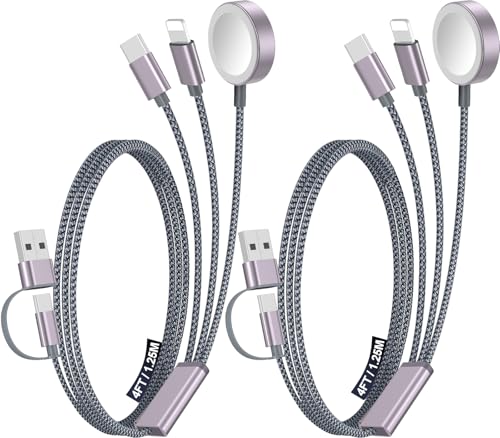
【Advanced Safe & Stable Charging】Experience enhanced safety and fast,delivering efficient power output to your devices.This certified multi charger cable supports USB Type C cable charging and USB lightning cable compatibility, delivering rapid power to iPhone cable, USB C cable pack, and for Apple Watch and Xbox Series X & S .(3A+ adapter recommended for best results). Please Note: *Charging speed depends on your device's capabilities, battery status, and the power adapter used.If your device does not charge or charges intermittently, it may be due to poor contact caused by a thick phone case. Try removing the case for a more reliable charging experience.

【Safeguard Protection】USB C Android chargers comes with premium built-in safeguards and intelligent IC identification technology to prevent against short circuit, over-current, over-voltage, over-heating and over-charging. It can intelligently recognize the battery type and status, will automatically stop charging when fully charged for a safety charging and long lifespan.
Software Issues
Software glitches often cause the battery icon to flash. When your device’s operating system encounters a bug or error, it may misinterpret the charging status. Regular software updates can improve performance by fixing known bugs. If you experience a flashing icon, check for updates by going to Settings > Software Update. Restarting your device can also resolve temporary software issues.
Hardware Problems
Hardware issues can lead to a flashing battery icon. Using an incompatible charger or a faulty cable can cause fluctuations in the charging process. Inspect your charger and cable for any visible damage or wear. Also, check the charging port for dirt or debris that may impede a proper connection. If the battery shows signs of degradation, such as slower charging or unexpected shutdowns, consider replacing it. Testing with different chargers can help determine if your original charger is the culprit.
Troubleshooting Steps
If your Samsung battery icon is flashing while charging, follow these troubleshooting steps to identify and resolve the issue.
Recommended Products

【Wide Compatibility 】:Type C Charger for Samsung Galaxy S26 Ultra S26+ S26,S25 S24 S23 S23+ S23 Ultra,S22 S22+ S22 Ultra, A17 A16 A36 A15 A14 5G,A13 A33 A53 A54 A10e A15 A35 A55 A25 A11 A12 A20e A20 A20s A21 A21s A30 A30s A31 A32 A40 A41 A42 A50 A50s A51 A52 A70 A72 A80 A90/A71 5g/S20 FE/Galaxy S21+ 5G/S21 Ultra 5G/S20 FE 5g/S20 5G/S20 Plus 5G/ S8 S9 S10 Plus S10e/Note 9 10/Note 20 Ultra/Z Fold 6 5 4 3 2/Z Flip 6 5 4 3 2;Google Pixel 9 8 7 Pro 6 6 Pro 6a 5a 5/4XL/4/3XL/3/2XL.
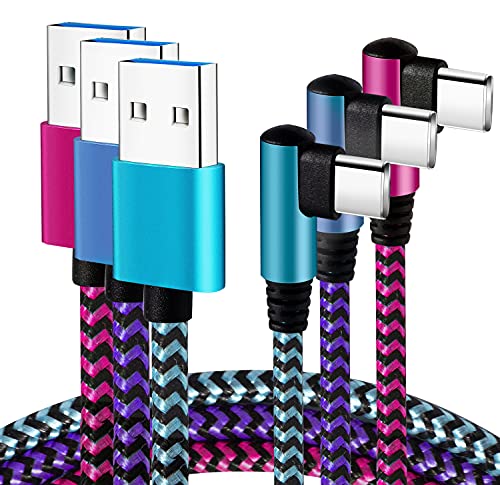
[Upgraded Exclusive Right Angle Design]Teeind 90 degree usb c cable features: 90 degrees " L " design. It's user-friendly design more convenient and comfortable for playing games, watching videos, reading e-books when you charging. 【 NOTE:For phone with a case, it supports Max 0.06 inch slim phone case.】
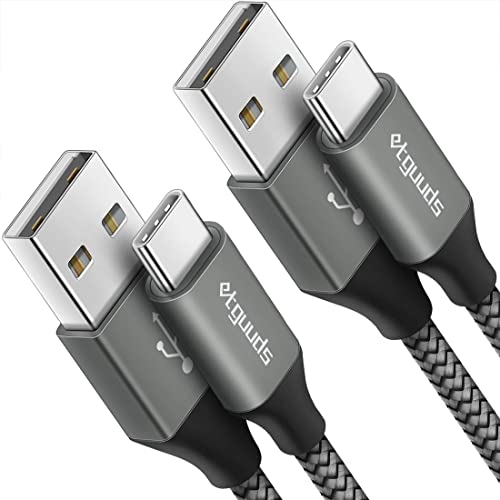
Fast Charging and Data Sync: etguuds USB A to USB C cable supports charging speed up to 3 A fast charging for quick usb-c port device charging and data transfer speeds up to 480 Mb/s, usbc cable support USB 2.0 data transfer
Restarting Your Device
Restarting your device often clears temporary software glitches. To restart your Samsung phone, press and hold the power button until the power menu appears, then tap “Restart.” This simple action can help reset the charging indicators and may stop the flashing.
Checking Charging Accessories
Inspect your charging accessories for potential issues. Verify that you’re using the original charger and cable that came with your device. Check for any visible damage, such as fraying or exposed wires. If possible, try a different charger or cable to see if the issue persists. Additionally, ensure the charging port on your phone is clean and free of debris, as dirt can obstruct the connection and cause charging problems.
Updating Software
Keep your device software up to date to address any bugs that may affect charging. To check for updates, go to Settings > Software Update > Download and Install. Install any available updates. Regular updates help maintain your phone’s performance and can resolve issues related to the battery icon flashing.
When To Seek Professional Help
If the battery icon on your Samsung phone continues to flash despite troubleshooting, consider seeking professional help. Signs indicating the need for expert assistance include:
- Persistent Flashing: If the battery icon remains flashing for an extended period, even after trying various chargers, it’s time to consult a technician.
- Overheating: Frequent overheating during charging suggests underlying hardware issues. Failure to address this can lead to further damage.
- Battery Swelling: Noticeable swelling of the battery can pose safety risks. Replace the battery immediately if you see this sign.
- Charging Failures: If your device won’t charge regardless of efforts to change cords or outlets, a professional diagnosis can clarify the root cause.
- Software Problems: If software updates don’t resolve functionality issues, consult a professional. Ensure your device runs reliably without glitches.
Reach out to an authorized service center. Experts can accurately diagnose problems and perform necessary repairs, helping prevent future complications. Always prioritize your device’s safety and performance.
Recommended Products
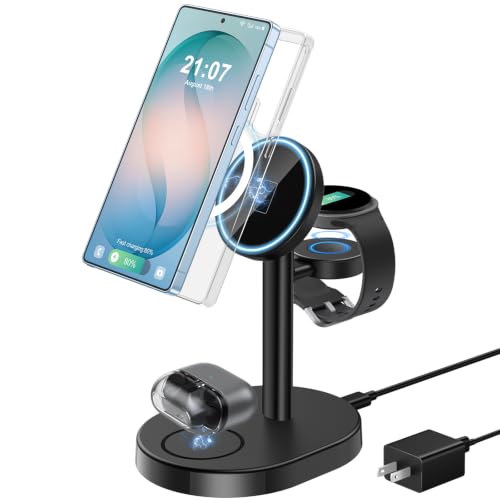
✅𝟑 𝐈𝐧 𝟏 𝐌𝐚𝐠𝐧𝐞𝐭𝐢𝐜 𝐖𝐢𝐫𝐞𝐥𝐞𝐬𝐬 𝐂𝐡𝐚𝐫𝐠𝐞𝐫 𝐟𝐨𝐫 𝐒𝐚𝐦𝐬𝐮𝐧𝐠 𝐆𝐚𝐥𝐚𝐱𝐲【Not for Samsung Watch 9/Ultra 2】 - As a premium 3-in-1 wireless charger exclusively optimized for Samsung ecosystem, this samsung charging station is compatible with MagSafe, fast charges your Samsung Galaxy smartphone, Galaxy Watch and Galaxy Buds at the same time. It delivers maximum space savings for your workspace, replacing messy multiple charging cables with just one single cord to keep your desktop perfectly tidy and clutter-free. Ideal for minimalist users and Samsung Galaxy ecosystem lovers

Compatibility: This charging port replacement kit is ONLY compatible with Samsung Galaxy A50 US version with models SM-A505F, SM-A505U, SM-A505U1, please double check and confirm your phone model before purchase.

Wireless Fast Charging - A must-have for Galaxy fans! This Aeinidi 3-in-1 wireless charger for Samsung features an AI intelligent charging chip and includes a QC3.0 adapter for efficient, stable power delivery. It provides reliable, cooler, and more consistent charging for compatible Galaxy phones, Galaxy Watch, and Buds. Designed for everyday use to keep your Samsung devices powered and ready. (Note: Samsung phones require a magnetic case, as built-in magnets are not included.)
Conclusion
Don’t let a flashing battery icon stress you out. It’s often a sign that something needs your attention but can usually be resolved with a few simple steps. By using the right charger and keeping your software updated, you can minimize charging issues.
If you’ve tried troubleshooting and the problem persists, it might be time to consult a professional. Remember that your device’s health is important, so don’t hesitate to seek help when needed. With a little care and attention, you can keep your Samsung charging smoothly and efficiently.
Frequently Asked Questions
Why is my Samsung battery icon flashing while charging?
The flashing battery icon usually indicates an issue with the charging process or the battery itself. Common causes include using an incompatible charger, damaged charging cables, software glitches, or degraded battery health.
How can I fix the flashing battery icon?
To fix the flashing battery icon, try using the original charger, cleaning the charging port, restarting your device, and checking for software updates. These steps can resolve many common issues related to charging.
What should I do if my charging accessories are damaged?
Inspect your charging cables and adapters for visible damage. If you find any, replace them with compatible accessories to ensure proper charging and avoid issues such as a flashing battery icon.
When should I seek professional help for my Samsung device?
Consider seeking professional help if the battery icon continues to flash, your device frequently overheats during charging, or you notice any battery swelling. These signs may indicate serious hardware issues.
Can software updates help with charging problems?
Yes, keeping your device’s software up to date can resolve bugs that may affect charging. Regular updates can improve performance and prevent misinterpretation of charging status.
