Close Menu
Battery Spotlight
    Battery Spotlight
    • Home
    • Phone Batteries
    • Laptop Batteries
    • Car Batteries
      • Golf Cart Batteries
    • Battery Info
      • Battery Chargers
      • Battery Life
      • Battery Maintenance
      • Marine Batteries
      • Rechargeable Batteries
      • Solar Batteries
    • About Us
      • Contact
    Battery Spotlight
    Navigation: Home » Phone Batteries » Android Batteries » Why Does My Samsung Galaxy Battery Drain So Fast and How to Fix It Effectively
    Android Batteries

    Why Does My Samsung Galaxy Battery Drain So Fast and How to Fix It Effectively

    Leo HudsonBy Leo HudsonAugust 27, 20257 Mins Read
    Share Facebook Twitter Pinterest LinkedIn Tumblr Email WhatsApp Copy Link
    Share
    Facebook Twitter LinkedIn Pinterest Email Copy Link

    Key Takeaways

    • Background Apps: Limit background apps and services to conserve battery; check settings to manage their activity.
    • Screen Settings: Lower screen brightness and enable adaptive brightness to optimize power usage.
    • Location Services: Use location services sparingly; switch them off when not needed to reduce battery drain.
    • Software Updates: Regularly update your device’s operating system and apps to improve battery efficiency.
    • User Habits: Be mindful of charging practices and usage patterns to enhance battery longevity.
    • Power Management: Utilize battery saver mode and adjust app permissions to minimize unnecessary power consumption.

    Ever noticed how your Samsung Galaxy battery seems to drain faster than you’d expect? You’re not alone. Many users find themselves constantly searching for a charger, frustrated by how quickly their phone loses power.

    Table of Contents

    Toggle
    • Key Takeaways
    • Common Reasons for Battery Drain
    • Background Apps and Services
    • Screen Brightness and Settings
    • Location Services
    • Device Software and Updates
    • Operating System Version
    • App Compatibility Issues
    • User Habits Impacting Battery Life
    • Charging Practices
    • Usage Patterns
    • Tips to Improve Battery Life
    • Adjusting Settings
    • Managing Apps Efficiently
    • Conclusion
    • Frequently Asked Questions
    • What causes rapid battery drain on Samsung Galaxy phones?
    • How can I identify which apps are draining my battery?
    • Does updating my device software help with battery life?
    • What are some effective tips to extend battery life?
    • How does screen brightness affect battery life?
    • Should I avoid charging my phone overnight?
    • Can user habits impact battery performance?
    • Is dark mode beneficial for battery life?

    Common Reasons for Battery Drain

    Several factors contribute to the rapid battery drain on your Samsung Galaxy. Understanding these reasons helps you take steps to improve battery life.

    Background Apps and Services

    Background apps and services often run without your knowledge, consuming battery power. Apps like social media, streaming, and location services frequently refresh and update even when you’re not using them. To manage this:

    • Check your settings for running apps in the background.
    • Limit background data for non-essential applications.
    • Use the “Battery Usage” feature under Settings to identify power-hungry apps.

    Screen Brightness and Settings

    Screen brightness settings significantly impact battery life. Higher brightness levels consume more power. To optimize your settings:

    • Adjust screen brightness to a lower level that remains comfortable.
    • Enable adaptive brightness, which automatically adjusts based on ambient light.
    • Set your screen timeout to a shorter duration to save battery when inactive.

    Location Services

    • Use location services only when necessary. Switch them off when not in use.
    • Opt for “Battery saving mode” in location settings to limit GPS accuracy.
    • Check app permissions to prevent unnecessary location access by less essential apps.

    Device Software and Updates

    Software and updates play a significant role in battery performance on your Samsung Galaxy. Regularly checking for updates can improve your device’s efficiency and help manage battery drain.

    Recommended Products

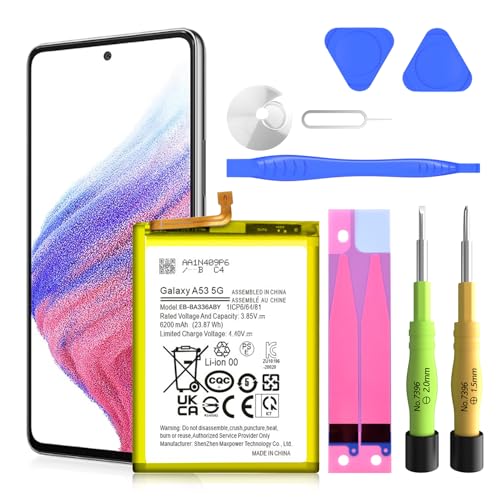
    SHENMZ Galaxy A52 Battery, 5800mAh 2026 Upgraded Li-Polymer EB-BG781ABY Replacement Battery for Samsung Galaxy A52/A52s 4G/5G SM-A526/SM-A526B/DS/SM-A5260 - Includes Repair Tools
    SHENMZ Galaxy A52 Battery, 5800mAh 2026 Upgraded Li-Polymer EB-BG781ABY Replacement Battery for Samsung Galaxy A52/A52s 4G/5G SM-A526/SM-A526B/DS/SM-A5260 - Includes Repair Tools

    ✅SHENMZ Galaxy A52 Battery Replacement ONLY Work For Model Samsung Galaxy A52/A52S (4G/5G) SM-A526 SM-A526B/DS SM-A5260 EB-BG781ABY. Note: Galaxy A52 Battery ,NOT for Other Samsung Model. Please Confirm Your Phone Model From Phone Back Cover to Avoid Wrong Order.[Not for Galaxy other Phone Models.]

    SEE ALSO  How to Check Battery Health OnePlus: Essential Tips for Improved Performance and Longevity
    VIEW LATEST PRICE

    As an affiliate, we earn on qualifying purchases.

    Samsung Galaxy Tab S9 Ultra User Guide: Master Display Settings, Productivity Apps, and Gaming Performance (Galaxy in Your Hands: The Complete Samsung Tab Revolution)
    Samsung Galaxy Tab S9 Ultra User Guide: Master Display Settings, Productivity Apps, and Gaming Performance (Galaxy in Your Hands: The Complete Samsung Tab Revolution)
    VIEW LATEST PRICE

    As an affiliate, we earn on qualifying purchases.

    Samsung Gear S3 Classic Smartwatch 4GB SM-R770 with Leather Band (Silver) Tizen OS - International Version with No Warranty (Renewed)
    Samsung Gear S3 Classic Smartwatch 4GB SM-R770 with Leather Band (Silver) Tizen OS - International Version with No Warranty (Renewed)

    This Certified Refurbished product is tested and certified to look and work like new. The refurbishing process includes functionality testing, basic cleaning, inspection, and repackaging. The product ships with all relevant accessories, a minimum 90-day warranty, and may arrive in a generic box. Only select sellers who maintain a high performance bar may offer Certified Refurbished products on Amazon.com

    VIEW LATEST PRICE

    As an affiliate, we earn on qualifying purchases.

    Operating System Version

    The operating system version impacts how effectively your phone uses power. Newer versions typically include optimizations for battery life. To check your current OS version:

    1. Open Settings.
    2. Select About phone.
    3. Tap on Software information.

    Update your OS if a newer version is available. Doing so can enhance performance and reduce unnecessary battery usage.

    App Compatibility Issues

    Incompatible apps can lead to accelerated battery drain. Some apps may not run smoothly with your current software version, consuming more power than needed. To identify problematic apps:

    1. Open Settings.
    2. Tap Apps.
    3. Check for apps flagged as incompatible or consuming excessive battery.

    Uninstall or update these apps to ensure they function properly. Implementing this step can prevent unnecessary battery load, helping your device run more efficiently.

    User Habits Impacting Battery Life

    Your habits directly affect your Samsung Galaxy’s battery life. Understanding these behaviors can lead to better energy management.

    Recommended Products

    Samsung Galaxy Magnetic Wireless 5,000mAh Battery Pack, Cordless or Wired Super Fast Charging, Built-in Magnets, Sturdy Kickstand
    Samsung Galaxy Magnetic Wireless 5,000mAh Battery Pack, Cordless or Wired Super Fast Charging, Built-in Magnets, Sturdy Kickstand

    POWER ANYWHERE YOU WANT IT: Charge up any of your devices with the Galaxy Magnetic Wireless Battery Pack. Whether you want to plug in to the USB-C port or use the built-in magnetic wireless charger, the 5,000mAh battery is waiting to power you up throughout the whole day.

    VIEW LATEST PRICE

    As an affiliate, we earn on qualifying purchases.

    for Samsung Galaxy Watch Charger,1200mAh Portable Charger for Samsung Galaxy Watch 8/8 Classic/7/Ultra/6/6 Classic/5/5 Pro/4/3,Active 2/1 (Black)
    for Samsung Galaxy Watch Charger,1200mAh Portable Charger for Samsung Galaxy Watch 8/8 Classic/7/Ultra/6/6 Classic/5/5 Pro/4/3,Active 2/1 (Black)

    Designed for Samsung Watch: This portable charger for Samsung Watch 8/8 Classic/7/ 7 Ultra / 6 /6 Classic / 5 / 5 Pro / 4 /3, Active 2 / Active 1 ensures seamless compatibility with new and old watches. This for Samsung galaxy watch charger can be carried around without a power source and can solve your low battery anxiety anytime.

    VIEW LATEST PRICE

    As an affiliate, we earn on qualifying purchases.

    NEWDERY for Samsung Galaxy S25 Battery Case 6.2", 8000mAh Portable Power Bank with LED Display, Qi Wireless Charger & 20W USB C Fast Charging, Sync-Data Supported Black
    NEWDERY for Samsung Galaxy S25 Battery Case 6.2", 8000mAh Portable Power Bank with LED Display, Qi Wireless Charger & 20W USB C Fast Charging, Sync-Data Supported Black

    【USB C Fast Charging】This is the only s25 battery case with USB-C input and output port. Unlike others only recharge via USB-C port, you can use a USB-C cable to charge other devices directly. With two-way fast USB-C charging, enjoy up to 20W output and 18W input, ensuring your devices are quickly powered. Note: This charging case is only for Samsung Galaxy S25 6.2inches.

    SEE ALSO  Why iPhone Battery Last Longer Than Android: Secrets to Superior Efficiency and Performance
    VIEW LATEST PRICE

    As an affiliate, we earn on qualifying purchases.

    Charging Practices

    Proper charging methods enhance battery longevity. Regularly charging your device before it reaches a critical low can prevent deep discharging, which may harm battery health. Avoid overcharging by unplugging your phone once it hits 100%. Using a compatible charger also helps. Generic chargers can lead to inefficient charging, increasing the time needed to reach full power and affecting battery longevity.

    Usage Patterns

    Your daily phone usage patterns play a significant role in battery drain. Frequent app use, especially resource-intensive ones like games or streaming services, depletes battery life quickly. Additionally, leaving multiple apps open runs background processes that consume power. Minimizing notifications and vibrations can conserve energy. Adjusting screen timeout settings to a shorter interval reduces display time, optimizing battery usage during idle periods. Lastly, using battery saver mode can help extend battery life during critical times.

    Tips to Improve Battery Life

    Enhancing your Samsung Galaxy’s battery life requires smart adjustments. Follow these tips to manage settings and apps effectively.

    Recommended Products

    FINTIE Keyboard Case for Samsung Galaxy Tab S10 Lite/ S10 FE/ S9 FE 5G 10.9 Inch/Tab S9 11 Inch with S Pen Holder, Slim Stand Cover Detachable Wireless Bluetooth Keyboard, Gray
    FINTIE Keyboard Case for Samsung Galaxy Tab S10 Lite/ S10 FE/ S9 FE 5G 10.9 Inch/Tab S9 11 Inch with S Pen Holder, Slim Stand Cover Detachable Wireless Bluetooth Keyboard, Gray

    Perfect Compatibility: This case is compatible with Samsung Galaxy Tab S10 Lite 5G 10.9 inch (Model SM-X400/X406B) 2025 Release, Samsung Galaxy Tab S10 FE 5G 10.9 inch (Model SM-X520/X526B/X528U) 2025 Release, Samsung Galaxy Tab S9 FE 5G 10.9 inch (Model SM-X510/X516B/X518U), Samsung Galaxy Tab S9 11 inch (Model SM-X710/X716B/X718U) 2023 Release tablet. It will NOT work for any other model device

    VIEW LATEST PRICE

    As an affiliate, we earn on qualifying purchases.

    Samsung Galaxy Watch3 Watch 3 (GPS, Bluetooth, LTE) Smart Watch with Advanced Health Monitoring, Fitness Tracking, and Long Lasting Battery (Silver, 45MM) (Renewed)
    Samsung Galaxy Watch3 Watch 3 (GPS, Bluetooth, LTE) Smart Watch with Advanced Health Monitoring, Fitness Tracking, and Long Lasting Battery (Silver, 45MM) (Renewed)

    STYLE YOU CAN COUNT ON: Galaxy Watch3 combines style—two sizes, two finishes, three colors and, 50,000 plus¹ watch faces-with military-grade durability² and water resistance³

    VIEW LATEST PRICE

    As an affiliate, we earn on qualifying purchases.

    FINTIE Keyboard Case for Samsung Galaxy Tab S10 Lite/ S10 FE/ S9 FE 5G 10.9 Inch/Tab S9 11 Inch with S Pen Holder, Slim Stand Cover Detachable Wireless Bluetooth Keyboard, Navy
    FINTIE Keyboard Case for Samsung Galaxy Tab S10 Lite/ S10 FE/ S9 FE 5G 10.9 Inch/Tab S9 11 Inch with S Pen Holder, Slim Stand Cover Detachable Wireless Bluetooth Keyboard, Navy

    Perfect Compatibility: This case is compatible with Samsung Galaxy Tab S10 Lite 5G 10.9 inch (Model SM-X400/X406B) 2025 Release, Samsung Galaxy Tab S10 FE 5G 10.9 inch (Model SM-X520/X526B/X528U) 2025 Release, Samsung Galaxy Tab S9 FE 5G 10.9 inch (Model SM-X510/X516B/X518U), Samsung Galaxy Tab S9 11 inch (Model SM-X710/X716B/X718U) 2023 Release tablet. It will NOT work for any other model device

    SEE ALSO  How Long Does a Samsung Smart Tag Battery Last to Maximize Its Usage and Lifespan
    VIEW LATEST PRICE

    As an affiliate, we earn on qualifying purchases.

    Adjusting Settings

    1. Lower Screen Brightness: Set your screen brightness to a moderate level. Bright screens consume more battery.
    2. Enable Dark Mode: Switch to dark mode if your device supports OLED displays. Dark backgrounds save power significantly.
    3. Limit Background Data: Navigate to settings and restrict background data for apps that don’t need constant internet access.
    4. Reduce Location Usage: Only activate location services when necessary. Setting location to “High Accuracy” drains battery quickly.
    5. Check Battery Usage: Visit the battery settings to see which apps consume the most power, and adjust accordingly.

    Managing Apps Efficiently

    1. Close Unused Apps: Regularly close apps running in the background. They can drain your battery without your notice.
    2. Uninstall Unnecessary Apps: Remove apps that you rarely use. Fewer apps mean less chance for battery drain.
    3. Update Apps Regularly: Keep your apps up-to-date. Developers frequently release updates that enhance performance and efficiency.
    4. Use Battery Saver Mode: Enable battery saver mode when your charge is low. This setting reduces performance slightly to extend battery life.
    5. Review App Permissions: Check app permissions. Some apps may access background features that unnecessarily use power.

    Implement these strategies to optimize your Samsung Galaxy’s battery life, ensuring that your device keeps up with you throughout the day.

    Conclusion

    Dealing with a fast-draining battery can be frustrating but understanding the reasons behind it can make a big difference. By adjusting your settings and habits you can extend your Samsung Galaxy’s battery life significantly.

    Regularly checking for software updates and managing app usage are simple steps that can lead to noticeable improvements. Remember to keep an eye on your screen brightness and limit background activities to conserve energy.

    With a few tweaks you can enjoy a more reliable battery performance and keep your phone running smoothly throughout the day. So take charge of your device’s battery life and make those small changes today.

    Frequently Asked Questions

    What causes rapid battery drain on Samsung Galaxy phones?

    Rapid battery drain can be caused by various factors, including background apps using power, high screen brightness, and poor battery management practices. Understanding these causes is crucial for improving battery life.

    How can I identify which apps are draining my battery?

    You can check battery usage in your device settings. Navigate to “Battery” and then “Battery usage” to see which apps consume the most power, helping you identify potential culprits.

    Does updating my device software help with battery life?

    Yes, updating your device software can improve battery performance. Newer versions often include optimizations that enhance efficiency, reducing battery drain.

    What are some effective tips to extend battery life?

    To extend battery life, lower screen brightness, enable battery saver mode, limit background data, and close unused apps. Additionally, consider using dark mode and keeping apps updated.

    How does screen brightness affect battery life?

    High screen brightness significantly impacts battery life, as the display consumes a large portion of power. Reducing brightness can help conserve energy throughout the day.

    Should I avoid charging my phone overnight?

    Overcharging can lead to battery wear over time. It’s better to charge your phone before it reaches a critically low level and unplug it when it’s fully charged.

    Can user habits impact battery performance?

    Yes, user habits, like leaving multiple apps open or frequently using resource-intensive apps, can deplete battery life. Adjusting these habits can lead to better energy management.

    Is dark mode beneficial for battery life?

    Yes, dark mode can save battery life on OLED displays because it uses less power to display black pixels compared to bright ones, making it a practical feature for battery conservation.

    Share. Facebook Twitter Pinterest LinkedIn Tumblr Email WhatsApp Copy Link
    Leo-Hudson
    Leo Hudson

      Technical writer with 3+ years of experience. Bachelor of Arts in Environmental Studies from UC Santa Cruz. Passionate about sustainability and providing clear, concise how-to guides for common battery problems.

      Related Posts

      Android Batteries

      How to Replace Battery in Samsung Phone: A Step-by-Step Guide for Easy Replacement

      October 25, 2025
      Android Batteries

      How to Remove Battery from Samsung Smart TV Remote: A Step-by-Step Guide for Easy Replacement

      October 25, 2025
      Android Batteries

      How to Check Your Battery Health on Samsung: Simple Methods to Extend Your Phone’s Lifespan

      October 25, 2025
      Android Batteries

      How Much Is a Battery for a Samsung Galaxy S6: Pricing and Replacement Options Explained

      October 25, 2025
      Android Batteries

      How to Remove Battery from Samsung Galaxy S7: A Step-by-Step Guide for Easy DIY Fixes

      October 25, 2025
      Android Batteries

      Why is My Battery Going Down While Charging Android – Effective Solutions to Fix the Issue

      October 25, 2025
      Add A Comment
      Leave A Reply Cancel Reply

      Search
      Affiliate Disclaimer

      As an Amazon Associate I earn from qualifying purchases.

      Latest Articles

      How to Replace Battery in Samsung Phone: A Step-by-Step Guide for Easy Replacement

      Android Batteries

      How to Remove Battery from Samsung Smart TV Remote: A Step-by-Step Guide for Easy Replacement

      Android Batteries

      How to Check Your Battery Health on Samsung: Simple Methods to Extend Your Phone’s Lifespan

      Android Batteries

      How Much Is a Battery for a Samsung Galaxy S6: Pricing and Replacement Options Explained

      Android Batteries

      How to Remove Battery from Samsung Galaxy S7: A Step-by-Step Guide for Easy DIY Fixes

      Android Batteries

      Why is My Battery Going Down While Charging Android – Effective Solutions to Fix the Issue

      Android Batteries
      Battery Spotlight

      Battery Spotlight is a website dedicated to helping you solve common battery problems.

      Read more about us here

      Affiliate Disclaimer
      As an Amazon Associate I earn from qualifying purchases.

      Site Navigation
      • Above Mirror Bathroom Lighting
      • Android Batteries
      • Bathroom Pendant Lighting
      • Battery Chargers
      • Battery Life
      • Battery Maintenance
      • Car Batteries
      • Ceiling Lighting Ideas
      • Golf Cart Batteries
      • Japandi Lighting
      • Laptop Batteries
      • Marine Batteries
      • Mood Lighting Living Room
      • Phone Batteries
      • Rechargeable Batteries
      • Reviews
      • Solar Batteries
      • Uncategorized
      • Vaulted Ceiling Lighting
      Latest Articles

      How to Replace Battery in Samsung Phone: A Step-by-Step Guide for Easy Replacement

      How to Remove Battery from Samsung Smart TV Remote: A Step-by-Step Guide for Easy Replacement

      How to Check Your Battery Health on Samsung: Simple Methods to Extend Your Phone’s Lifespan

      How Much Is a Battery for a Samsung Galaxy S6: Pricing and Replacement Options Explained

      How to Remove Battery from Samsung Galaxy S7: A Step-by-Step Guide for Easy DIY Fixes

      • Home
      • About
      • Contact
      • Privacy Policy
      • Editorial Policy
      • Disclaimer
      • Terms and Conditions
      • Affiliate Disclosure
      © 2026 Battery Spotlight

      Type above and press Enter to search. Press Esc to cancel.