

Key Takeaways
- Battery Capacity Differences: Samsung devices generally feature larger batteries (4,000 to 5,000 mAh) compared to iPhones (2,227 to 4,352 mAh), impacting overall battery longevity.
- Daily Usage: iPhone users report battery life averaging between 10 to 20 hours, while Samsung users typically experience around 11 to 18 hours depending on usage and model.
- Software Optimization: Both brands utilize software features; iPhones benefit from iOS power management, while Samsung employs Adaptive Battery to optimize usage based on habits.
- Real-World Performance: Actual screen-on times vary but indicate similar usage patterns, with both brands impacted by factors like app usage, screen brightness, and network conditions.
- Charging Technology: iPhones support 20W fast charging and MagSafe, while Samsung offers faster options (up to 45W), providing users with choices for efficient recharging.
- Maximizing Battery Life: Users should adjust settings such as screen brightness, limit background apps, and utilize battery saver modes to prolong battery performance on both devices.
Ever found yourself frantically searching for a charger while out and about? You’re not alone. With smartphones becoming an essential part of our daily lives, battery life has become a hot topic. If you’re torn between an iPhone and a Samsung, you might be wondering which one can keep up with your busy schedule.
This article breaks down the battery performance of both brands, helping you make an informed choice. You’ll discover how long each phone lasts under typical usage and what features impact battery life. By the end, you’ll have a clearer picture of which device suits your needs best, ensuring you stay powered up throughout the day.
Battery Life Overview
Battery life directly impacts smartphone usability and efficiency. Both iPhone and Samsung devices offer varied battery capacities and optimizations, affecting how long you can use your phone before recharging.
iPhone Battery Life
iPhones typically use lithium-ion batteries, ranging from 2,227 mAh in the iPhone 13 Mini to 4,352 mAh in the iPhone 14 Pro Max. Apple’s software optimizations, like iOS power management features, improve battery longevity. Users often report daily battery life averaging between 10 to 20 hours, depending on usage patterns. Features such as Low Power Mode reduce background activity for extended use.
Samsung Battery Life
Samsung devices generally offer larger batteries, with capacities like 4,000 mAh in the Galaxy S21 and up to 5,000 mAh in the Galaxy S21 Ultra. Samsung’s One UI includes battery-saving features, optimizing power usage efficiently. Many users experience daily battery life of about 11 to 18 hours, heavily influenced by screen resolution and usage. The Adaptive Battery feature learns your habits, helping extend battery life.
Real-World Comparisons
To visualize real-world performance, here’s a quick comparison:
| Device | Battery Capacity (mAh) | Typical Screen-On Time (Hours) |
|---|---|---|
| iPhone 14 Pro Max | 4,352 | 15 |
| iPhone 13 Mini | 2,227 | 10 |
| Galaxy S21 | 4,000 | 12 |
| Galaxy S21 Ultra | 5,000 | 18 |
Factors Affecting Battery Life
Several factors determine battery efficiency:
- Screen Brightness: High brightness levels drain battery faster.
- Background Apps: Running multiple apps in the background consumes more power.
- Network Conditions: Poor signal strength can cause increased power consumption.
- Usage Patterns: Streaming, gaming, and heavy multitasking lead to quicker battery depletion.
Tips for Optimal Battery Life
To maximize your smartphone’s battery performance, consider these practical tips:
- Reduce Screen Brightness: Use adaptive brightness features to conserve energy.
- Limit Background Activity: Close unused apps running in the background.
- Use Wi-Fi Whenever Possible: Wi-Fi consumes less power than cellular data.
- Enable Battery Saver Modes: Activate Low Power Mode on iPhones and Adaptive Battery on Samsung devices.
- Avoid Extreme Temperatures: Keep your device away from excessive heat or cold.
By understanding these details, you can make informed choices about your next smartphone based on battery life requirements.
iPhone Battery Performance
iPhones showcase impressive battery performance. Apple’s optimization of software and hardware features contributes to efficient battery usage, ensuring users can stay connected throughout the day.
Recommended Products

【Compatible Model】This Replacement battery compatible with iPhone 14 Pro (Model: A2890, A2650, A2889, A2892). (Note: NOT compatible with other iPhone model). Before purchasing this battery, please make sure that the your Phone model number matches!
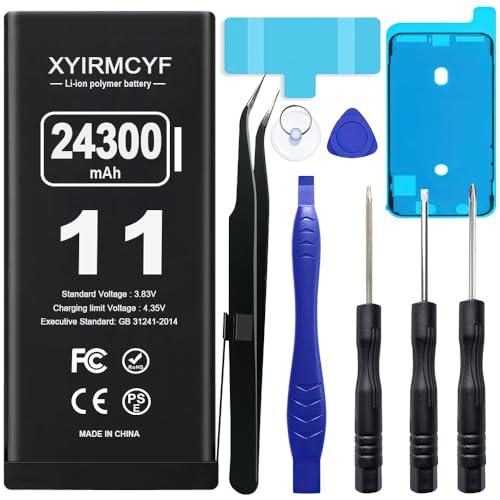
【Compatible Model】This Replacement battery compatible with iPhone 11 (Model: A2111, A2223,A2221). (Note: NOT compatible with other iPhone model). Before purchasing this battery, please make sure that the your Phone model number matches!
Battery Capacity
iPhones come equipped with various lithium-ion battery capacities. For example, the iPhone 13 Mini has a 2,227 mAh battery, while the iPhone 14 Pro Max features a larger 4,352 mAh battery. Battery capacity plays a vital role in determining how long your device lasts on a single charge. Higher capacities generally extend usage time under similar conditions.
Real-World Usage
In practical terms, iPhone users report daily battery life ranging from 10 to 20 hours, depending on usage. When engaging in activities like streaming videos or playing games, expect shorter battery life. On the other hand, tasks such as browsing or texting may allow your battery to last longer.
To help maximize battery life, you can implement several strategies:
- Adjust Screen Brightness: Lowering screen brightness conserves battery power.
- Limit Background Apps: Closing unused apps can prevent them from draining your battery.
- Utilize Wi-Fi: Connecting to Wi-Fi instead of using cellular data can enhance battery efficiency.
- Enable Battery Saver Mode: Activating battery saver features helps extend battery life during critical times.
- Avoid Extreme Temperatures: Exposing your iPhone to very hot or cold conditions can degrade battery performance.
By keeping these tips in mind, you can optimize your iPhone’s battery performance and enhance your user experience.
Samsung Battery Performance
Samsung smartphones generally feature larger battery capacities compared to iPhones. This average provides users with extended daily usage times under normal conditions.
Battery Capacity
Samsung devices often contain batteries ranging from 4,000 mAh to 5,000 mAh, depending on the model. For instance, the Galaxy S21 has a 4,000 mAh battery, while the Galaxy S21 Ultra boasts a 5,000 mAh battery. Larger capacities allow for longer durations between charges, with many users experiencing around 11 to 18 hours of battery life during daily tasks. This design supports a variety of activities, including gaming, streaming video, and heavy app usage without frequent recharging.
Real-World Usage
In real-world scenarios, Samsung phones provide reliable battery longevity. For example, under mixed usage, users often report screen-on times of about 8 to 12 hours. Features like adaptive battery management enhance efficiency by limiting power to infrequently used apps. Additionally, Samsung’s Super Fast Charging technology allows you to recharge quickly if you run low. For a practical tip, enabling battery saver mode can further extend usage time, especially during critical periods when you don’t have immediate access to a charger.
Comparison of Battery Longevity
Battery longevity significantly impacts your smartphone experience. When comparing iPhones and Samsung devices, key differences emerge in charging technology and software optimization.
Charging Technology
You’ll find distinct charging technologies in iPhones and Samsung smartphones. iPhones utilize Apple’s 20W USB-C power adapter, providing fast charging. This adapter charges your device to about 50% in approximately 30 minutes. Additionally, it supports MagSafe wireless charging, delivering up to 15W wirelessly. This convenience aligns well with typical daily usage patterns.
Samsung devices offer several charging options, including faster charging at 25W or even 45W for select models like the Galaxy S21 Ultra. Such technology enables charging from 0% to about 50% in around 30 minutes as well. You can also utilize Qi wireless charging, with speeds of up to 15W, similar to MagSafe technology. The variety gives you flexible choices to minimize downtime.
Software Optimization
Software optimization plays a crucial role in the battery longevity of both brands. Apple’s iOS features power management tools that automatically adjust performance based on usage patterns. For example, Low Power Mode reduces system performance, extending battery life when it’s running low.
Samsung’s One UI is also designed with battery efficiency in mind. It includes an adaptive battery feature that learns your habits and optimizes power usage accordingly. You can even customize settings for specific apps to limit their background activity, preserving battery life during busy days.
In both cases, monitoring battery health is available through settings menus, letting you optimize daily usage. By understanding these strategies, you can enhance battery performance, ensuring your device can endure the day-to-day challenges.
User Experience and Feedback
User feedback often highlights key differences in battery experiences between iPhones and Samsung devices. You’ll find that users generally appreciate battery longevity, daily reliability, and charging speed.
iPhone User Feedback
- Longevity: iPhone users frequently report a full day’s use without charging, citing 10 to 20 hours of battery life depending on usage. Users value the consistency across various apps and functions.
- Software Optimization: Many users commend Apple’s battery management features. Low Power Mode allows for a noticeable extension in battery life during critical times.
- Charging Experience: iPhone users often appreciate the MagSafe charging option, which adds convenience when charging without cables. They regularly enjoy a smooth transition from wired to wireless charging.
Samsung User Feedback
- Capacity and Usage: Samsung users often highlight larger battery capacities allowing 11 to 18 hours of daily use. Those with Galaxy S21 Ultra devices report that extensive multitasking rarely drains the battery quickly.
- Adaptive Features: Users benefit from Samsung’s adaptive battery technology. Many find that the device learns habits, effectively optimizing battery life tailored to their daily routines.
- Fast Charging: Feedback often emphasizes the advantage of quick charging capabilities, with users appreciating the 25W and 45W charging options for rapid power-ups during busy days.
Common Themes
- App Usage Impact: Both iPhone and Samsung users indicate that extensive app usage, particularly gaming or streaming, robs battery life. Users recommend limiting background applications to mitigate this effect.
- Screen Brightness Settings: Many users on both platforms note that lowering screen brightness significantly affects how long the phone lasts. Using adaptive brightness also helps conserve battery life.
- Environmental Factors: Feedback often points to temperature extremes impacting battery performance. Both sets of users advise against exposing devices to extreme heat or cold for longer battery life.
Practical Tips for Maximizing Battery Life
- Adjust Settings: Lower screen brightness and turn off unnecessary notifications.
- Use Battery Saver Mode: Activate battery saver features during critical times when charging isn’t an option.
- Monitor Usage: Check battery usage stats in settings and identify apps that drain power.
- Keep Software Updated: Regular updates can improve battery management and feature efficiency.
Through user experiences, you can better understand how iPhones and Samsung devices stack up in terms of battery life, ultimately guiding your choice based on real-world performance.
Conclusion
Choosing between an iPhone and a Samsung smartphone boils down to your personal preferences and usage habits. If you value software optimization and efficient battery management you might lean towards an iPhone. On the other hand if you prefer larger battery capacities and faster charging options Samsung could be your best bet.
Regardless of your choice both brands offer impressive battery life that can keep you connected throughout the day. Remember to implement the tips discussed to maximize your device’s performance. With the right approach you can enjoy a seamless experience whether you’re scrolling social media or streaming your favorite shows.
Frequently Asked Questions
How important is battery life in smartphones?
Battery life is crucial for smartphone usability. It affects how long you can use your device without needing to recharge. A good battery allows for extended usage during daily tasks, making it essential to consider when choosing a smartphone.
What is the average battery life of iPhones?
iPhones typically offer daily battery life ranging from 10 to 20 hours, depending on the model and usage conditions. The iPhone 14 Pro Max, for instance, has a larger battery capacity which supports this extended use.
How does Samsung’s battery life compare to iPhones?
Samsung devices usually have larger batteries, ranging from 4,000 mAh to 5,000 mAh. Users can expect about 11 to 18 hours of daily usage, depending on the model and how they use the phone.
What factors can affect smartphone battery life?
Several factors impact battery life, including screen brightness, background apps, network conditions, and usage patterns. Adjusting these elements can help you maximize battery performance.
How can I maximize my smartphone’s battery life?
To extend battery life, reduce screen brightness, limit background activity, use Wi-Fi, enable battery saver modes, and avoid extreme temperatures. These strategies help enhance overall user experience.
What charging technology do iPhones use?
iPhones utilize Apple’s 20W USB-C power adapter for fast charging, allowing users to reach about 50% battery in approximately 30 minutes. They also support MagSafe wireless charging.
How does Samsung’s charging technology compare?
Samsung smartphones offer various fast charging options, including 25W and 45W for select models. Similar to iPhones, many Samsung devices support Qi wireless charging for convenience.
What do users say about battery life on iPhones vs. Samsung devices?
iPhone users often praise their devices for longevity and efficient software optimization, while Samsung users appreciate larger battery capacities and fast charging capabilities. User experiences can vary based on individual habits and app usage.
Are there built-in tools to monitor battery performance?
Both iPhones and Samsung devices have built-in tools to monitor battery health. Apple’s iOS includes Low Power Mode, while Samsung’s One UI has an adaptive battery feature that optimizes power usage based on user habits.
