

Key Takeaways
- Understand Battery Types: Samsung laptops may feature either removable or internal batteries, depending on the model, impacting maintenance processes.
- Locate the Battery: Familiarize yourself with visual indicators like grooves, battery icons, and screw placements to quickly find the battery.
- Follow Safe Procedures: Always power off the laptop and use proper tools, like screwdrivers and plastic pry tools, to safely access the battery.
- Replacement Options: You can choose between genuine Samsung batteries for optimal compatibility and quality, or third-party alternatives that may offer cost savings but require careful consideration.
- Consult Your Manual: For accurate instructions tailored to your specific model, always refer to your laptop’s user manual.
Have you ever found yourself struggling to locate the battery on your Samsung laptop? You’re not alone. Many users face this common challenge, especially when trying to troubleshoot power issues or replace a worn-out battery.
Overview of Samsung Laptops
Samsung laptops come in various models designed for different needs, such as business, gaming, and everyday use. Common series include the Galaxy Book, Notebook, and Chromebooks. Each offers unique features like AMOLED displays, long battery life, and lightweight designs, catering to various preferences.
Most Samsung laptops equip lithium-ion batteries for efficiency and performance. These batteries provide dependable power, allowing for hours of usage without being tethered to an outlet.
When troubleshooting battery issues, knowing your laptop model can help. Accessing the battery typically occurs in one of two ways:
- Removable Batteries: Some older Samsung laptops allow you to remove the battery cover. You can slide or press latches to release the battery, giving you easy access.
- Internal Batteries: Newer models feature built-in batteries. Look for service panels on the bottom of the laptop. You may need to unscrew them to access the battery.
Refer to your model’s user manual for specific instructions on locating and replacing the battery. Always ensure the laptop is powered off and unplugged before attempting any battery maintenance.
Locating the Battery
Finding the battery on your Samsung laptop is essential for maintenance and troubleshooting. Each model has unique features that affect where and how the battery is accessed.
Recommended Products
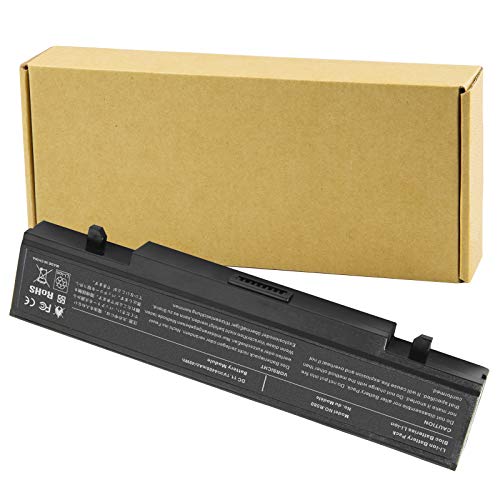
Specifications: Li-ion battery, Rated at 11.1V(10.8V Compatible) 5200mAh

Battery type: Li-ion; Cells: 6-cell; Capacity: 5200MAH; Voltage: 11.1V; The battery is durable and has overcurrent protection, anti-overcharge, anti-overdischarge and temperature control functions.

【Specification】Voltage: 7.7V. Capacity: 39.04Wh 5070mAh. Battery Type: Li-ion. Condition: Brand new, from high quality materials, top circuit boards and smart chip.
Importance of Knowing Battery Location
Knowing the battery’s location aids in quick troubleshooting and battery replacement. If you encounter power issues, you can promptly check the battery status or replace it if necessary. Familiarity with your device’s battery setup ensures you handle it safely and correctly.
Visual Indicators of Battery Placement
Identifying visual indicators can simplify battery location.
- External Casing: Look for removable panels on the bottom of older models. They often feature grooves or tabs indicating a detachable battery.
- Battery Icons: Some models include battery icons on the bottom or sides, providing clues.
- Screw Placement: On newer devices, screws securing the bottom panel can suggest where the internal battery resides.
Always consult your user manual for specific diagrams related to your model. This guidance ensures you’ll spot the battery efficiently during maintenance tasks.
Steps to Access the Battery
Accessing the battery on your Samsung laptop requires some specific steps. Ensure you’re prepared and follow the process carefully.
Recommended Products

HIGH QUALITY: Thin flexible steel blade easily slips between the tightest gaps and corners.
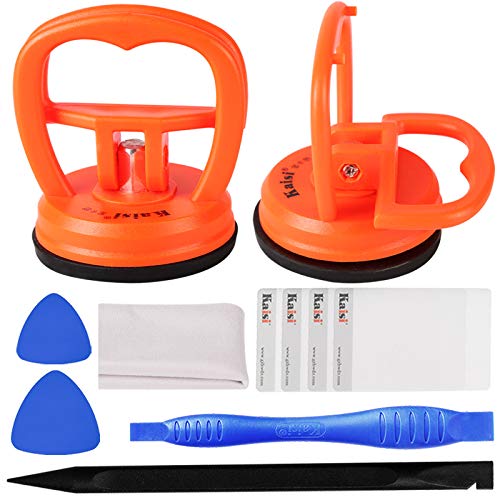
High Quality & Super Suction-- Screen suction cup is made of durable ABS and natural rubber materials, and has a long service life. The suction cup has a lifting capacity of 1-2 kg , which can help you open the phone screen.

【Suitable for TV models】: Compatible with Samsung screwless TVs.
Tools Required for Battery Removal
- Screwdriver: Use a small Phillips-head screwdriver for removing screws.
- Plastic Pry Tool: This tool helps in prying open panels without damaging the laptop.
- Antistatic Wrist Strap: Protects your laptop’s internal components from static electricity.
Step-by-Step Guide to Battery Access
- Power Off the Laptop: Ensure the laptop is completely shut down and unplugged from any power source.
- Gather Your Tools: Collect the screwdriver and pry tool for easy access.
- Turn the Laptop Over: Place the laptop on a soft, flat surface to prevent scratches.
- Locate Screws: Identify the screws securing the service panel. They’re usually located near the battery compartment.
- Remove Screws: Use the screwdriver to carefully remove the screws. Keep them in a safe place for reassembly.
- Pry Open the Panel: Insert the plastic pry tool in the gap between the panel and the laptop. Gently lift the panel to avoid damaging clips.
- Identify the Battery: Look for the rectangular battery pack inside the compartment. It often has a connector attached to the motherboard.
- Disconnect the Battery: Carefully detach the battery connector by pulling it straight out. Avoid tugging on the wires.
- Remove the Battery: Lift the battery out of the compartment to complete the process.
Refer to your user manual for model-specific instructions. This ensures you follow the correct procedure and avoid damaging your laptop.
Battery Replacement Options
When you need to replace your Samsung laptop’s battery, you have two main routes: genuine Samsung batteries and third-party alternatives.
Recommended Products
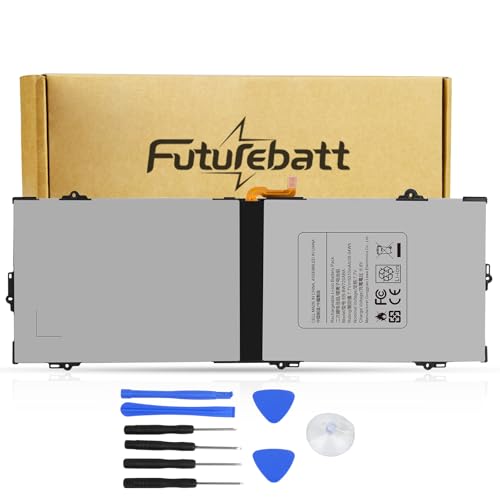
Specifications:Model:BW720ABA; Voltage:7.7V;Capacity:39.04Wh;100% brand new from manufacture. Grade A cells ensure fast charges and low power consumption.

【Customer First】24 x 7 email support. For assistance with the AA-PBMN4MR battery, please visit our product detail page OR please contact us by email at any time, (Note: Amazon return windows will be closed after one month. After that, you can click on seller store name on right corner, you can see "Ask a question" on the page and contact directly for any problem.).

【Attention please】Our model is AA-PBMN4VN. This model is extremely confusing with AA-PBMN4MR. Due to the different sizes and capacities of the compatible models, they cannot be used interchangeably. AA-PBMN4VN is compatible with 15-inch models, and AA-PBMN4MR is compatible with models such as the 13-inch Galaxy Book Pro 360 NP930XDB. We suggest you open your laptop case to check and confirm your original battery model and appearance, compared with our battery image, make sure that's what you need.
Genuine Samsung Batteries
Choosing a genuine Samsung battery ensures compatibility and longevity. These batteries meet strict quality standards set by the manufacturer. You can find them through various sources:
- Authorized Retailers: Visit Samsung’s official website or check certified electronics stores for genuine products.
- Online Marketplaces: Platforms like Amazon and eBay offer genuine batteries through verified sellers. Look for customer reviews and seller ratings.
- Service Centers: Samsung service centers provide genuine replacements along with professional installation.
Always verify the model number to ensure you get the correct battery for your specific laptop model.
Third-Party Alternatives
Third-party batteries can offer cost savings but come with considerations. Some benefits include:
- Variety: Many manufacturers create compatible batteries for various Samsung models. Brands like Anker and Einova often provide options.
- Pricing: Prices typically vary, allowing you to find something that matches your budget.
To choose wisely, consider these factors:
- Reviews: Read customer feedback to assess reliability and performance.
- Warranty: Check for a warranty that covers defects, giving you peace of mind.
- Specifications: Ensure the specifications match your original battery’s voltage and capacity.
While third-party options can be tempting, they may not always match the quality of genuine batteries. Weigh the pros and cons before making a decision.
Conclusion
Finding the battery on your Samsung laptop doesn’t have to be a hassle. With the right information and tools, you can easily access it for troubleshooting or replacement. Remember to always check your user manual for specific guidance tailored to your model.
Whether you opt for a genuine Samsung battery or consider third-party options, being informed will help you make the best choice for your needs. Keeping your laptop’s battery in good shape ensures you can enjoy uninterrupted performance. So go ahead and tackle those battery issues with confidence!
Frequently Asked Questions
How do I locate the battery on my Samsung laptop?
Most Samsung laptops have their batteries located either inside or outside. Older models usually have removable batteries accessible via latches, while newer models have internal batteries that require removing screws from a service panel. Always refer to your user manual for exact instructions related to your model.
What tools do I need to access my Samsung laptop’s battery?
To access your battery, you typically need a small Phillips-head screwdriver, a plastic pry tool, and an antistatic wrist strap to protect internal components. Make sure your laptop is powered off and unplugged before starting.
Can I replace my Samsung laptop battery with a third-party option?
Yes, you can replace your Samsung laptop battery with a third-party option. However, consider the reliability and quality of the battery. Always check customer reviews and ensure the specifications match your original battery before purchasing.
Are genuine Samsung batteries worth it?
Genuine Samsung batteries are often recommended as they ensure compatibility and longevity, meeting strict quality standards. Purchasing these batteries from authorized retailers or Samsung service centers helps maintain your laptop’s performance.
What should I do if my laptop battery won’t charge?
If your laptop battery won’t charge, first check the power adapter and outlet. If they work fine, try resetting your laptop or updating the BIOS. If problems persist, consulting a professional or replacing the battery may be necessary.
