

Key Takeaways
- Optimize Battery Life: Battery saver apps extend Android device usage time by managing background processes and reducing power consumption.
- Key Features to Consider: Look for apps that offer background app management, power consumption analysis, customization options, and scheduled optimization for effective battery saving.
- Top Recommended Apps: Popular options include Greenify for hibernating apps, Battery Guru for detailed insights, Du Battery Saver for one-tap optimization, and Power Battery for intelligent memory management.
- User Experience Matters: Evaluate the app’s user interface and ease of use through reviews to ensure a smooth experience while monitoring battery performance.
- Regular Monitoring: Consistently track which apps consume the most battery and adjust settings as needed to optimize device longevity.
- Stay Updated: Keeping both your device and the battery saver app updated ensures optimal performance and addresses any potential bugs.
Are you tired of your phone dying right when you need it most? You’re not alone. Many Android users face the daily struggle of keeping their devices powered up, especially when you’re constantly on the go. A good battery saver app can make all the difference, extending your phone’s life and keeping you connected longer.
Overview Of Battery Saver Apps
Battery saver apps optimize battery performance and extend your phone’s usage time. These apps help manage background processes, adjust settings, and reduce power consumption. They provide valuable tools for users looking to enhance their device’s longevity.
Key Features of Battery Saver Apps
- Background App Management: Monitor and control which apps run in the background, limiting unnecessary resource usage.
- Power Consumption Analysis: Identify apps that drain battery quickly, offering actionable recommendations for improvement.
- Customization Options: Allow you to adjust settings based on your usage patterns, giving you control over battery-saving strategies.
- Scheduled Optimization: Enable automatic power-saving modes during specified times, such as when you sleep or work.
Popular Battery Saver Apps
| App Name | Key Features | Cost |
|---|---|---|
| Greenify | Hibernates apps, reduces background processing | Free / Premium |
| Battery Guru | Detailed analysis, alerts for power-hungry apps | Free |
| Du Battery Saver | One-tap optimization, customizable battery profiles | Free / Premium |
| Power Battery | Intelligent memory boost, usage statistics | Free |
Tips for Using Battery Saver Apps
- Regularly Monitor Usage: Check which apps consume the most battery and take action.
- Adjust Settings: Alter brightness, screen timeout, and network settings to maximize battery life.
- Use Battery Saver Features: Activate the app’s built-in power-saving modes, especially during critical times.
- Keep Software Updated: Ensure your device and apps receive updates for optimal performance.
Battery saver apps play a crucial role in managing your Android device’s battery life. By leveraging these tools effectively, you can improve performance and remain connected longer.
Factors To Consider When Choosing A Battery Saver App
Choosing the right battery saver app can enhance your Android experience. Consider these key factors when selecting an app.
User Interface and Ease of Use
User interface matters for usability. Look for a clean, intuitive design that makes navigation simple. Apps with straightforward menus allow quick access to features. A well-organized layout helps you understand battery usage and settings at a glance. Check user reviews for feedback on the ease of use to ensure an app meets your expectations.
Features and Functionality
Features determine how effective a battery saver app can be. Prioritize apps that offer:
- Background Process Management: Look for apps that identify and limit apps running in the background. This reduces power consumption significantly.
- Power Consumption Analysis: Choose apps that provide insights into which apps consume the most battery. This helps you address usage effectively.
- Customization Options: Seek out apps that allow you to set personalized battery-saving strategies. Custom schedules and specific app controls can optimize your experience.
- Scheduled Optimization: Some apps let you schedule when to activate battery-saving features. This ensures your phone remains efficient during critical times, like at night or during meetings.
Prioritizing these factors helps you find the best battery saver app tailored to your needs.
Top Battery Saver Apps For Android
Finding the right battery saver app can enhance your Android experience by prolonging your device’s battery life. Here are some of the top options available.
App 1: Greenify – Overview and Features
Greenify helps improve battery life by identifying and hibernating apps that consume energy in the background. Key features include:
- App Management: Automatically hibernates apps when not in use.
- Doze Mode Support: Works effectively with Android’s built-in power-saving options.
- User-Friendly Interface: Easy navigation with straightforward settings.
Greenify’s premium version offers advanced features, allowing users to customize even further.
App 2: Battery Guru – Overview and Features
Battery Guru is designed to provide insights into your battery’s health and performance. Key features include:
- Battery Saving Tips: Offers tailored recommendations based on usage patterns.
- Consumption Monitoring: Analyzes which apps drain the battery most.
- Scheduled Optimizations: Allows you to set specific times for power-saving actions.
Battery Guru emphasizes a clean interface, making it simple to track usage and battery health.
App 3: Du Battery Saver – Overview and Features
Du Battery Saver focuses on providing a one-tap solution to improve battery performance. Key features include:
- One-Tap Optimization: Instantly clears background processes for immediate battery savings.
- Battery Charge Alerts: Notifies you when to disconnect the charger to prevent overcharging.
- Smart Power-saving Modes: Includes various presets tailored for different user scenarios.
Du Battery Saver also includes a widget for easier access to key features right from your home screen.
User Reviews and Ratings
User experiences with battery saver apps provide valuable insights into their effectiveness and performance. Here’s a summary of user reviews and ratings for popular battery saver apps:
Recommended Products

Power Saver and Optimizer
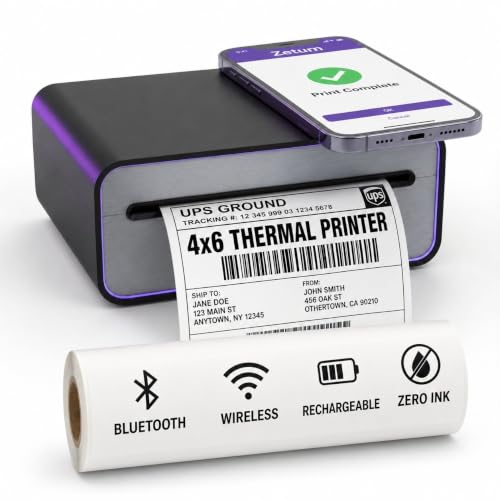
Portable Thermal Printer – Built-in 2600mAh rechargeable battery lets you print shipping labels away from outlets at home, in the kitchen, or in a home office

Battery Widget information that indicates battery power as a % with remaining battery life indicated in minutes.
Greenify
- Rating: 4.5/5
- Reviews: Users appreciate its ability to hibernate apps that drain battery life. Many report significant battery savings, especially for background apps. Some users highlight a steep learning curve in the initial setup.
Battery Guru
- Rating: 4.4/5
- Reviews: Users value its detailed battery health insights and personalized saving tips. Positive feedback mentions real-time monitoring of usage. However, some report occasional bugs and difficulty with app optimization.
Du Battery Saver
- Rating: 4.3/5
- Reviews: Users enjoy the one-tap optimization feature, which simplifies the process. Many find it effective for day-to-day use. Some note that advanced features require a premium subscription, which can be a drawback.
Power Battery
- Rating: 4.2/5
- Reviews: Users appreciate its power consumption analysis and custom modes. The app has received praise for its user-friendly interface. However, some mention it occasionally struggles to identify all draining apps.
Common Themes in Reviews
- Effectiveness: Most users notice an improvement in battery life after using these apps.
- Usability: Interfaces vary; a clean, intuitive design enhances user experience.
- Technical Issues: Some users report bugs or crashes, emphasizing the need for regular updates.
Focusing on user reviews can help you choose the best battery saver app that meets your needs and preferences. Always consider ratings and user feedback before deciding on an app.
Conclusion
Finding the right battery saver app can make a world of difference for your Android device. With so many options available you can choose one that fits your needs and lifestyle. Whether you prioritize ease of use or advanced features there’s an app out there that can help keep your phone running longer.
As you explore the different apps take note of user reviews and ratings to guide your decision. Remember to regularly monitor your battery usage and adjust settings for optimal performance. With the right battery saver app in your toolkit you can stay connected without the constant worry of your phone dying on you. Happy saving!
Frequently Asked Questions
What is the purpose of battery saver apps for Android users?
Battery saver apps help Android users extend their phone’s battery life by optimizing performance. They manage background processes, adjust settings, and reduce power consumption to ensure your device lasts longer, especially when you’re on the move.
How do battery saver apps improve battery performance?
Battery saver apps improve battery performance by analyzing power usage and managing apps running in the background. They provide features like scheduled optimization and customization options, which allow users to minimize unnecessary battery drain.
What are some popular battery saver apps?
Some popular battery saver apps include Greenify, Battery Guru, Du Battery Saver, and Power Battery. Each app offers unique features such as background process management and one-tap optimization, helping users enhance their device’s battery life effectively.
How can I use battery saver apps effectively?
To use battery saver apps effectively, regularly monitor your app usage, adjust app settings, utilize built-in power-saving modes, and keep your software updated. These practices help maintain optimal battery performance over time.
What should I look for when choosing a battery saver app?
When selecting a battery saver app, consider user interface ease of use, features, and functionality. Look for apps with background process management, power consumption analysis, customization options, and scheduled optimization to ensure you get the best performance.
How do user reviews influence battery saver app selection?
User reviews provide valuable insights into the effectiveness and usability of battery saver apps. Checking ratings and feedback can help in identifying apps that best meet your needs and preferences, ensuring you choose a reliable solution for improving battery life.
