

Key Takeaways
- Understanding Battery Protect: Battery Protect is a Samsung feature designed to enhance battery health and longevity by regulating charging under specific conditions.
- Charging Limitations: It typically limits charging to 85% to prevent overheating and degradation, especially during overnight charging or on high-use days.
- Temperature Regulation: The feature monitors battery temperature, delaying charging if excessive heat is detected, ensuring safe operation.
- Benefits of Battery Protect: Enhanced battery lifespan, prevention of overheating, and improved user convenience contribute to a better overall smartphone experience.
- Practical Charging Tips: Users are encouraged to charge wisely, consider adaptive charging, and keep their phones in cool environments to maximize Battery Protect’s effectiveness.
- Overall Performance Improvement: By managing charging and discharge effectively, Battery Protect helps maintain your Samsung device’s optimal performance over time.
Have you ever wondered why your Samsung phone sometimes limits charging? You’re not alone. Many users face this issue, especially when their device seems to struggle with battery life.
Battery Protect is a feature designed to help you maintain your battery’s health and longevity. It kicks in when your phone detects certain conditions, ensuring you get the most out of your device. In this article, you’ll learn how Battery Protect works and why it’s essential for your Samsung phone. Understanding this feature will help you make informed choices about your phone’s performance and battery care.
Understanding Battery Protect Technology
Battery Protect is a feature that helps maintain the health and longevity of your Samsung phone’s battery. This technology engages when specific conditions arise, ensuring your device operates optimally while safeguarding battery performance.
How Battery Protect Works
- Charging Limitation: Battery Protect may limit the charging capacity to reduce stress on the battery. When the battery reaches 85%, the charging may slow down or pause.
- Temperature Regulation: It monitors the temperature during charging. If it detects excessive heat, it may delay charging to prevent damage.
- Stay Charged Longer: By limiting charging beyond certain levels, Battery Protect helps your battery last longer over its lifespan.
When to Expect Battery Protect to Activate
You might notice Battery Protect activating during:
- Overnight Charging: If you charge overnight, Battery Protect may adjust charging rates to avoid keeping the battery at 100% for extended periods.
- High Usage Days: On days when you use your phone heavily, it can kick in to avoid fast-draining the battery.
- Environmental Stress: Hot or cold environments can trigger Battery Protect to adjust the charging process.
Benefits of Using Battery Protect
- Enhanced Battery Longevity: Maintaining a charge between 20% and 80% can extend battery lifespan, which Battery Protect supports.
- Prevents Overheating: It minimizes risks associated with overheating, which can affect battery performance over time.
- User Convenience: By managing charging intelligently, it saves you from potential battery issues down the road.
Practical Tips
- Charge Wisely: Regularly charge your phone but avoid letting it sit at 100%.
- Use Adaptive Charging: Enable this feature to allow your phone to learn your usage patterns and charge accordingly.
- Keep Your Phone Cool: Store it in a cool place during charging to maximize Battery Protect’s effectiveness.
By understanding and utilizing Battery Protect technology, you can ensure your Samsung phone remains in great shape for years to come.
Features of Battery Protect on Samsung
Battery Protect offers essential features that safeguard your Samsung device’s battery health. It provides mechanisms to enhance longevity and prevent damage during charging.
Improved Battery Lifespan
Improved battery lifespan is one of the primary features of Battery Protect. By limiting the charge to 85%, it helps maintain optimal battery health. This limitation particularly activates during overnight charging. For example, if you charge your phone while sleeping, Battery Protect will reduce the charge rate to prevent degradation. This function ensures that your battery can sustain its performance over the long term, giving you reliable usage.
Overcharge Prevention
Overcharge prevention is another critical aspect of Battery Protect. This feature kicks in to prevent the battery from charging beyond safe levels. When usage patterns suggest extended charging, Battery Protect will regulate the current. For example, on high-usage days where you charge for longer periods, this feature steps in to manage charge levels intelligently. This ensures the battery doesn’t overheat, reducing the risk of potential damage and enhancing overall user safety.
How Battery Protect Works
Battery Protect enhances your Samsung phone’s battery health by using several effective mechanisms. It activates under specific conditions to prevent damage and prolong lifespan.
Recommended Products

Massive 20,000mAh capacity delivers extended power for smartphones, tablets, and USB-C devices, ideal for travel, commuting, and backup charging without worrying about battery drain throughout the day

PAEBAI+ 100W USB C Charger GaN PD3.0 Fast Charging: Boost your MacBook Pro 16" up to 56% in just 30 minutes. The PAEBAI+ Portable Charger offers fast charging speed, a compact size, lightweight design, anti-slip and drop-proof features, and a charging indicator light, providing you with an unparalleled charging experience.

【PD45W Super Fast Charging 2.0 for Galaxy Phones】: USB-C1 port supports PD45W Super Fast Charging 2.0 for Galaxy S26/S25/S24 Ultra and future compatible devices, while also providing up to 25W Super Fast Charging 1.0 for other Galaxy phones/tabs. Fast charge your Galaxy phone from 0% to 50% in about 20 min, and full charge 100% in about 60 min.
Charging Mechanism
Charging Mechanism maintains your battery’s optimal state by limiting how much it charges. When overnight charging occurs, Battery Protect typically restricts the charge to 85%. This limitation helps prevent overheating and slows down battery degradation. You’ll notice this feature especially on high usage days or when the phone’s temperature rises. Keeping your phone from charging to 100% reduces wear and tear, ultimately extending battery life.
Discharge Management
Discharge Management ensures that your device uses battery power efficiently. It optimizes power consumption by adjusting settings based on your usage patterns. For example, when your phone senses less activity, it conserves energy by reducing screen brightness or limiting background app refresh. These adjustments help maintain battery health over time. By understanding how your phone manages discharge, you can actively support this feature through careful app usage and settings adjustments.
This combination of charging and discharge management makes Battery Protect an essential tool for maintaining your Samsung phone’s battery health.
Benefits of Using Battery Protect
Using Battery Protect on your Samsung device offers several advantages that enhance your overall smartphone experience. You can expect improved battery health, reduced overheating, and greater convenience throughout your daily activities.
Recommended Products
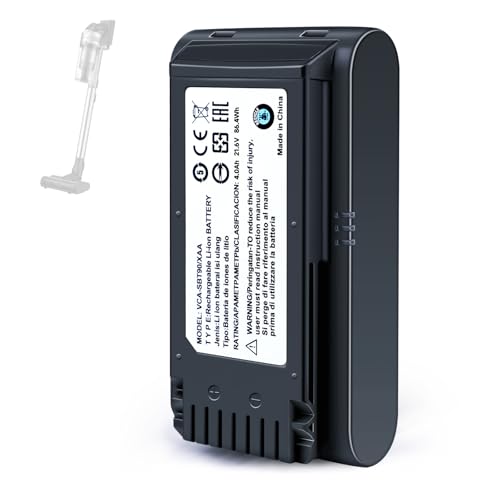
【Specifications】 Model:VCA-SBT90 ;Battery Type: Li_ion, Voltage:21.6V Capacity: 4000mAh ; Color: Gray and black

This battery is compatible with Samsung Galaxy SCH-U360 a870 a930 U310, to ensure that the battery you purchase is a perfect match for your device, be sure to check the model number of your device before ordering (you can check the model number of your device in the ‘Settings’ of your device).

User Experience
Battery Protect significantly enhances the user experience by managing battery usage effectively. With the feature activated, you’ll notice longer-lasting battery life, which means fewer interruptions for charging. Battery Protect limits charging to 85% during overnight sessions. This means your device’s battery stays in optimal condition, resulting in fewer instances of sudden battery drain. You can wake up to a device that’s not just charged but also healthier.
Performance Impact
Battery Protect positively impacts your device’s performance. By preventing overcharging and regulating battery temperature, you reduce the risk of overheating. This reduces potential damage to internal components and ensures your device operates smoothly. When using intensive applications or during high usage days, Battery Protect’s smart discharge management kicks in, adjusting settings to conserve energy. This allows you to enjoy demanding tasks without worrying about extended downtime or excessive heat.
By incorporating Battery Protect, you experience sustained performance and maintain the health of your Samsung device, ensuring it serves you well for years.
Conclusion
By understanding the Battery Protect feature on your Samsung phone you can make smarter choices for your device’s longevity. This handy tool not only helps extend your battery’s lifespan but also keeps it safe from overheating and damage.
With its smart charging and discharge management mechanisms you can enjoy a more reliable performance while reducing the need for frequent charging.
So next time you’re charging overnight or during a busy day remember that Battery Protect is working behind the scenes to keep your phone in top shape. Embrace these benefits and watch your battery life improve over time.
Frequently Asked Questions
What is the Battery Protect feature on Samsung phones?
Battery Protect is a feature designed to enhance battery life by limiting the charge to 85% during overnight charging and regulating current during prolonged charging sessions. It aims to prevent overheating and degradation of the battery, ultimately extending its lifespan.
How does Battery Protect improve battery lifespan?
Battery Protect improves battery lifespan by controlling charging patterns and preventing overheating. It limits charging to 85% during overnight use, which reduces battery stress and slows down degradation processes.
When does Battery Protect activate?
Battery Protect usually activates during overnight charging, on high usage days, and in extreme temperature conditions. These scenarios trigger the feature to ensure optimal battery health and performance.
Can Battery Protect prevent overheating?
Yes, Battery Protect helps prevent overheating by regulating the charging current. This feature minimizes the risk of damage to internal components and ensures smooth operation during intensive app usage.
What practical tips can help optimize battery health?
To optimize battery health, charge your phone wisely by avoiding overnight charging in hot environments, reduce screen brightness when not in use, and keep your device cool. Regularly updating software can also assist in battery efficiency.
How does Battery Protect impact phone performance?
Battery Protect enhances phone performance by preventing overcharging and regulating battery temperature. This ensures that the device runs smoothly during high-demand tasks while maintaining battery health and longevity.
