

Key Takeaways
- Battery Types: LG phones typically feature either removable or non-removable batteries; identifying which type your device has is crucial for troubleshooting.
- Removable Batteries: Models like LG G4 and LG G5 allow for easy battery replacement without tools, making it convenient for users.
- Non-Removable Batteries: Phones such as LG G6 and LG V30 require professional assistance for battery replacement, as they are integrated into the device.
- Essential Tools for Removal: To remove the battery, gather necessary tools such as a small screwdriver, plastic pry tool, and tweezers for a safe and effective process.
- Steps for Battery Removal: Power off the device, locate the battery compartment, carefully remove the back cover, and detach the battery for maintenance or replacement.
- Troubleshooting Tips: If encountering difficulties, consider warming the back cover, inspecting battery contacts, and ensuring proper seating of the battery to resolve common issues.
Ever found yourself in a situation where your LG phone just won’t turn on? You’re not alone. Many people face this frustrating problem, and sometimes, the solution is simpler than you think. Removing the battery can help reset your device and get it back to normal.
Overview of LG Phone Batteries
LG phone batteries come in two main types: removable and non-removable. Knowing the type of battery in your device is essential for properly handling battery issues.
Removable Batteries
- Easy Access: You can quickly remove and replace these batteries without tools. This type is often found in older models like the LG G4.
- Replacement Options: If your battery wears out, you can buy a new one online or at retail stores. Just ensure it’s compatible with your specific phone model.
Non-Removable Batteries
- Secure Design: Non-removable batteries are built into the phone casing, making access more complex. Models like the LG G6 and LG V30 feature this design.
- Professional Help: Replacement often requires professional assistance, which can result in added costs. Consider contacting authorized service centers for battery replacements.
Battery Maintenance Tips
- Avoid Extreme Temperatures: Keep your phone in temperatures between 32°F and 95°F (0°C and 35°C) to prolong battery life.
- Charge Wisely: Use a compatible charger and avoid overcharging. Disconnect once your battery reaches 100%.
- Regular Maintenance: Regularly clean your phone’s contacts. This can improve battery performance and prevent power issues.
Understanding these aspects of LG phone batteries will empower you to manage and troubleshoot power issues effectively.
Identifying Your LG Phone Model
Identifying your LG phone model simplifies the battery removal process. Knowing whether your phone features a removable or non-removable battery is essential for effective troubleshooting.
Common Models with Removable Batteries
- LG G4: This model offers a removable battery, making it accessible for users.
- LG G5: Includes a slide-out battery design, allowing quick swaps.
- LG V10: Features a removable battery, providing easy access.
- LG K series: Several K series models come with removable batteries as well.
Notable Exceptions
- LG G6: This model uses a non-removable battery, which requires professional servicing for replacement.
- LG V30: The battery is non-removable, complicating self-service options.
- LG Stylo series: Newer Stylo models often have non-removable batteries.
- LG Velvet: Incorporates a non-removable battery, making DIY replacements challenging.
Recognizing your specific LG phone model helps streamline the battery removal process and manage power issues effectively.
Tools You Will Need
To remove the battery from your LG phone, gather the right tools. The process is straightforward but requires a few essential items for success.
Recommended Products
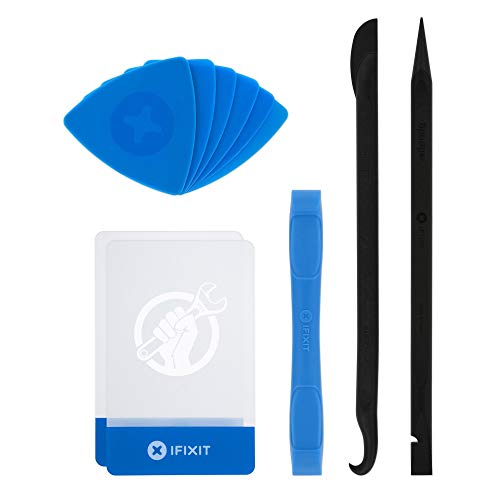
EFFECTIVE: Open your tech device and safely remove components with ease. Essential for DIY repairs like displays, batteries, motherboards, headphone jacks, joysticks, and more.

Professional Tools: Showpin's 3-in-1 iopener includes LCD and double-headed screen opening tool plus a cleaning cloth. Suitable for mobile phones, iPads, and other mobile devices, facilitating the easy removal or replacement of the LCD screen and battery.

High-quality materials: The SIM card removal tool is made of high-quality alloy metal steel, which is lightweight and difficult to bend. Sturdy and long-lasting. (Note: The SIM card removal tool is small in size and has a pointed bottom; Keep them away from children to avoid accidental swallowing or accidental injury.)
Essential Tools
- Screwdriver: Use a small Phillips-head screwdriver for models with screws. This tool helps remove the back cover easily.
- Plastic Pry Tool: A plastic pry tool allows you to detach the back cover without damaging the device. It’s safer than metal tools.
- Tweezers: Tweezers assist in handling small components and making precise movements when needed.
Optional Tools
- Magnetizer: A magnetizer can help keep screws organized. This tool makes it easier to avoid losing small parts during the process.
- Sim Card Ejector Tool: For some models, you may need this tool to access the battery compartment or back cover.
- Cleaning Cloth: A microfiber cloth helps to clean the area before and after battery removal. It’s good practice to ensure everything is dust-free.
Steps to Remove the Battery from Your LG Phone
Follow these steps to successfully remove the battery from your LG phone, especially if your device isn’t turning on.
Recommended Products
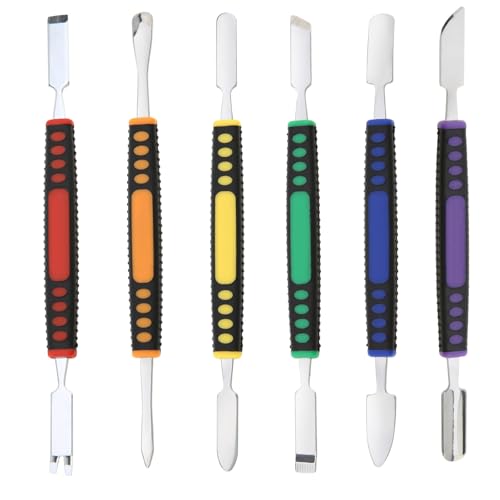
√ Premium Quality Material - Made of stainless steel, sturdy yet still flexible. Ergonomic silicone handle, non slip.

Compatible models: Compatible with all screwless Samsung TVs

0.1mm ultra thin opening card, excellent for prying and opening task.
Power Off Your Device
Power off your LG phone before starting the battery removal process. Press and hold the Power button until the screen displays the shutdown menu. Tap “Power Off” to turn off the device completely. This ensures safety during a battery swap.
Locate the Battery Compartment
Identify the location of the battery compartment. For models with removable batteries, this is typically on the back of the phone. Check your phone’s manual or online resources for specific instructions related to your model. Knowing your model helps in finding the compartment easily.
Remove the Back Cover
Gently pry off the back cover to access the battery. Use a plastic pry tool to avoid damaging the device. Insert the tool into the small gap near the edge of the back cover and carefully work your way around. Once loose, lift the cover off completely. Maintain a firm grip to prevent any small pieces from falling.
Detach the Battery Safely
Once the back cover is off, grasp the battery’s edge. Lift it out with your fingers or use tweezers if it’s too snug. Avoid touching any internal components with bare fingers to prevent damage. Place the battery aside safely for replacement or charging.
By following these simple steps, you’ll efficiently remove your LG phone’s battery and troubleshoot power issues effectively.
Troubleshooting Common Issues
You might encounter common issues while trying to remove the battery from your LG phone. These challenges can often be resolved with a few practical tips.
Recommended Products

Versatile Screen Disassembler Pry Tool: Includes ultra-thin metal opening picks, 3 non-slip metal spudgers, and 2 pry tools with clear markings for various repair tasks on laptops,cell phones, and more.

Kaisi 20 pcs opening pry tools kit for smart phone,laptop,computer tablet,electronics, apple watch, iPad, iPod, Macbook, computer, LCD screen, battery and more disassembly and repair
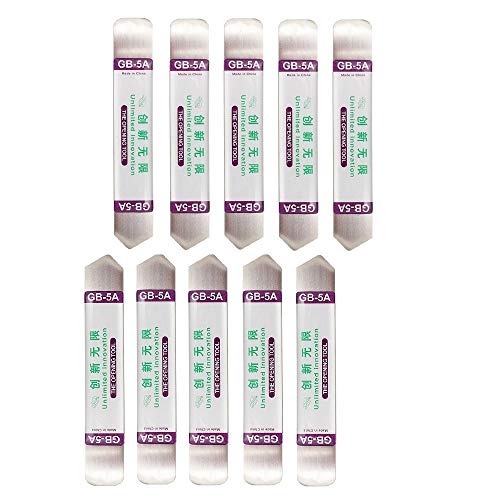
Ideal For Opening: iPhone, Smart phone, iPad, Tablet, Laptop, PC, LCD and other plastics or metals
Difficulty Removing the Back Cover
Removing the back cover can sometimes be tricky. If you’re struggling:
- Apply Heat: Use a hairdryer on a low setting to warm the edges of the back cover. This can soften the adhesive.
- Use a Plastic Pry Tool: Gently slide the tool into the seam between the back cover and the phone’s body. Move it slowly around the edges to avoid damaging the cover.
- Check for Screws: For models with screws, ensure you’ve removed all necessary screws before attempting to pry off the cover.
Battery Connection Problems
If your phone still won’t turn on after removing the battery, the connection might be the issue. To troubleshoot:
- Inspect the Battery Contacts: Look for dirt or debris on the battery terminals and the phone’s contact points. Clean these with a small cloth.
- Re-seat the Battery: Remove and reinsert the battery. Make sure it fits snugly and connects properly.
- Check for Damage: If you notice any swelling or discoloration on the battery, it may be time for a replacement.
By addressing these troubleshooting tips, you can efficiently resolve common battery issues with your LG phone.
Conclusion
You’ve got the tools and knowledge to tackle battery issues with your LG phone. Whether you’re dealing with a removable or non-removable battery understanding the process can make a big difference. Remember to be gentle and patient as you work through the steps.
By taking good care of your battery and following the tips provided you can extend its life and keep your phone running smoothly. Don’t hesitate to reach out for professional help if you encounter any challenges beyond your comfort level. You’ve got this and soon enough you’ll have your phone up and running again!
Frequently Asked Questions
Why won’t my LG phone turn on?
A non-responsive LG phone could be due to a drained battery, software glitch, or hardware malfunction. Try charging your phone for a while. If it still doesn’t respond, removing the battery may help reset it, especially for models with removable batteries.
How can I remove the battery from my LG phone?
To remove the battery, power off your device first. Use a plastic pry tool to gently detach the back cover. Once the cover is off, locate the battery and carefully lift it out, ensuring you avoid touching any internal components.
What tools do I need for battery removal?
You’ll need a small Phillips-head screwdriver, a plastic pry tool to detach the back cover, and tweezers for handling small parts. Optional tools can include a magnetizer for organizing screws and a SIM card ejector for accessing compartments.
Which LG phone models have removable batteries?
Common LG models with removable batteries include the LG G4, G5, V10, and several K series phones. These models allow users easy access for battery replacement and maintenance.
What if my LG phone has a non-removable battery?
Models like the LG G6, V30, and newer Stylo devices feature non-removable batteries that require professional help for replacement. It’s best to consult a technician if you face battery issues with these phones.
How can I maintain my LG phone battery health?
To enhance battery performance, avoid exposing your phone to extreme temperatures, charge wisely, and perform regular maintenance like clearing out dust from the battery compartment. These actions can prevent power issues and prolong battery life.
