

Key Takeaways
- Understand Battery Maintenance: Regularly charge your Samsung A51 with quality chargers and avoid extreme temperatures to enhance battery lifespan.
- Adjust Display Settings: Lower screen brightness and enable adaptive brightness to conserve power; consider using dark themes to save battery on AMOLED screens.
- Manage App Usage: Monitor battery-draining apps, limit background processes, and restrict location services to necessary apps only.
- Utilize Battery Saver Modes: Activate power-saving features to reduce background activity and extend battery life, especially in critical situations.
- Limit Connectivity Options: Turn off Bluetooth, Wi-Fi, and mobile data when not in use, and use Airplane mode in areas with poor reception to save energy.
- Practice Good Charging Habits: Charge your device between 20% and 80%, avoid overnight charging, and use certified chargers to maintain battery health.
Ever find yourself scrambling for a charger when your Samsung A51’s battery is running low? You’re not alone. Many users face the frustration of a dying battery, especially during busy days when you need your phone the most.
Understanding Battery Life
Battery life plays a crucial role in your Samsung A51’s functionality. Understanding how to maintain and optimize it ensures you stay connected when it matters most.
Importance of Battery Maintenance
Proper battery maintenance helps extend your Samsung A51’s lifespan. Regularly charging your phone using quality chargers prevents wear. Additionally, avoiding extreme temperatures protects battery health, as both high heat and cold can damage the battery. By monitoring your app usage and settings, you can effectively manage power consumption.
Key Factors Affecting Battery Performance
- Screen Brightness: Higher brightness levels drain battery quickly. Adjust brightness settings or use adaptive brightness for better efficiency.
- Background Apps: Apps running in the background consume power. Regularly close unused apps to save energy.
- Location Services: GPS can significantly affect battery life. Disable location services for non-essential apps to conserve power.
- Network Connectivity: Poor signal strength results in your phone working harder to maintain a connection. Switch to Airplane mode when you’re in areas with little to no service.
- Battery Health: Over time, batteries lose capacity. Keep your software updated to benefit from battery optimization features.
Tips to Save Battery on Samsung A51
Saving battery on your Samsung A51 is straightforward. Implementing a few strategic changes can significantly extend your battery life throughout the day.
Recommended Products
![ITMBET [5200mAh] Galaxy A51 Battery, EB-BA515ABY Battery with Repair Kit](https://m.media-amazon.com/images/I/518XtjeZaoL._SL500_.jpg)
⚡ Premium Quality: Experience a new level of performance with our upgraded 5200mAh battery replacement. This high-quality 0-cycle battery will restore your phone’s battery life to like-new condition, ensuring you stay connected longer with up to 1000+ charge cycles.

【Compatible Model】:This Battery Model is EB-BA515ABY,Compatible with Samsung Galaxy A51 SM-A515F SM-A515F/DS.Please confirm your phone model and your old battery part number before placing an order.

Compatible with Samsung Galaxy S23+ Plus SM-S916B SM-S916N SM-S916U SM-S9160.
Adjusting Display Settings
Reducing screen brightness conserves power. Set the brightness to an optimal level or enable adaptive brightness to automatically adjust based on surrounding light. Limiting screen timeout duration helps, too; setting it to 30 seconds or 1 minute minimizes the time the display remains active when not in use.
Consider switching to a dark theme if you use a lot of apps with white backgrounds. Dark themes use less power on AMOLED screens like that of the A51, saving battery life while providing a sleek look.
Managing App Usage
Monitoring app usage plays a crucial role in battery conservation. Check for any apps that run in the background and close them when not needed. Access settings to view which applications consume the most battery; uninstall or disable apps that aren’t essential.
Limit location services. Use GPS only when necessary, as it drains battery quickly. Adjust your app permissions to allow location access only while using the app, reducing constant background usage.
Utilizing Battery Saver Modes
Engaging battery saver modes optimizes power usage. Activate the power saving mode through the device settings to automatically restrict background data and services. This mode can extend your battery life significantly.
Use the “Maximum power saving” mode for critical situations. It limits apps and features to essential functions, considerably enhancing battery longevity when you’re in a pinch.
Implement these strategies to enjoy a longer-lasting battery experience on your Samsung A51.
Advanced Techniques for Battery Conservation
Maximizing battery life on your Samsung A51 involves advanced techniques. These methods target specific settings and apps to ensure efficient power usage throughout your day.
Recommended Products

[Compatible Models] Developed especially for Samsung Galaxy A51 5G.Compatible with Samsung Galaxy A51 5G SM-A516F SM-A516F/DS SM-A516U EB-BA516ABY
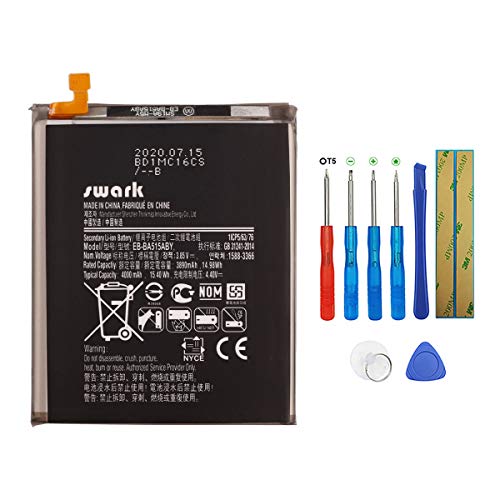
【More Capacity】 Model battery:EB-BA515ABY,Volts: 3.85V, Capacity: 3890mAh /14.98Wh .Larger capacity and longer life.This battery prolongs the phone service time, you can use the high capacity battery directly without bothering about running out of power and shut down some apps all the time.

★ COMPATIBLE MODELS --- The Galaxy A51 5G A516U USB Charging Port Flex Cable Connector Replacement Compatible Only Fit For Samsung Galaxy A51 5G SM-A516U SM-A516V SM-A516U1 Audio Jack Flex Cable A51 5G Version SM-A516U SM-A516V Charger Board Repair Part With Tools,Don't Fit For Galaxy A51 4G A515 Other Version Type C Flex Cable.
Disabling Background Processes
Disabling unnecessary background processes can significantly save battery. Follow these steps:
- Open Settings: Tap the gear icon.
- Select Apps: Choose Applications or Apps.
- Choose an App: Pick apps you don’t use often.
- Click on Battery: Access battery settings for that app.
- Select Background Restrictions: Toggle off background activity.
This limits apps running in the background, reducing power drain.
Reducing Location Services
Location services consume a significant amount of battery. You can optimize usage by adjusting settings:
- Go to Settings: Tap the gear icon.
- Select Location: Choose Location.
- Change Mode: Switch to “Battery saving” or “Device only” instead of “High accuracy.”
- Review Apps: Under Location settings, check which apps access location and limit access to essential ones.
This prevents unnecessary tracking, leading to longer battery life.
Limiting Connectivity Options
Connectivity options, such as Wi-Fi, Bluetooth, and mobile data, can drain battery when not in use. To manage these, consider the following:
- Turn Off Bluetooth: When you’re not using it, disable Bluetooth from Quick Settings.
- Disable Wi-Fi: If you’re away from Wi-Fi networks, turn it off to save energy.
- Use Airplane Mode: In areas with poor reception, activate Airplane mode. This prevents the phone from searching for signals constantly.
- Control Mobile Data: Disable mobile data when it’s not needed. Go to Settings, select Network & Internet, and toggle off Mobile data.
Managing these connectivity options ensures your device conserves battery effectively.
Battery Health Management
Battery health plays a vital role in maintaining your Samsung A51’s longevity and efficiency. Proper management can significantly impact how long your battery lasts daily.
Recommended Products

Kastar 2-pack high-capacity BP-70A batteries with slim USB charger. Compatible with Samsung BP-70A / BP70A / EA-BP70A cameras (full model list in description). Each battery: 3.7 V, 1400 mAh, 5.2 Wh; approx. 1.0 oz. (39.4 × 31 × 5.8 mm / 1.55 × 1.22 × 0.23 in). Includes 2 batteries + 1 USB charger + 1 battery case.

Compatibility - BP-70A Li-ion Battery for Samsung DV150F, ES65, ES70, ES80, MV800, PL120, PL170, PL20, PL200, PL80, SL50, SL600, SL605, SL630, ST65, ST66, ST76, ST80, ST90, ST95, ST100, ST150F, ST700, TL105, TL110, TL205, WB30F, WB35F, WB50FCameras

Only compatible for Samsung Galaxy A51 A515F 6.5". Note: Please check the Model Number BEFORE purchasing this Item, so as not to cause the cable to be inappropriate for the mobile phone.
Monitoring Battery Usage
Tracking battery usage helps you identify apps draining power unnecessarily. To check battery usage, go to Settings > Battery > Usage, and review which apps consume the most energy. Consider uninstalling or limiting the use of high-consumption apps. For example, social media or streaming apps often run in the background, impacting battery life.
Best Practices for Charging
Optimizing charging habits ensures better battery health over time. Use the following charging best practices:
- Charge between 20% and 80%: Keeping your battery within this range reduces stress and prolongs lifespan.
- Avoid overnight charging: Disconnect your phone once fully charged to prevent overcharging.
- Use quality chargers: Opt for original or certified chargers to maintain optimal performance.
- Allow occasional full cycles: Every few months, let your battery drain to 5% before charging it fully to recalibrate the battery meter.
Implementing these tips helps preserve your Samsung A51’s battery health and enhances overall performance.
Conclusion
Taking control of your Samsung A51’s battery life doesn’t have to be a daunting task. By making simple adjustments to settings and being mindful of your app usage, you can keep your phone powered throughout the day. Embrace features like battery saver modes and dark themes to give your device the boost it needs.
Remember to keep an eye on battery health and practice good charging habits. With these strategies in place, you’ll ensure your phone stays connected when it matters most. Enjoy your Samsung A51 without the constant worry of running out of battery. You’ve got this!
Frequently Asked Questions
What are common issues with the Samsung A51 battery life?
The Samsung A51 battery may drain quickly due to factors like high screen brightness, background apps running excessively, and constant location services usage. Users may also face issues with battery life during busy days when they’re most dependent on their devices.
How can I extend the battery life of my Samsung A51?
To extend battery life, reduce screen brightness, enable adaptive brightness, and limit screen timeout. Monitor app usage, uninstall non-essential apps, and switch to Battery Saver modes when needed. Adjust location services to only when necessary for added efficiency.
What settings can I change to save battery on my Samsung A51?
You can save battery by switching to a dark theme, reducing screen brightness, managing background apps, and disabling unused connectivity options like Bluetooth and Wi-Fi. Adjust the location services to “Battery saving” mode as well.
Why is battery health important for my Samsung A51?
Maintaining battery health is crucial for the longevity and efficiency of your Samsung A51. Poor battery health can lead to unexpected shutdowns, reduced performance, and a shorter lifespan, impacting your overall user experience.
How can I check which apps are draining my battery?
You can check battery usage by going to Settings > Battery and Device Care > Battery. This section will show you which apps are consuming the most power, allowing you to manage and limit their usage effectively.
What are best practices for charging the Samsung A51?
Charge your Samsung A51 between 20% and 80%, avoid overnight charging, and use quality chargers. Occasionally allowing a full discharge to 0% and then a full charge can help recalibrate the battery meter for accurate readings.
