

Key Takeaways
- Screen Brightness Management: Utilize adaptive brightness and lower brightness levels to conserve battery life on your Samsung S20 FE.
- Limit Background Apps: Regularly check and optimize background app activities to reduce unnecessary power consumption.
- Leverage Built-in Features: Activate Power Saving Mode and Adaptive Battery for tailored battery optimization based on your usage patterns.
- Monitor Connectivity: Turn off Bluetooth, Wi-Fi, and GPS when not in use to prevent excessive battery drain from connectivity features.
- Use Battery-Saving Apps: Incorporate apps like Greenify and AccuBattery to manage and monitor battery health and usage efficiently.
- Regular Optimization: Utilize Device Care and Battery Usage statistics in your settings to maintain overall battery health and identify high-consumption apps.
Ever find yourself scrambling for a charger when your Samsung S20 FE is running low on battery? You’re not alone. Many of us have experienced that sinking feeling when our phone’s battery life doesn’t last as long as we need it to, especially on busy days.
Understanding Battery Life On Samsung S20 FE
Battery life significantly influences your overall experience with the Samsung S20 FE. Knowing how various factors affect performance helps you manage usage effectively.
Factors Affecting Battery Performance
- Screen Brightness: High brightness settings drain battery life faster. Use adaptive brightness to automatically adjust based on your environment.
- Background Apps: Apps running in the background consume energy. Check for unnecessary apps and close them when not in use.
- Network Connection: Poor network signals cause your phone to work harder, draining battery. Switch to airplane mode in low-signal areas or turn off mobile data when it’s not needed.
- Location Services: Constant GPS usage reduces battery efficiency. Set location services to “While Using” for apps that don’t require constant tracking.
- Refresh Rates: The S20 FE features a high refresh rate of 120Hz. While this enhances visuals, it also depletes battery life. Consider switching to 60Hz for everyday tasks.
Importance Of Battery Saving Techniques
Implementing battery-saving techniques extends your phone’s usage throughout the day. Each technique offers practical solutions you can personalize.
- Power Saving Mode: Enable this mode to restrict background data, reduce screen brightness, and limit performance when you approach low battery levels.
- Adaptive Battery: This feature learns your usage patterns and prioritizes power for apps you use frequently, saving energy overall.
- Dark Mode: Use dark mode to save battery on OLED screens. Dark pixels consume less power, especially in apps that support this feature.
- App Management: Regularly check battery usage statistics in settings. Identify and limit apps that draw excessive power.
By understanding the factors that impact battery performance and applying effective saving techniques, you can maximize your Samsung S20 FE’s battery life.
Tips To Save Battery On Samsung S20 FE
You can implement several strategies to extend the battery life of your Samsung S20 FE. Each tip below addresses specific features that consume power.
Recommended Products

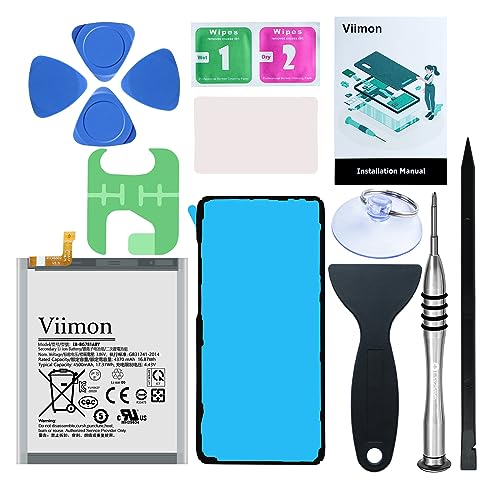
[PLS CONFIRM DEVICE MODEL] --- The repair kit contains the instruction to guide you step by step installation, and we have professional engineers to answer all your questions about the repair process. Please verify your old battery part number and model before purchasing this replacement battery. Compatible with Samsung Galaxy S20 FE SM-G781, G781V, G781A, G781T, G781P, G781R4, G781U, G781U1, EB-BG781ABY. ★NOT FOR Samsung Galaxy S20, S20+, S20 Ultra, Note 20, Note 20 Ultra★

HIGH CAPACITY --- This replacement battery for Samsung Galaxy S20 FE is 5150mAh high capacity, with more power than original battery.You can use your phone for a longer time!

{COMPATIBLE MODELS}:This Replacement battery Compatible with Samsung Galaxy S20 FE (Model: SM-G781B G781U G781W SM-A526 A526B/DS A5260 A526W).
Adjust Screen Brightness
Lowering your screen brightness is a simple yet effective method. Use the Quick Settings Panel to quickly decrease brightness. Select Adaptive Brightness for automatic adjustments based on your environment. Aim for a brightness level that allows comfortable viewing without excessive strain.
Limit Background App Activity
Many apps run in the background, draining battery life. Manage these apps by going to Settings > Apps. Identify the apps you rarely use and select Battery Usage to restrict their activity. Activate Battery optimization for important apps. This setting limits background processes, allowing your battery to last longer.
Manage Connectivity Features
Connectivity features, including Wi-Fi, Bluetooth, and GPS, can significantly affect battery performance. Turn off Wi-Fi and Bluetooth when not in use. Navigate to Settings > Connections to toggle these options. For GPS, use the Location Services settings to select the appropriate mode, such as “Battery Saving,” which uses Wi-Fi and mobile networks instead of GPS when possible.
Utilizing Built-In Battery Saver Features
Managing battery life effectively on your Samsung S20 FE becomes easier with built-in features. You can access tools like Power Saving Mode and Adaptive Battery to maximize usage.
Recommended Products
【Compatible Model】It is compatible with Samsung Galaxy S20 FE, A52 and A52S 5G, Model: S20 FE 5G SM-G781B G781U G781W SM-A526 A526B/DS A5260 A526W. Not for S20 and S20+ Plus. Please double identify and check your phone model matches before purchasing the battery.
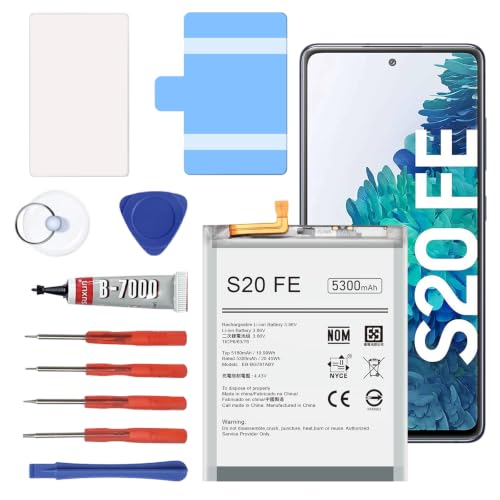
【5300mAh High Capacity & 0 Cycle】 Experience extended usage with our 5300mAh high-capacity replacement battery, providing significantly more power than standard batteries. Featuring a brand-new 0 cycle count.

COMPATIBILITY: This battery only fits for Samsung Galaxy S20 FE, SM-G781B, SM-G781B/DS, SM-G781U, SM-G781U1, SM-G781W, SM-G7810, SM-G781N, SM-G781V. Please carefully confirm your phone model before purchase.
Power Saving Mode
Power Saving Mode reduces the phone’s overall performance to extend battery life. Access this feature by navigating to Settings > Battery and Device Care > Battery > Power Saving Mode. You can customize settings to limit background data, lower screen brightness, and restrict app activity. For instance, you can set it to activate when the battery percentage drops below 20% to conserve energy during critical times.
Adaptive Battery
Adaptive Battery learns your app usage patterns and prioritizes battery power for frequently used apps. Activate this feature via Settings > Battery and Device Care > Battery > More Battery Settings > Adaptive Battery. Once enabled, your device optimizes background activity based on your daily habits, ensuring apps you use often remain active while less important ones are limited. For example, if you usually check your email every morning, Adaptive Battery keeps that app ready for quicker access without draining excess power.
Apps And Tools For Battery Management
Using the right apps and tools can significantly enhance battery management on your Samsung S20 FE. These resources help monitor usage, optimize settings, and prolong battery life.
Recommended Products

REDESIGNED TO DO MORE: The redesigned Galaxy SmartTag2 is made so you can keep calm and keep track¹; Its design makes it easy for you to tag and carry your belongings
Find your things with ease: The SmartThings Find app uses Bluetooth and ultra-wideband (UWB) technology to locate and keep track of your stuff
Recommended Battery Saver Apps
- Greenify: Greenify hibernates background apps that drain battery. You can select specific apps to restrict when not in use. This app works especially well for preventing unnecessary wake-ups.
- AccuBattery: AccuBattery provides detailed insights into battery health and charging habits. It tracks battery usage, estimates remaining charge time, and offers tips to extend lifespan.
- Battery Guru: Battery Guru gives you a comprehensive overview of battery stats and real-time usage. You can set notifications for battery drains and get personalized advice on saving power.
- GSam Battery Monitor: GSam Battery Monitor helps analyze which apps consume the most battery. It provides charts and statistics for a clearer understanding of resource usage.
- Power Save: Power Save focuses on maximizing battery life with features like scheduling background tasks. It allows you to set times when certain apps can run, minimizing strain on battery.
System Optimization Tools
- Device Care: Device Care is built into your Samsung settings. This tool optimizes battery usage by managing apps, memory, and storage. Regularly checking Device Care can help keep your battery healthy.
- Samsung Members: This app offers diagnostic tools specific to battery performance. Use it to run performance checks and get recommendations tailored to your S20 FE.
- Task Manager: Access the Task Manager via the Recent Apps button. Close background apps that aren’t in use. This simple step can free up memory and extend battery life.
- Battery Usage: Check the Battery Usage feature in your settings to identify power-hungry apps. By monitoring which apps are the biggest offenders, you can adjust usage habits accordingly.
- Dark Mode: While not a standalone tool, enabling Dark Mode can enhance battery life on OLED screens. This setting reduces power consumption by dimming pixel use, especially with darker backgrounds.
By utilizing these apps and tools, you can effectively manage and extend the battery life of your Samsung S20 FE.
Conclusion
You don’t have to dread running low on battery with your Samsung S20 FE. By implementing these simple strategies and utilizing the built-in features, you can keep your phone powered up throughout the day.
Whether it’s adjusting your screen brightness or managing background apps, every little change helps. Plus, exploring battery-saving apps can give you even more control over your device’s power consumption.
With a bit of effort and awareness, you’ll find it easier to extend your battery life and enjoy your phone without the constant worry of finding a charger. Happy saving!
Frequently Asked Questions
How can I extend the battery life of my Samsung S20 FE?
To extend battery life, enable Power Saving Mode, use Adaptive Battery, adjust screen brightness, and manage background app activity. Turn off Wi-Fi, Bluetooth, and GPS when not needed. Utilizing Dark Mode can also help save power on OLED screens.
What is Power Saving Mode on the Samsung S20 FE?
Power Saving Mode reduces the phone’s performance to extend battery life. It can lower screen brightness, limit background data, and be set to activate automatically when the battery is low.
What does Adaptive Battery do?
Adaptive Battery learns your app usage patterns to prioritize power for frequently used apps while limiting the battery usage of less important ones, optimizing the overall performance of your phone.
How can I manage my screen brightness efficiently?
You can adjust screen brightness through the Quick Settings Panel or enable Adaptive Brightness for automatic adjustments based on your environment, helping conserve battery life.
What apps can help manage battery life on the Samsung S20 FE?
Useful apps include Greenify, which hibernates background apps, AccuBattery for battery health insights, Battery Guru for real-time stats, GSam Battery Monitor for analyzing consumption, and Power Save for scheduling tasks.
Why is managing background apps important for battery life?
Limit background apps to reduce unnecessary power consumption. Activating battery optimization for important apps ensures they get the necessary resources while conserving battery for less used applications.
