

Key Takeaways
- Understand Battery Factors: Recognize how screen brightness, background apps, location services, and notifications affect your Samsung phone’s battery life.
- Adjust Screen Settings: Lower screen brightness, reduce screen timeout, enable battery-saving modes, and switch to dark mode to conserve energy.
- Manage Background Apps: Close unused apps, limit background data usage, uninstall unnecessary apps, and keep your apps updated for better energy efficiency.
- Optimize Location Services: Disable location services when not in use, utilize device-only mode, and manage app permissions to minimize battery drain.
- Utilize Built-In Features: Activate Battery Saver Mode and Adaptive Power Saving to help automatically manage battery consumption based on your usage habits.
- Consider Third-Party Apps: Use reputable battery management applications like Greenify and AccuBattery to monitor and optimize your device’s battery performance.
Ever found yourself frantically searching for a charger while your Samsung phone teeters on the edge of battery death? You’re not alone. With all the apps, notifications, and features at your fingertips, it’s easy to drain your battery faster than you’d like.
Understanding Battery Life on Samsung Phones
Understanding battery life on Samsung phones helps you manage your device effectively. Various factors influence how long your phone lasts on a single charge.
Importance of Battery Life
Battery life is crucial for maintaining device usability. A longer battery life means you can use your phone without interruptions. Effective battery management allows you to stay connected while enjoying applications, streaming, and browsing without the constant worry of finding a charger. Preserving battery life enhances overall user satisfaction and productivity.
Factors Affecting Battery Performance
Several factors affect battery performance, including:
- Screen Brightness: High brightness drains battery quickly. Lower brightness levels or use adaptive brightness for better efficiency.
- Apps Running in Background: Background apps consume power. Close unused apps to conserve battery life.
- Location Services: GPS and location tracking require energy. Turn off location services when not in use.
- Connectivity Features: Wi-Fi, Bluetooth, and mobile data use battery power. Disable these features when unnecessary.
- Notifications: Frequent notifications can awaken your screen and consume battery. Limit notifications from less important apps.
- Updates and Syncing: Automatic syncing can deplete battery life. Schedule updates and syncing during charging times.
- Battery Health: Over time, batteries degrade. Check battery health regularly to ensure optimal performance.
By recognizing these factors, you can implement strategies to extend your Samsung phone’s battery life effectively.
Tips for Saving Battery Life on Samsung Phones
You can extend your Samsung phone’s battery life by making simple adjustments. Focus on managing settings and apps effectively to make a noticeable difference.
Recommended Products
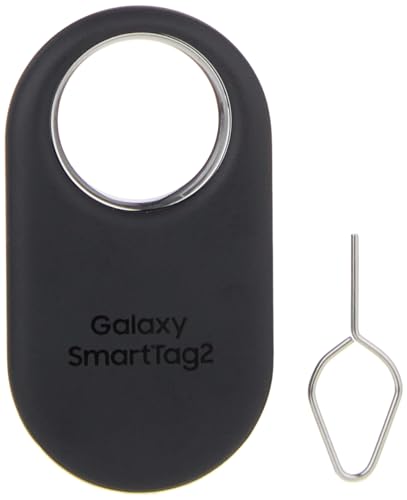
Find your things with ease: The SmartThings Find app uses Bluetooth and ultra-wideband (UWB) technology to locate and keep track of your stuff

Stay Powered with 20,000mAh: Carry the power you need to charge your iPhone 17 Pro up to 3.3 times or your Samsung S25 Ultra up to 3 times. The power is about the weight of 2 iPhone 17, perfect for daily use and travel.
Adjusting Screen Settings
- Lower brightness: Set your screen brightness to a lower level. Automatic brightness adjustments can also help by adapting to your environment.
- Reduce screen timeout: Shorten the screen timeout duration. Selecting 15 or 30 seconds conserves energy.
- Use battery-saving mode: Activate Battery Saver or Power Saving Mode in your settings. This feature limits background processes and notifications.
- Choose dark mode: Switch to dark mode. OLED screens consume less power when displaying darker colors.
Managing Background Apps
- Close unused apps: Regularly close apps running in the background. This reduces resource consumption.
- Limit background data usage: Go to your settings, select “Apps,” and restrict background data for apps that don’t need constant updates.
- Uninstall unnecessary apps: Remove apps that you rarely use. Their background activities can drain your battery.
- Update apps: Keep apps updated. Developers often optimize apps for better energy efficiency.
Optimizing Location Services
- Disable location when not in use: Turn off location services when you don’t need them. You can access this option in the Quick Settings panel.
- Use device-only mode: Switch to “Device Only” for location settings. This limits tracking to GPS only, minimizing battery drain.
- Manage app permissions: Review which apps have location access. Restrict this access to essential apps only.
- Limit location history: Turn off location history in your Google account settings. This prevents continuous tracking and helps save battery.
By implementing these strategies, you can help your Samsung phone maintain a longer-lasting charge.
Utilizing Built-In Features
Samsung phones come equipped with several built-in features designed to help you save battery life effectively. By leveraging these settings, you can significantly enhance your phone’s longevity.
Recommended Products

Slim Size, Big Power: One of the slimmest and lightest 10,000mAh portable chargers on the market. Provides 2 charges for iPhone 15, 1.93 charges for Galaxy S23, and 1.23 charges for iPad mini 6.
Slim Size, Big Power: One of the slimmest and lightest 10,000mAh portable chargers on the market. Provides 2 charges for iPhone 15, 1.93 charges for Galaxy S23, and 1.23 charges for iPad mini 6.

Huge Capacity 50000mAh Power Bank:OHOVIV Portable charger ultra-high massive capacity provides 10 charges for iPhone 15, which make of new high-density polymer battery.Depending on battery size, most smartphones will get over 10 full charges. Portable power bank works and does not take on any extra room, suitable for camping, hiking, vacation, travel and other outdoors.
Battery Saver Mode
Battery Saver Mode automatically reduces power consumption when your battery is low. To activate it, go to Settings, select Battery and device care, then tap Battery. Here, you’ll find the option to enable Battery Saver. When activated, this feature limits background data, dims the display, and restricts certain functions, ensuring essential features remain active while preserving battery power.
Adaptive Power Saving
Adaptive Power Saving optimizes your phone’s energy usage based on your behavior. It learns from your usage patterns and adjusts settings accordingly. To enable this feature, navigate to Settings, select Battery and device care, and tap on Battery. From there, toggle on Adaptive Power Saving. This setting helps conserve energy by turning on Battery Saver Mode at optimal times, allowing your phone to automatically adjust settings based on how you use your device throughout the day.
By utilizing these built-in features, you can maximize your Samsung phone’s battery life significantly.
Third-Party Applications
Using third-party applications can help you save battery life on your Samsung phone. These apps provide tools to monitor and manage your battery consumption effectively.
Recommended Products
![SAMSUNG Galaxy Ring, AI Smart Ring, Size First w/Sizing Kit, No App Subscription, Fitness Monitor, Sleep Tracker, Up to 7-Day Battery, Size 11, Titanium Gold [US Version, 1Yr Manufacturer Warranty]](https://m.media-amazon.com/images/I/41R1PkmCQxL._SL500_.jpg)
SIZE BEFORE YOU BUY: Galaxy Ring sizes differ from standard ring sizes; Purchase the Samsung Galaxy Ring Sizing Kit on Amazon first, and receive a credit towards your future Samsung Galaxy Ring purchase (terms and conditions apply)

SLB-10A Li-ion Battery for Samsung EX2F HZ15W SL202 SL420 SL620 SL820 WB150F WB250F WB350F WB750 WB800F WB850F WB1100F
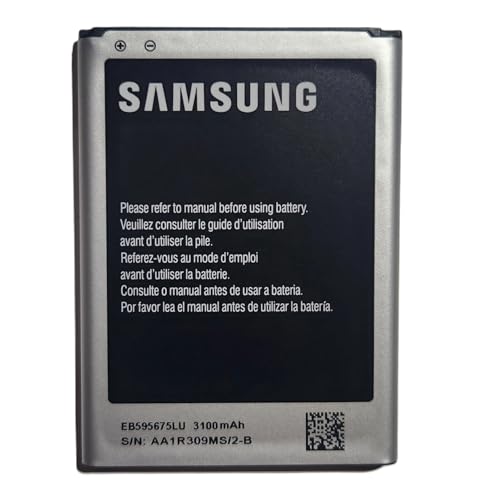
· 【Perfect Compatibility】This is a premium replacement battery specifically designed for Samsung Galaxy Note 2. Ensures a perfect fit and flawless performance for models: SGH-i317 (AT&T), SGH-T889 (T-Mobile), SCH-i605 (Verizon), SPH-R950 (Sprint), SPH-L900 (Sprint). Check your old battery's model number EB595675LA to confirm.
Recommended Apps for Battery Management
- Greenify: This app hibernates background processes, preventing them from consuming power without your knowledge. It optimizes your phone’s performance and extends battery life.
- AccuBattery: This app measures real-time battery usage and provides detailed insights. You can identify which apps drain your battery the most and adjust your usage habits accordingly.
- Battery Guru: This app offers tips and tricks tailored to your phone’s usage patterns. It helps you learn which settings or apps to modify for better battery performance.
- Power Battery: This app helps you monitor battery temperature and health. It also includes features for cleaning junk files and managing startup apps to optimize battery life.
Caution with Battery Optimization Apps
While battery optimization apps can enhance efficiency, use them with caution. Some apps may drain your battery if they run continuously in the background.
- Avoid excessive permissions: Some apps request unnecessary permissions that might compromise your privacy and lead to increased battery usage.
- Research reviews: Check user reviews before downloading. Some apps may not deliver on their promises and can negatively impact performance.
- Monitor their impact: Regularly track how these apps affect your battery life. If you notice a decrease in performance, consider uninstalling them.
By selecting reliable battery management apps and using them carefully, you can significantly enhance your Samsung phone’s battery longevity.
Conclusion
Saving battery life on your Samsung phone doesn’t have to be a hassle. By making a few simple adjustments and using the built-in features, you can enjoy longer usage without constantly searching for a charger.
Remember to keep an eye on your app usage and manage your settings wisely. Leveraging third-party apps can also give you an extra edge in monitoring battery performance.
With these tips in mind, you’ll not only extend your phone’s battery life but also enhance your overall experience. So go ahead and take control of your battery life today!
Frequently Asked Questions
Why does my Samsung phone’s battery drain so quickly?
Samsung phones may experience quick battery drainage due to numerous background apps, high screen brightness, frequent notifications, and active connectivity features. These factors can significantly affect battery life, leading to the need for more frequent charging.
What can I do to extend my Samsung phone’s battery life?
To extend battery life, lower screen brightness, reduce screen timeout, and enable battery-saving modes. Also, close unused background apps, limit location services, and keep your apps updated for optimal efficiency.
How does Battery Saver Mode work on Samsung phones?
Battery Saver Mode on Samsung phones reduces power consumption by limiting background data usage, reducing screen brightness, and disabling non-essential features. It activates when the battery is low to help users conserve energy longer.
What is Adaptive Power Saving?
Adaptive Power Saving is a feature that automatically adjusts your phone’s energy settings based on your usage patterns. This helps maximize battery longevity by optimizing settings for efficiency throughout the day.
Can third-party apps help improve battery life?
Yes, third-party apps like Greenify and AccuBattery can help monitor and manage battery consumption. However, choose them carefully, as some may use battery power themselves if they run continuously in the background.
