Close Menu
Battery Spotlight
    Battery Spotlight
    • Home
    • Phone Batteries
    • Laptop Batteries
    • Car Batteries
      • Golf Cart Batteries
    • Battery Info
      • Battery Chargers
      • Battery Life
      • Battery Maintenance
      • Marine Batteries
      • Rechargeable Batteries
      • Solar Batteries
    • About Us
      • Contact
    Battery Spotlight
    Navigation: Home » Car Batteries » How to Reprogram Your Honda Key Fob After Changing the Battery: Troubleshooting Tips
    Car Batteries

    How to Reprogram Your Honda Key Fob After Changing the Battery: Troubleshooting Tips

    Jackson DoyleBy Jackson DoyleApril 8, 20245 Mins Read
    Share Facebook Twitter Pinterest LinkedIn Tumblr Email WhatsApp Copy Link
    Share
    Facebook Twitter LinkedIn Pinterest Email Copy Link

    Ever found yourself locked out of your Honda because the key fob just won’t work after a battery change? Frustrating, right? But don’t worry – you’re not alone in this struggle. Reprogramming your Honda key fob after a battery replacement can be a real game-changer.

    Table of Contents

    Toggle
    • Step 1: Gather Necessary Tools and Information
    • Step 2: Accessing the Programming Mode
    • Step 3: Programming the New Key Fob
    • Step 4: Verifying the Reprogramming
    • Troubleshooting Tips
    • Conclusion
    • Frequently Asked Questions
    • How do I troubleshoot issues when reprogramming my Honda key fob?

    Imagine the convenience of effortlessly unlocking your car with just a click of a button, no more fumbling with keys or getting stuck outside. In this article, you’ll discover the simple steps to reprogram your Honda key fob like a pro. Say goodbye to those moments of panic and hello to smooth, hassle-free access to your vehicle.

    Step 1: Gather Necessary Tools and Information

    When reprogramming your Honda key fob after a battery change, the first step is to gather all the essential tools and information. Here’s what you need to get started:

    • Honda key fob: Ensure you have the key fob that needs reprogramming.
    • Vehicle manual: It’s helpful to have the owner’s manual for your Honda.
    • New batteries: Have fresh batteries ready to replace the old ones in the key fob.
    • Access to your Honda: You’ll need to be near your vehicle during the process.
    • Clear workspace: Find a well-lit area to work on reprogramming the key fob.

    By having these tools and information on hand, you’ll be well-prepared to move on to the next steps in the reprogramming process.

    Recommended Products

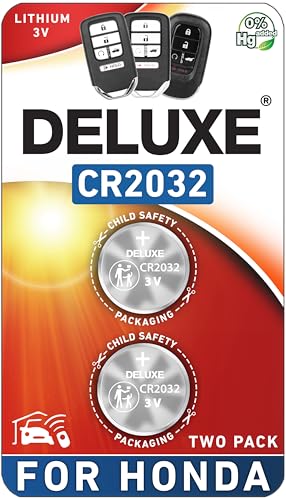
    Duracell 2032 Lithium Battery, 4 Count (Pack of 1), Child Safety Features, Compatible with Key Fob, Tea Light Candles and Other Devices, CR2032 Battery
    Duracell 2032 Lithium Battery, 4 Count (Pack of 1), Child Safety Features, Compatible with Key Fob, Tea Light Candles and Other Devices, CR2032 Battery

    LONG-LASTING BATTERIES DESIGNED FOR DEPENDABILITY: Duracell Lithium Coin CR2032 3 Volt batteries deliver long-lasting power and performance you can count on for devices throughout the home or on-the-go, such as key fobs, remote controls, Apple AirTag️, flameless candles, wireless cameras, thermometers, toys, and more.

    VIEW LATEST PRICE

    As an affiliate, we earn on qualifying purchases.

    Key Fob Replacement Batteries for Honda (CRV Civic Accord Pilot Odyssey HRV Fit Passport Ridgeline Crosstour Insight Clarity CRZ) Smart Remote (Pack of 2) (Check Fitment Guide)
    Key Fob Replacement Batteries for Honda (CRV Civic Accord Pilot Odyssey HRV Fit Passport Ridgeline Crosstour Insight Clarity CRZ) Smart Remote (Pack of 2) (Check Fitment Guide)

    CONFIRM FIT - **Please confirm compatibility using the fitment guide located in the product images**
    SEE ALSO  How Electric Car Batteries Are Made: Ensuring Quality & Efficiency
    VIEW LATEST PRICE

    As an affiliate, we earn on qualifying purchases.

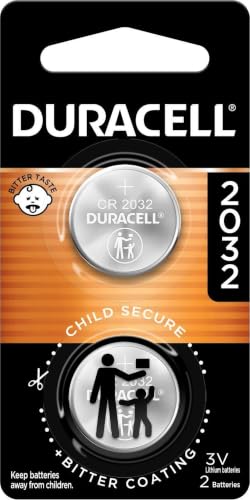
    Duracell 2032 Lithium Battery, 2 Count (Pack of 1), Child Safety Features, Compatible with Key Fob, Tea Light Candles and Other Devices, CR2032 Battery
    Duracell 2032 Lithium Battery, 2 Count (Pack of 1), Child Safety Features, Compatible with Key Fob, Tea Light Candles and Other Devices, CR2032 Battery

    LONG-LASTING BATTERIES DESIGNED FOR DEPENDABILITY: Duracell Lithium Coin CR2032 3 Volt batteries deliver long-lasting power and performance you can count on for devices throughout the home or on-the-go, such as key fobs, remote controls, Apple AirTag️, flameless candles, wireless cameras, thermometers, glucose monitors, toys, and more.

    VIEW LATEST PRICE

    As an affiliate, we earn on qualifying purchases.

    Step 2: Accessing the Programming Mode

    When accessing the programming mode of your Honda key fob, you’ll need to follow specific steps to ensure successful reprogramming and functionality:

    • Sit in the driver’s seat of your Honda vehicle.
    • Insert your key into the ignition and turn it to the “On” position.
    • Look for the remote receiver unit: It’s typically located near the keyless entry module or stereo system.
    • Locate the programming button: This small, hidden button needs to be pressed to activate the programming mode.
    • Press and hold the programming button until you see the indicator light on the fob blinking rapidly.
    • Continue holding the button until the light changes to a solid or slower blink.
    • Release the button, then press any button on the key fob to program it.
    • Wait for a response from your vehicle, such as a sound or light signal confirming successful programming.

    Remember, accessing the programming mode correctly is a crucial step in the reprogramming process for your Honda key fob after a battery replacement.

    Step 3: Programming the New Key Fob

    So, you’ve successfully accessed the programming mode, and now it’s time to program your new key fob. Follow these simple steps to complete the process smoothly:

    • Step 1: Sit in the driver’s seat with all doors closed.
    • Step 2: Insert the original key into the ignition and turn it to the “On” position.
    • Step 3: Locate the programming button on the remote receiver unit.
    • Step 4: Press and hold the programming button until the indicator light starts blinking.
    • Step 5: Release the button and press any button on the new key fob.
    • Step 6: Hold the button for a few seconds until you see the indicator light flash.
    • Step 7: Remove the key from the ignition to complete the programming process.
    SEE ALSO  Where to Buy the Best Car Battery: Online vs. In-Store Options Decoded

    By following these simple steps, you can effectively program your new key fob after a battery replacement, ensuring its smooth operation with your Honda vehicle.

    Recommended Products

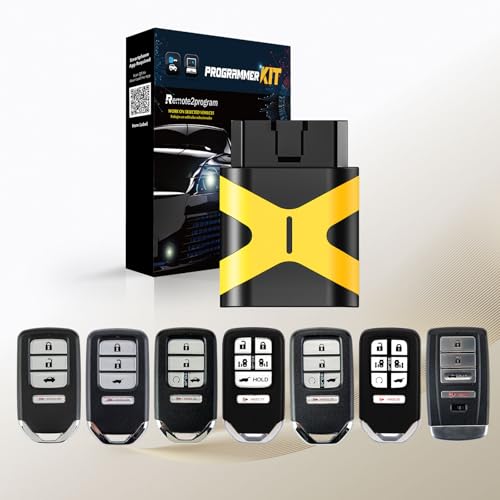
    Auto Key Max DIY Programmable Tool,Simple OBD2 car Key fob Programmer Replacement for 2006 2007 2008 2009 2010 2011 Honda Civic EX Si N5F-S0084A
    Auto Key Max DIY Programmable Tool,Simple OBD2 car Key fob Programmer Replacement for 2006 2007 2008 2009 2010 2011 Honda Civic EX Si N5F-S0084A

    Simple and Fast Programming Process: Download our APP,Connect device and work on programming by following on-screen step by step instruction. finish in a few minutes.
    VIEW LATEST PRICE

    As an affiliate, we earn on qualifying purchases.

    MechanMagic Key Fob Remote Replacement Fits for Honda Civic 2018-2021/CR-V 2017-2022/Pilot 2016-2021 KR5V2X(V44) Smart Proximity Keyless Entry Remote Control 47 Chip 72147-TG7-A11 72147-TLA-A01/A02
    MechanMagic Key Fob Remote Replacement Fits for Honda Civic 2018-2021/CR-V 2017-2022/Pilot 2016-2021 KR5V2X(V44) Smart Proximity Keyless Entry Remote Control 47 Chip 72147-TG7-A11 72147-TLA-A01/A02

    ★HIGH-QUALITY: Every Single Keyless Entry Remote Control Car Key Fob Is Fully Pre-tested by Professional Locksmith Tools before Shipping. All Our Key Fobs are Pre-installed with Battery and Electronics.

    VIEW LATEST PRICE

    As an affiliate, we earn on qualifying purchases.

    USA-Made for Honda Key Fob Shell | Crack-Resistant & Durable | Seamless Fit | Enhanced Longevity & Functionality | Integrated Bottle Opener | Easy DIY Installation (Black, 3 Button)
    USA-Made for Honda Key Fob Shell | Crack-Resistant & Durable | Seamless Fit | Enhanced Longevity & Functionality | Integrated Bottle Opener | Easy DIY Installation (Black, 3 Button)

    Superior Durability & Protection – Crafted from premium crack-resistant material, this key fob shell replaces your OEM shell, shielding it from daily wear and tear for extended performance.

    VIEW LATEST PRICE

    As an affiliate, we earn on qualifying purchases.

    Step 4: Verifying the Reprogramming

    After following the programming steps, it’s crucial to verify that the reprogramming was successful. Here’s how to ensure everything is in order:

    • Test: Sit in the driver’s seat, ensuring all doors are closed.
    • Remote Function: Try locking and unlocking the doors using the new key fob.
    • Alarm: Check if the alarm system responds to the key fob’s commands.
    • Lights: Test if the vehicle’s lights flash when using the key fob.

    Remember, verification is key to guarantee that your Honda key fob is fully reprogrammed and ready for use.

    By checking these key aspects, you can confidently confirm that the reprogramming process was executed correctly and that your Honda key fob is working seamlessly with your vehicle.

    Troubleshooting Tips

    When reprogramming your Honda key fob, you may encounter issues that can be easily resolved. Here are some Troubleshooting Tips to help you along the way:

    • Check Battery: Ensure the battery is inserted correctly in the key fob and is not depleted.
    • Reprogramming Sequence: Double-check that you followed the reprogramming instructions accurately.
    • Signal Interference: Move away from electronic devices or sources of interference while reprogramming.
    • Consult Manual: Refer to your Honda’s manual for specific troubleshooting guidance.
    SEE ALSO  Exploring Electric Car Battery Components: Key Materials Unveiled

    Remember, staying patient and methodical in troubleshooting will help you successfully reprogram your Honda key fob.

    Recommended Products

    Key Fob Battery Replacement for Honda – CR2032 (2 Pack) – Fits Civic, Accord, CRV, Pilot, Odyssey, HRV, Fit, Passport, Ridgeline, Crosstour, Insight, Clarity, CR-Z – Smart Remote – Fitment Guide
    Key Fob Battery Replacement for Honda – CR2032 (2 Pack) – Fits Civic, Accord, CRV, Pilot, Odyssey, HRV, Fit, Passport, Ridgeline, Crosstour, Insight, Clarity, CR-Z – Smart Remote – Fitment Guide

    Perfect Fit for Honda Key Fobs - Designed to match a wide range of Honda models, including the Civic, Accord, CRV, Pilot, Odyssey, HRV, Fit, Passport, Ridgeline, Crosstour, Insight, Clarity, CR-Z this CR2032 battery set ensures a precise fit for your key fob. Say goodbye to compatibility worries and hello to a hassle-free solution.

    VIEW LATEST PRICE

    As an affiliate, we earn on qualifying purchases.

    Key Fob Replacement Batteries for Honda (Accord 03-13, Civic 06-13, CRV 05-13, Pilot 05-15, Odyssey 05-17, Fit 07-14, Ridgeline 06-14) Key Remote CR1616 (Pack of 2) (Check Fitment Guide)
    Key Fob Replacement Batteries for Honda (Accord 03-13, Civic 06-13, CRV 05-13, Pilot 05-15, Odyssey 05-17, Fit 07-14, Ridgeline 06-14) Key Remote CR1616 (Pack of 2) (Check Fitment Guide)

    CONFIRM FIT **Please confirm compatibility using the fitment guide located in the product images** This battery will only fit your key fob if it exactly matches one of the examples in the compatibility guide.

    VIEW LATEST PRICE

    As an affiliate, we earn on qualifying purchases.

    CR1620 Key Fob Battery Replacement for Honda (2013-2020) Accord Civic Crosstour CR-V HR-V Fit Head Key Remote Battery
    CR1620 Key Fob Battery Replacement for Honda (2013-2020) Accord Civic Crosstour CR-V HR-V Fit Head Key Remote Battery

    *Please check the second product image to confirm compatibility (Installation Videos + Tools Included)*

    VIEW LATEST PRICE

    As an affiliate, we earn on qualifying purchases.

    Conclusion

    You now have all the troubleshooting tips you need to successfully reprogram your Honda key fob after a battery replacement. Remember to double-check the battery, follow the correct reprogramming steps, and watch out for any signal interference. If you encounter any challenges, refer to the Honda manual for guidance. Stay patient and methodical throughout the process, and you’ll have your key fob working like new in no time. Happy reprogramming!

    Frequently Asked Questions

    How do I troubleshoot issues when reprogramming my Honda key fob?

    To troubleshoot reprogramming issues with your Honda key fob, start by checking the battery to ensure it has enough power. Make sure to follow the correct reprogramming sequence as per the Honda manual. Avoid signal interference by keeping other electronic devices away. If you encounter any problems, consult the Honda manual for specific guidance. Be patient and methodical during the troubleshooting process to successfully reprogram your key fob.

    Share. Facebook Twitter Pinterest LinkedIn Tumblr Email WhatsApp Copy Link
    Jackson-Doyle
    Jackson Doyle

      Battery industry professional with 5+ years of experience. Bachelor of Science in Electrical Engineering from Georgia Tech. Specializes in power systems and renewable energy.

      Related Posts

      Car Batteries

      Top Online Platforms to Buy Authentic Optima Car Batteries

      January 5, 2025
      Car Batteries

      Maximize Tesla Battery Life: Practical Tips & Longevity Insights

      January 5, 2025
      Car Batteries

      Discover Who Makes Bosch Car Batteries in A Sustainable Drive for Eco-friendly Power Solutions

      January 5, 2025
      Car Batteries

      Top Companies That Deliver Car Batteries to Your Doorstep

      January 4, 2025
      Car Batteries

      Understanding Tesla Powerwall Battery: A Green Energy Solution for Your Home

      January 3, 2025
      Car Batteries

      Extending the Life of Used Car Batteries: Top Tips and Savings Guide

      January 3, 2025
      Add A Comment
      Leave A Reply Cancel Reply

      Search
      Affiliate Disclaimer

      As an Amazon Associate I earn from qualifying purchases.

      Latest Articles

      How to Replace Battery in Samsung Phone: A Step-by-Step Guide for Easy Replacement

      Android Batteries

      How to Remove Battery from Samsung Smart TV Remote: A Step-by-Step Guide for Easy Replacement

      Android Batteries

      How to Check Your Battery Health on Samsung: Simple Methods to Extend Your Phone’s Lifespan

      Android Batteries

      How Much Is a Battery for a Samsung Galaxy S6: Pricing and Replacement Options Explained

      Android Batteries

      How to Remove Battery from Samsung Galaxy S7: A Step-by-Step Guide for Easy DIY Fixes

      Android Batteries

      Why is My Battery Going Down While Charging Android – Effective Solutions to Fix the Issue

      Android Batteries
      Battery Spotlight

      Battery Spotlight is a website dedicated to helping you solve common battery problems.

      Read more about us here

      Affiliate Disclaimer
      As an Amazon Associate I earn from qualifying purchases.

      Site Navigation
      • Above Mirror Bathroom Lighting
      • Android Batteries
      • Bathroom Pendant Lighting
      • Battery Chargers
      • Battery Life
      • Battery Maintenance
      • Car Batteries
      • Ceiling Lighting Ideas
      • Golf Cart Batteries
      • Japandi Lighting
      • Laptop Batteries
      • Marine Batteries
      • Mood Lighting Living Room
      • Phone Batteries
      • Rechargeable Batteries
      • Reviews
      • Solar Batteries
      • Uncategorized
      • Vaulted Ceiling Lighting
      Latest Articles

      How to Replace Battery in Samsung Phone: A Step-by-Step Guide for Easy Replacement

      How to Remove Battery from Samsung Smart TV Remote: A Step-by-Step Guide for Easy Replacement

      How to Check Your Battery Health on Samsung: Simple Methods to Extend Your Phone’s Lifespan

      How Much Is a Battery for a Samsung Galaxy S6: Pricing and Replacement Options Explained

      How to Remove Battery from Samsung Galaxy S7: A Step-by-Step Guide for Easy DIY Fixes

      • Home
      • About
      • Contact
      • Privacy Policy
      • Editorial Policy
      • Disclaimer
      • Terms and Conditions
      • Affiliate Disclosure
      © 2026 Battery Spotlight

      Type above and press Enter to search. Press Esc to cancel.