

Key Takeaways
- Understand the importance of the Samsung Galaxy Tab 2 battery, which is a 4000mAh lithium-polymer battery crucial for device performance.
- Recognize signs of a failing battery, including rapid discharge, overheating, unresponsiveness, and swelling.
- Gather necessary tools and follow safety precautions before starting the battery replacement process to ensure a smooth and safe operation.
- Follow a step-by-step guide to power down, open the device, remove the old battery, install the new one, and close the device properly.
- Test the new battery by fully charging the tablet and monitoring its performance to ensure effective functioning.
Is your Samsung Galaxy Tab 2 struggling to hold a charge? You’re not alone. Many users face this issue as their devices age, leading to frustration and a need for a solution.
Understanding Your Samsung Galaxy Tab 2 Battery
The Samsung Galaxy Tab 2 battery plays a crucial role in device performance. Knowing your battery’s specifications and signs of failure helps you maintain its lifespan and prepare for replacement.
Battery Specifications
The Samsung Galaxy Tab 2 uses a 4000mAh lithium-polymer battery. This battery type allows for efficient power consumption, enhancing device usage. Recharge time averages around 4 to 5 hours when using the original charger. Replacement batteries are available online or in stores, ensuring you can find compatible options easily.
Signs of a Failing Battery
Recognizing a failing battery helps you act promptly. Common signs include:
- Rapid Discharge: The device loses power quickly during use or while idle.
- Overheating: The tablet gets excessively hot during charging or usage.
- Unresponsive: The device may freeze or become sluggish even after restarting.
- Swelling: Physical changes, such as bulging from the device casing, indicate severe issues.
Addressing these signs early can help you maintain your tablet’s functionality and prepare for a battery replacement.
Preparing for Battery Replacement
Preparing for a battery replacement is essential for a smooth process. Gather the necessary tools and follow safety precautions to ensure an effective and safe change.
Recommended Products

PLS CONFIRM DEVICE MODEL --- Contains the instruction to guide you step by step installation, and we have professional engineers to answer all questions about the repair process. Please verify your old battery part number and model before purchasing this battery. Compatible with Samsung Galaxy Gear S2 3G SM-R730 R730A R730V R730S R730T, Gear S2 Classic 3G SM-R735 R735A R735T R735V, Gear Sport SM-R600, EB-BR730ABE. ★NOT FOR Samsung Galaxy Gear S2 R720 Or Gear S2 Classic R732★

Compatible Model: This battery replacement kit is only compatible with Samsung Galaxy Watch Active 2nd 40mm with model numbers SM-R830 SM-R835, please carefully check your device model before purchasing

Battery Type:Li-ion,Voltage: 3.7,Capacity: 7000mah
Tools You Will Need
- Phillips screwdriver: A standard size to remove casing screws.
- Plastic spudger: For prying open the device without causing damage.
- Tweezers: To handle small components and connectors.
- Safety goggles: To protect your eyes from any debris.
- Anti-static wrist strap: To prevent static electricity from damaging parts.
Safety Precautions
- Power down your tablet: Turn off the device completely before starting.
- Work in a clean area: Choose a flat, well-lit space free from clutter.
- Use appropriate tools: Stick to the listed tools to prevent damaging your tablet.
- Avoid static discharge: Wear an anti-static wrist strap to protect sensitive components.
- Be mindful of your surroundings: Keep food and drinks away from your work area to prevent spills.
Following these steps prepares you for a successful battery replacement, ensuring that you handle your Samsung Galaxy Tab 2 safely and effectively.
Step-by-Step Guide on How to Replace Samsung Galaxy Tab 2 Battery
Replacing the battery on your Samsung Galaxy Tab 2 can seem daunting, but this guide simplifies the process. Follow these steps for a successful battery replacement.
Recommended Products

Compatible Model: for Note 2 N7100 N7102 N7105 N7108
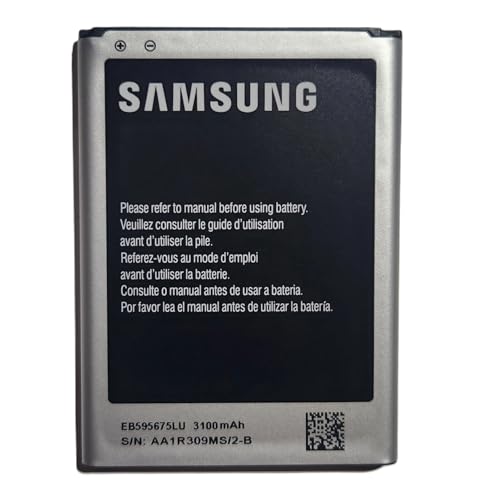
· 【Perfect Compatibility】This is a premium replacement battery specifically designed for Samsung Galaxy Note 2. Ensures a perfect fit and flawless performance for models: SGH-i317 (AT&T), SGH-T889 (T-Mobile), SCH-i605 (Verizon), SPH-R950 (Sprint), SPH-L900 (Sprint). Check your old battery's model number EB595675LA to confirm.
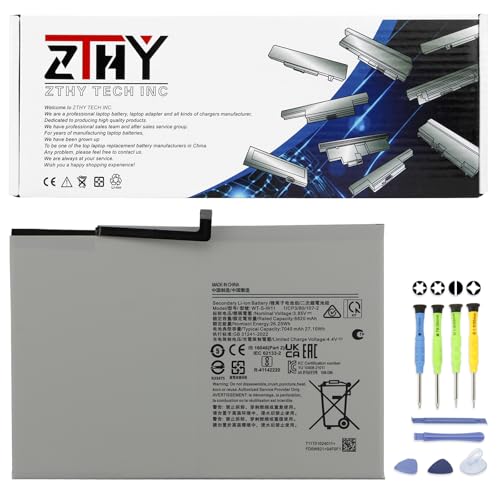
Specifications: Battery type: Li-ion. Color: White. Voltage: 3.85V. Capacity: 27.1Wh. New from Manufacturer
Powering Down the Device
Start by powering down your tablet. Press and hold the power button until the power options appear, then tap “Power off.” This step ensures your safety while working on the device.
Opening the Device
Next, gather your tools. You’ll need a Phillips screwdriver, plastic spudger, and tweezers. Use the plastic spudger to gently pry open the back cover. Insert the spudger into the seam and slide it around the edges to detach the cover. Work carefully to avoid damaging the casing.
Removing the Old Battery
After opening the device, locate the battery. Disconnect the battery connector from the motherboard gently. Use the tweezers to lift the battery out of its compartment. Watch for adhesive strips; you may need to peel them away carefully.
Installing the New Battery
Take your new 4000mAh lithium-polymer battery. Align it in the compartment, ensuring the connectors fit snugly. Reconnect the battery to the motherboard. Make sure it’s securely attached to prevent future issues.
Closing the Device
Finally, replace the back cover. Align it carefully and press down until you hear a clicking sound. Ensure it’s secure all around. Power on your tablet to check if the new battery works correctly. Your Samsung Galaxy Tab 2 should now hold a charge effectively.
Testing the New Battery
After successfully replacing the battery, it’s essential to test it to ensure everything functions correctly. This step verifies that you restored your Samsung Galaxy Tab 2’s capabilities, providing a seamless user experience.
Recommended Products

Battery Type:Li-ion Color:White Voltage: 3.7V Capacity: 7000mAh

Compatible Smartwatch Model: This battery kit is specifically designed for Samsung Galaxy Gear S2 (with model SM-R720 series) and Gear S2 Classic (with model SM-R732 series), please double confirm your smartwatch model before purchasing
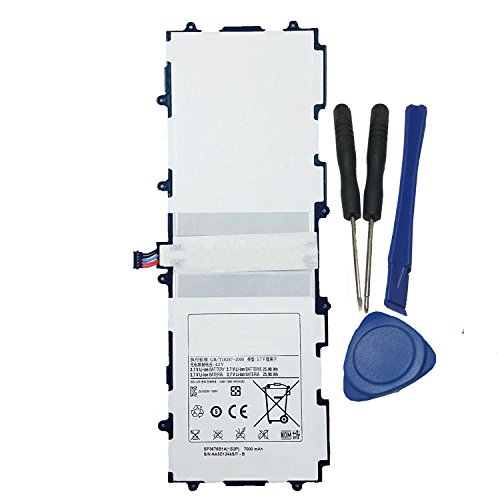
Battery Specification: 3.7V 7000mAh
Charging the Device
Start by charging your device fully. Connect the charger and let it charge for at least four hours, which is the average time needed for a complete recharge. Pay attention to the charging indicator on the screen. If it shows the battery charging icon, the connection is secure. Once charged, disconnect the device.
Monitoring Battery Performance
Monitor your tablet’s performance over the following days. Use the device normally and observe how long it takes to drain the battery. If your Galaxy Tab 2 holds the charge for several hours during typical usage, the replacement was successful. Watch for signs like overheating or rapid discharge. If issues arise, consider revisiting your connections or testing another replacement battery.
Conclusion
Replacing the battery in your Samsung Galaxy Tab 2 can breathe new life into your device. By following the right steps and being mindful of safety, you can tackle this task with confidence.
Once you’ve completed the replacement, take a moment to enjoy your tablet’s renewed performance. Keep an eye on how it holds up over the next few days and don’t hesitate to troubleshoot if you notice any issues.
With a little patience and care, your Galaxy Tab 2 can continue to serve you well for years to come. Happy browsing and enjoy your refreshed tablet experience!
Frequently Asked Questions
What causes my Samsung Galaxy Tab 2 to not hold a charge?
The inability of your Samsung Galaxy Tab 2 to hold a charge is often due to battery degradation over time. As the device ages, the 4000mAh lithium-polymer battery may show signs of wear, resulting in rapid discharge, overheating, or other performance issues.
How long does it take to recharge the Samsung Galaxy Tab 2 battery?
The average recharge time for the Samsung Galaxy Tab 2 battery is approximately 4 to 5 hours. This timeframe can vary depending on the charger used and device condition, but it’s essential to complete a full charge for optimal performance.
What signs indicate my Galaxy Tab 2 battery may be failing?
Common signs of a failing battery include rapid discharge, overheating, device unresponsiveness, and physical swelling of the battery. If you notice any of these symptoms, it may be time to consider a battery replacement to maintain your tablet’s functionality.
What tools do I need to replace my Galaxy Tab 2 battery?
To replace the battery in your Galaxy Tab 2, gather the following tools: a Phillips screwdriver, a plastic spudger, tweezers, safety goggles, and an anti-static wrist strap. These tools will help ensure a safe and effective battery replacement process.
How do I safely replace the Samsung Galaxy Tab 2 battery?
Start by powering down the device and working in a clean area. Use a plastic spudger to carefully open the device and disconnect the old battery from the motherboard. Install the new battery, ensuring proper alignment, then securely close the device and power it on to check functionality.
How can I test the new battery after replacement?
After replacing the battery, charge the device for at least four hours before use. Monitor the charging indicator for a secure connection. Over the next few days, observe how long the tablet takes to drain the battery during regular usage, and watch for signs of overheating or rapid discharge.
