Close Menu
Battery Spotlight
    Battery Spotlight
    • Home
    • Phone Batteries
    • Laptop Batteries
    • Car Batteries
      • Golf Cart Batteries
    • Battery Info
      • Battery Chargers
      • Battery Life
      • Battery Maintenance
      • Marine Batteries
      • Rechargeable Batteries
      • Solar Batteries
    • About Us
      • Contact
    Battery Spotlight
    Navigation: Home » Car Batteries » How to Replace Subaru Outback Key Fob Battery: Step-by-Step Guide
    Car Batteries

    How to Replace Subaru Outback Key Fob Battery: Step-by-Step Guide

    Jackson DoyleBy Jackson DoyleSeptember 30, 20245 Mins Read
    Share Facebook Twitter Pinterest LinkedIn Tumblr Email WhatsApp Copy Link
    Share
    Facebook Twitter LinkedIn Pinterest Email Copy Link

    Ever found yourself stuck outside your Subaru Outback, frantically pressing the key fob with no response? Frustrating, right? But what if I told you that a simple battery replacement could solve this dilemma in minutes? That’s right – no need for a trip to the dealership or a hefty repair bill.

    Table of Contents

    Toggle
    • Step 1: Gather necessary tools and materials
    • Step 2: Identify the key fob's battery compartment
    • Step 3: Remove the old battery safely
    • Step 4: Insert the new battery correctly
    • Step 5: Test the key fob functionality
    • Conclusion
    • Frequently Asked Questions
    • How do I test the Subaru Outback key fob after replacing the battery?
    • Why is it important to test the key fob after changing the battery?

    Imagine effortlessly unlocking your car with just a click of a button, no more worrying about being locked out unexpectedly. In this article, I’ll guide you through the easy steps to replace the battery in your Subaru Outback key fob. Say goodbye to the hassle and hello to convenience – let’s get your key fob back in action together.

    Step 1: Gather necessary tools and materials

    Before you begin replacing the battery in your Subaru Outback key fob, you’ll need to gather a few essential tools and materials. Here’s what you’ll need:

    • New battery for your key fob (commonly a CR2032 coin cell battery)
    • Small flathead screwdriver or a specialized prying tool
    • Clean cloth to prevent any dirt from getting into the key fob
    • Tweezers to handle the small battery with ease

    Now that you have everything ready, you’re all set to move on to the next steps.

    Recommended Products

    Key Fob Replacement Batteries for Subaru (Outback Forester Crosstrek Ascent Impreza Legacy WRX BRZ) Smart Remote (Pack of 2) (Check Fitment Guide)
    Key Fob Replacement Batteries for Subaru (Outback Forester Crosstrek Ascent Impreza Legacy WRX BRZ) Smart Remote (Pack of 2) (Check Fitment Guide)

    **Please confirm compatibility using the fitment guide located in the product images**

    VIEW LATEST PRICE

    As an affiliate, we earn on qualifying purchases.

    Subaru Key Fob Battery Replacement CR2032 (2 Pack) - Fits Outback, Forester, Crosstrek, Ascent, Impreza, Legacy, WRX, BRZ Subaru Key Battery - Compatible with Subaru SMART FOBS Check Fitment Guide
    Subaru Key Fob Battery Replacement CR2032 (2 Pack) - Fits Outback, Forester, Crosstrek, Ascent, Impreza, Legacy, WRX, BRZ Subaru Key Battery - Compatible with Subaru SMART FOBS Check Fitment Guide

    Check Compatibility First – Please confirm fitment using the fitment guide in the product images. Designed for Subaru smart key fobs (2015–2025). Not compatible with standard Subaru keys with a physical key blade. Some pre-2015 models may also be supported—verify before purchase.

    SEE ALSO  Why Your Traveller Battery Charger Won't Charge Your Car: Troubleshooting Tips
    VIEW LATEST PRICE

    As an affiliate, we earn on qualifying purchases.

    Key Fob Battery Replacement CR2032 for Subaru (Outback Forester Crosstrek Ascent Impreza Legacy WRX BRZ) Smart Remote
    Key Fob Battery Replacement CR2032 for Subaru (Outback Forester Crosstrek Ascent Impreza Legacy WRX BRZ) Smart Remote

    Elite Batteries Replacement are compatible with 2015-2025 Subaru smart key fobs. Not compatible with Subaru key fobs with key sticking out of the fob. May be compatible with key fobs prior to 2015 (check photo aguide).

    VIEW LATEST PRICE

    As an affiliate, we earn on qualifying purchases.

    Step 2: Identify the key fob’s battery compartment

    When locating the battery compartment in your Subaru Outback key fob, you’ll find it typically integrated within the design to ensure easy access.

    Here are simple steps to pinpointing the compartment:

    • Look for a small groove or indentation around the key fob’s edge, indicating where the compartment is located.
    • Inspect the key fob carefully, feeling for any slight irregularity that might suggest where the compartment is positioned.
    • Some key fobs have a visible latch or release button that helps in opening the compartment. You can press it to access the battery easily.

    Identifying the battery compartment early on will streamline the battery replacement process efficiently.

    Step 3: Remove the old battery safely

    It’s time to remove the old battery from your Subaru Outback key fob. This step is crucial in ensuring a successful replacement. Here’s how you can safely remove the old battery:

    • Locate the battery compartment as described earlier.
    • Use a small tool like a flathead screwdriver or a coin to gently pry open the compartment.
    • Once the compartment is open, carefully remove the old battery. Make sure not to damage the surrounding components.
    • Take note of the battery’s orientation before you remove it. This will be essential when inserting the new battery.
    • Dispose of the old battery properly. Look for local battery recycling programs or drop-off locations to safely dispose of it.

    Remember, handling batteries properly is important for both your safety and the environment. Proceed with caution and care as you complete this step in the battery replacement process.

    Step 4: Insert the new battery correctly

    To properly insert the new battery in your Subaru Outback key fob, follow these simple steps:

    • Check Battery Type: Ensure you have the correct battery type for your key fob model. Refer to the user manual or manufacturer specifications.
    • Positioning: Align the new battery in the compartment according to the correct orientation. Look for markings or the old battery’s position for guidance.
    • Gently Insert: Carefully place the new battery into the compartment, ensuring it fits securely without forcing it.
    • Close the Compartment: Once the new battery is in place, gently close the battery compartment cover, ensuring it snaps back into position.
    • Test the Key Fob: Test the functionality of your key fob by pressing the buttons. If it’s working correctly, you’ve successfully replaced the battery.
    SEE ALSO  Easy Steps to Replace Toyota Corolla Key Battery: Ensure Optimal Functionality

    Remember, proper battery insertion is crucial for the functioning of your key fob. If you encounter any difficulties or the key fob does not work after battery replacement, seek professional assistance.

    Recommended Products

    Duracell 2032 Lithium Battery, 4 Count (Pack of 1), Child Safety Features, Compatible with Key Fob, Tea Light Candles and Other Devices, CR2032 Battery
    Duracell 2032 Lithium Battery, 4 Count (Pack of 1), Child Safety Features, Compatible with Key Fob, Tea Light Candles and Other Devices, CR2032 Battery

    LONG-LASTING BATTERIES DESIGNED FOR DEPENDABILITY: Duracell Lithium Coin CR2032 3 Volt batteries deliver long-lasting power and performance you can count on for devices throughout the home or on-the-go, such as key fobs, remote controls, Apple AirTag️, flameless candles, wireless cameras, thermometers, toys, and more.

    VIEW LATEST PRICE

    As an affiliate, we earn on qualifying purchases.

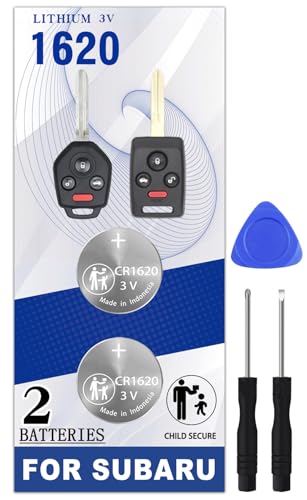
    Pinochi CR1620 Key fob Battery Replacement for Subaru (2010-2020) Crosstrek Forester Ascent Impreza Legacy Outback WRX (3 or 4 Button) Head Key Fobs
    Pinochi CR1620 Key fob Battery Replacement for Subaru (2010-2020) Crosstrek Forester Ascent Impreza Legacy Outback WRX (3 or 4 Button) Head Key Fobs

    Bundle of Two (2) CR1620 Remote Fob Battery + (3) Opening/Pry Tool.[Installation video included]

    VIEW LATEST PRICE

    As an affiliate, we earn on qualifying purchases.

    Key fob Battery Replacement for Subaru (2015-2025) Outback Ascent Crosstrek Forester Impreza Legacy CVT STI WRX Smart Remote
    Key fob Battery Replacement for Subaru (2015-2025) Outback Ascent Crosstrek Forester Impreza Legacy CVT STI WRX Smart Remote

    Original OEM battery as provided by the manufacturer – our CR2032 batteries are sourced from the same trusted manufacturer used by Subaru. (Not compatible with standard Subaru keys with the key sticking out of the fob.)

    VIEW LATEST PRICE

    As an affiliate, we earn on qualifying purchases.

    Step 5: Test the key fob functionality

    After replacing the battery in your Subaru Outback key fob, it’s crucial to test its functionality to ensure everything is working correctly. Here’s how:

    • Step 1: Exit your vehicle and close all doors.
    • Step 2: Stand a few feet away from your car.
    • Step 3: Press the buttons on the key fob to lock and unlock the doors.

    If the key fob works perfectly and the doors respond to your commands, congratulations! You have successfully replaced the battery. However, if you encounter any issues such as unresponsive buttons or difficulty locking/unlocking the doors, it’s essential to address them promptly.

    SEE ALSO  How Driving Properly Maintains Your Car Battery: Tips to Avoid a Dead Battery

    Testing the key fob is a critical final step that validates the effectiveness of the battery replacement process. It ensures that you can rely on your key fob for smooth and consistent operation when needed the most.

    Recommended Products

    Key Fob Batteries for Subaru (2-Pack) CR1620 – Ascent, Crosstrek, Forester, Impreza, Legacy, Outback, Tribeca/B9 Tribeca, WRX – Subaru Key Fob Battery Replacement Kit
    Key Fob Batteries for Subaru (2-Pack) CR1620 – Ascent, Crosstrek, Forester, Impreza, Legacy, Outback, Tribeca/B9 Tribeca, WRX – Subaru Key Fob Battery Replacement Kit

    Comprehensive Replacement Kit – Two CR1620 coin batteries for a quick, seamless Subaru key fob swap.

    VIEW LATEST PRICE

    As an affiliate, we earn on qualifying purchases.

    Key Fob Replacement Batteries for Subaru Traditional Key (Outback Forester Crosstrek Impreza Legacy WRX Ascent Tribeca) Remote Key CR1620 (Pack of 2) (Check Fitment Guide)
    Key Fob Replacement Batteries for Subaru Traditional Key (Outback Forester Crosstrek Impreza Legacy WRX Ascent Tribeca) Remote Key CR1620 (Pack of 2) (Check Fitment Guide)

    **Please confirm compatibility using the fitment guide located in the product images** This battery will not fit your key unless it exactly matches one of the two examples in the compatibility guide

    VIEW LATEST PRICE

    As an affiliate, we earn on qualifying purchases.

    KKNCO Key Fob Replacement Batteries for Subaru (Outback Forester Crosstrek Ascent Impreza Legacy WRX BRZ) Smart Remote (Pack of 2) (Check Fitment Guide)
    KKNCO Key Fob Replacement Batteries for Subaru (Outback Forester Crosstrek Ascent Impreza Legacy WRX BRZ) Smart Remote (Pack of 2) (Check Fitment Guide)

    PACKAGE INCLUDED : Two (2) CR2032 Remote Fob Battery and Opening/Pry Tools , Five item bundle (total 5pcs) , PLEASE NOTE: Keyless entry remote fob not included.

    VIEW LATEST PRICE

    As an affiliate, we earn on qualifying purchases.

    Conclusion

    That’s it! Testing your Subaru Outback key fob after replacing the battery is key to ensuring it functions smoothly. By following these simple steps, you can verify that the battery replacement was successful. Remember, a well-functioning key fob is essential for convenient and reliable use of your vehicle. If you encounter any issues during the testing process, be sure to address them promptly to maintain optimal performance. Enjoy the peace of mind that comes with knowing your key fob is ready to go whenever you need it.

    Frequently Asked Questions

    How do I test the Subaru Outback key fob after replacing the battery?

    To test the key fob functionality after replacing the battery, exit the vehicle and stand a few feet away. Press the lock and unlock buttons to verify proper operation. Successful locking and unlocking indicate a correctly replaced battery.

    Why is it important to test the key fob after changing the battery?

    Testing the key fob post-battery replacement is crucial to ensure reliable performance. Any issues with locking or unlocking should be addressed promptly to maintain smooth operation. Testing confirms the effectiveness of the battery replacement process.

    Share. Facebook Twitter Pinterest LinkedIn Tumblr Email WhatsApp Copy Link
    Jackson-Doyle
    Jackson Doyle

      Battery industry professional with 5+ years of experience. Bachelor of Science in Electrical Engineering from Georgia Tech. Specializes in power systems and renewable energy.

      Related Posts

      Car Batteries

      Top Online Platforms to Buy Authentic Optima Car Batteries

      January 5, 2025
      Car Batteries

      Maximize Tesla Battery Life: Practical Tips & Longevity Insights

      January 5, 2025
      Car Batteries

      Discover Who Makes Bosch Car Batteries in A Sustainable Drive for Eco-friendly Power Solutions

      January 5, 2025
      Car Batteries

      Top Companies That Deliver Car Batteries to Your Doorstep

      January 4, 2025
      Car Batteries

      Understanding Tesla Powerwall Battery: A Green Energy Solution for Your Home

      January 3, 2025
      Car Batteries

      Extending the Life of Used Car Batteries: Top Tips and Savings Guide

      January 3, 2025
      Add A Comment
      Leave A Reply Cancel Reply

      Search
      Affiliate Disclaimer

      As an Amazon Associate I earn from qualifying purchases.

      Latest Articles

      How to Replace Battery in Samsung Phone: A Step-by-Step Guide for Easy Replacement

      Android Batteries

      How to Remove Battery from Samsung Smart TV Remote: A Step-by-Step Guide for Easy Replacement

      Android Batteries

      How to Check Your Battery Health on Samsung: Simple Methods to Extend Your Phone’s Lifespan

      Android Batteries

      How Much Is a Battery for a Samsung Galaxy S6: Pricing and Replacement Options Explained

      Android Batteries

      How to Remove Battery from Samsung Galaxy S7: A Step-by-Step Guide for Easy DIY Fixes

      Android Batteries

      Why is My Battery Going Down While Charging Android – Effective Solutions to Fix the Issue

      Android Batteries
      Battery Spotlight

      Battery Spotlight is a website dedicated to helping you solve common battery problems.

      Read more about us here

      Affiliate Disclaimer
      As an Amazon Associate I earn from qualifying purchases.

      Site Navigation
      • Above Mirror Bathroom Lighting
      • Android Batteries
      • Bathroom Pendant Lighting
      • Battery Chargers
      • Battery Life
      • Battery Maintenance
      • Car Batteries
      • Ceiling Lighting Ideas
      • Golf Cart Batteries
      • Japandi Lighting
      • Laptop Batteries
      • Marine Batteries
      • Mood Lighting Living Room
      • Phone Batteries
      • Rechargeable Batteries
      • Reviews
      • Solar Batteries
      • Uncategorized
      • Vaulted Ceiling Lighting
      Latest Articles

      How to Replace Battery in Samsung Phone: A Step-by-Step Guide for Easy Replacement

      How to Remove Battery from Samsung Smart TV Remote: A Step-by-Step Guide for Easy Replacement

      How to Check Your Battery Health on Samsung: Simple Methods to Extend Your Phone’s Lifespan

      How Much Is a Battery for a Samsung Galaxy S6: Pricing and Replacement Options Explained

      How to Remove Battery from Samsung Galaxy S7: A Step-by-Step Guide for Easy DIY Fixes

      • Home
      • About
      • Contact
      • Privacy Policy
      • Editorial Policy
      • Disclaimer
      • Terms and Conditions
      • Affiliate Disclosure
      © 2026 Battery Spotlight

      Type above and press Enter to search. Press Esc to cancel.