
Close Menu
Battery Spotlight
    Battery Spotlight
    • Home
    • Phone Batteries
    • Laptop Batteries
    • Car Batteries
      • Golf Cart Batteries
    • Battery Info
      • Battery Chargers
      • Battery Life
      • Battery Maintenance
      • Marine Batteries
      • Rechargeable Batteries
      • Solar Batteries
    • About Us
      • Contact
    Battery Spotlight
    Navigation: Home » Phone Batteries » Android Batteries » How to Remove Battery from Samsung Galaxy S4: A Step-by-Step Guide for Beginners
    Android Batteries

    How to Remove Battery from Samsung Galaxy S4: A Step-by-Step Guide for Beginners

    Leo HudsonBy Leo HudsonApril 15, 20258 Mins Read
    Share Facebook Twitter Pinterest LinkedIn Tumblr Email WhatsApp Copy Link
    Share
    Facebook Twitter LinkedIn Pinterest Email Copy Link

    Key Takeaways

    • Power Down Before Removal: Always turn off your Samsung Galaxy S4 completely to prevent data loss and protect the device during battery removal.
    • Utilize the Right Tools: Use recommended tools like a plastic pry tool, tweezers, and a soft cloth to avoid scratches and handle components safely.
    • Identify Battery Components: Familiarize yourself with the battery’s location and how to detach it using the small notch for a gentle lift.
    • Inspect for Debris: Check the battery compartment for dust or debris before reinstalling the battery, as this can affect performance.
    • Store Safely: If not immediately reinstalling, keep the battery in a cool, dry place away from extreme temperatures to maintain its longevity.
    • Follow Safety Precautions: Work on a non-conductive surface, ground yourself to prevent static, and ensure your workspace is free from children and pets during the process.

    Have you ever faced a situation where your Samsung Galaxy S4 just won’t turn on, and you’re not sure what to do? It can be frustrating when a simple restart or battery removal is needed to get your phone back to life. Knowing how to safely remove the battery can save you time and hassle.

    Table of Contents

    Toggle
    • Key Takeaways
    • Overview of Samsung Galaxy S4 Battery Removal
    • Steps to Remove the Battery
    • Important Tips
    • Tools Needed for Battery Removal
    • Recommended Tools
    • Optional Tools
    • Step-by-Step Guide to Removing the Battery
    • Powering Down the Device
    • Removing the Back Cover
    • Taking Out the Battery
    • Tips and Precautions
    • Common Mistakes to Avoid
    • Safety Measures to Consider
    • Conclusion
    • Frequently Asked Questions
    • What should I do if my Samsung Galaxy S4 won’t turn on?
    • How do I safely remove the battery from my Samsung Galaxy S4?
    • What tools do I need for battery removal?
    • Are there any safety tips for removing the battery?
    • How can I troubleshoot my Samsung Galaxy S4 after battery removal?

    Overview of Samsung Galaxy S4 Battery Removal

    Removing the battery from your Samsung Galaxy S4 involves straightforward steps that are important for troubleshooting issues, like the device not turning on. This process helps reset the phone and can sometimes resolve minor glitches. Follow these steps to safely remove the battery.

    Steps to Remove the Battery

    1. Power Off Your Device

    Ensure the Galaxy S4 is completely powered off before proceeding. This prevents data loss and protects the device.

    1. Locate the Back Cover

    Find the small notch at the bottom of the phone’s back cover. This notch allows you to easily pry off the cover.

    1. Remove the Back Cover

    Gently lift the back cover using your fingernail or a plastic opening tool. Avoid using metal tools to prevent scratching the surface.

    1. Identify the Battery

    The battery is located directly beneath the back cover. It’s identifiable by its rectangular shape and Samsung branding.

    1. Detach the Battery

    Lift the battery up from the edge. Your fingers should fit comfortably underneath, allowing you to pull it out without force.

    Important Tips

    • Handle with Care

    Always use caution when handling the battery to avoid accidental damage.

    • Check for Debris

    Inspect the battery compartment for dust or debris. Cleaning this area can improve performance.

    • Store the Battery Safely

    If you’re not immediately reinstalling the battery, store it in a cool, dry place. Avoid exposing it to extreme temperatures.

    SEE ALSO  How to Replace Battery in Sony Vaio Laptop: A Step-by-Step Guide for Optimal Performance

    By following these simple steps, you can efficiently remove the battery from your Samsung Galaxy S4, aiding in various troubleshooting efforts.

    Tools Needed for Battery Removal

    Removing the battery from your Samsung Galaxy S4 requires specific tools for a safe and efficient process. Having the right equipment on hand makes the task easier and helps prevent damage to your device.

    Recommended Products

    ASDAWN for 42mm Samsung Galaxy Watch Battery EB-BR810ABU Samsung Galaxy Gear S4 Battery Replacement, for SM-R810 SM-R815 with Repair Tool Set + Installation Instruction
    ASDAWN for 42mm Samsung Galaxy Watch Battery EB-BR810ABU Samsung Galaxy Gear S4 Battery Replacement, for SM-R810 SM-R815 with Repair Tool Set + Installation Instruction

    [FOR COMPATIBLE MODEL] -- Contains the instruction to guide you step by step installation, and we have professional engineers to answer all your questions about the repair process. Please verify your old battery part number and model before purchasing this replacement battery. Compatible with 42mm Samsung Galaxy Watch SM-R810, SM-R815, EB-BR810ABU.

    VIEW LATEST PRICE

    As an affiliate, we earn on qualifying purchases.

    SHENMZ Galaxy S4 Battery,Upgraded 4200mAh Li-ion Replacement Battery for Samsung Galaxy S4 EB-B600BE,AT&T I337,Verizon I545,Sprint L720,T-Mobile M919,R970,I9500,I9505,LTE I9506
    SHENMZ Galaxy S4 Battery,Upgraded 4200mAh Li-ion Replacement Battery for Samsung Galaxy S4 EB-B600BE,AT&T I337,Verizon I545,Sprint L720,T-Mobile M919,R970,I9500,I9505,LTE I9506

    ☪【HIGH QUALITY GRADE A PREMIUM BATTERY】:This Upgraded Galaxy S4 battery replacement uses Grade A+ rated battery cells with CE and ROHS certification,ensure last over 800 charge cycles. Multiple-protection for safer operation for both user and devices,build-in microchip to prevent over-charging,over-discharging and over-heating.

    VIEW LATEST PRICE

    As an affiliate, we earn on qualifying purchases.

    ASDAWN for EB-BR800ABU Battery Compatible with Samsung Galaxy Watch 46mm Galaxy Gear S4 SM-R800 SM-R805 with Repair Tools Set + Installation Instruction
    ASDAWN for EB-BR800ABU Battery Compatible with Samsung Galaxy Watch 46mm Galaxy Gear S4 SM-R800 SM-R805 with Repair Tools Set + Installation Instruction

    PLS CONFIRM DEVICE MODEL --- Contains the instruction to guide you step by step installation, and we have professional engineers to answer all questions about the repair process. Please verify your old battery part number and model before purchasing this battery. Compatible with EB-BR800ABU 46mm Samsung Galaxy Gear S4 SM-R800, SM-R805.

    VIEW LATEST PRICE

    As an affiliate, we earn on qualifying purchases.

    Recommended Tools

    1. Small Phillips Head Screwdriver

    Use this screwdriver for any screws securing the back cover, if necessary.

    1. Plastic Pry Tool

    This tool helps gently lift the back cover without scratching the phone. It’s perfect for prying open seams.

    1. Tweezers

    Tweezers assist in safely gripping small components, especially if the battery is stuck.

    1. Soft Cloth

    A soft cloth protects your device from scratches while you work on it.

    Optional Tools

    1. Suction Cup Tool

    This tool may help if the back cover is difficult to remove, creating extra grip and leverage.

    1. Magnifying Glass

    If you’re having trouble seeing small components, a magnifying glass can enhance visibility.

    1. Anti-Static Wrist Strap

    Wear this strap to prevent static electricity from damaging sensitive components during the battery removal process.

    By gathering these tools ahead of time, you streamline the battery removal process for your Samsung Galaxy S4, making it efficient and safe.

    Step-by-Step Guide to Removing the Battery

    Follow these steps to safely remove the battery from your Samsung Galaxy S4. This process helps troubleshoot issues and can restore your device’s functionality.

    Recommended Products

    SHENMZ Galaxy S4 Battery,[Upgraded] 4800mAh Li-Polymer EB-B600BE Replacement Battery for Samsung Galaxy S4 EB-B600BE,AT&T I337,Verizon I545,Sprint L720,T-Mobile M919,R970,I9500,I9505
    SHENMZ Galaxy S4 Battery,[Upgraded] 4800mAh Li-Polymer EB-B600BE Replacement Battery for Samsung Galaxy S4 EB-B600BE,AT&T I337,Verizon I545,Sprint L720,T-Mobile M919,R970,I9500,I9505

    ❤【HIGH QUALITY,TRUSTWORTHY PREMIUM BATTERY】:This Galaxy S4 replacement battery uses Grade A+ rated battery cells with CE and ROHS certification,ensure last over 1200 charge cycles. Multiple-protection for safer operation for both user and devices,build-in microchip to prevent over-charging,over-discharging and over-heating.

    SEE ALSO  Why Samsung Has 80 Battery Life: Discover the Technology Behind Their Longevity
    VIEW LATEST PRICE

    As an affiliate, we earn on qualifying purchases.

    TV Back Removal Tool Compatible with Samsung screwless TV OEM Back Covers Dismantling Tool Compatible with Samsung TV BN81-14946B BN81-13255A
    TV Back Removal Tool Compatible with Samsung screwless TV OEM Back Covers Dismantling Tool Compatible with Samsung TV BN81-14946B BN81-13255A

    Compatible models: Compatible with all screwless Samsung TVs

    VIEW LATEST PRICE

    As an affiliate, we earn on qualifying purchases.

    6Packs Eaglewireless Sim Card Tray Opening Removal Tool,Eject Pin Tool Replacement for Samsung Galaxy S8 S9 /S20/S20U/S21/Galaxy Note 9/Note 10/Note 20 Ultra/S22 S23 Series/Z Fold 3 4 5
    6Packs Eaglewireless Sim Card Tray Opening Removal Tool,Eject Pin Tool Replacement for Samsung Galaxy S8 S9 /S20/S20U/S21/Galaxy Note 9/Note 10/Note 20 Ultra/S22 S23 Series/Z Fold 3 4 5

    ✔ Compatible With: Samsung Galaxy S7 S8 S8 Plus S9 S9 Plus S10,S10 Plus,S20,S20+,S20 Ultra ,S21,S21 Plus,S21 Ultra,Galaxy S22,S22 Plus,S22 Ultra,S23,S23 Ultra,Note8, Note 9,Note 10,Note 10 Plus,Note 20,Note 20 Ultra,Galaxy Z Flip 2 3 4 5,Galaxy Z Fold 2 3 4 5and other Samsung Galaxy Models

    VIEW LATEST PRICE

    As an affiliate, we earn on qualifying purchases.

    Powering Down the Device

    First, ensure your Galaxy S4 is completely off. Press and hold the power button located on the right side of the device. Tap “Power off” on the screen. Wait for a few seconds until the device shuts down completely. This step prevents any accidental damage during battery removal.

    Removing the Back Cover

    Next, locate the back cover of your Galaxy S4. Use your fingers or a plastic pry tool to gently lift the edge of the cover. Start at the bottom of the device near the charging port. Carefully work your way around the edges while applying light pressure. Once loose, remove the cover completely and set it aside.

    Taking Out the Battery

    Find the battery located just beneath the back cover. Identify the small notch at the top edge of the battery. Use your fingers or tweezers to grasp this notch, then pull the battery upwards gently. Make sure to avoid touching other internal components. With the battery removed, check for any debris in the compartment. If everything looks clear, you can either reinstall the battery or store it safely until needed.

    Tips and Precautions

    Taking care when removing the battery from your Samsung Galaxy S4 is essential. By following a few simple tips and precautions, you can avoid common pitfalls and ensure a smooth process.

    Recommended Products
    GREEN FUSION for Galaxy Watch 4 (40mm) & Watch 4 Classic (42mm) Battery Replacement, EB-BR880ABY Battery for SM-R860/865 SM-R880/885 with Repair Toolkit, Instruction Manual
    GREEN FUSION for Galaxy Watch 4 (40mm) & Watch 4 Classic (42mm) Battery Replacement, EB-BR880ABY Battery for SM-R860/865 SM-R880/885 with Repair Toolkit, Instruction Manual

    COMPATIBILITY: The battery model is EB-BR880ABY, it is only compatible with Samsung Galaxy Watch 4 (40 mm), SM-R860 SM-R865 series and Galaxy Watch 4 Classic (42mm) SM-R880 SM-R885, please carefully confirm the model of your smartwatch before purchase.

    VIEW LATEST PRICE

    As an affiliate, we earn on qualifying purchases.

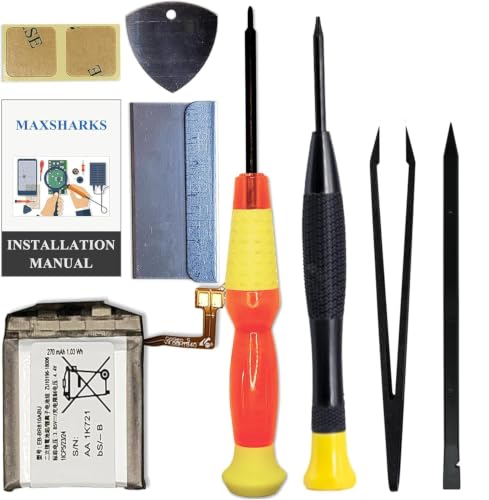
    MAXSHARKS Replacement Battery for Galaxy Watch 1st (42mm) / Gear S4, EB-BR810ABU Battery Compatible with Samsung Galaxy Watch 1st (42mm) / Gear S4 SM-R810 SM-R815, with Repair Tools & Instruction
    MAXSHARKS Replacement Battery for Galaxy Watch 1st (42mm) / Gear S4, EB-BR810ABU Battery Compatible with Samsung Galaxy Watch 1st (42mm) / Gear S4 SM-R810 SM-R815, with Repair Tools & Instruction

    Compatible Smartwatch Model: This battery kit is specifically designed for Samsung Galaxy Watch 1st (42mm) / Gear S4 (with model SM-R810 SM-R815 series), please double confirm your smartwatch model before purchasing

    VIEW LATEST PRICE

    As an affiliate, we earn on qualifying purchases.

    SEE ALSO  How to Save Battery on Samsung S20 Ultra: Essential Tips for Longer Daily Use
    TGXJI Replacement Battery for Galaxy S4, AT&T I337, Verizon I545, Sprint L720, T- Mobile M919, R970, I9500, I9505, LTE I9506
    TGXJI Replacement Battery for Galaxy S4, AT&T I337, Verizon I545, Sprint L720, T- Mobile M919, R970, I9500, I9505, LTE I9506

    【Compatible Model】Compatible with Galaxy S4 Only, Model: S4 GT-I9500, GT-I9505,GT-I9506, GT-I9505G, SGH-I337 , SGH-M919, SCH-I545, EB-B600BE, SPH-L729T, SGH-I337M, SGH-M919V, SCH-R970X, SCH-R970C

    VIEW LATEST PRICE

    As an affiliate, we earn on qualifying purchases.

    Common Mistakes to Avoid

    1. Not Powering Off the Device

    Always turn off your Galaxy S4 completely before removing the battery. Failing to do so can cause system errors.

    1. Using the Wrong Tools

    Avoid using metal tools, which can scratch or damage the phone. Opt for plastic pry tools instead.

    1. Forcing the Battery Out

    Don’t tug on the battery too hard. Instead, gently grasp the notch and pull it upwards to release it without causing damage.

    1. Neglecting Dust and Debris

    Check for any debris in the battery compartment. Dust can interfere with the battery connection and affect performance.

    1. Leaving the Battery Exposed

    If you’re not immediately reinstalling the battery, store it in a cool, dry place. Avoid direct sunlight or extreme temperatures.

    Safety Measures to Consider

    1. Work on a Non-Conductive Surface

    Set up your workspace on a non-static surface like a wooden table. This helps avoid any accidental discharge.

    1. Ground Yourself

    Wear an anti-static wrist strap or touch a grounded metal object before handling the battery. This reduces static electricity risks.

    1. Handle With Clean Hands

    Keep your hands clean and dry. Dirt or moisture can harm the battery or the devices’ internals.

    1. Inspect the Battery

    Before reinstalling, check the battery for any signs of swelling or damage. Dispose of damaged batteries properly to avoid hazards.

    1. Keep Away from Children and Pets

    Ensure your workspace is clear of children and pets. Batteries can be a choking hazard, and working with tools may pose risks.

    By keeping these tips and precautions in mind, you can safely and efficiently remove the battery from your Samsung Galaxy S4, addressing any device issues with confidence.

    Conclusion

    Removing the battery from your Samsung Galaxy S4 can be a simple yet effective way to troubleshoot issues. By following the steps outlined and using the right tools you can make the process smooth and safe.

    Always remember to handle your battery with care and keep your workspace organized. With a little patience and the right approach you’ll be able to tackle minor glitches and keep your device running smoothly.

    Now that you know how to do it you can confidently address any battery-related concerns that come your way. Happy troubleshooting!

    Frequently Asked Questions

    What should I do if my Samsung Galaxy S4 won’t turn on?

    If your Samsung Galaxy S4 won’t turn on, try removing the battery. Power off the device completely, take off the back cover, and carefully detach the battery. Reinsert it after a moment and try turning on the phone again.

    How do I safely remove the battery from my Samsung Galaxy S4?

    To safely remove the battery, power down your device first. Then, locate the back cover and gently remove it. Identify the battery, and use your fingers or a plastic pry tool to lift it out carefully.

    What tools do I need for battery removal?

    For battery removal, you’ll need a small Phillips head screwdriver, a plastic pry tool, tweezers, and a soft cloth. Optional tools include a suction cup tool, magnifying glass, and an anti-static wrist strap for better handling.

    Are there any safety tips for removing the battery?

    Yes, make sure to work on a non-conductive surface. Ground yourself, handle the battery with clean hands, check for any damage, and keep your workspace free from children and pets to ensure safety during the process.

    How can I troubleshoot my Samsung Galaxy S4 after battery removal?

    After removing the battery, check for any debris in the battery compartment. Clean the contacts gently, replace the battery, and power on the device. If it still doesn’t work, further troubleshooting may be needed.

    Share. Facebook Twitter Pinterest LinkedIn Tumblr Email WhatsApp Copy Link
    Leo-Hudson
    Leo Hudson

      Technical writer with 3+ years of experience. Bachelor of Arts in Environmental Studies from UC Santa Cruz. Passionate about sustainability and providing clear, concise how-to guides for common battery problems.

      Related Posts

      Android Batteries

      How to Replace Battery in Samsung Phone: A Step-by-Step Guide for Easy Replacement

      October 25, 2025
      Android Batteries

      How to Remove Battery from Samsung Smart TV Remote: A Step-by-Step Guide for Easy Replacement

      October 25, 2025
      Android Batteries

      How to Check Your Battery Health on Samsung: Simple Methods to Extend Your Phone’s Lifespan

      October 25, 2025
      Android Batteries

      How Much Is a Battery for a Samsung Galaxy S6: Pricing and Replacement Options Explained

      October 25, 2025
      Android Batteries

      How to Remove Battery from Samsung Galaxy S7: A Step-by-Step Guide for Easy DIY Fixes

      October 25, 2025
      Android Batteries

      Why is My Battery Going Down While Charging Android – Effective Solutions to Fix the Issue

      October 25, 2025
      Add A Comment
      Leave A Reply Cancel Reply

      Search
      Affiliate Disclaimer

      As an Amazon Associate I earn from qualifying purchases.

      Latest Articles

      How to Replace Battery in Samsung Phone: A Step-by-Step Guide for Easy Replacement

      Android Batteries

      How to Remove Battery from Samsung Smart TV Remote: A Step-by-Step Guide for Easy Replacement

      Android Batteries

      How to Check Your Battery Health on Samsung: Simple Methods to Extend Your Phone’s Lifespan

      Android Batteries

      How Much Is a Battery for a Samsung Galaxy S6: Pricing and Replacement Options Explained

      Android Batteries

      How to Remove Battery from Samsung Galaxy S7: A Step-by-Step Guide for Easy DIY Fixes

      Android Batteries

      Why is My Battery Going Down While Charging Android – Effective Solutions to Fix the Issue

      Android Batteries
      Battery Spotlight

      Battery Spotlight is a website dedicated to helping you solve common battery problems.

      Read more about us here

      Affiliate Disclaimer
      As an Amazon Associate I earn from qualifying purchases.

      Site Navigation
      • Above Mirror Bathroom Lighting
      • Android Batteries
      • Bathroom Pendant Lighting
      • Battery Chargers
      • Battery Life
      • Battery Maintenance
      • Car Batteries
      • Ceiling Lighting Ideas
      • Golf Cart Batteries
      • Japandi Lighting
      • Laptop Batteries
      • Marine Batteries
      • Mood Lighting Living Room
      • Phone Batteries
      • Rechargeable Batteries
      • Reviews
      • Solar Batteries
      • Uncategorized
      • Vaulted Ceiling Lighting
      Latest Articles

      How to Replace Battery in Samsung Phone: A Step-by-Step Guide for Easy Replacement

      How to Remove Battery from Samsung Smart TV Remote: A Step-by-Step Guide for Easy Replacement

      How to Check Your Battery Health on Samsung: Simple Methods to Extend Your Phone’s Lifespan

      How Much Is a Battery for a Samsung Galaxy S6: Pricing and Replacement Options Explained

      How to Remove Battery from Samsung Galaxy S7: A Step-by-Step Guide for Easy DIY Fixes

      • Home
      • About
      • Contact
      • Privacy Policy
      • Editorial Policy
      • Disclaimer
      • Terms and Conditions
      • Affiliate Disclosure
      © 2026 Battery Spotlight

      Type above and press Enter to search. Press Esc to cancel.