

Key Takeaways
- Battery Removal Process: Safely remove the battery from the Samsung Galaxy Note 20 Ultra by carefully following the step-by-step guide to prevent damage to the device.
- Essential Tools Required: Ensure to gather the necessary tools such as a small Phillips head screwdriver, plastic pry tool, tweezers, and a suction cup tool before starting the battery removal process.
- Safety Precautions: Always wear safety equipment including an anti-static wrist strap and safety goggles to protect yourself and the device during disassembly.
- Workspace Organization: Maintain a clean and organized workspace to keep tools and components in order, which minimizes the risk of misplacing items.
- Proper Battery Disposal: After removing the battery, dispose of it responsibly according to local regulations to promote environmental safety.
- Professional Assistance: If uncertain about the process, consider hiring a professional repair service to avoid potential mishaps.
Have you ever found yourself struggling with a phone that just won’t charge or holds a battery life that feels like a bad dream? If you own a Samsung Galaxy Note 20 Ultra, you might be wondering how to tackle battery issues effectively.
Overview of Samsung Galaxy Note 20 Ultra
The Samsung Galaxy Note 20 Ultra boasts advanced features and sleek design, catering to both productivity and entertainment needs. This smartphone includes a 6.9-inch Dynamic AMOLED display, offering vibrant colors and sharp details. It supports a 120Hz refresh rate, ensuring smooth scrolling and an enhanced gaming experience.
Equipped with a powerful Exynos 990 or Snapdragon 865 Plus processor, the Note 20 Ultra handles multitasking efficiently. Memory options range from 8GB to 12GB, providing flexibility for various user preferences. Storage capacities include 128GB, 256GB, and 512GB, allowing ample space for apps, photos, and videos.
The device features a versatile camera system, including a 108MP main lens, a 12MP ultra-wide lens, and a 12MP periscope telephoto lens. This configuration enables impressive photography performance, from stunning landscapes to detailed close-ups.
Battery capacity stands at 4,500mAh, supporting all-day usage. Despite its strength, users might experience battery-related concerns. In these cases, understanding how to safely remove the battery can aid in troubleshooting efforts.
The Note 20 Ultra supports both wired and wireless charging, ensuring fast power-up options. It also offers reverse wireless charging, allowing you to share battery power with compatible devices. By leveraging these features, you maintain device efficiency and effectiveness.
Tools Needed
Removing the battery from your Samsung Galaxy Note 20 Ultra requires specific tools to ensure a safe and effective process. Here’s what you’ll need.
Recommended Products
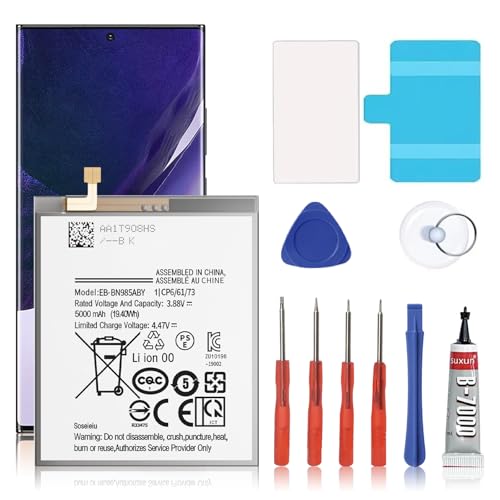
🎋【Compatible Model】EB-BN985ABY Replacement Battery for Samsung Galaxy Note 20 Ultra SM-N985 N986 N986U[Note: Not for GalaxyGalaxy Note 20 Ultra Battery Note 20 other Phone Models]

【0 Cycle and OEM Battery Cells】 OEM quality Galaxy Note 20 Ultra battery replacement perfect fit your phone. It is safer than so-called upgraded high-capacity batteries. No potential risks during use. Multiple protection features to prevent overcharging and prevent overheating. Built-in microchip to ensure safe battery charging and improve battery life. NOTE: Please fully charge and discharge your new battery 3 to 5 cycles to release all capacity of the new battery.

【Precision Compatibility for Galaxy Note 20 Ultra】:This EB-BN985ABY replacement battery is engineered specifically for the Samsung Galaxy Note 20 Ultra, compatible with models SM-N985, SM-N986, and SM-N986U. Please verify your phone model before ordering—this battery is not designed for other Galaxy Note devices.
Essential Tools
- Small Phillips Head Screwdriver: Use this to remove any screws that secure the back cover of your device.
- Plastic Pry Tool: This helps you gently detach the back cover without damaging it.
- Tweezers: Use tweezers for handling small components or connectors inside the device.
- Suction Cup Tool: A suction cup can assist in lifting the back cover smoothly, preventing scratches.
Safety Equipment
- Anti-Static Wrist Strap: Wear this to prevent static electricity from damaging your device’s electronic components.
- Safety Goggles: Protect your eyes from any small particles that may come loose during disassembly.
- Soft Cloth: Keep one handy to wipe off any dust or fingerprints from your device’s surface during the process.
Gather all these tools before starting. Being well-prepared helps ensure a smooth battery removal experience.
Step-by-Step Guide
Follow these steps to safely remove the battery from your Samsung Galaxy Note 20 Ultra.
Recommended Products

[PLS CONFIRM DEVICE MODEL]-- The repair kit contains the instruction to guide you step by step installation, and we have professional engineers to answer all your questions about the repair process. Please verify your old battery part number and model before purchasing this replacement battery. Compatible with Samsung Galaxy Note 20 Ultra SM-N985, N985V, N985A, N985T, N985P, N985R4, N985U, N985U1, EB-BN985ABY. ★NOT FOR Samsung Galaxy S20, S20+, S20 Ultra, S20 FE, Note 20★
![[5200mAh] Galaxy Note 20 Ultra Battery, EB-BN985ABY Battery with Repair Kit](https://m.media-amazon.com/images/I/413NtzZ8zoL._SL500_.jpg)
⚡ Premium Quality: Experience a new level of performance with our upgraded 5200mAh battery replacement. This high-quality 0-cycle battery will restore your phone’s battery life to like-new condition, ensuring you stay connected longer with up to 1000+ charge cycles.
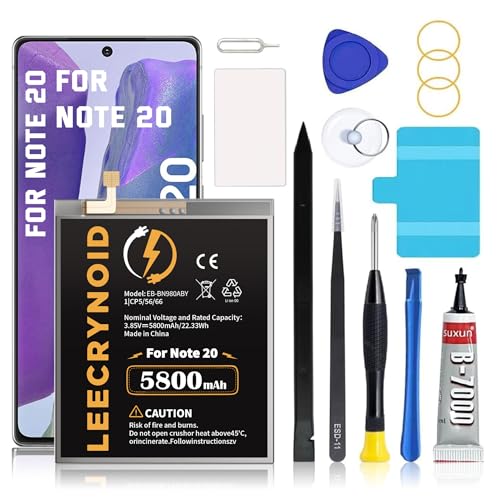
【Battery Compatible Model】: This Upgraded high capacity battery compatible with Samsung Galaxy Note 20 SM-N980, N980V, N980A, N980T, N980P, N980R4, N980U, N980U1Please confirm your model before purchase,(Not Compatible with note 20 Ultra)
Preparing the Device
Gather all necessary tools before starting. Use a small Phillips head screwdriver, a plastic pry tool, tweezers, and a suction cup tool. Consider wearing an anti-static wrist strap for safety. Turn off your device completely to prevent any electrical damage during disassembly.
Removing the Back Panel
Begin by using the suction cup tool to gently lift the back panel. Place the suction cup near the bottom of the device and pull upwards while inserting the plastic pry tool into the gap to separate the panel. Work your way around the edges, using the pry tool to loosen the adhesive. Remove the back panel carefully to avoid breaking any clips.
Disconnecting the Battery
Locate the battery connector on the motherboard. Use the tweezers to gently lift the connector from its socket. Ensure you touch metal to discharge any static electricity before handling the components. Take your time to avoid damaging the connector or surrounding parts.
Removing the Battery
Once the battery is disconnected, you can remove it. Gently lift the battery using the plastic pry tool if it’s secured with adhesive. If it’s stuck, apply a little heat to soften the adhesive, making it easier to remove. Avoid using excessive force, as this can damage the battery or device components. Dispose of the old battery responsibly according to local regulations.
Tips for Battery Replacement
- Choose the Right Tools: Use a small Phillips head screwdriver, plastic pry tool, tweezers, and a suction cup tool. These tools simplify the battery removal process and help avoid damage.
- Wear Safety Equipment: An anti-static wrist strap prevents static electricity, while safety goggles provide eye protection. A soft cloth is useful for shielding your device’s surface.
- Keep Your Workspace Organized: Work on a flat, clean surface. Lay out your tools in order of use. This approach reduces the chance of losing components or misplacing tools.
- Power Off the Device: Always turn off your Galaxy Note 20 Ultra before starting. This step prevents accidental touch interactions during the process.
- Follow Step-by-Step Instructions: Familiarize yourself with the disassembly process. Follow each step attentively, as omitting a step can lead to mistakes.
- Be Gentle with the Components: Handle the device and components delicately. Excessive force may break fragile parts or connectors.
- Dispose of the Old Battery Properly: Check local regulations for battery disposal. Some areas have specific recycling programs to ensure safe disposal of lithium-ion batteries.
- Consider Professional Help: If you’re unsure or uncomfortable with the process, seeking assistance from a professional repair service provides peace of mind.
Recommended Products

🌿【Premium High Capacity Battery 6000mAh】: New Version Galaxy Note 20 Ultra battery higher capacity than the original battery for extended usage time. enjoy longer runtime without constant recharging.

Device Compatibility: This replacement battery kit is compatible with Samsung Galaxy Note 20 Ultra. Please verify your phone model carefully before placing an order to ensure proper compatibility.

✅【Compatible Model】SHENMZ Galaxy Note 20 Ultra Battery Replacement ONLY Work For Model Samsung Galaxy Note 20 Ultra 5G Model SM-N985F/N9860/N986B/N986U EB-BN985ABY. Note: Galaxy Note 20 Ultra 5G Battery ,NOT for Other Samsung Model. Please Confirm Your Phone Model From Phone Back Cover to Avoid Wrong Order.
Conclusion
Taking the time to properly remove and replace the battery in your Samsung Galaxy Note 20 Ultra can make a world of difference in your device’s performance. By following the steps outlined and using the right tools, you can tackle battery issues with confidence.
Remember to prioritize safety throughout the process and don’t hesitate to seek professional help if you’re unsure. Your phone deserves the best care to keep it running smoothly for all your productivity and entertainment needs. With a little patience and attention, you’ll have your device back in top shape in no time. Happy tech tinkering!
Frequently Asked Questions
What are common battery issues with the Samsung Galaxy Note 20 Ultra?
Many users experience problems like slow charging, battery drain, and the device not charging at all. These issues can stem from software glitches, faulty chargers, or battery wear and tear over time.
How do I safely remove the battery from my Galaxy Note 20 Ultra?
To safely remove the battery, gather essential tools like a Phillips head screwdriver, pry tool, and tweezers. Power off the device, remove the back panel carefully, disconnect the battery, and gently lift it out, being cautious not to damage any components.
What tools do I need for battery replacement?
For battery replacement, you will need a small Phillips head screwdriver, a plastic pry tool, tweezers, and a suction cup tool. Additionally, safety equipment like an anti-static wrist strap and safety goggles is recommended.
How can I improve the battery life of my Galaxy Note 20 Ultra?
To improve battery life, reduce screen brightness, limit background app activity, disable unnecessary features like location services, and keep your software updated. Using power-saving modes can also help extend battery life.
Is it safe to replace the battery myself?
If you follow the right procedures and use the correct tools, it can be safe to replace the battery yourself. However, if you feel uncertain, considering professional help is advisable to avoid damaging your device.
How do I properly dispose of an old battery?
To dispose of an old battery, follow local regulations for battery recycling. Many electronics stores and community centers offer safe disposal programs. Never throw batteries in regular trash as they can harm the environment.
What should I do if my Galaxy Note 20 Ultra won’t charge?
If your phone won’t charge, check for issues like a damaged charging cable or wall adapter. Verify the charging port is clean and free of debris. If problems persist, consider rebooting the device or seeking professional repair assistance.
Can the Galaxy Note 20 Ultra battery be replaced with a third-party battery?
While it is possible to use a third-party battery, it’s important to choose a reliable brand to avoid potential safety hazards. Official Samsung batteries are recommended for optimal performance and compatibility.
