

Key Takeaways
- Types of Batteries: Understand the differences between Lithium-Ion and Lithium Polymer batteries, as well as their implications for performance and charging cycles.
- Battery Maintenance: Regularly charge your battery, avoid extreme temperatures, and manage resource-heavy apps to enhance battery lifespan and efficiency.
- Preparation for Battery Removal: Gather essential tools like a small screwdriver, plastic prying tool, and safety gear, and always power off the device before starting.
- Step-by-Step Removal: Follow a clear sequence of powering down the device, accessing the battery compartment, and safely removing the battery to prevent damage.
- Troubleshooting: Know how to address common issues, such as difficulty opening the battery compartment, and understand your options for battery replacement, whether removable or non-removable.
Have you ever found yourself dealing with a sluggish Android phone or a battery that just won’t hold a charge? You’re not alone. Many people face these frustrating issues, and sometimes the best solution is to remove the battery for a quick reset or replacement.
Understanding Android Phone Batteries
Android phone batteries play a crucial role in the device’s performance and overall user experience. Knowing their types and maintenance tips can enhance battery life significantly.
Types of Android Phone Batteries
- Lithium-Ion (Li-ion) Batteries
Li-ion batteries are the most common in Android phones. They offer high energy density and lightweight designs. Their performance generally decreases after about 500 to 1,000 charge cycles.
- Lithium Polymer (Li-Po) Batteries
Li-Po batteries provide flexibility in shape and size, making them suitable for slim devices. They have a lower energy density compared to Li-ion batteries but can support faster charging options.
- Removable vs. Non-Removable Batteries
Some Android phones come with removable batteries, allowing for easy replacements. In contrast, non-removable batteries require professional assistance for replacement, which can increase costs and complexity.
Importance of Battery Maintenance
- Regular Charging
Charge your battery when it reaches around 20% to avoid deep discharge. This practice helps maintain battery lifespan over time.
- Avoid Extreme Temperatures
Keep your phone out of hot or cold environments. Extreme temperatures can damage battery chemistry and reduce overall performance.
- Eliminate Resource-Heavy Apps
Close apps running in the background. Resource-heavy applications drain battery life quickly, so manage your app usage for optimal performance.
- Use Quality Chargers
Always opt for a reliable charger compatible with your phone. Subpar chargers can harm battery health and lead to potential hazards.
By understanding battery types and maintenance, you can enhance the lifespan and efficiency of your Android device.
Preparing for Battery Removal
Preparing for battery removal requires the right tools and proper precautions to ensure safety and efficiency. You’ll find that gathering necessary items and following safety measures makes the process smoother.
Recommended Products
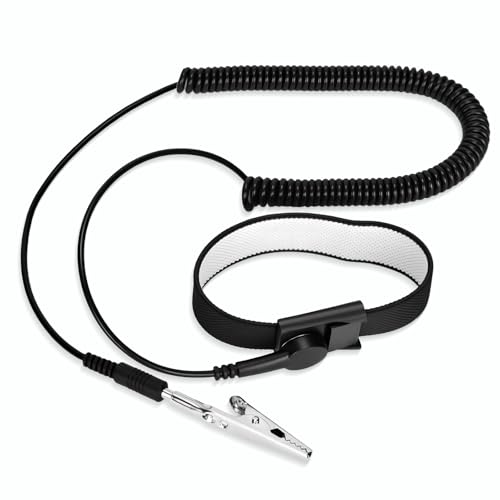
[ESD-Safe Design] The FRXIE anti static bracelet features a built-in ~1 MΩ resistor to safely discharge body static, helping protect electronics from ESD damage while supporting personal safety. This durable ESD strap is an essential anti static wrist strap for PC building, electronics repair, treadmill static protection, professional lab ESD tasks, and other static-sensitive tasks.

Protect PC from Static Electricity: Eliminate static electricity from human body in 0.1s to protect your PC from static damage. The working principle of removing static electricity: Static electricity needs to be removed with a link wire with a resistance value of 1 MΩ to 1000 MΩ

【ESD Safe Tool】The STREBITO anti static wristband has a built-in 1 MΩ resistor, which protects your electronic components from accidental electrostatic discharge (ESD) damage during repairs. Anti static bracelet eliminates static electricity from human body in 0.1s to equalize the charge between your hand and the electronic devices
Tools Needed
- Small Phillips screwdriver: Ideal for loosening screws.
- Plastic prying tool: Prevents damage while opening your device.
- Tweezers: Helpful for handling small components.
- Anti-static wrist strap: Reduces the risk of static damage to electronic parts.
- Soft cloth or workspace mat: Keeps your workspace clean and protects your device.
Safety Precautions
- Power Off Your Device: Always turn off the phone before starting the process.
- Avoid Moisture: Work in a dry environment to prevent water damage.
- Handle with Care: Avoid applying excessive force when removing parts.
- Be Aware of Live Components: Stay cautious of any connections that may carry power.
- Keep Workspace Organized: Maintain a clear area to easily find tools and parts.
By ensuring the right tools are at your disposal and following safety precautions, you set the stage for a successful battery removal process.
Step-by-Step Guide to Remove Android Phone Battery
Removing the battery from your Android phone can resolve issues like sluggish performance. Follow these steps for a successful battery removal.
Powering Down Your Device
Start by completely turning off your phone. Long-press the power button until the power menu appears. Tap “Power Off” or “Shut Down” to ensure the device is safely powered down. This step prevents accidental damage during the process.
Accessing the Battery Compartment
Locate the battery compartment. For removable battery models, find the back cover. Use your plastic prying tool to gently lift the back cover from one edge. Be cautious not to damage the internal components. For non-removable battery models, you’ll skip this step.
Removing the Battery
Once the battery compartment is accessible, use your tweezers for a firm grip on the battery’s edge. Carefully lift the battery straight out of its slot. For batteries with adhesive, tilt it slightly to break the seal. Be mindful of any connectors that may be attached.
By following these steps, you can effectively remove your Android phone’s battery, setting the stage for troubleshooting or replacement.
Troubleshooting Common Issues
Troubleshooting common issues can help you effectively remove an Android phone’s battery without frustration.
Recommended Products

HIGH QUALITY: Thin flexible steel blade easily slips between the tightest gaps and corners.
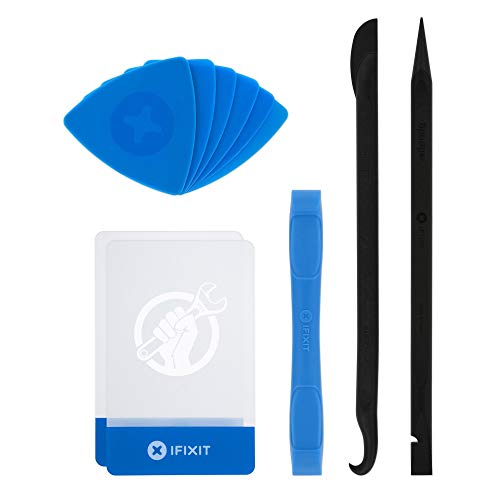
EFFECTIVE: Open your tech device and safely remove components with ease. Essential for DIY repairs like displays, batteries, motherboards, headphone jacks, joysticks, and more.

Professional Tools: Showpin's 3-in-1 iopener includes LCD and double-headed screen opening tool plus a cleaning cloth. Suitable for mobile phones, iPads, and other mobile devices, facilitating the easy removal or replacement of the LCD screen and battery.
Difficulty in Opening the Battery Compartment
If you face difficulty opening the battery compartment, check your phone model. Some models trap the back cover securely. Use a plastic prying tool to gently work along the edges. Apply even pressure to avoid cracking the cover. If the plastic tool doesn’t work, a small amount of heat from a hairdryer can loosen adhesive. Be cautious not to overheat the device. If your phone has a removable battery, ensure you follow the correct steps for your specific model to avoid damage.
Battery Replacement Options
When considering battery replacement options, users must understand their choices. For phones with a removable battery, purchasing a compatible battery online or at a local electronics store is straightforward. Look for reputable brands to avoid poor-quality replacements. If your phone has a non-removable battery, consider professional repair services for battery replacements. Certified technicians often provide warranties on their work. Always review customer feedback for service quality when selecting a provider.
Conclusion
Removing your Android phone’s battery can be a straightforward process when you know what to do. Whether you’re troubleshooting issues or considering a replacement it’s important to follow the right steps and take necessary precautions.
Remember to gather the right tools and create a safe workspace to make the process smoother. Taking care of your battery through proper maintenance can also help prolong its life and improve your phone’s performance.
With a little patience and attention to detail you can tackle battery removal confidently. Happy tinkering with your device!
Frequently Asked Questions
What should I do if my Android phone is sluggish or has battery issues?
To fix sluggish performance or battery issues, try removing the battery for a quick reset. If the problem persists, consider replacing the battery, especially if it shows signs of wear or damage.
What types of batteries do Android phones use?
Android phones typically use two main types of batteries: Lithium-Ion (Li-ion) and Lithium Polymer (Li-Po). Li-ion batteries are common for their efficiency, while Li-Po batteries are lighter and can be molded into different shapes.
What are the differences between removable and non-removable batteries?
Removable batteries allow users to easily swap them out when needed, while non-removable batteries are fixed in place and typically require professional help for replacement. This impacts DIY repair options and convenience.
How can I maintain my Android phone battery’s lifespan?
To enhance battery lifespan, practice good maintenance by using quality chargers, avoiding extreme temperatures, managing resource-heavy apps, and following proper charging habits like not letting your battery drop below 20%.
What tools do I need for battery removal on an Android phone?
Essential tools for battery removal include a small Phillips screwdriver, a plastic prying tool, tweezers, an anti-static wrist strap, and a soft cloth or workspace mat for protection.
What safety precautions should I take before removing my battery?
Ensure you power off the device, avoid moisture, handle components carefully, stay aware of live connections, and keep your workspace organized to prevent accidents during battery removal.
How do I remove the battery from my Android phone?
To remove the battery, power down your device, access the battery compartment, and for removable models, use a plastic prying tool to lift the back cover. For non-removable models, skip this and gently pull out the battery using tweezers.
What if I can’t open the battery compartment?
If you’re having trouble opening the battery compartment, check your phone model for specific instructions. Use a plastic prying tool around the edges and apply even pressure. A little heat from a hairdryer can help loosen adhesive.
How do I replace a non-removable battery?
For replacing a non-removable battery, it’s best to seek professional repair services. Look for reputable providers by checking customer feedback to ensure quality service and proper battery replacement.
