
Close Menu
Battery Spotlight
    Battery Spotlight
    • Home
    • Phone Batteries
    • Laptop Batteries
    • Car Batteries
      • Golf Cart Batteries
    • Battery Info
      • Battery Chargers
      • Battery Life
      • Battery Maintenance
      • Marine Batteries
      • Rechargeable Batteries
      • Solar Batteries
    • About Us
      • Contact
    Battery Spotlight
    Navigation: Home » Phone Batteries » Android Batteries » How to Open Oppo Phone Battery: A Step-by-Step Guide for Safe Removal and Troubleshooting
    Android Batteries

    How to Open Oppo Phone Battery: A Step-by-Step Guide for Safe Removal and Troubleshooting

    Leo HudsonBy Leo HudsonJune 2, 20256 Mins Read
    Share Facebook Twitter Pinterest LinkedIn Tumblr Email WhatsApp Copy Link
    Share
    Facebook Twitter LinkedIn Pinterest Email Copy Link

    Key Takeaways

    • Tools Needed: A precision screwdriver set, plastic pry tools, tweezers, a soft cloth, and a small container are essential for safely opening your Oppo phone battery.
    • Safety First: Always power off your device and remove any accessories before beginning the battery removal process to protect both yourself and your phone.
    • Step-by-Step Guide: Carefully follow the outlined steps to remove the back cover, detach the battery, and ensure no damage to internal components.
    • Troubleshooting Tips: If you encounter difficulties, check for hidden screws, use gentle pressure, and inspect for adhesive that may be securing the battery.
    • Handle with Care: Use tweezers cautiously and avoid quick movements to prevent unintentional damage during battery removal.

    Ever found yourself in a situation where your Oppo phone just won’t charge, and you suspect the battery might be the problem? You’re not alone. Many users face this frustrating issue, and knowing how to open your phone’s battery compartment can save you time and money.

    Table of Contents

    Toggle
    • Key Takeaways
    • Tools Required
    • Preparing Your Device
    • Safety Precautions
    • Powering Off the Phone
    • Step-by-Step Guide
    • Removing the Back Cover
    • Taking Out the Battery
    • Common Issues
    • Troubleshooting Battery Removal
    • Conclusion
    • Frequently Asked Questions
    • How do I know if my Oppo phone battery is the problem for charging issues?
    • What tools do I need to open the battery compartment of my Oppo phone?
    • What safety precautions should I take before opening my phone?
    • How do I actually open the battery compartment?
    • What common issues might I face while removing the battery?
    • How should I store the battery once removed?

    Tools Required

    To open your Oppo phone battery safely, gather these tools:

    • Screwdriver Set: Use a precision screwdriver, preferably a Phillips or Torx, to remove screws.
    • Plastic Pry Tools: These tools help you safely detach the battery cover without damaging the phone’s casing.
    • Tweezers: Handy for maneuvering small components or screws that may be hard to reach.
    • Soft Cloth: Protects your phone’s surface from scratches while you work.
    • Small Container: Keeps screws organized, ensuring you don’t lose any parts during the process.

    Having these tools ready makes opening your Oppo phone battery much easier.

    Recommended Products

    Showpin Smart Phones Suction Cup Tool Opening Pliers Repair LCD Screen, 3 in 1 iPhone Repair Tool Prying Tool Compatible with Cell Phone/Laptop/Tablet PC
    Showpin Smart Phones Suction Cup Tool Opening Pliers Repair LCD Screen, 3 in 1 iPhone Repair Tool Prying Tool Compatible with Cell Phone/Laptop/Tablet PC

    Professional Tools: Showpin's 3-in-1 iopener includes LCD and double-headed screen opening tool plus a cleaning cloth. Suitable for mobile phones, iPads, and other mobile devices, facilitating the easy removal or replacement of the LCD screen and battery.

    VIEW LATEST PRICE

    As an affiliate, we earn on qualifying purchases.

    SEE ALSO  Can You Replace Battery in Samsung Tablet: A Step-by-Step Guide to DIY Replacement
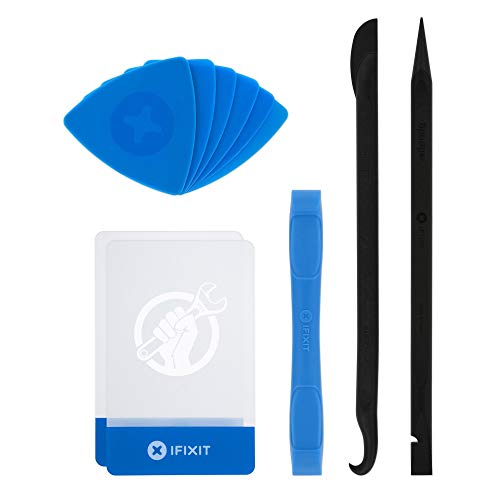
    iFixit Jimmy - Ultimate Electronics Prying & Opening Tool
    iFixit Jimmy - Ultimate Electronics Prying & Opening Tool

    HIGH QUALITY: Thin flexible steel blade easily slips between the tightest gaps and corners.
    VIEW LATEST PRICE

    As an affiliate, we earn on qualifying purchases.

    22 Piece Professional Electronics Opening Pry Screwdriver Set Multiple Functions Tool Repair Kit, for Cellphone iPhone Laptops Tablets Pry Open Replace Screen Battery and More
    22 Piece Professional Electronics Opening Pry Screwdriver Set Multiple Functions Tool Repair Kit, for Cellphone iPhone Laptops Tablets Pry Open Replace Screen Battery and More

    LMQ 22 pcs opening pry tools kit for smart phone,laptop,computer tablet,electronics, apple watch, iPad, iPod, computer, LCD screen, battery and more disassembly and repair.

    VIEW LATEST PRICE

    As an affiliate, we earn on qualifying purchases.

    Preparing Your Device

    Before opening your Oppo phone battery, follow these steps for a safe and efficient process.

    Safety Precautions

    Always prioritize your safety when handling electronic devices. Start by turning off your Oppo phone. Remove any accessories, like cases or screen protectors, to prevent damage. Ensure you’re working on a flat, static-free surface. Use an anti-static wrist strap if you have one. Keep a small container handy to hold screws and small components. Wearing safety goggles can also protect your eyes from tiny fragments.

    Powering Off the Phone

    Before opening the battery compartment, completely power off your phone. Press and hold the power button until the shutdown option appears. Tap “Power Off” and confirm to turn off the device. This step avoids electrical discharge during the opening process, ensuring safer handling of internal components. Wait a few moments for the screen to go dark.

    Step-by-Step Guide

    Follow these steps to open the battery compartment of your Oppo phone safely and effectively.

    Recommended Products

    Warmstor 24 Pieces Opening Pry Tool Screwdriver Set Open Replace Screen Battery Repair Tools Kit for Fix Apple iPhone 17 16 15 14 13 12 11 X Pro Max Plus, iPad, iPod, Cellphone, Computer Tablet, Xbox
    Warmstor 24 Pieces Opening Pry Tool Screwdriver Set Open Replace Screen Battery Repair Tools Kit for Fix Apple iPhone 17 16 15 14 13 12 11 X Pro Max Plus, iPad, iPod, Cellphone, Computer Tablet, Xbox

    ★MULTIPURPOSE TOOLS: Suitable for fix iPhone 17 16 15 14 13 12 11 Pro Max Plus XS XR X 8 7 6S 6 Plus, iPad Pro/Air/Mini,iPod, Cellphone,Computer/PC/Laptop/Desktop(HP,ASUS,Lenovo,Apple Macbook/Macbook Air/Macbook Pro,Imac/Imac Pro),Tablet/ iPad mini/iPad Pro,SLR Cameras,Game Console(PS4, Xbox, Nintendo),Game handle/joystick and other electronic devices.

    VIEW LATEST PRICE

    As an affiliate, we earn on qualifying purchases.

    VUXYIT BLP805 Battery Compatible with O-ppo A53 & & A53S & A32 & A16 & A93 5G Replacement Battery for with Repair Tool kit
    VUXYIT BLP805 Battery Compatible with O-ppo A53 & & A53S & A32 & A16 & A93 5G Replacement Battery for with Repair Tool kit

    1. Applicable Models:Compatible with O-ppo A53 & & A53S & A32 & A16 & A93 5G ,Please carefully check your mobile phone model before purchasing to avoid purchasing the wrong model and damaging your product

    VIEW LATEST PRICE

    As an affiliate, we earn on qualifying purchases.

    SWARK New BLP789 Rechargeable Battery Compatible with Oppo Reno4, Reno4 Pro, Reno4 SE, Find X3 Lite with Tools
    SWARK New BLP789 Rechargeable Battery Compatible with Oppo Reno4, Reno4 Pro, Reno4 SE, Find X3 Lite with Tools

    ❤【Compatible model】 For Oppo Reno4, Reno4 Pro, Reno4 SE, Find X3 Lite. Guarantee compatibility and give your phone a new lease of life. Please check your phone model carefully before buying.

    SEE ALSO  How Do You Change Batteries in Samsung Smart TV Remote: A Simple Step-by-Step Guide
    VIEW LATEST PRICE

    As an affiliate, we earn on qualifying purchases.

    Removing the Back Cover

    1. Power off your phone completely to prevent damage.
    2. Use a precision screwdriver to remove any screws around the back cover. Store screws in a small container for organization.
    3. Insert a plastic pry tool between the back cover and the phone body. Slide it gently around the edges to loosen the cover.
    4. Lift the back cover carefully after it’s detached. Avoid applying too much force to prevent damage to internal components.

    Taking Out the Battery

    1. Locate the battery, usually secured with clips or adhesive.
    2. Gently use tweezers or a plastic pry tool to lift the battery from its compartment. Be careful not to puncture the battery.
    3. Disconnect any cables attached to the battery by gently pulling them out, ensuring no damage occurs to the connectors.
    4. Remove the battery completely and store it safely. If you replace the battery, ensure the new one is compatible with your Oppo model.

    Common Issues

    Understanding common issues with Oppo phone batteries helps you troubleshoot effectively. Several problems can arise, particularly when attempting to open the battery compartment.

    Recommended Products

    Sim Card Tray Pin Eject Removal Tool Needle Opener Ejector 10X Pack By iSYFIX for All iPhone, Apple iPad, HTC, Samsung Galaxy, and Most Smartphone Brands
    Sim Card Tray Pin Eject Removal Tool Needle Opener Ejector 10X Pack By iSYFIX for All iPhone, Apple iPad, HTC, Samsung Galaxy, and Most Smartphone Brands

    EASY SIM CARD REMOVAL: The iSYFIX SIM Tray Ejector simplifies the process of ejecting your SIM card effortlessly, ensuring you can swap cards quickly and hassle-free.

    VIEW LATEST PRICE

    As an affiliate, we earn on qualifying purchases.

    20 Piece Ultra Thin Plastic Opening Card Repair Tool for Mobile Phone Laptop Tablet Disassemble LCD Screen Opener Remover
    20 Piece Ultra Thin Plastic Opening Card Repair Tool for Mobile Phone Laptop Tablet Disassemble LCD Screen Opener Remover

    Credit card size, easy to use and carry. Dimension: 86 x 55 mm

    VIEW LATEST PRICE

    As an affiliate, we earn on qualifying purchases.

    22 in 1 Mobile Phone Repair Tools Kit Spudger Pry Opening Tool Screwdriver Set for iPhone 11 12 13 14 15 pro xs max Hand Tools Set
    22 in 1 Mobile Phone Repair Tools Kit Spudger Pry Opening Tool Screwdriver Set for iPhone 11 12 13 14 15 pro xs max Hand Tools Set

    22 in 1 repair tool kit made of high quality material for cellphone disassembly and repair, durable and high precision, professional repair tools help you get more assistance while repairing devices.

    VIEW LATEST PRICE

    As an affiliate, we earn on qualifying purchases.

    Troubleshooting Battery Removal

    When you face difficulty removing the battery, consider these steps:

    1. Check for Screws: Ensure all screws are removed. Sometimes, tiny screws may hide under stickers or rubber plugs.
    2. Apply Gentle Pressure: If the battery compartment won’t budge, apply gentle pressure around the edges with a plastic pry tool. Avoid excessive force to prevent damage.
    3. Inspect for Adhesive: Some models use adhesive to secure the battery. If present, gently heat the area using a heat gun or hairdryer to loosen the adhesive.
    4. Use Tweezers Cautiously: Use tweezers to grip the battery’s edges for better control. This helps in lifting it without damaging connected cables.
    5. Avoid Quick Movements: Quick movements can lead to unintended damage. Take your time to lift the battery slowly.
    SEE ALSO  How to Turn Off Battery Conservation Mode Lenovo for Improved Device Performance

    By following these steps, you can effectively address common battery removal issues with your Oppo phone.

    Conclusion

    Opening your Oppo phone battery doesn’t have to be a daunting task. With the right tools and a little patience, you can tackle this issue and potentially save on costly repairs. Remember to prioritize safety by following the outlined precautions and taking your time during the process.

    Once you’ve accessed the battery, handle it carefully and keep everything organized. If you encounter any challenges along the way, don’t hesitate to refer back to the troubleshooting tips provided.

    By staying informed and prepared, you can ensure your Oppo phone runs smoothly for years to come. Happy troubleshooting!

    Frequently Asked Questions

    How do I know if my Oppo phone battery is the problem for charging issues?

    If your Oppo phone is not charging, first check the charging cable and outlet. If those are functioning, try restarting your phone. A dead battery may show no response or take longer than normal to turn on. If it’s still unresponsive, the battery could be the issue.

    What tools do I need to open the battery compartment of my Oppo phone?

    To safely open the battery compartment, you need a precision screwdriver, plastic pry tools, tweezers, a soft cloth, and a small container for screws. These tools help access the battery without damaging any internal components.

    What safety precautions should I take before opening my phone?

    Before opening your phone, ensure it is powered off, and remove any accessories. Work on a flat, static-free surface, and consider using an anti-static wrist strap. Wearing safety goggles can also protect your eyes from tiny fragments.

    How do I actually open the battery compartment?

    To open the battery compartment, power off your phone first. Then, remove the back cover using a precision screwdriver to take out screws and a plastic pry tool to detach the cover carefully. Follow the step-by-step guide for best results.

    What common issues might I face while removing the battery?

    Common issues include hidden screws, adhesive holding the battery, or difficult-to-grip battery edges. If you encounter resistance, apply gentle pressure around the edges and check for screws. Always use tweezers carefully to avoid damage.

    How should I store the battery once removed?

    After removing the battery, store it safely in a clean, dry place. Ensure it’s placed away from conductive materials, and keep it in a small container to prevent any damage or accidental short-circuiting. Always check that any replacement battery is compatible with your model.

    Share. Facebook Twitter Pinterest LinkedIn Tumblr Email WhatsApp Copy Link
    Leo-Hudson
    Leo Hudson

      Technical writer with 3+ years of experience. Bachelor of Arts in Environmental Studies from UC Santa Cruz. Passionate about sustainability and providing clear, concise how-to guides for common battery problems.

      Related Posts

      Android Batteries

      How to Replace Battery in Samsung Phone: A Step-by-Step Guide for Easy Replacement

      October 25, 2025
      Android Batteries

      How to Remove Battery from Samsung Smart TV Remote: A Step-by-Step Guide for Easy Replacement

      October 25, 2025
      Android Batteries

      How to Check Your Battery Health on Samsung: Simple Methods to Extend Your Phone’s Lifespan

      October 25, 2025
      Android Batteries

      How Much Is a Battery for a Samsung Galaxy S6: Pricing and Replacement Options Explained

      October 25, 2025
      Android Batteries

      How to Remove Battery from Samsung Galaxy S7: A Step-by-Step Guide for Easy DIY Fixes

      October 25, 2025
      Android Batteries

      Why is My Battery Going Down While Charging Android – Effective Solutions to Fix the Issue

      October 25, 2025
      Add A Comment
      Leave A Reply Cancel Reply

      Search
      Affiliate Disclaimer

      As an Amazon Associate I earn from qualifying purchases.

      Latest Articles

      How to Replace Battery in Samsung Phone: A Step-by-Step Guide for Easy Replacement

      Android Batteries

      How to Remove Battery from Samsung Smart TV Remote: A Step-by-Step Guide for Easy Replacement

      Android Batteries

      How to Check Your Battery Health on Samsung: Simple Methods to Extend Your Phone’s Lifespan

      Android Batteries

      How Much Is a Battery for a Samsung Galaxy S6: Pricing and Replacement Options Explained

      Android Batteries

      How to Remove Battery from Samsung Galaxy S7: A Step-by-Step Guide for Easy DIY Fixes

      Android Batteries

      Why is My Battery Going Down While Charging Android – Effective Solutions to Fix the Issue

      Android Batteries
      Battery Spotlight

      Battery Spotlight is a website dedicated to helping you solve common battery problems.

      Read more about us here

      Affiliate Disclaimer
      As an Amazon Associate I earn from qualifying purchases.

      Site Navigation
      • Above Mirror Bathroom Lighting
      • Android Batteries
      • Bathroom Pendant Lighting
      • Battery Chargers
      • Battery Life
      • Battery Maintenance
      • Car Batteries
      • Ceiling Lighting Ideas
      • Golf Cart Batteries
      • Japandi Lighting
      • Laptop Batteries
      • Marine Batteries
      • Mood Lighting Living Room
      • Phone Batteries
      • Rechargeable Batteries
      • Reviews
      • Solar Batteries
      • Uncategorized
      • Vaulted Ceiling Lighting
      Latest Articles

      How to Replace Battery in Samsung Phone: A Step-by-Step Guide for Easy Replacement

      How to Remove Battery from Samsung Smart TV Remote: A Step-by-Step Guide for Easy Replacement

      How to Check Your Battery Health on Samsung: Simple Methods to Extend Your Phone’s Lifespan

      How Much Is a Battery for a Samsung Galaxy S6: Pricing and Replacement Options Explained

      How to Remove Battery from Samsung Galaxy S7: A Step-by-Step Guide for Easy DIY Fixes

      • Home
      • About
      • Contact
      • Privacy Policy
      • Editorial Policy
      • Disclaimer
      • Terms and Conditions
      • Affiliate Disclosure
      © 2026 Battery Spotlight

      Type above and press Enter to search. Press Esc to cancel.