

Key Takeaways
- Battery Health Matters: Maintaining good battery health is crucial for your Samsung device’s longevity, influenced by charge cycles, heat exposure, and charging habits.
- Limit Charge to Extend Lifespan: Setting a maximum charge limit of 85% helps reduce full charge cycles, significantly prolonging battery life.
- Easy Settings Adjustment: You can easily limit battery charge through the “Protect Battery” feature in the device settings or via the Samsung Members app.
- Optimal Charging Practices: Regular shallow charging, avoiding overnight charging, and using the recommended charger can improve battery performance.
- Manage Heat Exposure: Keep your device cool by avoiding direct sunlight and ensuring proper airflow during charging to prevent overheating.
- Troubleshooting Tips: If the charging limit doesn’t work, check for software updates, restart your device, and adjust battery optimization settings to resolve issues.
Are you tired of your Samsung phone’s battery draining too quickly? You’re not alone. Many people face the same issue, especially with the constant need to charge their devices. Limiting your battery charge to 85% can help extend its lifespan and improve overall performance.
Understanding Battery Management
Managing your battery effectively improves device longevity and performance. By understanding battery health and the impact of charging habits, you can ensure your Samsung phone operates at its best.
Importance of Battery Health
Battery health plays a crucial role in your device’s performance. A healthy battery provides reliable use and efficiency. Factors affecting battery health include:
- Charge Cycles: Each charge cycle depletes battery health. Limiting full charges can extend battery life.
- Heat Exposure: High temperatures damage battery components. Keeping the phone cool during use enhances longevity.
- Charging Habits: Frequent charging to 100% can accelerate battery wear. Opting for 85% charged limits stress.
Benefits of Limiting Charge
Limiting the charge to 85% offers several advantages:
- Extended Lifespan: Batteries last longer with fewer full charge cycles. This approach can add months or years to battery life.
- Improved Performance: Maintaining a mid-level charge can prevent overheating, ensuring smooth functionality.
- Better Power Management: Charging to lower capacities can help conserve energy when you need it most.
Implementing these practices keeps your Samsung phone running optimally and enhances overall user experience.
Steps to Limit Battery Charge to 85 Samsung
Limiting your Samsung phone’s battery charge to 85% is straightforward. Follow these steps to help extend your battery lifespan.
Recommended Products

Compatibility - BP-70A Li-ion Battery for Samsung DV150F, ES65, ES70, ES80, MV800, PL120, PL170, PL20, PL200, PL80, SL50, SL600, SL605, SL630, ST65, ST66, ST76, ST80, ST90, ST95, ST100, ST150F, ST700, TL105, TL110, TL205, WB30F, WB35F, WB50FCameras

Kastar 2-pack high-capacity BP-70A batteries with slim USB charger. Compatible with Samsung BP-70A / BP70A / EA-BP70A cameras (full model list in description). Each battery: 3.7 V, 1400 mAh, 5.2 Wh; approx. 1.0 oz. (39.4 × 31 × 5.8 mm / 1.55 × 1.22 × 0.23 in). Includes 2 batteries + 1 USB charger + 1 battery case.

▶【25W Super Fast Charger】Powered by PD 3.0 fast charging technology, the USB C wall charger can super fast charging Samsung Galaxy S22/S23/S24/S25 Ultra/S22/S22+; S21/S21+/S21 Ultra/S20/S20 FE, Note 20/20 Ultra up to 25 Watt power delivery. It’s a great replacement or second charger for the original Samsung fast charger.
Using Device Settings
- Open Settings: Swipe down from the top of the screen and tap the gear icon to enter your device’s settings.
- Select Battery and Device Care: Find and tap on “Battery and Device Care” in the settings menu.
- Tap on Battery: Once in the Battery section, look for the “More battery settings” option.
- Enable Protect Battery: Activate “Protect Battery” to limit the charge to 85%. This feature helps maintain battery health over time.
Utilizing Samsung Members App
- Download Samsung Members: If you don’t already have the app, download it from the Google Play Store.
- Open the App: Launch the Samsung Members app on your device.
- Access Battery Settings: Navigate to the “Get Help” section and select “Battery.”
- Tap on Battery Settings: Look for the “Battery charge limit” option. Set it to 85% to preserve battery longevity.
Following these steps keeps your Samsung battery healthy and extends its lifespan. Regularly check your battery health for optimal performance.
Additional Tips for Battery Longevity
Maintaining optimal battery health extends the lifespan of your Samsung phone. Implement these strategies for improved performance and longevity.
Recommended Products
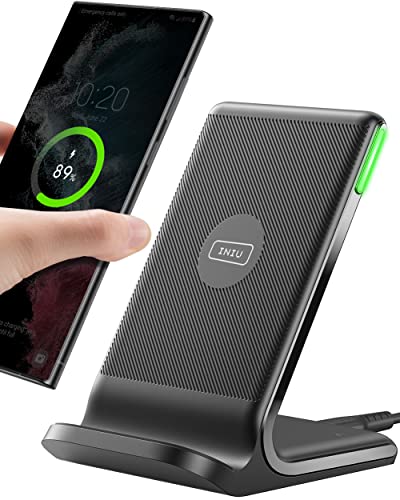
15W Fast Charge for the Morning Rush: Save up to 45 minutes with the INIU Wireless Charger. Powered by AirFuel tech, it’s ideal for commuters needing a rapid power boost before leaving, eliminating the frustration of slow charging.

20W High-Speed Charging: Enjoy fast charging with 20W max output for your iPhone, Samsung phones, and other devices.

[Qi2.2 Certified 25W Wireless Charging] MSXTTLY 2-in-1 Mag safe car mount charger delivers up to 25W to compatible iPhone 18/17/16 Series (iOS 26+), Pixel 10 Pro XL/Pixel 11 Series, and Galaxy S26 Ultra with a PD 45W+ adapter. iPhone 18 Pro can reach 60% from 0% in about 30 minutes under compatible test conditions. iPhone 15/14/13/12 supports up to 15W; iPhone 16e, 7.5W. Use a bare phone or slim magnetic case for the strongest hold and charging; thick non-magnetic, wallet, and kickstand cases are not compatible.
Charging Habits to Consider
- Charge regularly: Avoid letting your battery drop below 20%. Frequent, shallow charges help maintain battery health.
- Limit overnight charging: Disconnect your phone once it reaches 85%. Overnight charging can generate heat, which negatively impacts battery longevity.
- Use the right charger: Always opt for the charger that comes with your device or one that meets Samsung’s specifications. Mismatched chargers may deliver inconsistent voltage, affecting battery life.
Optimal Temperature Conditions
- Keep it cool: Ideally, your Samsung phone should operate between 32°F and 95°F (0°C and 35°C). Excessive heat can speed up battery degradation.
- Avoid direct sunlight: Never leave your phone in a hot car or exposed to direct sunlight for long periods. Heat can cause permanent damage.
- Allow for airflow: When charging, place your phone on a hard surface to ensure it can dissipate heat. Avoid soft surfaces like beds or couches that can trap heat.
Common Issues and Solutions
Limiting your Samsung phone’s battery charge to 85% can be effective, but some users may encounter issues. Here are common challenges and their solutions.
Recommended Products
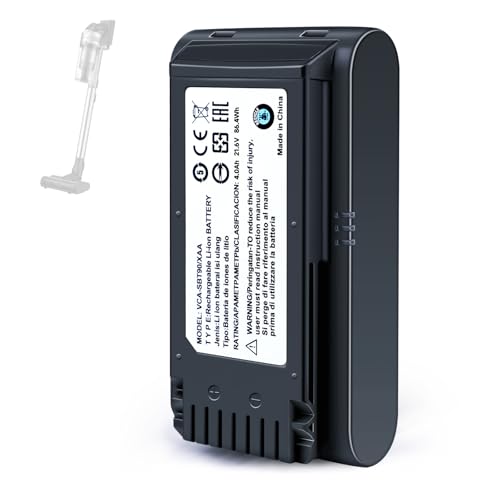
【Specifications】 Model:VCA-SBT90 ;Battery Type: Li_ion, Voltage:21.6V Capacity: 4000mAh ; Color: Gray and black

Battery Specifications: 21.6V 3000mAh lithium-ion replacement battery provides stable voltage, consistent power output, and reliable performance for Samsung Jet Bot robot vacuums.
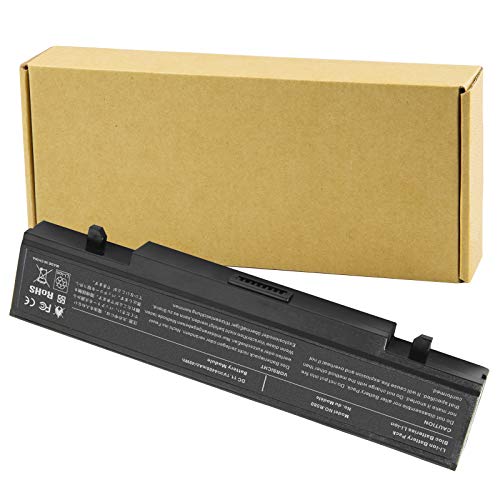
Specifications: Li-ion battery, Rated at 11.1V(10.8V Compatible) 5200mAh
Troubleshooting Charging Limits
Contact the Settings App
If the “Protect Battery” option doesn’t appear, make sure your device software is updated. Go to Settings, select Software Update, and tap Download and Install.
Re-enable the Feature
Sometimes, the setting may not activate correctly. Turn off the “Protect Battery” feature, restart your phone, and then enable it again to reset the settings.
Check for Battery Optimization
Battery optimization settings can interfere with charging limits. Ensure that Battery Optimization isn’t restricting your device’s ability to manage battery charge appropriately by going to Settings, selecting Battery and Device Care, and adjusting options as necessary.
Alternatives to Battery Management
Use Third-Party Apps
If the built-in settings don’t meet your needs, consider third-party applications like AccuBattery or Battery Charge Limit. These apps provide additional control and detailed insights on battery health.
Adopt Charging Habits
Change your charging habits for better management. Charge your device during the day when you can monitor it, allowing you to unplug once it reaches 85%.
Utilize Wireless Charging
Opt for wireless charging pads that may offer slower charging rates. This approach can prevent reaching 100% too quickly and maintain battery health over time.
Schedule Charging Times
Set a reminder to unplug your phone or use timers to limit the charging duration. This can help enforce the 85% limit effectively.
Implementing these solutions can enhance your phone’s battery life and performance, ensuring you get the most out of your Samsung device.
Conclusion
Taking control of your Samsung phone’s battery life can make a real difference in how long it lasts. By limiting your charge to 85% you’re not only prolonging the battery’s lifespan but also enhancing your device’s performance.
Remember to check your battery health regularly and follow those helpful tips to keep your battery in top shape. Whether you stick to built-in settings or explore third-party apps, you’re setting yourself up for a better user experience.
With just a few adjustments to your charging habits you can enjoy a more reliable and efficient phone. Happy charging!
Frequently Asked Questions
How can I limit my Samsung phone’s battery charge to 85%?
You can limit your Samsung phone’s battery charge to 85% by going to “Battery and Device Care” in your settings, selecting “More battery settings,” and enabling the “Protect Battery” feature. This helps extend battery lifespan and promotes better performance.
What are the benefits of charging my Samsung phone to 85%?
Charging your Samsung phone to 85% can improve battery longevity, enhance overall device performance, and better power management. It reduces heat exposure and decreases wear on the battery, leading to a more sustainable phone usage experience.
What factors affect my Samsung phone’s battery health?
Key factors include charge cycles, heat exposure, frequent charging to 100%, and letting the battery drop below 20%. Proper management of these elements can help maintain battery health and prolong its lifespan.
How can I monitor my battery health on a Samsung phone?
To monitor battery health, regularly check your settings under “Battery and Device Care.” You can also use third-party apps like AccuBattery for detailed insights into your battery’s health and performance.
What should I do if the “Protect Battery” option is not available?
If you can’t find the “Protect Battery” option, ensure your device’s software is updated. If the feature still doesn’t appear, restart your phone and check your battery optimization settings, as they may interfere with the charging limit.
Can using a different charger affect my battery health?
Yes, using a non-Samsung charger can lead to inconsistent voltage and heat issues, which may harm your battery’s health. It’s best to use a charger that meets Samsung’s specifications for optimal performance.
Why is it important to avoid overnight charging?
Overnight charging can cause your phone to remain at full charge longer than necessary, which generates heat and can lead to battery wear. Limiting overnight charging helps maintain healthier battery conditions.
What are some other tips for maintaining battery health?
Regularly charge your phone without letting the battery drop below 20%, keep it in a cool environment, and ensure proper airflow during charging. This combination can significantly enhance your battery’s overall lifespan and performance.
