Close Menu
Battery Spotlight
    Battery Spotlight
    • Home
    • Phone Batteries
    • Laptop Batteries
    • Car Batteries
      • Golf Cart Batteries
    • Battery Info
      • Battery Chargers
      • Battery Life
      • Battery Maintenance
      • Marine Batteries
      • Rechargeable Batteries
      • Solar Batteries
    • About Us
      • Contact
    Battery Spotlight
    Navigation: Home » Phone Batteries » How to Know if Phone Battery Needs to Be Replaced
    Phone Batteries

    How to Know if Phone Battery Needs to Be Replaced

    Jackson DoyleBy Jackson DoyleMay 16, 20236 Mins Read
    Share Facebook Twitter Pinterest LinkedIn Tumblr Email WhatsApp Copy Link
    Share
    Facebook Twitter LinkedIn Pinterest Email Copy Link
    The Quick Answer:

    Table of Contents

    Toggle
    • The Importance of Knowing When to Replace Your Phone Battery
    • Signs Your Phone Battery Needs to Be Replaced
    • Shorter Battery Lifespan
    • Slow Charging
    • Overheating
    • Swollen Battery
    • How to Extend the Life of Your Phone Battery
    • Avoid Extreme Temperatures
    • Don't Drain Your Battery Completely
    • Use Original Chargers
    • Use Battery Saver Mode
    • Turn off Unused Features
    • FAQs for How to Know if Phone Battery Needs to Be Replaced
    • How long does a typical phone battery last?
    • What are the signs that my phone battery needs to be replaced?
    • Is it possible to replace a phone battery?
    • How often should I replace my phone battery?
    • How can I extend the life of my phone battery?

    Are you worried about your phone battery? The signs of a dying battery include a shorter lifespan, slow charging, and overheating. If your phone battery is showing these signs, it might be time to get it replaced. A battery replacement can make your phone function like new again, and avoid potential hazards.

    In today’s world, smartphones have become an essential part of our lives, and their batteries are what keep them running throughout the day. However, all batteries have a limited lifespan and can eventually lose their ability to hold a charge. It’s essential to know when your phone battery needs to be replaced to prevent unexpected shutdowns and ensure your device’s longevity. In this article, we will discuss the various signs that indicate it’s time to replace your phone battery.

    The Importance of Knowing When to Replace Your Phone Battery

    Your phone is an integral part of your daily routine, from checking emails to scrolling social media. The battery is what keeps it going, so it is essential to know when it is time to replace it. A dead phone battery can be a significant inconvenience, especially when you are out and about.

    An old or damaged battery can cause your phone to shut down unexpectedly, and it can also damage other components of your phone. Replacing the phone battery can save you from a lot of hassle and expense in the long run.

    Recommended Products

    iFixit Prying and Opening Tool Assortment - Electronics, Phone, Laptop, Tablet Repair
    iFixit Prying and Opening Tool Assortment - Electronics, Phone, Laptop, Tablet Repair

    EFFECTIVE: Open your tech device and safely remove components with ease. Essential for DIY repairs like displays, batteries, motherboards, headphone jacks, joysticks, and more.

    VIEW LATEST PRICE

    As an affiliate, we earn on qualifying purchases.

    Kaisi Professional Electronics Opening Pry Tool Repair Kit with Metal Spudger Non-Abrasive Nylon Spudgers and Anti-Static Tweezers for Cellphone iPhone Laptops Tablets and More, 20 Piece
    Kaisi Professional Electronics Opening Pry Tool Repair Kit with Metal Spudger Non-Abrasive Nylon Spudgers and Anti-Static Tweezers for Cellphone iPhone Laptops Tablets and More, 20 Piece

    Kaisi 20 pcs opening pry tools kit for smart phone,laptop,computer tablet,electronics, apple watch, iPad, iPod, Macbook, computer, LCD screen, battery and more disassembly and repair

    SEE ALSO  Why Is My Battery Red on My Phone
    VIEW LATEST PRICE

    As an affiliate, we earn on qualifying purchases.

    Warmstor 24 Pieces Opening Pry Tool Screwdriver Set Open Replace Screen Battery Repair Tools Kit for Fix Apple iPhone 17 16 15 14 13 12 11 X Pro Max Plus, iPad, iPod, Cellphone, Computer Tablet, Xbox
    Warmstor 24 Pieces Opening Pry Tool Screwdriver Set Open Replace Screen Battery Repair Tools Kit for Fix Apple iPhone 17 16 15 14 13 12 11 X Pro Max Plus, iPad, iPod, Cellphone, Computer Tablet, Xbox

    ★MULTIPURPOSE TOOLS: Suitable for fix iPhone 17 16 15 14 13 12 11 Pro Max Plus XS XR X 8 7 6S 6 Plus, iPad Pro/Air/Mini,iPod, Cellphone,Computer/PC/Laptop/Desktop(HP,ASUS,Lenovo,Apple Macbook/Macbook Air/Macbook Pro,Imac/Imac Pro),Tablet/ iPad mini/iPad Pro,SLR Cameras,Game Console(PS4, Xbox, Nintendo),Game handle/joystick and other electronic devices.

    VIEW LATEST PRICE

    As an affiliate, we earn on qualifying purchases.

    Signs Your Phone Battery Needs to Be Replaced

    There are several signs that your phone battery needs to be replaced.

    Replacing a phone battery is important to avoid unexpected shutdowns and potential hazards. Signs that a phone battery needs to be replaced include shorter lifespan, slow charging, overheating, and a swollen battery. To extend the life of a phone battery, it is recommended to avoid extreme temperatures, not let the battery drain completely, use original chargers, use battery saver mode, turn off unused features, and adjust screen brightness.

    Recommended Products

    Kruta BT162342 BT262342 Cordless Phone Batteries Compatible with BT183342 BT283342 BT166342 BT266342 VTech CS6114 CS6419 CS6719 at&T EL52300 CL80111 Handset Telephone (Pack of 2)
    Kruta BT162342 BT262342 Cordless Phone Batteries Compatible with BT183342 BT283342 BT166342 BT266342 VTech CS6114 CS6419 CS6719 at&T EL52300 CL80111 Handset Telephone (Pack of 2)

    Voltage: 2.4V - Capacity: 800mAh - Type: AAA*2 . Connector Type:5264; Jack: Round. - (Tips: This battery model not suit for all cordless phone model, please kindly read our listing in details and confirm your old battery model, then select correct battery model.)

    VIEW LATEST PRICE

    As an affiliate, we earn on qualifying purchases.

    BAOBIAN 2.4V 400mAh Cordless Home Phone Battery for AT&T BT162342 BT-162342 BT166342 BT-166342 BT266342 BT-266342 BT183342 BT-183342 BT283342 BT-283342 VTech CS6329 CS6114 CS6419(Pack of 2)
    BAOBIAN 2.4V 400mAh Cordless Home Phone Battery for AT&T BT162342 BT-162342 BT166342 BT-166342 BT266342 BT-266342 BT183342 BT-183342 BT283342 BT-283342 VTech CS6329 CS6114 CS6419(Pack of 2)

    BAOBIAN BT183342/BT283342 2.4V 400mAh Ni-Mh - Type: AAA*2, Replace of original Battery BT183342 BT283342 BT166342 BT266342 BT162342 BT262342 2SN-AAA40H-S-X2

    VIEW LATEST PRICE

    As an affiliate, we earn on qualifying purchases.

    VANBOW BT183342/BT283342 2.4V 800mAh Ni-MH Battery Pack, Compatible with AT&T VTech Cordless Phone Batteries BT166342/BT266342 BT162342/BT262342 CS6709 CS6609 CS6509 CS6409 EL52100 EL50003 (Pack 2)
    VANBOW BT183342/BT283342 2.4V 800mAh Ni-MH Battery Pack, Compatible with AT&T VTech Cordless Phone Batteries BT166342/BT266342 BT162342/BT262342 CS6709 CS6609 CS6509 CS6409 EL52100 EL50003 (Pack 2)

    VANBOW BT183342/BT283342 2.4V 800mAh Ni-MH Battery Pack. Repalce of the original VTech DM221 Audio Baby Monitor Battery. Also replace of the original Cordless Phone Battery Pack BT183342/BT283342 BT166342/BT266342 BT162342/BT262342 2SN-AAA40H-S-X2

    SEE ALSO  Is It Safe to Use a Swollen Phone Battery?
    VIEW LATEST PRICE

    As an affiliate, we earn on qualifying purchases.

    Shorter Battery Lifespan

    One of the most apparent signs that your phone battery needs to be replaced is that it does not last as long as it used to. If you find yourself charging your phone more than once a day, it is time to replace the battery.

    Slow Charging

    If your phone is taking longer to charge than it did before, it could be a sign that the battery is on its last legs. A healthy battery should charge quickly and hold a charge for a reasonable amount of time.

    Overheating

    If your phone battery is overheating, it is a sign that something is wrong. Overheating can cause damage to your phone, and it can also be dangerous. If your phone is getting hot while charging, it could be a sign that your battery needs to be replaced.

    Swollen Battery

    If your phone battery is swollen, it is a clear indication that it needs to be replaced. A swollen battery can damage other components of your phone and can even be a fire hazard.

    How to Extend the Life of Your Phone Battery

    Replacing your phone battery can be expensive, so it is essential to take care of it to extend its life. Here are some tips to help you get the most out of your phone battery.

    Recommended Products
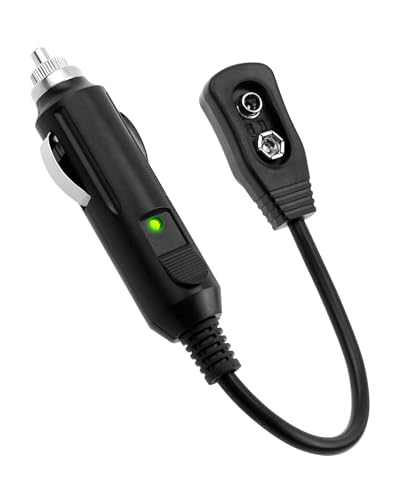
    All-Sun GK504 Automotive Setting Keeper Auto Vehicle Computer Memory Saver, 1 Pack
    All-Sun GK504 Automotive Setting Keeper Auto Vehicle Computer Memory Saver, 1 Pack

    Ruggedly designed hard plastic body

    VIEW LATEST PRICE

    As an affiliate, we earn on qualifying purchases.

    How to Make Your Android Battery Last Longer: Simple Settings, Proven Tips and Daily Habits to Fix Battery Drain and Save Power on Android
    How to Make Your Android Battery Last Longer: Simple Settings, Proven Tips and Daily Habits to Fix Battery Drain and Save Power on Android
    VIEW LATEST PRICE

    As an affiliate, we earn on qualifying purchases.

    QTshine Battery Case for iPhone 14/13/13 Pro (6.1 Inch),Upgraded 7500mAh Ultra-Slim Portable Charging Case Rechargeable Protective Extended Battery Pack for iPhone 14/13/13 Pro Charger Cover-Red
    QTshine Battery Case for iPhone 14/13/13 Pro (6.1 Inch),Upgraded 7500mAh Ultra-Slim Portable Charging Case Rechargeable Protective Extended Battery Pack for iPhone 14/13/13 Pro Charger Cover-Red

    【Powerful 7000mAh Battery】This Charging Case is equipped with a powerful 7500mAh battery which provides extended 150% talk and play time. Enjoy longer battery life on your iPhone without worrying about running out of power. Battery pack can be taken on board the plane,it's an essential accessory for anyone on the go.

    VIEW LATEST PRICE

    As an affiliate, we earn on qualifying purchases.

    Avoid Extreme Temperatures

    Extreme temperatures can damage your phone battery, so it is vital to avoid exposing it to heat or cold. Keep your phone at room temperature, and avoid leaving it in the car on hot days.

    SEE ALSO  Are Phone Batteries Recyclable?

    Don’t Drain Your Battery Completely

    It is not a good idea to let your phone battery drain completely. Doing so can cause damage to the battery and shorten its lifespan. Try to keep your phone charged above 20% as much as possible.

    Use Original Chargers

    Using original chargers can help extend the life of your phone battery. Cheap chargers can damage your battery and even cause it to explode.

    Use Battery Saver Mode

    Most smartphones have a battery saver mode that can help extend battery life. Turning on this mode can help you get a few extra hours of use out of your phone.

    If your phone is taking longer to charge than it used to, it could be a sign that the battery is on its last legs. A healthy battery should charge quickly and hold a charge for a reasonable amount of time. If your phone is taking longer to charge than usual, it’s time to replace the battery.

    Turn off Unused Features

    Features such as Wi-Fi, Bluetooth, and GPS can drain your phone battery. If you’re not using these features, turn them off to conserve battery life. You can also adjust the brightness of your screen to reduce battery usage.

    FAQs for How to Know if Phone Battery Needs to Be Replaced

    How long does a typical phone battery last?

    What are the signs that my phone battery needs to be replaced?

    There are several indications that your phone battery needs a replacement. One of the most common symptoms is a fast-draining battery, meaning it gets discharged very quickly even with light usage. Another symptom is slow charging, where the phone takes a long time to charge compared to its previous charging times. Other signs include the battery swelling, the phone heating up during charging, and the phone shutting down unexpectedly when not in use.

    Is it possible to replace a phone battery?

    Yes, it is possible to replace a phone battery. Most types of smartphones have replaceable batteries, and the user can remove and replace the battery with a new one. However, some modern phones have non-replaceable batteries that are integrated into the phone’s body. In such cases, it may be best to take the device to a repair shop or the manufacturer’s service center.

    How often should I replace my phone battery?

    The lifetime of a phone battery depends on various factors, as mentioned earlier, but a general rule of thumb is to replace it every two years. However, if you experience any of the symptoms mentioned about the battery, you should consider replacing it as soon as possible.

    How can I extend the life of my phone battery?

    You can extend the life of your phone battery by following some simple tips such as: avoiding overcharging your phone, using the original charger and cable, turning off Bluetooth and Wi-Fi when not in use, dimming the screen brightness, and closing unnecessary apps that consume battery. It is also essential to avoid exposing your phone to high temperatures or direct sunlight, as this can cause your battery life to decrease rapidly.

    Share. Facebook Twitter Pinterest LinkedIn Tumblr Email WhatsApp Copy Link
    Jackson-Doyle
    Jackson Doyle

      Battery industry professional with 5+ years of experience. Bachelor of Science in Electrical Engineering from Georgia Tech. Specializes in power systems and renewable energy.

      Related Posts

      Android Batteries

      How to Replace Battery in Samsung Phone: A Step-by-Step Guide for Easy Replacement

      October 25, 2025
      Android Batteries

      How to Remove Battery from Samsung Smart TV Remote: A Step-by-Step Guide for Easy Replacement

      October 25, 2025
      Android Batteries

      How to Check Your Battery Health on Samsung: Simple Methods to Extend Your Phone’s Lifespan

      October 25, 2025
      Android Batteries

      How Much Is a Battery for a Samsung Galaxy S6: Pricing and Replacement Options Explained

      October 25, 2025
      Android Batteries

      How to Remove Battery from Samsung Galaxy S7: A Step-by-Step Guide for Easy DIY Fixes

      October 25, 2025
      Android Batteries

      Why is My Battery Going Down While Charging Android – Effective Solutions to Fix the Issue

      October 25, 2025
      Add A Comment
      Leave A Reply Cancel Reply

      Search
      Affiliate Disclaimer

      As an Amazon Associate I earn from qualifying purchases.

      Latest Articles

      How to Replace Battery in Samsung Phone: A Step-by-Step Guide for Easy Replacement

      Android Batteries

      How to Remove Battery from Samsung Smart TV Remote: A Step-by-Step Guide for Easy Replacement

      Android Batteries

      How to Check Your Battery Health on Samsung: Simple Methods to Extend Your Phone’s Lifespan

      Android Batteries

      How Much Is a Battery for a Samsung Galaxy S6: Pricing and Replacement Options Explained

      Android Batteries

      How to Remove Battery from Samsung Galaxy S7: A Step-by-Step Guide for Easy DIY Fixes

      Android Batteries

      Why is My Battery Going Down While Charging Android – Effective Solutions to Fix the Issue

      Android Batteries
      Battery Spotlight

      Battery Spotlight is a website dedicated to helping you solve common battery problems.

      Read more about us here

      Affiliate Disclaimer
      As an Amazon Associate I earn from qualifying purchases.

      Site Navigation
      • Above Mirror Bathroom Lighting
      • Android Batteries
      • Bathroom Pendant Lighting
      • Battery Chargers
      • Battery Life
      • Battery Maintenance
      • Car Batteries
      • Ceiling Lighting Ideas
      • Golf Cart Batteries
      • Japandi Lighting
      • Laptop Batteries
      • Marine Batteries
      • Mood Lighting Living Room
      • Phone Batteries
      • Rechargeable Batteries
      • Reviews
      • Solar Batteries
      • Uncategorized
      • Vaulted Ceiling Lighting
      Latest Articles

      How to Replace Battery in Samsung Phone: A Step-by-Step Guide for Easy Replacement

      How to Remove Battery from Samsung Smart TV Remote: A Step-by-Step Guide for Easy Replacement

      How to Check Your Battery Health on Samsung: Simple Methods to Extend Your Phone’s Lifespan

      How Much Is a Battery for a Samsung Galaxy S6: Pricing and Replacement Options Explained

      How to Remove Battery from Samsung Galaxy S7: A Step-by-Step Guide for Easy DIY Fixes

      • Home
      • About
      • Contact
      • Privacy Policy
      • Editorial Policy
      • Disclaimer
      • Terms and Conditions
      • Affiliate Disclosure
      © 2026 Battery Spotlight

      Type above and press Enter to search. Press Esc to cancel.