

Have you ever thought about harnessing the sun’s energy to power your devices? Installing a solar panel to a battery can be a game-changer for your energy needs. Whether you want to reduce your electricity bills or create a backup power source, this setup can help you achieve your goals.
Key Takeaways
- Solar Panel Basics: Understanding the key components—solar panels, charge controllers, batteries, inverters, wiring, and mounts—is essential for a successful installation.
- Battery Options: Choose between lead-acid, lithium-ion, gel, or flooded lead-acid batteries based on your energy needs, lifespan, and budget considerations.
- Energy Assessment: Calculate your daily energy consumption and backup power requirements to size your system appropriately before installation.
- Optimal Location: Select a site for your solar panels with adequate sunlight exposure, free from obstructions, and with proper angles for maximum efficiency.
- Installation Steps: Follow detailed installation steps including securing panels, wiring connections, and testing the system to ensure functionality and safety.
- Safety Precautions: Prioritize safety by turning off power sources, using protective gear, and ensuring dry and stable conditions during installation to avoid hazards.
Understanding Solar Panels and Batteries
Solar panels convert sunlight into electricity, and batteries store this energy for later use. This setup allows you to harness solar power efficiently, making it a reliable alternative energy source.
Recommended Products
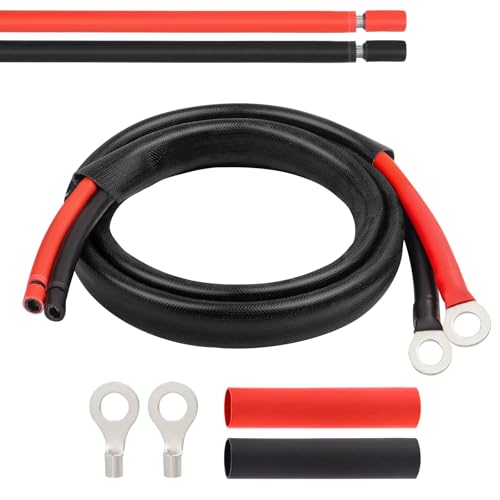
10AWG Tinned Copper Wire -- MOOKEERF solar battery cable is made of larger diameter 10AWG tinned copper wire which is minimize power loss in solar panel systems, the inner conductor consists of 84 tin-plated copper, well constructed and good conductive.

10AWG Wire Tinned Copper Tray Extension Cable to connect the charge controller to the battery, also can be used as solar wires with tools to cut and crimp with new connectors.Widely used for solar panels, marine, automotive, RVs, Lawn mower,camper and inverter wiring.
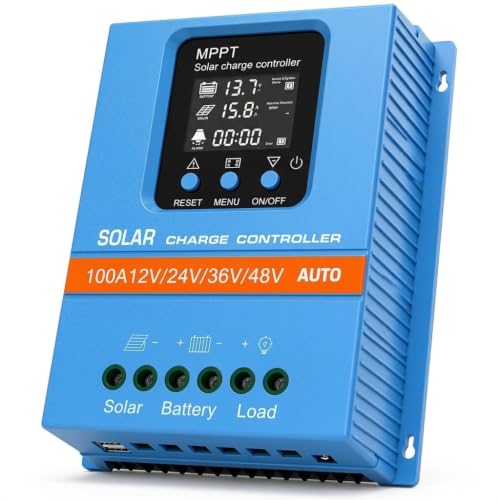
【Product Advantages 】: 100A intelligent adjustment controller with precise time control and light control, can switch loads on and off at a fixed time, adjustable voltage parameters, and memory function. Large LED display screen, real-time display of working voltage, clearer data reading. Flame retardant materials are safe and durable, fashionable and simple. Large section wiring port, wire spacing increased by 99mm
Components of a Solar Panel System
- Solar Panels: These are the primary components that capture sunlight and convert it to electricity.
- Charge Controller: This regulates the voltage and current coming from the solar panels, preventing battery overcharging.
- Batteries: These store the electricity generated by the solar panels for later use.
- Inverter: This converts the stored DC electricity in the batteries to AC electricity for household appliances.
- Wiring and Mounts: These ensure proper electrical connections and securing your solar panels in place.
- Lead-Acid Batteries: Common in solar applications, these batteries are cost-effective and reliable, but they have a shorter lifespan than others.
- Lithium-Ion Batteries: These newer batteries offer longer lifespans and faster charging but come at a higher price point. They are also lighter and more efficient.
- Gel Batteries: A type of lead-acid battery that is sealed and maintenance-free, gel batteries are safer and suitable for deeper cycling.
- Flooded Lead-Acid Batteries: These require regular maintenance but are the least expensive option and can hold up to heavy usage.
Each battery type has its pros and cons. Consider your energy needs and budget when making a choice.
Preparing for Installation
Preparation is crucial for a successful solar panel installation. Taking time to assess your energy needs and choose the right location ensures optimal system performance.
Recommended Products

Portable Generator with 60W Solar Panel Included: with a big battery pack, ZeroKor 300W solar powered generator are powerful enough to charge smartphones,tablets,laptops,headphones or other outdoor small camping supplies(Tips:Using electrical appliances over 300W may damage the portable solar generator, especially some devices that are prone to heat or built-in air compressor such as coffee maker,Hair dryer, water pump etc )


Universal Compatibility: Works with alarm systems, security devices, UPS, kids ride-on cars. 12V7Ah/20HR rechargeable battery replaces 1270 batteries, UB1270, RT1270, CA1270, 12FM7 and more.
Assessing Your Energy Needs
Start by determining your daily energy consumption. Check your previous electricity bills to find out how much energy you use on average each month.
- Calculate watt-hours: Multiply the wattage of each device by the number of hours you use it daily.
- Add total watt-hours: Combine the watt-hours of all devices to get your daily energy requirement.
- Factor in storage: Decide how much backup power you need from the battery. Aim for a system that can provide power for at least a few days, especially during cloudy weather or in emergencies.
Choosing the Right Location for Solar Panels
Selecting a proper site for your solar panels is vital for maximizing their efficiency. Follow these steps:
- Identify sunlight exposure: Ensure the location receives direct sunlight for at least six hours per day.
- Avoid obstructions: Check for trees, buildings, or other barriers that could cast shadows on the panels throughout the day.
- Assess angle and orientation: Position panels to face south for optimal sunlight capture, and tilt them at an angle that matches your latitude to maximize energy absorption.
- Consider mounting options: Decide whether you’ll use a roof-mounted system or ground-mounted installation based on space, accessibility, and structural considerations.
By carefully assessing your energy needs and selecting the best location, you set the stage for a successful solar panel and battery installation.
Installation Steps
Follow these steps to install solar panels to a battery system effectively. Each step requires attention to detail to ensure a successful setup.
Recommended Products
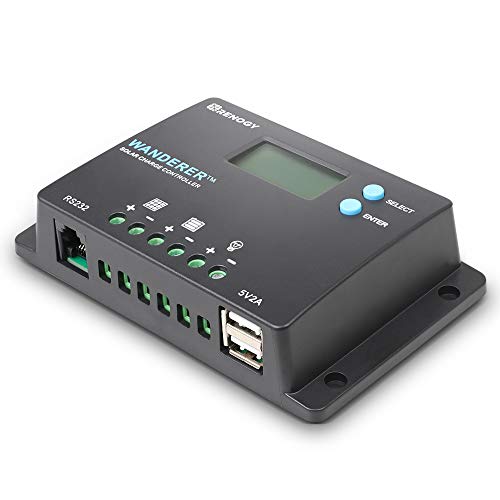
𝐒𝐦𝐚𝐫𝐭 𝟒-𝐒𝐭𝐚𝐠𝐞 12V/24V Solar Charge Controller: Renogy charge controller 𝐦𝐚𝐱𝐢𝐦𝐢𝐳𝐞𝐬 𝐁𝐚𝐭𝐭𝐞𝐫𝐲 𝐋𝐢𝐟𝐞 & 𝐒𝐨𝐥𝐚𝐫 𝐄𝐟𝐟𝐢𝐜𝐢𝐞𝐧𝐜𝐲, this advanced pwm solar charge controller utilizes intelligent 4-stage charging (Bulk/Boost/ Float/Equalization) to optimize power delivery for AGM, Gel, Flooded and Lithium batteries. RV solar charge controller prevents overcharging and gas buildup while 𝐚𝐜𝐡𝐢𝐞𝐯𝐢𝐧𝐠 𝟑𝟎% 𝐥𝐨𝐧𝐠𝐞𝐫 𝐛𝐚𝐭𝐭𝐞𝐫𝐲 𝐥𝐢𝐟𝐞𝐬𝐩𝐚𝐧 compared to basic charge controllers.
![[Upgraded] 30A PWM Solar Charge Controller with Auto Parameter LCD Display](https://m.media-amazon.com/images/I/41opvkWthjL._SL500_.jpg)
【UPGRADED SOLAR CONTROLLER】This solar charge controller helps you manage the working of solar panels and batteries in solar systems automatically with the build-in industrial microcontroller. You don't need to reset it when the battery runs out cause it will memorize various parameters set by the user

✔️【Waterproof Solar Charge Controller】IP67 waterproof, suitable for outdoor use. Automatically identify voltage, 12V Max power: 150W, 24V Max power: 300W. The maximum current is 10A. Compatible with various 12V/24V deep-cycle batteries, such as AGM, GEL, Flooded. Adopting brand MCU chips to realize fast intelligent control and ultra-low standby power consumption.
Tools and Materials Required
Gather the following tools and materials before starting the installation:
- Solar Panels: Ensure they meet your power needs.
- Battery: Choose a compatible battery type, like lithium-ion or lead-acid.
- Charge Controller: Select the appropriate controller for your system.
- Inverter: A suitable inverter converts DC to AC if necessary.
- Wiring: Use properly rated wire for your system’s voltage and current.
- Mounting Hardware: Brackets and screws to secure the panels.
- Tools: Include a screwdriver, wrench, multimeter, and level.
Mounting the Solar Panels
- Choose Mounting Location: Identify a location that receives sunlight for at least six hours daily.
- Install Mounting Brackets: Attach the brackets to the mounting surface using screws. Ensure they’re straight using a level.
- Secure Solar Panels: Place the solar panels onto the mounted brackets and tighten them securely.
- Check Angles: Adjust the angle for maximum sun exposure based on your geographic location.
- Connect Solar Panel Wires: Connect the positive (+) wire from the solar panel to the positive terminal on the charge controller. Connect the negative (-) wire to the negative terminal.
- Wire the Charge Controller: Connect the positive and negative wires from the charge controller to the corresponding terminals on the battery.
- Install the Inverter (if required): Connect the inverter to the battery terminals, following the manufacturer’s guidelines.
- Test the System: Use a multimeter to check voltage levels and ensure proper connections before finalizing the setup.
By following these steps, you’ll create an efficient solar panel and battery system that provides a reliable energy source.
Safety Precautions
Safety is crucial when installing a solar panel to a battery system. Following safety precautions helps prevent accidents and ensures the system operates efficiently.
Electrical Safety Tips
- Turn Off Power Sources: Before starting, turn off all power sources. This includes disconnecting batteries and turning off related devices.
- Use Protective Gear: Always wear gloves and safety goggles. These protect against electrical shocks and possible injuries from sharp edges or debris.
- Check for Damaged Equipment: Inspect solar panels, wiring, and batteries for any damage. Damaged components can pose electrical hazards.
- Follow Manufacturer Instructions: Read and understand all manufacturer instructions for the solar panel and battery. Specific guidelines can prevent installation mistakes.
- Avoid Water Exposure: Ensure that all electrical connections are dry. Water can create dangerous short circuits.
- Install During Clear Weather: Choose a clear day for installation. This avoids slipping on wet surfaces and ensures good outdoor conditions.
- Avoid High Winds: Delay installation during strong winds. Wind can cause panels or equipment to shift, leading to accidents.
- Watch for Sun Exposure: If installing during hot weather, take breaks to avoid heat exhaustion. Stay hydrated and work during cooler parts of the day.
- Secure Equipment: Properly secure all materials during installation. This prevents wind from displacing panels or tools, reducing safety risks.
Following these safety precautions enhances your solar panel installation experience while minimizing risks. Always prioritize your safety and those around you.
Conclusion
Installing solar panels to a battery can transform the way you power your devices. By following the steps outlined and keeping safety in mind you can create a reliable energy solution that meets your needs.
Whether you’re looking to reduce your electricity bills or ensure backup power during outages this setup offers great benefits. Remember to choose the right components and location for optimal performance.
With a little preparation and effort you’ll be on your way to enjoying the advantages of solar energy in no time. Happy installing!
Frequently Asked Questions
What are the main benefits of using solar panels with batteries?
Using solar panels connected to batteries can significantly reduce electricity bills and provide a reliable backup power source. This setup allows for the storage of excess energy generated during the day, which can be used later when sunlight is not available, making it an efficient and sustainable energy solution for various needs.
How do solar panels work?
Solar panels convert sunlight into electricity through photovoltaic cells, which generate direct current (DC). This electricity can then be used to power devices, charge batteries, or be converted into alternating current (AC) using an inverter for household appliances.
What types of batteries are best for solar applications?
The best batteries for solar applications include lead-acid, lithium-ion, gel, and flooded lead-acid batteries. Each type has its own advantages and disadvantages regarding lifespan, cost, depth of discharge, and maintenance. Choosing the right battery depends on individual energy needs and budget.
How should I prepare for a solar panel installation?
To prepare for solar panel installation, assess your daily energy consumption by reviewing your electricity bills and calculating the watt-hours required for each device. Also, consider selecting an optimal location that receives at least six hours of direct sunlight daily, free from obstructions.
What steps are involved in installing a solar panel system?
Installing a solar panel system involves several steps: select a mounting location, secure the solar panels, connect the wiring, and ensure proper functionality through testing. Gather necessary tools and materials, including solar panels, charge controllers, batteries, inverters, and mounting hardware, before starting the process.
What safety precautions should I take during installation?
During installation, turn off all power sources, wear protective gear, and check for any damaged equipment. Avoid water exposure, install on clear days, and refrain from working during high winds to enhance safety and ensure efficient operation of your solar panel system.
