

Key Takeaways
- Identify Common Issues: Understand symptoms like rapid drain, overheating, unexpected shutdowns, and other signs indicating battery problems with your Samsung S6 Edge.
- Causes of Battery Drain: Recognize factors such as background apps, high screen brightness, and faulty batteries that can lead to rapid depletion of battery life.
- Adjust Power Settings: Implement power-saving modes, limit background data usage, and reduce screen brightness to improve battery performance.
- Maintain Software Updates: Regularly check for and install software updates to enhance battery optimization and resolve known issues.
- Consider Replacement or Professional Help: If basic fixes don’t work, either replace the battery yourself or seek assistance from authorized service centers to ensure safe handling.
- Practice Prevention: Adopt optimal charging habits and manage app usage to extend the lifespan of your Samsung S6 Edge battery effectively.
Is your Samsung S6 Edge battery draining faster than you can charge it? You’re not alone. Many users face this frustrating issue, and it can feel like a never-ending battle. Whether you’re constantly hunting for a charger or missing important calls because your phone’s dead, it’s time to take action.
Common Samsung S6 Edge Battery Issues
Many Samsung S6 Edge users encounter battery-related problems. Identifying these issues can help you take the right steps toward resolving them.
Symptoms of Battery Problems
- Rapid Drain: You notice the battery percentage drops significantly even with minimal use.
- Overheating: The phone gets unusually hot during charging or regular use.
- Unexpected Shutdowns: The device shuts down despite showing battery life remaining.
- Charging Issues: The phone charges slowly or doesn’t charge at all when plugged in.
- Battery Swelling: You observe physical swelling of the battery, which can be seen through the phone’s back cover.
Causes of Battery Drain
- Background Apps: Certain apps run in the background, consuming power even when not actively used.
- High Screen Brightness: Keeping the screen brightness at a high level drains battery life.
- Location Services: GPS and location services running continuously can lead to excessive battery usage.
- Software Updates: Outdated software versions may not optimize battery performance effectively.
- Faulty Battery: An aging or defective battery can struggle to hold a charge, causing rapid drain and performance issues.
These insights can help you diagnose your Samsung S6 Edge’s battery problems and look for potential solutions.
Effective Solutions to Fix Battery Issues
You’re not alone if your Samsung S6 Edge battery drains quickly. Here are effective solutions to help extend your battery life and resolve common issues.
Recommended Products
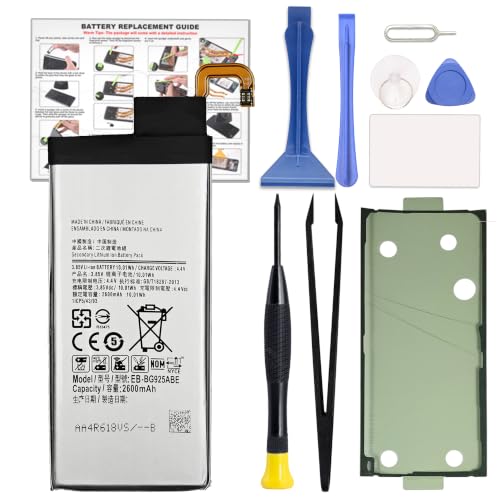
COMPATIBILITY: This battery only fits for Samsung Galaxy S6 Edge, SM-G9250, SM-G925A, SM-G925F, SM-G925FQ, SM-G925I, SM-G925K, SM-G925L, SM-G925S, SM-G925T, SC-04G, 404SC, SM-G925D, SM-G925J. Please carefully confirm your phone model before purchase.
![SHENMZ Galaxy S6 Battery,[Upgraded] 5800mAh High Capacity Li-Polymer EB-BG920ABE Replacement Battery for Samsung Galaxy S6 SM-G920 G920V G920T G920A G920P G920I G920F S906L with Repair Tools](https://m.media-amazon.com/images/I/41pc-APX7ML._SL500_.jpg)
✾【HIGH QUALITY, TRUSTWORTHY PREMIUM BATTERY】:This Upgraded S6 battery uses Grade A+ rated battery cells with CE and ROHS certification,ensure last over 1200 charge cycles. Multiple-protection for safer operation for both user and devices,build-in microchip to prevent over-charging,over-discharging and over-heating.
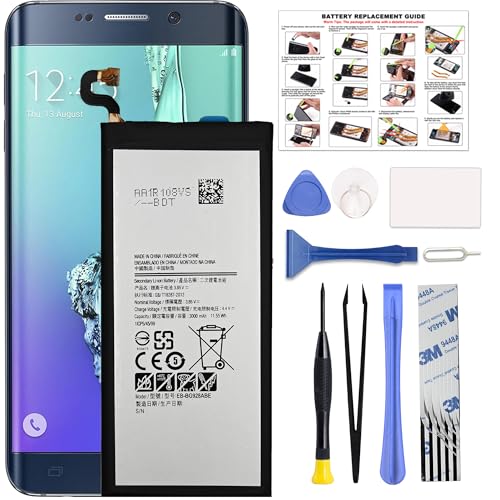
COMPATIBILITY: This battery only fits for Samsung Galaxy S6 Edge+ Plus, SM-G928A, SM-G928F, SM-G928A, SM-G928T, G928I, SM-G928G, SM-G928C, SM-G928I, SCV31, SM-G9280, SM-G928L, SM-G928S, SM-G928K, SM-G928W8. Please carefully confirm your phone model before purchase.
Method 1: Adjusting Power Settings
Adjusting your power settings can significantly improve battery performance.
- Navigate to Settings: Open your phone’s Settings app.
- Select Battery: Tap on the Battery option.
- Enable Power Saving Mode: Toggle on Power Saving Mode to reduce background activity.
- Limit Background Data: Choose “Restrict background data” for apps that consume excessive power.
- Reduce Screen Brightness: Lower brightness through Display settings, or enable Adaptive Brightness to automatically adjust based on your environment.
These adjustments can extend your device’s battery life.
Method 2: Clearing Cache
Clearing the cache on your Samsung S6 Edge can free up space and improve overall performance, which helps with battery drain.
- Access Settings: Open the Settings app.
- Go to Storage: Tap on Storage to view storage details.
- Select Cached Data: Find and tap on Cached Data to clear it.
- Confirm Clearing: When prompted, confirm to clear cached data.
Regularly clearing the cache can maintain optimal performance, which may help your battery last longer.
Method 3: Updating Software
Keeping your software updated is crucial for battery health. Manufacturers release updates to fix bugs and improve efficiency.
- Open Settings: Start by accessing the Settings app.
- Scroll to Software Update: Tap on Software Update.
- Check for Updates: Select “Download and Install” to check for available updates.
- Install Any Updates: If updates are available, follow the prompts to install them.
Updating your software ensures your device has the latest enhancements that can lead to better battery management.
Advanced Techniques for Battery Repair
If your Samsung S6 Edge battery issues persist despite basic solutions, consider advanced techniques for repair that may help regain optimal performance.
Recommended Products

[PLS CONFIRM DEVICE MODEL] --- The repair kit contains the instruction to guide you step by step installation, and we have professional engineers to answer all your questions about the repair process. Please verify your old battery part number and model before purchasing this replacement battery. Compatible with Samsung Galaxy S7 Edge SM-G935, G935A, G935T, G935P, G935V, EB-BG935ABE. ★NOT FOR Samsung Galaxy S7★

1. Applicable Models:Compatible with Samsung Galaxy S6 Edge SM-G9250, SM-G925A,Please carefully check your mobile phone model before purchasing to avoid purchasing the wrong model and damaging your product

【Compatible Model】:S6 Replacement Battery compatible with models :for Samsung Galaxy S6 SM-G920 G920V G920T G920A G920P G920I G920F S906L.
Replacing the Battery
Replacing the battery is a straightforward process for those comfortable with DIY repairs. Follow these steps:
- Power Off the Device: Turn off your Samsung S6 Edge to prevent any electrical issues.
- Remove the Back Cover: Use a plastic opening tool to carefully pry off the back cover. Start at a corner and work your way around.
- Disconnect the Battery: Unscrew and detach the battery connector from the motherboard using a Phillips screwdriver.
- Replace with a New Battery: Insert a compatible replacement battery. Ensure it aligns properly with the connectors.
- Reassemble: Reconnect the battery, place the back cover, and power on the device.
Make sure to purchase a battery from a reputable source to avoid counterfeit products. Check user reviews to ensure quality and longevity.
Seeking Professional Help
If you’re not comfortable replacing the battery yourself, seeking professional help can be beneficial. Consider these options:
- Authorized Repair Centers: Use Samsung’s authorized service centers for battery replacement. Technicians have the right tools and expertise.
- Local Repair Shops: Many local electronics repair shops offer battery replacement services. Research and read reviews to find a trustworthy place.
- Warranty and Support: If your device is still under warranty, contact Samsung Support. They might cover the repair or replacement at no additional cost.
Professional assistance ensures that the battery replacement adheres to safety standards, minimizing risks associated with improper handling.
Prevention Tips for Battery Longevity
Taking care of your Samsung S6 Edge’s battery can significantly extend its lifespan. Implementing a few simple practices helps maintain optimal performance.
Optimal Charging Practices
Charging habits play a crucial role in battery health. Follow these recommendations:
- Avoid complete discharges: Try to keep the battery level between 20% and 80%. Regularly letting it drop to 0% can shorten its lifespan.
- Use a quality charger: Use Samsung’s original charger or a high-quality third-party option. Cheap chargers can damage the battery over time.
- Unplug promptly: Don’t leave your phone connected all night. Overcharging can lead to overheating, which is harmful to the battery.
Managing App Usage
Managing how apps use power is essential for prolonging battery life. Consider these strategies:
- Limit background activity: Turn off background app refreshing for non-essential apps. This reduces unnecessary power consumption.
- Close unused apps: Regularly close apps running in the background. They may drain battery life even if you’re not actively using them.
- Set notifications wisely: Disable notifications for non-essential apps. Excessive notifications can lead to frequent screen activations.
By following these prevention tips, you can enhance your Samsung S6 Edge’s battery longevity and ensure more reliable performance throughout the day.
Conclusion
Taking control of your Samsung S6 Edge battery issues can make a world of difference. By implementing the tips and tricks discussed, you’ll not only extend your battery life but also enhance your overall experience with the device.
Don’t hesitate to try out the DIY solutions if you’re feeling confident or seek professional help when needed. Remember that a little maintenance goes a long way in keeping your phone running smoothly.
With these strategies in hand, you’ll be better equipped to enjoy your phone without the constant worry of a dying battery. Happy troubleshooting and may your Samsung S6 Edge serve you well for years to come!
Frequently Asked Questions
What are common symptoms of battery drain on the Samsung S6 Edge?
Battery drain symptoms include rapid loss of charge, overheating, unexpected shutdowns, and issues with charging. Users may also notice diminished battery life leading to frequent searches for chargers.
What causes rapid battery drain on the Samsung S6 Edge?
Common causes include active background apps, high screen brightness, constant location services, outdated software, and a faulty battery. Identifying these factors can help users manage their device’s power consumption effectively.
How can I improve my Samsung S6 Edge battery life?
To extend battery life, enable Power Saving Mode, reduce screen brightness, limit background data, and clear the cache. Regular software updates also help optimize battery management on your device.
What should I do if basic solutions don’t fix my battery issues?
If battery issues persist, consider DIY battery replacement or consulting professional help. Authorized repair centers and local electronics shops can assist with safe battery replacements and proper handling.
How can I prevent battery drain in the future?
To prevent future battery drain, avoid complete discharges, use quality chargers, and manage app usage wisely. Close unused apps and set notifications to limit background activity and prolong battery life.
