

Key Takeaways
- Understanding Battery Capacity: Battery capacity is measured in milliampere-hours (mAh); higher values mean longer device usage between charges.
- Impact on Performance: Knowing your battery capacity helps prevent unexpected shutdowns and enables better management of your device’s power consumption.
- Methods to Check Capacity: Users can check battery capacity through the device’s settings or by using third-party apps like AccuBattery and GSam Battery Monitor.
- Common Capacity Ranges: Typical battery capacities for Android devices range from 2500 mAh in budget smartphones to over 5000 mAh in high-end models.
- Maintenance Tips: To prolong battery life, avoid extreme temperatures, charge between 20% and 80%, and enable battery saver modes during high usage.
- Monitoring Usage: Regularly check which apps consume the most battery and keep applications updated to ensure efficient energy consumption.
Ever wondered how much juice your Android device really has? Knowing your battery capacity can help you manage your phone’s performance and longevity. You might find yourself in situations where your phone dies unexpectedly, and understanding its capacity can prevent that from happening again.
In this article, you’ll learn simple steps to check your Android battery capacity. Whether you’re a tech enthusiast or just someone wanting to get the most out of your device, this guide will provide the insights you need. With a little knowledge, you can make informed choices that keep your phone running smoothly and efficiently.
Understanding Battery Capacity
Battery capacity refers to the total amount of energy a battery can store, measured in milliampere-hours (mAh). A higher mAh rating indicates a larger capacity, allowing your device to run longer between charges. For instance, a battery with a capacity of 4000 mAh generally lasts longer than one with 3000 mAh, assuming similar usage patterns.
How Battery Capacity Affects Performance
Battery capacity directly impacts your device’s performance. When the battery depletes quickly, your phone may shut down unexpectedly or run slowly. Knowing your battery’s capacity helps you manage your usage effectively. For example, if you notice your battery drains faster than expected, you might want to reduce screen brightness or limit background apps.
Checking Your Battery Capacity
To find your battery’s capacity on an Android device, follow these steps:
- Open Settings: Navigate to your device’s settings app.
- Select Battery: Tap on the “Battery” option to access battery-related settings.
- View Battery Usage: Here, you can check the battery usage by app and overall capacity. Some devices show capacity details in the battery section.
Alternatively, you can use third-party apps like AccuBattery or GSam Battery Monitor to get detailed information about your battery’s health and capacity.
Common Battery Capacity Values
Most Android devices come with batteries ranging from 2500 mAh to 5000 mAh. Here’s a quick look at typical capacities across different device categories:
| Device Type | Average Capacity (mAh) |
|---|---|
| Budget Smartphones | 2500 – 3000 |
| Mid-range Smartphones | 3000 – 4000 |
| High-end Smartphones | 3500 – 5000 |
Understanding these values helps you gauge your device’s performance and choose the right charger or accessories.
Tips for Maintaining Battery Capacity
Maintaining your battery’s integrity prolongs its lifespan. Here are some practical tips:
- Avoid Extreme Temperatures: High heat or cold can damage the battery.
- Charge Regularly: Try to keep the charge level between 20% and 80% for optimal health.
- Use Battery Saver Mode: This feature limits background activities, minimizing battery drain.
By understanding and managing your Android battery capacity, you can enhance your device’s performance and avoid common battery-related issues.
Methods To Find Battery Capacity In Android
You can easily find the battery capacity of your Android device using built-in options or third-party applications. Here’s how to check your battery capacity.
Recommended Products

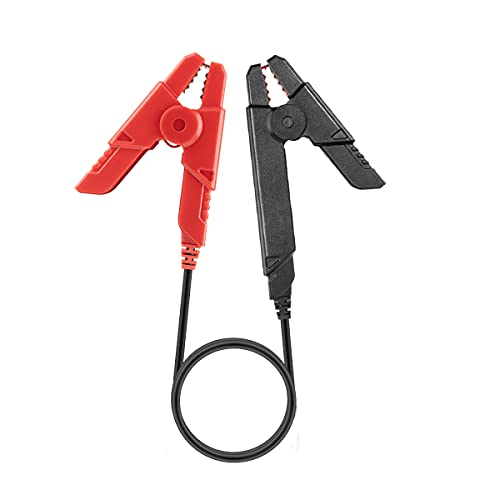
⚠️ IMPORTANT – iOS NOT SUPPORTED: NOT compatible with iPhone or iPad. It is compatible with Android phones and tablets ONLY via Classic Bluetooth. For iOS devices, please choose OBDCheck BLE which supports Bluetooth LE. Android car stereo & head units may not be supported.

1920P HD Crystal Clear Vision: See what you've been missing. Equipped with a high-quality 1920P HD camera and 6 LED lights, this ear wax removal tool provides a sharp, real-time view of your ear canal. Whether inspecting for buildup or for ear hygiene checks, every detail is captured in high definition for a comfortable and effective cleaning experience.
Using Settings Menu
- Open Settings: Locate the gear icon and tap on it to access your device settings.
- Select Battery: Scroll down and tap on “Battery” or “Battery & performance.”
- Check Capacity: Look for battery details. Some devices show the capacity in milliampere-hours (mAh) under battery usage or health.
Using Third-Party Apps
- Download a Battery App: Search for battery diagnostic apps like AccuBattery or GSam Battery Monitor in the Google Play Store.
- Install the App: Tap “Install” and wait for the app to download and set up.
- Open the App: Launch the app to view detailed information about your battery, including its capacity in mAh and other performance metrics.
By using these methods, you can quickly find your Android device’s battery capacity and make informed decisions about its management.
Importance Of Knowing Battery Capacity
Knowing your Android device’s battery capacity is crucial for optimal performance and longevity. Battery capacity, measured in milliampere-hours (mAh), directly influences how long your device can run before needing a recharge. Understanding this metric helps in managing your usage effectively.
Monitoring battery capacity helps prevent unexpected phone shutdowns, which can disrupt your daily activities. When your battery health declines, you may experience issues like rapid drainage or devices that lag. By knowing your capacity, you can take steps to maintain battery efficiency.
Common battery capacities range from 2500 mAh in budget smartphones to over 5000 mAh in high-end models. Recognizing where your device falls on this scale informs your charging habits and daily usage. For instance, if your device has a capacity of 3000 mAh, you may need to charge it more frequently compared to a device with a 5000 mAh capacity.
To keep your battery healthy, practice regular maintenance. Avoid exposing your device to extreme temperatures, and aim to charge it between 20% and 80% to prolong its lifespan. Using battery saver mode during high consumption periods can also make a noticeable difference.
Understanding your battery capacity empowers you to make informed decisions about usage and charging, ultimately enhancing your device’s performance and lifespan.
Recommended Products

[30-Day Battery Life] Say goodbye to the hassle of searching for a charger every night. With a massive 1000mAh battery, this smart watch lasts up to 30 days+ on a single charge—a full charge takes only 2.5 hours. Perfect for travelers and busy professionals who need a reliable fitness watch that keeps up.

【3ATM Waterproof for Daily Adventures】 – Planning a swim or a rainy day hike? This HeraQuen military smart watch for men handles it all with 3ATM waterproofing. Working outdoors, hitting the trails, or just washing your hands – you don't have to think twice about water exposure. A waterproof smart watch that keeps up with your routine, no matter where life takes you.

[Sony 48MP Quad Camera] A9 Pro smartphone with Sony 48MP main camera, 16MP ultra-wide angle, 5MP depth camera and 5MP macro camera. The Sony 48MP camera has incredible light-sensing ability and comes with a 1/2" large size sensor, supporting Quad Bayer, pixel size up to 1.6μm. Your pictures will come out bright even in low light. With a dramatic 120 ° field of view from a 16MP ultra-wide-angle camera, you can shoot clearer and wider landscapes.
Tips For Maintaining Battery Health
Maintaining your Android device’s battery health affects its overall performance. Use these practical tips to enhance longevity and efficiency.
Recommended Products

Precise Magnetic Alignment, Rock-Solid Hold: Designed for MagSafe-compatible iPhones, this magnetic portable charger delivers a strong 15N magnetic hold for precise alignment and stable wireless charging. Whether you're taking calls, snapping selfies, or using your phone on the go, this magnetic power bank stays firmly attached. Compatible with iPhone 18 Pro/18 Pro Max, for iPhone 17/17 Air/17 Pro/17 Pro Max, for iPhone 16/16 Plus/16 Pro/16 Pro Max, for iPhone 15/15 Plus/15 Pro/15 Pro Max, for iPhone 14/14 Plus/14 Pro/14 Pro Max, for iPhone 13/13 Mini/13 Pro/13 Pro Max, for iPhone 12/12 Mini/12 Pro/12 Pro Max, and MagSafe-compatible cases. Not compatible with non-magnetic cases.

Plug and Play: No Cable NeededCharge anytime, anywhere with the all-in-one design. This mini power bank features a built-in USB-C connector, allowing you to plug directly into your phone without the hassle of carrying or connecting an extra cable. Perfect for on-the-go charging — just plug, and power up!
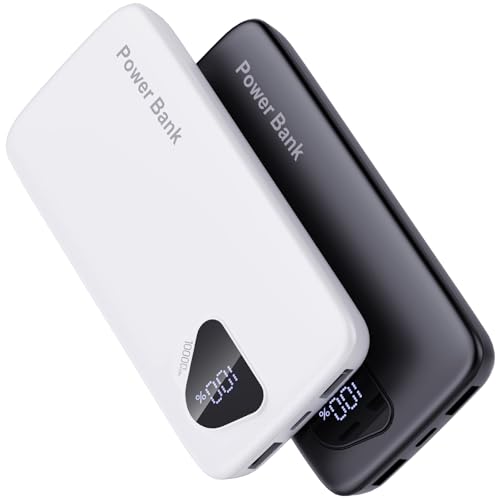
【Charge 4 Devices Simultaneously】Total 4 output ports (built-in 2 cabls,IOS cable and USB-C cable and 2 USB A), supports charging for 4 smart devices simultaneously, All in one portable charger, you would not need to carry various cables or adapter any more, save you time and no more waiting.
Avoid Extreme Temperatures
- Heat can cause battery wear. Keep your device in a cool place.
- Cold temperatures can reduce battery efficiency. Don’t leave your phone outside in the winter.
Charge Between 20% and 80%
- Charging to 100% consistently can stress the battery. Aim to unplug before it hits 100%.
- Avoid deep discharges. Letting your battery drop below 20% can diminish its lifespan.
Enable Battery Saver Mode
- Activate Battery Saver during high usage periods. It limits background activity and optimizes performance.
- Schedule Battery Saver for specific times when you need it most, such as work hours.
Update Your Apps Regularly
- Outdated apps can drain your battery. Set apps to auto-update or check for updates weekly.
- Uninstall unnecessary apps. Background activity from unused apps consumes battery life.
Monitor Battery Usage
- Check battery usage stats in settings. Identify which apps drain the most power.
- Limit power-hungry features like location services or push notifications for specific apps.
Use Original Accessories
- Use the charger and cable provided with your device. Third-party accessories may not deliver the right voltage.
- Avoid cheap charging products, as they can damage battery health.
Implementing these strategies helps you maintain optimal battery health, enhancing your Android device’s performance and lifespan.
Conclusion
Understanding your Android device’s battery capacity is key to getting the most out of it. By knowing how to check the mAh rating and recognizing its impact on performance you can avoid unexpected shutdowns and sluggishness.
Implementing simple practices like monitoring usage and charging habits can significantly extend your battery life. Remember to keep your device updated and use original accessories for the best results.
With these tips in mind you’ll be well on your way to enjoying a smoother and more efficient experience with your Android device.
Frequently Asked Questions
What is battery capacity in Android devices?
Battery capacity, measured in milliampere-hours (mAh), indicates how long your device can run before needing a recharge. Higher mAh ratings mean longer usage times, which directly affects the phone’s performance and efficiency.
How can I check my Android device’s battery capacity?
You can check your battery capacity by going to the Settings menu, selecting “Battery,” and looking for capacity details in mAh. Alternatively, you can download apps like AccuBattery or GSam Battery Monitor from the Google Play Store for more detailed information.
Why does battery capacity matter for performance?
Battery capacity affects how long your device can run between charges. A lower capacity means more frequent charging, which can result in unexpected shutdowns and sluggish performance, especially during high usage times.
What are common battery capacities in smartphones?
Battery capacities vary by device category: budget smartphones typically have around 2500 mAh, while mid-range devices range from 3000 to 4000 mAh. High-end models often exceed 5000 mAh, allowing for extended usage before charging.
How can I maintain my Android device’s battery health?
To maintain battery health, avoid exposing your device to extreme temperatures, charge it regularly between 20% and 80%, and use battery saver mode when necessary. Regular app updates and monitoring for battery hogs can also help.
Are third-party battery monitoring apps safe to use?
Yes, reputable third-party battery monitoring apps like AccuBattery or GSam Battery Monitor are safe to use. They provide detailed information about your battery health, usage statistics, and tips for improving battery life.
