
Close Menu
Battery Spotlight
    Battery Spotlight
    • Home
    • Phone Batteries
    • Laptop Batteries
    • Car Batteries
      • Golf Cart Batteries
    • Battery Info
      • Battery Chargers
      • Battery Life
      • Battery Maintenance
      • Marine Batteries
      • Rechargeable Batteries
      • Solar Batteries
    • About Us
      • Contact
    Battery Spotlight
    Navigation: Home » Phone Batteries » Android Batteries » How to Check Battery Level on Sony WH1000XM4: Easy Methods for Uninterrupted Listening
    Android Batteries

    How to Check Battery Level on Sony WH1000XM4: Easy Methods for Uninterrupted Listening

    Leo HudsonBy Leo HudsonOctober 22, 20256 Mins Read
    Share Facebook Twitter Pinterest LinkedIn Tumblr Email WhatsApp Copy Link
    Share
    Facebook Twitter LinkedIn Pinterest Email Copy Link

    Key Takeaways

    • Battery Monitoring is Essential: Regularly check your battery level to prevent unexpected interruptions during listening sessions on the Sony WH-1000XM4.
    • Multiple Checking Methods: You can check battery status using the Sony Headphones Connect App, voice prompts from the headphones, or voice assistants like Google Assistant and Alexa.
    • Impressive Battery Life: The WH-1000XM4 provides up to 30 hours of playback on a full charge, with a quick charge feature that offers 5 hours of use in just 10 minutes of charging.
    • Troubleshooting Tips: Common issues with battery levels can often be resolved by restarting the headphones, using the correct charging equipment, or disabling power-consuming features.
    • Battery Life Optimization: Utilize features like Adaptive Sound Control, keep firmware updated, and store your headphones properly to enhance battery longevity.
    • Power Off When Unused: Turn off your headphones when they are not in use to conserve battery life and keep them ready for your next session.

    Ever found yourself in the middle of your favorite playlist only to realize your headphones are about to die? It’s a frustrating moment that can easily be avoided. If you own the Sony WH-1000XM4, knowing how to check the battery level can save you from those unexpected interruptions.

    Table of Contents

    Toggle
    • Key Takeaways
    • Understanding Sony WH1000XM4 Battery Life
    • Overview of Battery Performance
    • Importance of Monitoring Battery Level
    • Methods to Check Battery Level
    • Using the Sony Headphones Connect App
    • Checking on the Device Itself
    • Using Voice Assistant Features
    • Troubleshooting Battery Level Issues
    • Common Problems and Solutions
    • Tips for Extending Battery Life
    • Conclusion
    • Frequently Asked Questions
    • How do I check the battery level of my Sony WH-1000XM4 headphones?
    • What is the battery life of Sony WH-1000XM4 headphones?
    • What happens when the battery level drops below 20%?
    • How can I extend the battery life of my headphones?
    • What should I do if my battery level readings are inaccurate?

    In this article, you’ll learn simple ways to quickly check your headphone’s battery status. Whether you prefer using your phone or the headphones themselves, we’ve got you covered. By the end, you’ll be equipped with the knowledge to keep your music playing without a hitch.

    Understanding Sony WH1000XM4 Battery Life

    The Sony WH-1000XM4 headphones offer impressive battery life, making them ideal for long listening sessions. Understanding how battery performance works helps you maximize your experience.

    Overview of Battery Performance

    The WH-1000XM4 features a battery life of up to 30 hours on a full charge. The quick charge function offers 5 hours of playback from just 10 minutes of charging. Battery life may vary based on usage, such as noise-canceling settings and streaming quality. It’s wise to frequently monitor your battery status for optimal performance.

    SEE ALSO  Can I Replace Samsung S9 Battery and Extend My Phone's Lifespan?

    Importance of Monitoring Battery Level

    Keeping an eye on your battery level prevents unexpected interruptions during your listening experience. When your battery dips below 20%, your headphones automatically announce the status, giving you time to recharge. Regularly checking the battery level ensures your headphones remain ready for use whenever you are.

    Methods to Check Battery Level

    You can easily check the battery level of your Sony WH-1000XM4 headphones using three convenient methods. Each method provides essential information on battery status, ensuring you never run out of power unexpectedly.

    Recommended Products
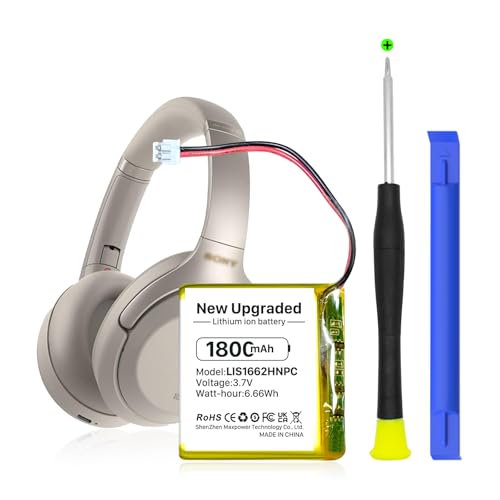
    KOOAQQ 624038 Battery, 1800mAh High Capacity Li-Polymer Battery Replacement for Sony WH-1000xM3, WH-1000MX4 PN SM-03, 1588-0911, LIS1662HNPC, SP 624038
    KOOAQQ 624038 Battery, 1800mAh High Capacity Li-Polymer Battery Replacement for Sony WH-1000xM3, WH-1000MX4 PN SM-03, 1588-0911, LIS1662HNPC, SP 624038

    【Compatible Model】: This 624038 Replacement Battery Suitable for Sony WH-1000XM3 WH-1000XM4 WH-XB900N WH-H910N WH-CH710N Bluetooth Wireless Headset SM-03 SP 624038 LIS1662HNPC,

    VIEW LATEST PRICE

    As an affiliate, we earn on qualifying purchases.

    SHENMZ LIS1662HNPC Battery, 1800mAh High Capacity Rechargeable Battery for Sony WH-1000XM3 XM4 Headphones - Compatible Models PN SM-03, 1588-0911, SP624038
    SHENMZ LIS1662HNPC Battery, 1800mAh High Capacity Rechargeable Battery for Sony WH-1000XM3 XM4 Headphones - Compatible Models PN SM-03, 1588-0911, SP624038

    Compatible Model: This LIS1662HNPC Replacement Battery Suitable for Sony WH-1000XM3 WH-1000XM4 WH-XB900N WH-H910N WH-CH710N Bluetooth Wireless Headset SM-03 SP 624038 LIS1662HNPC.Please confirm your Headset model before placing your order.

    VIEW LATEST PRICE

    As an affiliate, we earn on qualifying purchases.

    HXJNLDC 3.7V 1200mah Li-Polymer Battery Replacement for Sony WH-1000XM3、WH-1000XM4、WH-XB900N、WH-H910N、WH-CH710N Bluetooth Wireless Noise canceling Stereo Headset SM-03 SP 624038
    HXJNLDC 3.7V 1200mah Li-Polymer Battery Replacement for Sony WH-1000XM3、WH-1000XM4、WH-XB900N、WH-H910N、WH-CH710N Bluetooth Wireless Noise canceling Stereo Headset SM-03 SP 624038

    ★【Please note that the original battery connector of earphones in individual batches will be different, and you need to replace the connector yourself.】for Sony WH-1000XM3、WH-1000XM4、WH-XB900N、WH-H910N、WH-CH710N Bluetooth Wireless Noise canceling Stereo Headset and Part NO SP624038 Battery Replacement。It can also be used in other 3.7-5V electronic products with power less than 4.44Wh (1200mAh).

    VIEW LATEST PRICE

    As an affiliate, we earn on qualifying purchases.

    Using the Sony Headphones Connect App

    1. Download the Sony Headphones Connect App from the App Store or Google Play.
    2. Open the app and connect your headphones via Bluetooth.
    3. View the battery percentage displayed on the main screen. The app also shows other useful settings and features.

    Checking on the Device Itself

    1. Turn on your WH-1000XM4 headphones.
    2. Listen for the voice prompt indicating the battery level when you power on the headphones. It announces whether the battery is high, medium, or low.
    3. If the battery drops below 20%, you’ll receive a reminder to charge them soon.
    SEE ALSO  How to Save Battery on Samsung S6: Effective Tips for Longer Usage and Performance

    Using Voice Assistant Features

    1. Activate your voice assistant, like Google Assistant or Alexa, with your headphones.
    2. Ask, “What’s the battery level?”
    3. Your voice assistant will respond with the current battery status. This method provides a hands-free way to check your battery while on the go.

    Troubleshooting Battery Level Issues

    Monitoring battery levels can pose challenges. Here are some common problems and solutions to help you navigate these issues effectively.

    Recommended Products

    USB-C Charger Charging Cable Cord for Sony WH 1000XM6 1000XM5 1000XM4 XM3 XB900N CH720N CH520, WF XM3 1000XM4 1000XM5 C500 C510 C700N C710N, WI 1000XM2 C200 C100 XB400,Ult Wear, Bose NCH700 Headphones
    USB-C Charger Charging Cable Cord for Sony WH 1000XM6 1000XM5 1000XM4 XM3 XB900N CH720N CH520, WF XM3 1000XM4 1000XM5 C500 C510 C700N C710N, WI 1000XM2 C200 C100 XB400,Ult Wear, Bose NCH700 Headphones

    1.[COMPATIBILITY] Professional charging cable for Sony WH-1000XM5 WH-1000XM4, WF-1000XM4, WH-H910N, WH-1000XM3, WF-1000XM3, WH-H810, WH-XB700, WH-CH710N, WI-1000XM2, WI-C200, WF-SP900, WH-XB900N, WI-310, WI-1000XM2, WI-XB400, WH-CH510, AKG Y400, Y600NC, Momentum 3, Bose NCH700 Headphones.( Not for Micro-USB Devices.This is the headset charging cable, does not include the headset).

    VIEW LATEST PRICE

    As an affiliate, we earn on qualifying purchases.

    WindSwallow Charger for Sony Headphone WH-1000XM4 WH-1000XM3 WH-XB910N XB900N WH-CH710N H910N XB700 CH510 Headphones Adapter Power Charging Cable Cord - USB Type C 5ft
    WindSwallow Charger for Sony Headphone WH-1000XM4 WH-1000XM3 WH-XB910N XB900N WH-CH710N H910N XB700 CH510 Headphones Adapter Power Charging Cable Cord - USB Type C 5ft

    Compatible with Sony noise cancelling headphones WHXB900N WHXB700 WHH910N WHH800 WHCH710N WHCH510 WH1000XM4 WH1000XM3, and more.

    VIEW LATEST PRICE

    As an affiliate, we earn on qualifying purchases.

    USB C Charging Port Replacement for Sony WH-1000XM4 WH1000XM4, Won't Charge Loose Port Corrosion Fix, 5V 2A 24-Pin Charging Board DIY Repair Kit Screwdriver Pry Tool Included, Save $250 vs New
    USB C Charging Port Replacement for Sony WH-1000XM4 WH1000XM4, Won't Charge Loose Port Corrosion Fix, 5V 2A 24-Pin Charging Board DIY Repair Kit Screwdriver Pry Tool Included, Save $250 vs New

    FIXES COMMON CHARGING ISSUES ON FOR SONY WH-1000XM4 Fixes common issues such as not charging, loose USB-C connection, corroded port, and charging board failure on for Sony WH-1000XM4 headphones, helping restore normal charging function

    VIEW LATEST PRICE

    As an affiliate, we earn on qualifying purchases.

    Common Problems and Solutions

    1. Inaccurate Battery Readings: Sometimes, the battery percentage displayed might not reflect reality. Restart your headphones and reconnect them to your device to refresh the connection.
    2. Headphones Won’t Charge: If your WH-1000XM4 headphones don’t charge, inspect the USB-C cable and power source for damage. Try using a different cable or charger. Clean the charging port to ensure there’s no debris obstructing the connection.
    3. Battery Drains Quickly: If you notice rapid battery depletion, disable features like noise cancellation or ambient sound. These functions can consume extra power. Additionally, check for firmware updates that may improve battery performance.
    4. Charging Takes Too Long: Use the supplied charger to ensure efficient charging. Avoid charging via low-power sources like a laptop USB port, as this extends charge time significantly.
    SEE ALSO  How to Change Battery in Google Pixel: A Step-by-Step Guide for Easy Replacement

    Tips for Extending Battery Life

    1. Use Adaptive Sound Control: Enable this feature in the Sony Headphones Connect app. It automatically adjusts sound settings based on your activity, saving battery life when not in use.
    2. Update Firmware Regularly: Keep your headphones updated. New firmware often includes optimizations for battery usage. Check the app for updates regularly.
    3. Store Headphones Properly: Store your headphones in a cool, dry place. Avoid leaving them in extreme temperatures, as this can negatively affect battery health.
    4. Turn Off When Not in Use: Power off the headphones when not in use, rather than leaving them in standby mode. This simple action conserves battery life for your next listening session.

    Conclusion

    Keeping an eye on your Sony WH-1000XM4 battery level is essential for an uninterrupted listening experience. With the simple methods outlined, you can easily check your battery status and avoid those annoying moments when your music cuts out.

    Remember to take advantage of the Sony Headphones Connect App or the voice assistant features for quick checks. And don’t forget about the impressive battery life these headphones offer. By staying proactive about your battery management, you can enjoy your favorite tunes without missing a beat. Happy listening!

    Frequently Asked Questions

    How do I check the battery level of my Sony WH-1000XM4 headphones?

    You can check the battery level using three methods: the Sony Headphones Connect App, which shows the battery percentage when connected via Bluetooth; by listening to the battery status announcement when the headphones are powered on; or by asking your voice assistant like Google Assistant or Alexa for the battery level.

    What is the battery life of Sony WH-1000XM4 headphones?

    The Sony WH-1000XM4 headphones boast an impressive battery life of up to 30 hours on a full charge. Additionally, the quick charge feature allows for 5 hours of playback with just a 10-minute charge.

    What happens when the battery level drops below 20%?

    When the battery level drops below 20%, the headphones announce the low battery status, reminding you to recharge. This feature helps ensure you can keep enjoying your music without interruption.

    How can I extend the battery life of my headphones?

    To extend the battery life of your WH-1000XM4 headphones, use Adaptive Sound Control, keep firmware updated, store them properly, and turn them off when not in use. Regular monitoring can also help maintain optimal performance.

    What should I do if my battery level readings are inaccurate?

    If you’re experiencing inaccurate battery level readings, try resetting the headphones or updating their firmware. If issues persist, check for charging problems or consider reaching out to Sony’s customer support for assistance.

    Share. Facebook Twitter Pinterest LinkedIn Tumblr Email WhatsApp Copy Link
    Leo-Hudson
    Leo Hudson

      Technical writer with 3+ years of experience. Bachelor of Arts in Environmental Studies from UC Santa Cruz. Passionate about sustainability and providing clear, concise how-to guides for common battery problems.

      Related Posts

      Android Batteries

      How to Replace Battery in Samsung Phone: A Step-by-Step Guide for Easy Replacement

      October 25, 2025
      Android Batteries

      How to Remove Battery from Samsung Smart TV Remote: A Step-by-Step Guide for Easy Replacement

      October 25, 2025
      Android Batteries

      How to Check Your Battery Health on Samsung: Simple Methods to Extend Your Phone’s Lifespan

      October 25, 2025
      Android Batteries

      How Much Is a Battery for a Samsung Galaxy S6: Pricing and Replacement Options Explained

      October 25, 2025
      Android Batteries

      How to Remove Battery from Samsung Galaxy S7: A Step-by-Step Guide for Easy DIY Fixes

      October 25, 2025
      Android Batteries

      Why is My Battery Going Down While Charging Android – Effective Solutions to Fix the Issue

      October 25, 2025
      Add A Comment
      Leave A Reply Cancel Reply

      Search
      Affiliate Disclaimer

      As an Amazon Associate I earn from qualifying purchases.

      Latest Articles

      How to Replace Battery in Samsung Phone: A Step-by-Step Guide for Easy Replacement

      Android Batteries

      How to Remove Battery from Samsung Smart TV Remote: A Step-by-Step Guide for Easy Replacement

      Android Batteries

      How to Check Your Battery Health on Samsung: Simple Methods to Extend Your Phone’s Lifespan

      Android Batteries

      How Much Is a Battery for a Samsung Galaxy S6: Pricing and Replacement Options Explained

      Android Batteries

      How to Remove Battery from Samsung Galaxy S7: A Step-by-Step Guide for Easy DIY Fixes

      Android Batteries

      Why is My Battery Going Down While Charging Android – Effective Solutions to Fix the Issue

      Android Batteries
      Battery Spotlight

      Battery Spotlight is a website dedicated to helping you solve common battery problems.

      Read more about us here

      Affiliate Disclaimer
      As an Amazon Associate I earn from qualifying purchases.

      Site Navigation
      • Above Mirror Bathroom Lighting
      • Android Batteries
      • Bathroom Pendant Lighting
      • Battery Chargers
      • Battery Life
      • Battery Maintenance
      • Car Batteries
      • Ceiling Lighting Ideas
      • Golf Cart Batteries
      • Japandi Lighting
      • Laptop Batteries
      • Marine Batteries
      • Mood Lighting Living Room
      • Phone Batteries
      • Rechargeable Batteries
      • Reviews
      • Solar Batteries
      • Uncategorized
      • Vaulted Ceiling Lighting
      Latest Articles

      How to Replace Battery in Samsung Phone: A Step-by-Step Guide for Easy Replacement

      How to Remove Battery from Samsung Smart TV Remote: A Step-by-Step Guide for Easy Replacement

      How to Check Your Battery Health on Samsung: Simple Methods to Extend Your Phone’s Lifespan

      How Much Is a Battery for a Samsung Galaxy S6: Pricing and Replacement Options Explained

      How to Remove Battery from Samsung Galaxy S7: A Step-by-Step Guide for Easy DIY Fixes

      • Home
      • About
      • Contact
      • Privacy Policy
      • Editorial Policy
      • Disclaimer
      • Terms and Conditions
      • Affiliate Disclosure
      © 2026 Battery Spotlight

      Type above and press Enter to search. Press Esc to cancel.