

Key Takeaways
- Understanding Battery Health: Regularly check your Samsung Galaxy S23 Ultra’s battery health to assess its ability to hold a charge and identify any degradation over time.
- Signs of Issues: Be alert for rapid battery drain, overheating, unexpected shutdowns, and prolonged charging times as indicators of poor battery health.
- Checking Methods: Use built-in settings or trusted third-party apps like AccuBattery to monitor battery health, charge cycles, and overall performance.
- Maintenance Tips: Optimize battery life by managing charging habits, adjusting screen brightness, limiting background apps, and keeping your device cool to prevent overheating.
- Proactive Monitoring: Regular assessments of battery metrics and usage patterns will help make informed decisions on necessary adjustments or potential replacements.
Is your Samsung Galaxy S23 Ultra not lasting as long as it used to? You’re not alone. Many users face battery issues that can be frustrating, especially when you rely on your phone throughout the day. Knowing how to check your battery health can help you determine if it’s time for a replacement or if you just need to tweak a few settings.
Overview Of Battery Health
Battery health indicates how well your Samsung Galaxy S23 Ultra maintains its ability to hold a charge. Over time, batteries degrade, causing decreased performance and shorter usage times. Regularly checking battery health helps you determine if a replacement or adjustments are necessary.
Key Factors Impacting Battery Health
- Charge Cycles: Each time you fully charge and discharge your battery counts as one cycle. Excessive cycles lead to degradation.
- Temperature: Exposure to high temperatures can damage battery chemistry, reducing lifespan.
- Usage Patterns: Continuous high-power applications drain the battery quickly and can impact overall health.
Signs of Poor Battery Health
- Rapid Drain: If your battery percentage drops significantly within a short time, it’s a concern.
- Overheating: Noticing warmth during regular use can indicate an underlying issue.
- Unexpected Shutdowns: If your device turns off even with significant battery life remaining, it may signify poor health.
Checking Battery Health
You can check battery health through your device’s settings:
- Open Settings: Go to your home screen and tap on “Settings.”
- Select Battery and Device Care: Scroll down and tap on ‘Battery and Device Care.’
- Tap on Battery: Here, you’ll find insights into battery usage and health.
- Review Information: Check the battery health percentage and any recommendations provided.
Tools for Monitoring Battery Health
- Samsung Members App: Use this app for comprehensive battery diagnostics.
- Third-Party Apps: Consider trusted apps for detailed health insights, like AccuBattery or GSam Battery Monitor.
Regular monitoring of battery health ensures optimal device performance and prolongs battery lifespan. Stay proactive to enjoy your Galaxy S23 Ultra’s features without battery-related interruptions.
Importance Of Checking Battery Health
Checking your Samsung Galaxy S23 Ultra’s battery health matters significantly. Regular assessments can help you determine the battery’s performance and longevity. Monitoring battery health helps prevent unexpected inconveniences, ensuring that your device runs smoothly.
Benefits Of Regular Checks
- Prolonged Battery Life: Regular checks allow you to catch issues early. Addressing them can extend your battery’s lifespan.
- Optimized Performance: A healthy battery ensures your device operates at peak performance, minimizing lags and slowdowns.
- Informed Decisions: Knowing your battery’s condition helps you decide if replacement is needed or if adjusting your settings can enhance performance.
- Cost Savings: Preventing battery issues can save you from costly replacements or repairs down the line.
Signs Of Battery Issues
- Rapid Drain: If your battery drains significantly faster than usual, it may indicate health problems.
- Overheating: Excess heat during charging or usage often points to underlying battery issues.
- Unexpected Shutdowns: Sudden shutdowns, even with remaining battery life, signal that your battery may be failing.
- Long Charging Times: If it takes unusually long to charge fully, the battery health should be assessed.
Methods To Check Battery Health
You can easily check the battery health of your Samsung Galaxy S23 Ultra through various methods. Here are the most effective options.
Recommended Products
![[5800mAh] Galaxy S23 Ultra Battery,EB-BS918ABY Battery with Repair Kit](https://m.media-amazon.com/images/I/413u8eALCsL._SL500_.jpg)
⚡ Premium Quality: Experience a new level of performance with our upgraded 5800mAh 3.85V battery replacement. This high-quality battery will restore your phone’s battery life to like-new condition, ensuring you stay connected longer.

Compatible Phone Model: This battery kit is specifically designed for Samsung Galaxy S23 Ultra(with model SM-S918 series), NOT work for Galaxy S23 or S23 Plus, please double confirm your phone model before purchasing

[PLS CONFIRM DEVICE MODEL]-- The repair kit contains the instruction to guide you step by step installation, and we have professional engineers to answer all your questions about the repair process. Please verify your old battery part number and model before purchasing this replacement battery. Compatible with Samsung Galaxy S23 Ultra SM-S918, S918V, S918A, S918T, S918P, S918R4, S918U, S918U1, EB-BS918ABY. ★NOT FOR Samsung Galaxy S23, S23+, S23 FE★
Using Built-in Settings
- Open the Settings app on your device.
- Scroll down and tap on Battery and Device Care.
- Select Battery to view detailed information about your battery usage.
- Tap on Battery Usage, then look for More Battery Settings.
- Finally, select Diagnostics to get insights about your battery health.
This built-in option provides a quick overview of how your battery is performing and can highlight areas for improvement.
Third-Party Apps
- Download a reputable third-party app from the Google Play Store. Options like AccuBattery or GSam Battery Monitor work well.
- Open the app and follow the setup instructions.
- Review the battery health metrics, such as charge cycles and capacity estimates.
Third-party apps often offer extensive diagnostics, including historical data, which can help you make informed decisions about battery management and any potential replacements.
Interpreting Battery Health Data
Interpreting battery health data helps you understand your Samsung Galaxy S23 Ultra’s performance. It can guide you in making informed decisions regarding maintenance or replacement.
Understanding Battery Usage
Monitoring battery usage reveals which apps or features consume the most power. Access this information by navigating to Settings > Battery and Device Care > Battery > Usage Information. You’ll see a list of apps and their respective percentages of battery usage. For example, if a specific app uses more than 30%, it may be worth managing notifications or limiting background activity. Regularly checking these patterns allows you to optimize settings for better battery longevity.
Recognizing Healthy Battery Metrics
Recognizing healthy battery metrics is vital for maintaining performance. Ideal parameters include:
- Current Capacity: This should be around 80% or higher in comparison to the original capacity. Lower percentages indicate degradation.
- Charge Cycles: Ranging from 0 to 500 cycles, each cycle represents a full discharge and recharge. Extensive cycles typically reduce capacity.
- Temperature: Optimal operating temperatures range from 32°F to 95°F (0°C to 35°C). Higher temperatures can accelerate battery wear.
- Voltage Levels: A healthy battery shows voltage levels consistent with the manufacturer’s specifications, typically around 3.7V for lithium-ion batteries.
By monitoring these metrics, you can confidently assess whether your battery remains in good health or if it’s time to consider a replacement or recalibrating settings.
Maintenance Tips For Optimal Battery Health
To maintain optimal battery health for your Samsung Galaxy S23 Ultra, follow these practical tips:
Recommended Products

【USB C Compatibility】: USB-A to Type-C Fast Charging USB C Cable Compatibility for Moto G Stylus/Play/Power/Pure 2023 2022 (2021),Moto G71/G51/G41 5G,G Stylus/Fast,G9 Power/Plus/Play,Razr 5G,E7 Power,Samsung Galaxy S24/S24+/S24 Ultra /Z Fold 4 3/Flip 4 3 5G,S23 Ultra 5g/S23+/S23/S22 Ultra 5g/S22+ 5G/S22/S21/S20 Fe Ultra 5G,S10+,Note21/20 Ultra 5g/10/9 F62 A03s/A13/A33/A53/A73,A42/A32/A72/A22/A52 5G A12 A31 A21s,OnePlus 10/9/9Pro/9R/8 Pro/7T Pro/Nord N10 5G,Google Pixel 7Pro/7/6Pro/6/5/4/3.
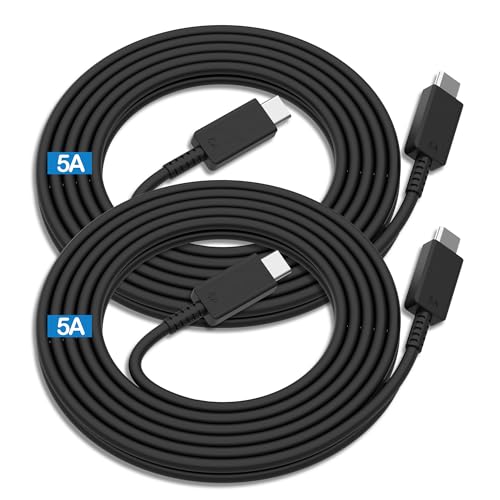
Compatibility List:This USB-C to USB-C Charger Cable supports 100W high-speed charging for Type-C smartphone, tablet or laptop for Samsung Galaxy S26/26+/26 Ultra/S25/25+/25 Ultra/25Edge/S24/24+/24 Ultra/S23/23+/23 Ultra/S22/22+/22 Ultra/S21/21+/21 Ultra/S20/20+/20 Ultra/S10/10e/10+/S9/9+S8/8+,Note 20/20 Ultra/Note 10/10+/9/8/7, for Galaxy Tab USB-C charging port series,for iPhone Duo/18 Pro/18 Pro Max/17/Air/17e/17Pro/17 Pro Max/16/16e/16 Pro/16 Plus/16 Pro Max/15/15 Pro/15 Plus/15 Pro Max,for MacBook Pro/Air,for iPad Pro/Air/mini USB-C charging port series,for Chromebook,for LG,for Moto,for Pixel.

【Wide Compatibility 】:Type C Charger for Samsung Galaxy S26 Ultra S26+ S26,S25 S24 S23 S23+ S23 Ultra,S22 S22+ S22 Ultra, A17 A16 A36 A15 A14 5G,A13 A33 A53 A54 A10e A15 A35 A55 A25 A11 A12 A20e A20 A20s A21 A21s A30 A30s A31 A32 A40 A41 A42 A50 A50s A51 A52 A70 A72 A80 A90/A71 5g/S20 FE/Galaxy S21+ 5G/S21 Ultra 5G/S20 FE 5g/S20 5G/S20 Plus 5G/ S8 S9 S10 Plus S10e/Note 9 10/Note 20 Ultra/Z Fold 6 5 4 3 2/Z Flip 6 5 4 3 2;Google Pixel 9 8 7 Pro 6 6 Pro 6a 5a 5/4XL/4/3XL/3/2XL.
Charge Smartly
- Avoid Overcharging: Unplug your device once it reaches 100% to prevent wear on the battery.
- Use Fast Charging Sparingly: Relying on fast charging all the time may heat up the battery. Use standard charging when possible.
Manage Screen Brightness
- Lower Brightness: Reduce the screen brightness or use adaptive brightness to extend battery life.
- Enable Night Mode: Utilizing dark mode can help save battery by using less power, especially on AMOLED screens.
Limit Background Apps
- Close Unused Apps: Ensure that apps running in the background are closed to prevent battery drain.
- Manage App Permissions: Disable unnecessary background activity for apps that deplete battery life.
Update Software Regularly
- Keep Your Device Updated: Install the latest software updates, as they often include performance enhancements and battery optimizations.
Maintain Ideal Temperature
- Keep Your Phone Cool: Avoid exposure to extreme temperatures. Ideal operating temperatures range from 32°F to 95°F (0°C to 35°C).
- Remove Cases During Charging: If your phone gets warm while charging, consider removing the case to help dissipate heat.
Optimize Battery Usage
- Access Battery Settings: Navigate to Settings > Battery and Device Care > Battery to explore battery usage statistics.
- Use Battery Saver Mode: Enable battery saver mode during low power to extend battery life.
Recalibrate When Needed
- Recalibrate Occasionally: If you notice inconsistencies in battery percentage, let the battery drain to 0%, then charge it back to 100% without interruptions.
Implementing these tips helps preserve your Galaxy S23 Ultra’s battery health, ensuring optimal performance and longevity.
Conclusion
Keeping an eye on your Galaxy S23 Ultra’s battery health is essential for a seamless experience. By regularly checking your battery metrics and making small adjustments to your usage habits, you can maximize performance and extend battery life.
Don’t forget to utilize the built-in settings or trusted apps for a deeper dive into your battery’s condition. With a proactive approach to battery management, you’ll enjoy your device without the frustration of unexpected shutdowns or rapid drain.
Stay informed and take action when needed to ensure your Galaxy S23 Ultra remains your reliable companion for years to come.
Frequently Asked Questions
How can I check the battery health of my Samsung Galaxy S23 Ultra?
You can check the battery health through your device’s settings. Go to Settings > Battery and Device Care > Diagnostics. Alternatively, you can use third-party apps like AccuBattery or GSam Battery Monitor for more detailed diagnostics.
What are the signs of poor battery health?
Signs of poor battery health include rapid battery drain, overheating, unexpected shutdowns, and extended charging times. If you notice these issues, it may be time to assess your battery’s condition.
What factors contribute to battery degradation?
Battery degradation occurs due to several factors, including the number of charge cycles, exposure to extreme temperatures, and general usage patterns. Over time, these elements can diminish a battery’s ability to hold a charge.
How can I optimize my Galaxy S23 Ultra’s battery performance?
To optimize battery performance, consider avoiding overcharging, managing screen brightness, limiting background apps, updating software regularly, and keeping the device within ideal temperature ranges.
When should I consider a battery replacement for my Galaxy S23 Ultra?
Consider a battery replacement if your device’s battery health is below 80%, or if you’re experiencing frequent shutdowns and severe performance issues despite following optimization tips. Regular diagnostics can aid in this decision.
What is the ideal battery capacity for Samsung Galaxy S23 Ultra?
An ideal battery capacity for the Samsung Galaxy S23 Ultra is around 80% or higher. This ensures optimal performance and longevity, allowing users to enjoy their device fully without interruptions.
Can I recalibrate my Galaxy S23 Ultra’s battery?
Yes, recalibrating your battery can help improve its accuracy and performance. This typically involves fully charging the battery, letting it drain completely, and then charging it back to 100% without interruptions.
What maintenance tips can help prolong battery life?
To prolong battery life, avoid overcharging, adjust screen brightness, close unused apps, keep your software updated, and maintain your device in optimal temperature conditions. Regular battery health checks can also assist in effective maintenance.
