

Key Takeaways
- Essential Tools Required: Gather necessary tools like precision screwdrivers, plastic pry tools, tweezers, a suction cup tool, and a compatible replacement battery before starting the battery replacement process.
- Step-by-Step Process: Follow a clear sequence: power down the device, remove the back cover, disconnect the old battery, install the new battery, and reassemble the device to ensure a successful replacement.
- Battery Maintenance Tips: Enhance battery longevity by charging between 20% and 80%, avoiding frequent full discharges, and keeping the device cool during use and charging.
- Troubleshooting Common Issues: If the new battery fails to charge or the device won’t turn on, check for connector obstructions, ensure proper battery seating, and test with a different charging cable.
- Regular Software Updates: Keep your device up to date with software updates to optimize battery management and performance.
- Safety Precautions: Use an anti-static wrist strap, safety glasses, and work on a soft surface to protect both yourself and the device during the battery replacement process.
Is your Samsung phone struggling to hold a charge? You’re not alone. Many people face this issue as their devices age, leading to frustration when you need your phone most.
Tools You Will Need
Changing a Samsung battery requires some specific tools for a smooth process. Here’s what you’ll need to get started.
Recommended Products

【Spare Battery Specs】EB-BA426ABY Replacement battery has a capacity of 5100mAh, the Voltage is 3.86V.

COMPATIBILITY: The battery model is EB-BR880ABY, it is only compatible with Samsung Galaxy Watch 4 (40 mm), SM-R860 SM-R865 series and Galaxy Watch 4 Classic (42mm) SM-R880 SM-R885, please carefully confirm the model of your smartwatch before purchase.

🔋 High-Capacity 6200mAh Battery for Galaxy S23 Plus Upgraded 6200mAh power delivers longer battery life than original (4700mAh). Enjoy all-day video streaming, gaming, or working without frequent recharging. Perfect for heavy users and travelers.
Essential Tools
- Screwdriver: Use a precision screwdriver set, ideally Phillips and flathead types, to remove screws securing the phone’s back cover.
- Plastic Pry Tools: These tools help you gently open the phone without damaging the casing.
- Tweezers: Use these for handling small components and battery connectors.
- Suction Cup Tool: A suction cup aids in lifting the screen or back cover more easily, reducing the risk of cracking.
- Replacement Battery: Ensure you obtain a compatible battery for your specific Samsung model.
Safety Gear
- Anti-static Wrist Strap: This keeps you safe from static build-up, protecting sensitive electronic components.
- Safety Glasses: Protect your eyes from small parts or debris during the disassembly process.
- Mat or Soft Surface: Work on a mat to prevent scratches on your phone and keep track of small parts.
Gathering these tools and safety gear ensures a secure and efficient battery replacement process.
Step-by-Step Guide
Changing your Samsung battery isn’t complicated when you follow the right steps. Here’s a detailed guide to help you through the process.
Powering Down Your Device
First, power off your device completely. Hold down the power button until the shutdown menu appears, then select “Power Off.” Waiting for your device to shut down ensures safety during the battery replacement.
Removing the Back Cover
Next, remove the back cover. Use a plastic pry tool to gently pry open the edge of the cover. Insert the tool into the seam and run it along the sides. Be careful to avoid damaging the cover or the internal components. Once loose, lift the back cover away from the device.
Disconnecting the Old Battery
Disconnect the old battery. Locate the battery connector, which is usually near the bottom of the battery. Use your tweezers to lift the connector gently away from the motherboard. This step ensures you can safely remove the old battery without any electrical interference.
Installing the New Battery
Afterward, install the new battery. Align the battery’s connector with the port on the motherboard. Gently press it down until it clicks into place. Ensure the battery fits snugly in its compartment.
Reassembling Your Device
Finally, reassemble your device. Place the back cover onto the phone, aligning it with the edges. Press firmly until you hear it click into place. Turn your device back on by holding the power button until the Samsung logo appears. Check the battery indicator to ensure it’s charging properly.
Following these steps enables you to effectively change your Samsung battery while minimizing risks.
Tips for Maintaining Battery Health
Maintaining your Samsung battery in optimal condition ensures longevity and reliable performance. Follow these tips to keep your battery healthy.
Charging Habits
- Charge your device between 20% and 80% to avoid stress on the battery. This range helps prolong battery lifespan.
- Use the original charger to ensure proper voltage and current. Non-compatible chargers may damage your battery.
- Avoid frequent full discharges, as they can shorten battery life. Charge it regularly to keep levels consistent.
Avoiding Overheating
- Keep your device out of direct sunlight and hot environments. Heat accelerates battery wear and can lead to malfunctions.
- Remove any cases or coverage while charging. This promotes airflow and prevents overheating during the charging process.
- Close unused apps that run in the background. High processor usage generates heat that can adversely affect battery health.
Regular Software Updates
- Install software updates promptly, as these often include optimizations for battery management. Staying updated can improve overall performance.
- Manage app permissions and background activity settings. Limiting unnecessary background activity can help conserve battery life.
- Schedule regular checks for power-hungry apps. Identify and restrict apps that drain the battery to extend usage time.
By following these tips, you enhance the health of your Samsung battery and improve its lifespan.
Common Issues and Troubleshooting
You might encounter issues after changing your Samsung battery. Troubleshooting these problems can help you get your device back to normal performance.
Recommended Products

Compatible Model: It is compatible with Samsung Galaxy Note 10+ Plus Only, Model: SM-N975, EB-BN972ABU. Not for Note 10. Please double identify and check your phone model matches before purchasing the battery.
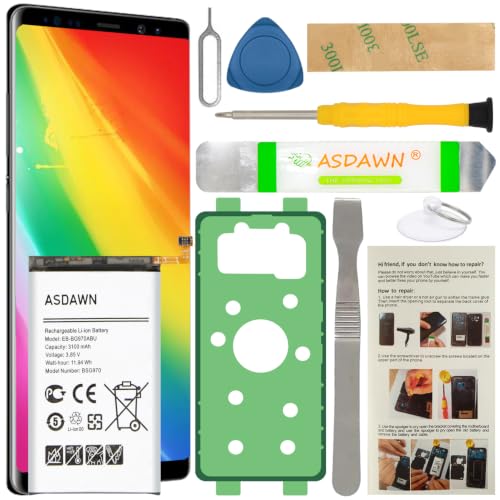
[FOR COMPATIBLE MODEL] -- Contains the instruction to guide you step by step installation, and we have professional engineers to answer all your questions about the repair process. Please verify your old battery part number and model before purchasing this replacement battery. Compatible with Samsung Galaxy S10e SM-G970, EB-BG970ABU, SM-G970F/DS, SM-G970U, SM-G970W ★NOT FOR Samsung Galaxy S10/ S10 Plus/ Note 10/ Note 10 Plus★
Battery Not Charging Properly
If your battery isn’t charging properly, check these points:
- Connector Obstructions: Inspect the charging port for dust or debris. A soft brush or compressed air can help clean it.
- Charging Cable: Test a different charging cable to rule out damage. Ensure the cable fits snugly and connects securely.
- Charger Compatibility: Use the original charger or a manufacturer-approved alternative. Non-compatible chargers can lead to insufficient power.
- Battery Seating: Make sure the new battery is correctly seated. Open the device to verify the connection between the battery and motherboard.
Device Not Powering On
If your device won’t turn on after a battery change, try these troubleshooting tips:
- Connection Check: Just like before, check the battery connector to ensure it’s properly connected.
- Power Button: Hold the power button for 10-15 seconds. Sometimes, a simple reset can help the device respond.
- Charge the Device: Plug it into a charger and wait at least 10 minutes. A deeply discharged battery may need extra time to accumulate power.
- Screen Issues: If the screen remains black, the display might be malfunctioning. Connect to an external monitor, if possible, to test output.
These steps can assist you in diagnosing and resolving common issues that may arise after changing your Samsung battery.
Conclusion
Changing your Samsung battery can feel like a daunting task but with the right tools and steps it’s totally manageable. You’ve empowered yourself to tackle this common issue and bring new life to your device.
Remember to keep your workspace safe and organized while following the guide closely. Once you’ve replaced the battery don’t forget to take care of it by following the maintenance tips provided.
With a little effort you can enjoy improved battery performance and extend the lifespan of your device. Happy tinkering and enjoy your revitalized Samsung!
Frequently Asked Questions
What tools do I need to change a Samsung battery?
To change a Samsung battery, you’ll need a precision screwdriver set, plastic pry tools, tweezers, a suction cup tool, and a compatible replacement battery. It’s also wise to use safety gear like an anti-static wrist strap and safety glasses.
How do I safely remove the back cover of my Samsung phone?
First, power down your device completely. Use a plastic pry tool to gently lift the back cover without damaging it or the internal components. Work slowly and carefully around the edges until the cover is removed.
What’s the correct way to disconnect the old battery?
To disconnect the old battery, gently lift the battery connector away from the motherboard using tweezers. Be careful not to apply too much force, as this could damage the connector or other components.
How do I install the new battery?
Align the new battery’s connector with the motherboard port. Once aligned, press the connector into place firmly but gently to ensure a secure connection before reassembling the device.
What steps should I follow after replacing the battery?
After replacing the battery, place the back cover back on the device and ensure it clicks securely into place. Then, power the device back on and check the battery indicator to confirm it’s functioning correctly.
How can I maintain my Samsung battery’s health?
To maintain battery health, charge your device between 20% and 80%, use the original charger, and avoid full discharges. Keeping the device cool and regularly updating software also helps improve battery longevity.
What if my device won’t charge after a battery replacement?
If your device isn’t charging, check for connector obstructions, try different charging cables, and ensure the new battery is seated correctly. Also, make sure you’re using a compatible charger.
What should I do if my phone doesn’t power on after changing the battery?
If your phone doesn’t power on, check the battery connection, perform a reset by holding the power button, and charge the device for an extended period. Also, inspect the display for any potential issues.
