

Key Takeaways
- Battery Overview: The Samsung S10 features a 3,400 mAh lithium-ion battery, which may show diminished performance after 18-24 months due to regular use and charging habits.
- Tools Required: Essential tools for battery replacement include a precision screwdriver set, plastic pry tools, tweezers, a suction cup tool, and a compatible replacement battery.
- Step-by-Step Process: The replacement process involves powering off the device, removing the back cover, disconnecting the old battery, installing the new one, and reassembling the device securely.
- Safety Precautions: Always power off the phone, work in a static-free environment, handle components with care, and dispose of old batteries responsibly to ensure safety during the replacement process.
- Battery Life Tips: Enhance battery longevity by adjusting screen brightness, limiting background apps, enabling power-saving mode, managing location services, and keeping the software regularly updated.
Is your Samsung S10 struggling to keep up with your daily demands? If your phone’s battery life is fading faster than you’d like, you’re not alone. Many users face this issue as their devices age, leading to frustration and the constant search for a charger.
Overview Of Samsung S10 Battery
The Samsung S10 battery features a lithium-ion design, offering a capacity of 3,400 mAh. This capacity supports reliable daily usage, allowing you to enjoy multimedia, social media, and various apps without interruptions.
Battery longevity can diminish over time, especially with heavier use. Common indicators of a deteriorating battery include faster drainage and extended charging times. Users often experience these issues after approximately 18-24 months of regular use.
You can check battery health through the device settings. Go to Settings > Device Care > Battery. This section provides insights into your battery’s performance, including usage statistics and power modes.
When contemplating a battery change, consider these factors:
- Symptoms of Battery Issues: Note if your phone switches off unexpectedly or if apps crash due to low power.
- Charging Practices: Frequent overnight charging or partial charges can contribute to battery wear.
- Environmental Impact: Heat or cold exposure affects battery performance. Keep your S10 in a temperature range of 32°F to 95°F (0°C to 35°C).
With these insights, you can make informed decisions about maintaining or replacing your Samsung S10 battery efficiently.
Tools Required For Battery Change
Changing the battery on your Samsung S10 requires some specific tools. Gathering these tools beforehand ensures a smoother process.
Recommended Products

【Compatible Model】It is compatible with Samsung Galaxy S10 SM-G973, EB-BG973ABU, EB-BG973ABE, G973A, G973T, G973V, G973P, G973R4. Not for S10 Plus. Please double identify check your phone model matches before purchasing the battery.

Compatible Model: Replacement Battery Galaxy S10 plus. Compatible with Samsung Galaxy S10 Plus Carriers, include Galaxy S10 Plus EB-BG975ABU G975V( Verizon ),G975A( AT&T ),G975T( T-Mobile ),G975P( Sprint ), G975R4(US Cellular) NOT for Other Samsung Model. Please Confirm Your Phone Model From Phone Back Cover to Avoid Wrong Order

【Compatible Model】:This Battery Model is EB-BG973ABU,Compatible with Samsung Galaxy S10, SM-G973F, SM-G973U, SM-G973W, SM-G973U1, SM-G9730, SM-G973N, SM-G973X, SCV41, SM-G973C series. NOT work for Galaxy S10 Plus.Please confirm your phone model and your old battery part number before placing an order.
Recommended Tools
- Screwdriver Set: Use a precision screwdriver set, ideally with a Torx T3 and T5 screwdriver, to remove the screws safely.
- Plastic Pry Tools: Use these tools to gently open the phone without damaging the casing.
- Tweezers: Fine-tipped tweezers help in handling small components and screws.
- Suction Cup Tool: This aids in lifting the screen carefully from the body of the phone.
- Replacement Battery: Ensure you have a compatible 3,400 mAh lithium-ion battery designed for the Samsung S10.
Safety Precautions
- Power Off Your Device: Always turn off your Samsung S10 before beginning the battery replacement process.
- Work in a Static-Free Environment: Avoid static electricity by working on a non-carpeted surface and grounding yourself.
- Handle Components Carefully: Use plastic tools to avoid damage to internal parts. Avoid using metal objects that may cause short circuits.
- Dispose of Old Battery Properly: Always recycle your old battery according to local regulations to minimize environmental impact.
These tools and precautions help ensure a successful and safe battery replacement for your Samsung S10.
Step-By-Step Guide To Change Battery On Samsung S10
Changing the battery on your Samsung S10 enhances device performance. Follow these steps for a smooth process.
Recommended Products
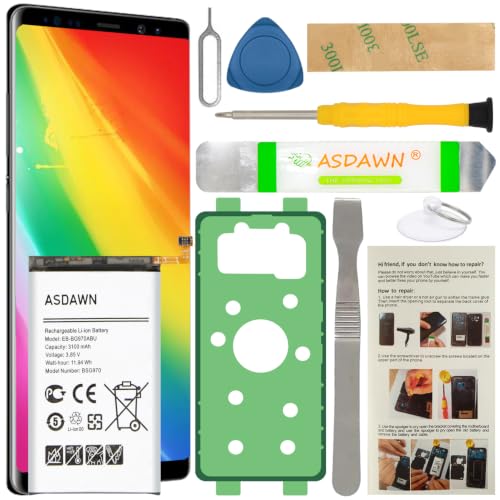
[FOR COMPATIBLE MODEL] -- Contains the instruction to guide you step by step installation, and we have professional engineers to answer all your questions about the repair process. Please verify your old battery part number and model before purchasing this replacement battery. Compatible with Samsung Galaxy S10e SM-G970, EB-BG970ABU, SM-G970F/DS, SM-G970U, SM-G970W ★NOT FOR Samsung Galaxy S10/ S10 Plus/ Note 10/ Note 10 Plus★

HIGH CAPACITY --- This replacement battery for Samsung Galaxy S10 Plus is 4500mAh high capacity, with more power than original battery.You can use your phone for a longer time!

[FOR COMPATIBLE MODEL] -- Contains the instruction to guide you step by step installation, and we have professional engineers to answer all your questions about the repair process. Please verify your old battery part number and model before purchasing this replacement battery. Compatible with Samsung Galaxy S10+ SM-G975, EB-BG975ABU, EB-BG975ABE, G975A, G975T, G975V, G975P, G975R4 ★NOT FOR Samsung Galaxy S10e/ S10/ Note 10/ Note 10 Plus★
Preparing Your Device
- Power off your Samsung S10 to prevent any electrical damage.
- Gather necessary tools: precision screwdriver set, plastic pry tools, tweezers, suction cup tool, and a compatible replacement battery.
- Work on a static-free surface to avoid damaging internal components.
Removing The Back Cover
- Use the suction cup tool to lift the edge of the back cover gently.
- Insert a plastic pry tool into the gap created and carefully slide it around the edges.
- Lift the back cover slowly to avoid breaking it. Set it aside in a safe spot.
Disconnecting The Old Battery
- Locate the battery connector on the motherboard.
- Use a precision screwdriver to remove any screws securing the connector cover.
- Gently lift the connector using tweezers. Be careful not to damage surrounding components.
- Remove the old battery by lifting it out of its compartment.
Installing The New Battery
- Place the new battery into the compartment securely.
- Connect the battery connector to the motherboard. Ensure it clicks into place.
- Replace the connector cover by securing it with screws.
Reassembling The Device
- Align the back cover with the device carefully.
- Press the cover down firmly until it snaps into place.
- Power on your Samsung S10 to ensure everything functions correctly.
Following this guide helps you replace your Samsung S10 battery efficiently and safely.
Tips For Extending Battery Life
- Adjust Screen Brightness
Lower screen brightness to conserve battery. You can set brightness to automatic adjustments in settings to optimize based on surroundings.
- Limit Background Apps
Close apps running in the background. Forcing apps to stop prevents them from draining battery while not in use.
- Enable Power Saving Mode
Turn on power saving mode in settings. This feature limits background processes and reduces device power consumption effectively.
- Manage Location Services
Disable GPS or location services when not needed. Apps using location data can drain the battery significantly.
- Use Wi-Fi When Available
Connect to Wi-Fi instead of using mobile data. Wi-Fi generally consumes less power than mobile networks during usage.
- Reduce Push Notifications
Limit notifications from apps. Frequent alerts wake your device, consuming battery with constant updates.
- Turn Off Unused Connectivity Features
Disable Bluetooth, NFC, and mobile hotspots if not in use. These features can drain battery life even when idle.
- Update Software Regularly
Keep your software updated. Updates often include optimizations that can enhance battery performance.
- Avoid Live Wallpapers
Use static wallpapers instead of live ones. Live wallpapers consume more battery due to their constant animations.
- Remove Unnecessary Widgets
Limit the use of home screen widgets. Widgets can refresh frequently, leading to increased battery usage.
By implementing these tips, you can significantly extend the battery life of your Samsung S10 and enhance your overall user experience.
Recommended Products

HIGH CAPACITY --- This replacement battery for Samsung Galaxy S10 is 4500mAh high capacity, with more power than original battery.You can use your phone for a longer time!

HIGH CAPACITY --- This replacement battery for Samsung Galaxy S10E is 3900mAh high capacity, with more power than original battery.You can use your phone for a longer time!

COMPATIBILITY: This battery only fits for Samsung Galaxy S10, SM-G973F, SM-G973U, SM-G973W, SM-G973U1, SM-G9730, SM-G973N, SM-G973X, SCV41, SM-G973C. Please carefully confirm your phone model before purchase.
Conclusion
Changing the battery on your Samsung S10 can breathe new life into your device. By following the steps outlined and taking the necessary precautions, you can tackle this task with confidence. Remember to handle all components carefully and dispose of the old battery responsibly.
Once you’ve replaced the battery, you’ll likely notice a significant improvement in performance. Plus with the tips for extending battery life, you can enjoy your phone without constantly worrying about recharging. Embrace the fresh start and make the most of your Samsung S10 once again. Happy tinkering!
Frequently Asked Questions
What causes battery life deterioration in Samsung S10 devices?
The battery life deterioration in Samsung S10 devices is primarily due to regular usage over time. Heavy use, charging practices, and environmental factors can lead to faster battery drainage, especially noticeable after 18-24 months.
How can I check my Samsung S10’s battery health?
You can check your Samsung S10’s battery health by navigating to the device settings. Look for the “Battery” section, where you can find information on battery usage and any recommendations for improvements.
What tools do I need to change the battery on a Samsung S10?
To change a Samsung S10 battery, you’ll need a precision screwdriver set, plastic pry tools, tweezers, a suction cup tool, and a compatible replacement battery. Having the right tools is essential for a successful battery replacement.
What precautions should I take before changing my Samsung S10 battery?
Before changing your Samsung S10 battery, power off the device, work in a static-free environment, handle components carefully, and properly dispose of the old battery. Following these precautions ensures safety during the replacement process.
Can I extend the battery life of my Samsung S10?
Yes, you can extend the battery life of your Samsung S10 by adjusting screen brightness, limiting background apps, enabling power-saving mode, managing location services, and updating software regularly. These practices can enhance battery performance significantly.
