

Ever found yourself locked out of your car because of a dead key fob battery? Frustrating, right? Don’t worry, you’re not alone. It’s a common hiccup many Ford owners face. But what if you could easily solve this issue yourself in just a few simple steps? Imagine the convenience of never getting stranded again due to a simple battery glitch in your key fob. In this article, you’ll discover the quick and easy way to change the battery in your Ford key fob for the 2020 model. Stay tuned to learn how you can regain control and avoid those unexpected lockouts.
Overview of Ford Key Fob Battery
When it comes to your Ford key fob for the 2020 model, it’s essential to have a working battery to avoid getting locked out of your car unexpectedly. Familiarizing yourself with the battery replacement process can save you time and hassle down the road.
Signs of a Low Battery
If you notice diminished range when using your key fob, it might be a sign that the battery is running low. Regularly check the functionality of your key fob to catch this early.
Battery Type
The Ford 2020 key fob typically uses a small coin-cell battery, such as a CR2032. It’s a common type that’s easily available at hardware stores or online retailers.
Replacement Steps
To change the battery, you’ll usually need to locate the battery compartment on your key fob. This is often done by sliding or prying open a cover on the back.
Important Tip
Be sure to observe the correct polarity when replacing the battery. Inserting it incorrectly can prevent the key fob from working properly.
Testing the New Battery
After installing the new battery, test the key fob to ensure it’s functioning correctly. If everything is in order, you’re all set for convenient access to your Ford vehicle.
Key Takeaways:
| Important Information |
|---|
| Signs of Low Battery: Diminished range |
| Battery Type: CR2032 or similar coin-cell battery |
| Replacement Steps: Locate battery compartment, observe correct polarity |
| Testing: Ensure correct functionality post-replacement |
Tools Required for Battery Replacement
When changing the battery in your Ford key fob, make sure you have the following tools ready:
- Small flat-head screwdriver: Used to carefully pry open the key fob.
- Replacement CR2032 coin-cell battery: Ensure it’s fresh to guarantee optimal performance.
- Tweezers or gloves: Helps with handling the small battery and avoiding contact with skin oils.
- Electrical contact cleaner: Useful for cleaning the key fob contacts if needed.
By having these tools on hand, you’ll be well-equipped to complete the battery replacement process smoothly.
Recommended Products

COMPATIBLE WITH AIRTAG & KEY FOBS: Works with Apple AirTag, all major car key fobs (Toyota, Honda, BMW, Ford, Chevrolet, Lexus), fitness trackers, glucose monitors, tire pressure sensors, and any CR2032 / 3V lithium coin battery device.

IN THE BOX: 10-pack of CR2032 3 volt lithium coin cell batteries; replacement for BR2032, DL2032, and ECR2032
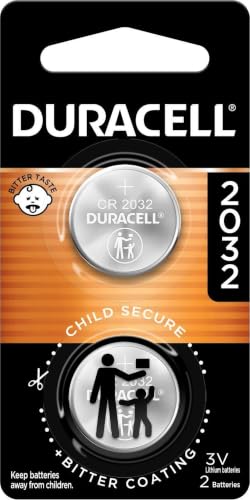
COMPATIBLE WITH AIRTAG & KEY FOBS: Works with Apple AirTag, all major car key fobs (Toyota, Honda, BMW, Ford, Chevrolet, Lexus), fitness trackers, glucose monitors, tire pressure sensors, and any CR2032 / 3V lithium coin battery device.
Identifying the Battery Type
When it comes to changing the battery in your Ford key fob for the 2020 model, the first step is identifying the correct battery type. The Ford key fob for 2020 typically uses a CR2032 coin-cell battery.
Here are some key tips to help you correctly identify the battery type:
- Check the owner’s manual: The owner’s manual usually contains information about the type of battery your key fob uses.
- Inspect the current battery: Take a look at the current battery in your key fob. The CR2032 battery is a common type used in many Ford key fobs.
- Verify with a professional: If you’re unsure about the battery type, consider consulting a professional or reaching out to a Ford dealership for assistance.
Having the right battery type is crucial for the successful replacement of your Ford key fob battery. Remember, using the correct battery ensures optimal performance for your key fob.
Steps to Open the Key Fob
When it comes to changing the battery in your 2020 Ford key fob, knowing how to open it is the initial step. Here’s how you can easily access and replace the battery:
- Locate the Notch: Look for a small indentation on the side of the key fob.
- Use a Tool: Insert a flathead screwdriver or a coin into the notch to gently pry open the key fob.
- Separate the Halves: Once the key fob is partially open, carefully separate the two halves to reveal the battery compartment.
- Note the Orientation: Before removing the old battery, take note of its positive (+) and negative (-) orientations.
- Replace the Battery: Carefully remove the old battery and insert a new CR2032 coin-cell battery in the same orientation.
- Close the Key Fob: Align the two halves of the key fob and firmly press them together until you hear a click, ensuring it’s securely closed.
By following these simple steps, you’re on your way to successfully changing the battery in your Ford key fob.
Removing the Old Battery
When it’s time to replace the battery in your 2020 Ford key fob, the first step is to remove the old battery carefully.
- Locate the notch on your key fob. This is usually found on the side of the fob.
- Use a small tool, like a flathead screwdriver or a coin, to gently pry open the key fob.
- Once you’ve created a small opening, carefully work your way around the fob to separate the two halves.
Remember, the orientation of the old battery is essential for installing the new one correctly.
Inserting the New Battery
When it’s time to insert the new battery into your 2020 Ford key fob, follow these steps:
- Step 1: Take the new CR2032 coin-cell battery out of its packaging.
- Step 2: Place the new battery into the compartment with the positive side facing up.
- Step 3: Gently press the new battery into place until it’s secure.
- Step 4: Once the battery is in, reassemble the key fob by joining the two halves and snapping them back together.
Remember, the proper orientation of the new battery is crucial for your key fob to function correctly.
Closing the Key Fob
Once you have securely inserted the CR2032 coin-cell battery into your 2020 Ford key fob with the positive side up, it’s time to close the key fob.
Follow these steps to complete the process smoothly:
- Align the two halves of the key fob carefully.
- Gently press the halves together to ensure they are properly connected.
- Listen for a distinct ‘click’ sound that indicates the key fob is securely closed.
- Check that the key fob is fully sealed to prevent any dust or moisture from entering.
Your key fob is now ready for use. Remember the importance of keeping the battery in the correct orientation for optimal functioning.
Don’t rush this step and make sure the key fob is closed properly before using it.
Testing the Key Fob
Once you’ve replaced the CR2032 coin-cell battery in your 2020 Ford key fob, it’s important to test it to ensure everything is working correctly. Here’s what you should do:
- Press any button on the key fob to check if it responds by locking or unlocking the car.
- Check the range by trying the key fob from different distances to the vehicle.
- If the key fob doesn’t work, double-check the battery orientation and reinsert it if needed.
- Consider trying a spare key fob, if available, to confirm if the issue lies with the key or the vehicle.
In case the key fob still doesn’t function properly after these steps, it might be necessary to revisit the replacement process to ensure the battery is correctly installed. Remember, a properly functioning key fob is essential for the convenience and security of your vehicle.
Recommended Products

Premium Batteries are Compatible with Ford: F-150/F-250 (1999-2025), Escape (2001-2025), Explorer (1999-2025), Focus (2000-2018), Taurus (1999-2019), Expedition (1999-2025), Edge (2007-2015), E-Series (1999-2024), SuperDuty (1999-2025), Fusion (2006-2016), Mustang (1999-2014), Transit (2015-2025), Ranger (1999-2011, 2019-2025), Fiesta (2011-2019), EcoSport (2018-2024), Maverick (2022-2024), Crown Vic (1998-2011), Transit Connect (2010-2023), Flex (2009-2019), C-Max (2013-2018), Bronco (21-22), Windstar (1999-2003), 500 (05-07), Fusion Hybrid (2010-2016), Freestyle (05-07), Escort (1999-2003), Excursion (2000-2005), Taurus X (08-09), Thunderbird (2002-2005), GT (05-06)

**Please confirm compatibility using the fitment guide located in the product images** Not compatible with 2015-2024 trims that have push to start (you push a button to turn on the car rather than insert a key)

Ford Key Fob Battery Replacement CR2032 – This ford key fob battery replacement is compatible with F150 key fob battery models, ford explorer key fob battery including 2016 ford explorer key fob battery, and ford escape key battery systems. Designed for Ford remote key fob devices using CR2032 3V coin cell.
Conclusion
That’s it! By following these simple steps, you can easily replace the battery in your 2020 Ford key fob. Remember to test the key fob after changing the battery to ensure it’s working properly. Keeping your key fob in top condition is essential for the smooth operation and security of your vehicle. If you encounter any issues, don’t hesitate to troubleshoot by double-checking the battery orientation or using a spare key fob. With a well-maintained key fob, you can enjoy hassle-free access to your Ford vehicle.
Frequently Asked Questions
How often should I replace the battery in my Ford key fob?
It is recommended to replace the CR2032 battery in your Ford key fob every 1-2 years to ensure optimal performance.
How do I properly insert the new battery into the key fob?
Make sure to insert the CR2032 battery with the positive side facing upwards, following the correct orientation indicated in the fob.
Why is sealing the key fob securely after battery replacement important?
Sealing the key fob securely prevents dust, moisture, and debris from entering, which can damage the internal components.
How can I test if the key fob is working after replacing the battery?
Test the key fob by checking the responsiveness of the buttons, verifying its range, and troubleshooting if necessary.
What should I do if the key fob is not working after battery replacement?
Ensure the battery is correctly oriented, try using a spare key fob, or consult a professional for further assistance.
