

Ever found yourself locked out of your Hyundai because the key fob battery decided to call it quits at the worst possible moment? Frustrating, right? Well, worry no more! In this article, you’ll discover the simple steps to change the battery in your Hyundai key fob, saving you time and hassle.
Imagine being able to replace the battery in your Hyundai key fob quickly and effortlessly, without the need for a trip to the dealership or a costly repair. With just a few minutes of your time, you’ll be back in control of your car access, all thanks to this easy-to-follow guide.
Step 1: Gather the Necessary Tools
When you’re ready to tackle changing the battery in your Hyundai key fob, it’s essential to have the right tools at your disposal. Here’s what you’ll need:
- New battery: Ensure you have a compatible battery for your specific Hyundai key fob model. Refer to your owner’s manual for the correct type.
- Small flat-head screwdriver or a coin: Depending on the key fob model, you’ll need a tool to open the case. A small flat-head screwdriver or a coin can usually do the trick.
- Clean cloth: Having a clean cloth handy can help you keep your key fob free of dirt or any residue when opening it.
- Work area with good lighting: Find a well-lit, comfortable space to work on your key fob, making it easier to see and handle the small components.
- Patience and a steady hand: Changing the battery may require some delicate maneuvers, so stay calm and take your time to avoid any mishaps.
Remember, having these tools ready before you start will ensure a smooth battery replacement process for your Hyundai key fob.
Recommended Products

[ Original OEM Battery as Provided by Manufacturer ] Please refer to the fitment guide in the product images to check for compatibility.

KEY FOB BATTERY INSTALL - This kit includes [qty 2] CR2032 coin batteries for effortless installation for Hyundai key fobs

**Please confirm compatibility using the compatibilty guide located in the product images**
Step 2: Locate the Battery Compartment
In order to change the battery in your Hyundai key fob, it’s important to first locate the battery compartment. Here’s how you can easily find it:
- Look for a Small Notch: Examine your key fob closely for a small indentation or notch.
- Typical Placement: The battery compartment is usually located on the back of the key fob.
- Slide Open: Using your fingernail or the small flat-head screwdriver, gently slide open the compartment.
With these simple steps, you’ll be able to access the battery compartment of your Hyundai key fob efficiently.
Step 3: Remove the Old Battery
After accessing the battery compartment, it’s time to remove the old battery from your Hyundai key fob.
Here’s how you can do it:
- Look at the placement of the battery in the compartment.
- Identify the location of the clips holding the battery in place.
- Gently use a small tool to lift the old battery out of its slot.
It’s crucial to handle the old battery with care to avoid any damage to the key fob or yourself.
In the next step, we’ll guide you through inserting the new battery into your Hyundai key fob.
Step 4: Insert the New Battery
Now that you’ve successfully removed the old battery from your Hyundai key fob, it’s time to insert the new one. Follow these simple steps to complete the process smoothly:
- Check the Battery Type: Ensure you have the correct type of battery recommended for your Hyundai key fob. Double-check the battery size and voltage to avoid any issues later on.
- Position the New Battery: Place the new battery into the slot inside the key fob with the positive (+) side facing upward. Make sure it fits snugly into the designated space.
- Secure the Battery: Once the new battery is in place, gently press down to secure it. You should feel a slight click or resistance, indicating that the battery is properly inserted.
- Reassemble the Key Fob: Align the key fob cover with the base and carefully snap the two parts together. Ensure that all clips are securely fastened to prevent any parts from coming loose.
| Battery Type | CR2032 |
|---|---|
| Voltage | 3 volts |
Step 5: Test the Key Fob
After replacing the CR2032 battery in your Hyundai key fob, it’s essential to test if it’s functioning correctly. Here’s how:
- Press any button on the key fob to see if the LED light flashes.
- Ensure the buttons are responsive when pressed.
- Test the key fob’s range by unlocking and locking your car from a distance.
Remember, a properly working key fob is crucial for seamless access to your vehicle.
Recommended Products
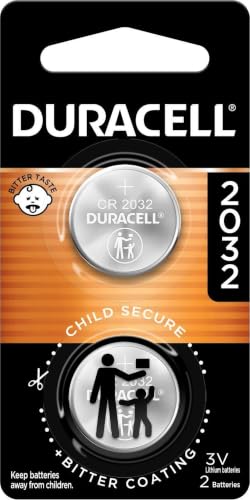
COMPATIBLE WITH AIRTAG & KEY FOBS: Works with Apple AirTag, all major car key fobs (Toyota, Honda, BMW, Ford, Chevrolet, Lexus), fitness trackers, glucose monitors, tire pressure sensors, and any CR2032 / 3V lithium coin battery device.

SHI Premium Batteries Replacement compatible with 2001-2022 Hyundai smart key fobs, including: ✔ Elantra ✔ Sonata ✔ Tucson ✔ Santa Fe ✔ Accent ✔ Kona ✔ Palisade ✔ Elite Batteries compatible with Veloster ✔ Venue ✔ Ioniq ✔ Azera ✔ Nexo. May be compatible with some 2023-2026 models — check your owner's manual.

Avoid expensive dealer service charges and easily replace your key fob battery yourself
Conclusion
Now that you’ve followed the simple steps outlined in this guide, your Hyundai key fob should be ready to go with its new CR2032 battery. Remember, a properly working key fob is key to hassle-free access to your vehicle. Test it out by checking for LED light flashes, button responsiveness, and remote locking/unlocking capabilities. Enjoy the convenience of seamless entry to your car with a fully functional key fob.
Frequently Asked Questions
How do I insert a new battery into my Hyundai key fob?
To insert a new battery into your Hyundai key fob, follow these steps:
- Use a small flathead screwdriver to open the key fob.
- Take out the old battery and replace it with a CR2032 battery with 3 volts.
- Close the key fob carefully.
Why is it important to use a CR2032 battery with 3 volts?
Using a CR2032 battery with 3 volts is crucial because it ensures proper functioning of the key fob. Lower voltage batteries may not provide sufficient power, leading to issues with key fob performance.
How can I test if the key fob is working correctly after replacing the battery?
You can test the key fob after replacing the battery by:
- Checking for LED light flashes when pressing the buttons.
- Ensuring the buttons respond effectively.
- Testing the range functionality by locking and unlocking the car remotely.
