

Ever found yourself locked out of your car because of a dead key fob battery? Frustrating, right? But fret not, as we’ve got your back! In this article, we’ll walk you through the simple steps to change the batteries in your Ford key fob.
Imagine being in a rush, only to realize your key fob isn’t working. Sound familiar? Don’t worry; we’ve all been there. With our easy-to-follow guide, you’ll be swapping out those batteries like a pro in no time. Say goodbye to those last-minute panics!
By learning how to replace the batteries in your Ford key fob, you’ll save time, money, and unnecessary stress. Stay tuned as we unravel the secrets to keeping your key fob powered up and your car accessible whenever you need it.
Step 1: Gather the Necessary Supplies
When it comes to changing the batteries in your Ford key fob, the first step is to gather all the essential supplies. Having everything ready beforehand will make the process smoother and quicker for you. Here’s what you’ll need:
- New batteries: Make sure you have the correct type of batteries for your Ford key fob. Check the model number or consult your vehicle manual to ensure you purchase the right ones.
- Small screwdriver: You’ll likely need a small screwdriver to open the key fob casing. A Phillips or flat-head screwdriver usually does the trick.
- Replacement key fob case (optional): If your key fob case is damaged or worn out, you may want to consider replacing it while changing the batteries. This step is not necessary but can be a good opportunity to give your key fob a fresh look.
- Clean cloth: It’s always a good idea to have a clean cloth handy to wipe down the key fob or remove any dirt or dust that may have accumulated.
- Work area: Find a well-lit and stable surface to work on. Make sure you have enough space to lay out the key fob and not lose any small screws during the process.
Now that you have all your supplies ready, you’re one step closer to successfully changing the batteries in your Ford key fob.
Step 2: Locate the Battery Compartment
When changing the batteries in your Ford key fob, you need to find the battery compartment.
- Look for a small slot or button on the back or side of your key fob.
- It may require sliding a cover open or using a screwdriver to access the batteries.
- Incorrect removal can damage the key fob.
- Caution is necessary to avoid any harm to the key fob components.
- Finding the precise spot ensures a smooth battery replacement process.
Remember, handling the key fob gently while locating the battery compartment is crucial for a successful battery replacement experience.
Step 3: Remove the Old Batteries
It’s time to replace the old batteries in your Ford key fob. Here’s how you can do it:
- Carefully open the battery compartment using a small screwdriver.
- Gently remove the old batteries and discard them properly.
- Avoid touching any other components inside the key fob to prevent damage.
- Take note of how the old batteries were placed for reference when inserting the new ones.
Remember, handling the key fob delicately is key to a successful battery replacement.
Step 4: Insert the New Batteries
When it’s time to insert new batteries into your Ford key fob, ensure you have the correct replacements ready.
Here are a few crucial tips to follow for a seamless battery replacement process:
- Positioning: Make sure the new batteries are placed with the correct orientation, matching the diagram in the battery compartment.
- Alignment: Properly align the batteries and gently slide them into place, ensuring they fit snugly.
- Cover: Once the new batteries are in place, securely close the battery compartment cover.
- Testing: Test the key fob functionality by pressing the buttons to confirm that the new batteries are working correctly.
- Reassembly: Carefully put the key fob back together, making sure all components are properly aligned before snapping it shut.
- Backup Plan: If the key fob still doesn’t work after battery replacement, you may need to check the battery contacts for dirt or corrosion and clean them if necessary.
Remember, a well-maintained key fob ensures smooth operation and convenience, so handle it gently throughout the battery replacement process.
Recommended Products
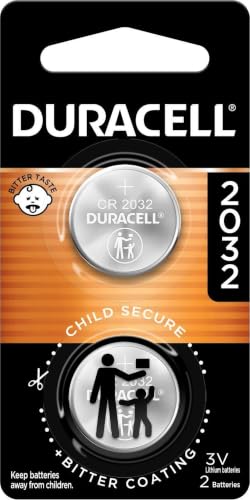
COMPATIBLE WITH AIRTAG & KEY FOBS: Works with Apple AirTag, all major car key fobs (Toyota, Honda, BMW, Ford, Chevrolet, Lexus), fitness trackers, glucose monitors, tire pressure sensors, and any CR2032 / 3V lithium coin battery device.

COMPATIBLE WITH AIRTAG & KEY FOBS: Works with Apple AirTag, all major car key fobs (Toyota, Honda, BMW, Ford, Chevrolet, Lexus), fitness trackers, glucose monitors, tire pressure sensors, and any CR2032 / 3V lithium coin battery device.

COMPATIBLE WITH AIRTAG & KEY FOBS: Works with Apple AirTag, all major car key fobs (Toyota, Honda, BMW, Ford, Chevrolet, Lexus), fitness trackers, glucose monitors, tire pressure sensors, and any CR2032 / 3V lithium coin battery device.
Step 5: Test the Key Fob
Testing the key fob after replacing the batteries is crucial to ensure it functions correctly. Here are the steps to test your Ford key fob:
- Press the Buttons: Test all the buttons on the key fob to check if they are working properly.
- Check the Range: Move farther away from your car and test the key fob to see if it still works at a distance.
- Check for Responsiveness: Ensure that the key fob responds promptly to your commands.
If the key fob doesn’t work after replacing the batteries and testing, you may need to re-open it to check if the batteries are correctly placed and the compartment is securely closed.
Below is a summary of common issues for a quick reference:
| Issue | Solution |
|---|---|
| Key fob doesn’t work | Check battery placement and compartment closure. Test fob again. |
| Limited range | Replace batteries and test the key fob at various distances. |
| Unresponsive buttons | Clean battery contacts and try testing the key fob again. |
Keep in mind that proper maintenance of your key fob is key to its longevity and functionality. Regularly cleaning the key fob and replacing the batteries when needed will ensure smooth operation.
Recommended Products

**Please confirm compatibility using the fitment guide located in the product images** Not compatible with 2015-2024 trims that have push to start (you push a button to turn on the car rather than insert a key)

**Please confirm compatibility using the fitment guide located in the product images** This battery will not fit your fob unless it matches one of the examples provided.
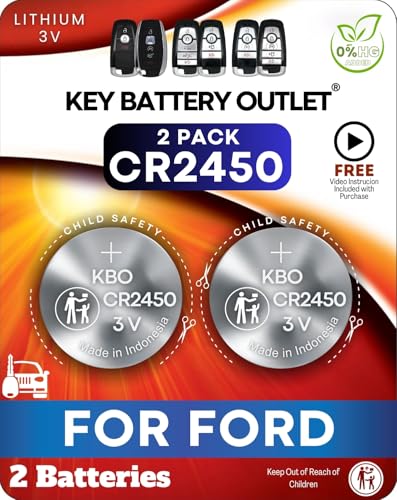
Complete Replacement Kit – Includes 2 CR2450 coin batteries for a quick, clean Ford and Lincoln key fob battery replacement at home.
Conclusion
That’s it! By following these simple steps and ensuring your Ford key fob is working properly after replacing the batteries, you can enjoy seamless functionality and peace of mind. Remember, regular maintenance is key to keeping your key fob in top condition. If you encounter any issues, just double-check the battery placement and compartment closure. With these tips in mind, you’ll be all set to keep your Ford key fob in great shape for years to come.
Frequently Asked Questions
Why is it important to test the Ford key fob after a battery replacement?
Testing the Ford key fob after a battery replacement is crucial to ensure it functions correctly. It helps verify that the new battery is properly installed, and the key fob responds to signals.
What steps should I follow to test my Ford key fob after a battery replacement?
To test your Ford key fob, check the responsiveness of the buttons by pressing them and verify the range by using it from various distances. Ensure the key fob functions as expected in different scenarios.
What should I do if my Ford key fob still doesn’t work after a battery replacement?
If the Ford key fob continues to malfunction after a battery replacement, recheck the battery placement to ensure it is correctly positioned. Also, inspect the compartment closure to ensure it is tightly sealed.
How can regular maintenance prolong the life of my Ford key fob?
Regular maintenance, such as checking the battery and cleaning the key fob, can extend its lifespan and ensure smooth operation. It helps prevent issues due to negligence and ensures optimal performance.
