

Key Takeaways
- Battery Capacities Vary by Model: Samsung phones feature different battery capacities, typically ranging from 3,000 mAh to 5,000 mAh, affecting overall battery life.
- Key Factors Impacting Battery Life: Screen brightness, background apps, connectivity settings, and software updates significantly influence how long your battery lasts.
- Assess Battery Health: Regularly check battery usage statistics in your phone’s settings to identify power-hungry apps and adjust usage accordingly.
- Effective Strategies to Extend Battery Life: Utilize Power Saving Mode, limit notifications, and disable non-essential features to enhance battery longevity.
- User Experiences Vary: Real-world battery life can differ based on individual usage patterns, with average durations ranging from 6 to 20 hours depending on activities.
- Optimal Charging Practices: Maintain battery health by charging smartly, using the original charger, and avoiding overnight charging to prevent degradation.
Ever wondered how long your Samsung phone battery should actually last? You’re not alone. Many users find themselves frustrated when their device runs out of juice sooner than expected, especially during a busy day.
Understanding battery life can help you manage your usage and get the most out of your device. In this article, you’ll discover what influences battery longevity, how to gauge your phone’s performance, and tips to extend its life. With the right knowledge, you can keep your Samsung phone running smoothly and avoid those inconvenient moments when you need it most.
Overview Of Samsung Phone Batteries
Samsung phone batteries come in various types and capacities, ensuring optimal performance for different models. Most Samsung phones use lithium-ion (Li-ion) technology, known for high energy density and longevity. Battery capacity, measured in milliampere-hours (mAh), directly impacts how long your phone lasts on a single charge.
Battery Capacities
When you examine different Samsung models, you’ll notice varying battery capacities. For instance:
- Galaxy S Series: Typically range from 3,000 mAh to 5,000 mAh.
- Galaxy Note Series: Generally feature batteries between 4,000 mAh and 4,500 mAh.
- Galaxy A Series: Often include batteries from 3,000 mAh to 5,000 mAh.
Higher mAh ratings usually mean longer battery life. However, several other factors contribute to performance.
Factors Influencing Battery Life
Several elements can affect how long a Samsung phone battery lasts, including:
- Screen Brightness: Higher brightness settings consume more power. Adjust your brightness to a lower level or use adaptive brightness.
- Background Apps: Apps running in the background can drain the battery. Regularly check for and close unused apps.
- Software Updates: Updates often include optimizations for battery performance. Keep your device software up to date.
- Connectivity Settings: Features like Wi-Fi, Bluetooth, and GPS can drain battery life when kept on. Turn off what you don’t need.
Assessing Battery Performance
You can check your battery’s health through the settings menu. Go to Settings > Battery and Device Care > Battery. Here, you’ll find battery usage statistics that show which apps consume the most power.
Extending Battery Life
You can take multiple steps to extend your battery life:
- Use Power Saving Mode: Activate this option in settings to reduce background processes and extend usage time.
- Limit Notifications: Too many notifications can wake your phone and drain battery. Adjust your notifications for less frequent alerts.
- Disable Live Wallpapers: Opt for static wallpapers instead of live ones to save energy.
These strategies help maintain optimal battery performance, keeping your Samsung device running smoothly for longer periods.
Factors Affecting Battery Life
Battery life fluctuates based on various factors that can impact how long your Samsung phone lasts on a full charge. Understanding these factors helps you manage your phone’s usage effectively.
Recommended Products
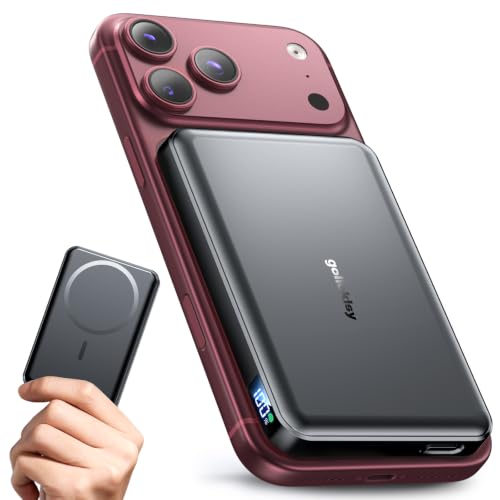
【Why Choose This Magnetic Power Bank?】It packs an upgraded 10000mAh capacity, 20W fast charging, and a tiny body all in one. Unlike bulky chargers, it won't block your iPhone's rear camera. The strong magnetic grip holds your phone firmly – no slipping, no wobble. The smart LED display shows exact remaining battery percentage in real-time – so you're never caught off guard. Works with iPhone 18/17/16/15/14/13/12 series, giving you 1.8~2.5 full charges. When used with a magnetic phone case, it also supports fast wireless charging for Samsung Galaxy S26/S25/S25 Ultra, Huawei Mate 70/Pura 80 Pro and most Android phones, no need to remove the case.

87W Power to Share: Distribute 87W across three devices, with a single device receiving up to 65W, to rapidly charge iPhones, Samsung phones. Quickly charge a 14" MacBook Pro to 50% in under 40 minutes.

Portable Charger with 2 Built-in Cables >>>: PB-08 battery pack has 1* iOS cable, 1* Type-C cable, 3* Charging ports(USB-A, Type-C, Micro), which supports charging almost all smart devices on the market. Widely compatible with iPhone 18/17/16/15/14/13/12 series, iPad series, Samsung S23,S22,S21,S20 series, Google series and other smart cell phones, tablets or electronic devices. No need to carry multiple cables during your trip anymore! (Adapter/ Wall Charger are not included) (Airline-friendly)
Usage Patterns
Usage patterns play a crucial role in determining battery life. How you use your phone affects its power consumption daily.
- Screen On Time: Longer screen usage, such as streaming videos or playing games, drains the battery faster.
- App Usage: Certain apps, especially those requiring high processing power or persistent data connections, consume more energy. Social media apps and games typically need the most battery.
- Notifications and Background Activity: Frequent notifications from apps can keep the screen lit and use battery power. Limiting background activity can enhance battery longevity.
Software Optimization
Software settings directly impact your phone’s efficiency and battery performance. Optimizing these settings can significantly enhance battery life.
- Software Updates: Installing the latest updates often includes performance improvements and bug fixes that optimize battery usage.
- Battery Saving Features: Use options like Power Saving Mode to restrict background activities and reduce performance to save battery.
- Unnecessary Features: Disable non-essential features, such as auto-brightness, location services, and Bluetooth when not in use. These settings help preserve battery power.
By managing usage patterns and optimizing software settings, you can effectively prolong your Samsung phone battery life.
Average Battery Life Expectations
When considering how long a Samsung phone battery lasts, it’s essential to have realistic expectations based on the model and usage habits. Various factors impact battery longevity, including both hardware and user behavior.
Recommended Products

🌠【Compatible Battery Model】: This a Updated Galaxy J3 Replacement Battery Compatible with Samsung Galaxy J3 (2016) J320V J320A J320F J320P EB-BG530BBE /J3 Prime, Emerge, Star, Orbit, Eclipse, On5, Mission, Luna Pro, Achieve Battery

✾Compatible Models: This Battery Suitable for all Galaxy S5 variants.Compatible with SM-G900 Series, SM-G900A, SM-G900P, SM-G900V, SM-G900T, SM-G900F, SM-G900H, SM-G900R4, SM-G900TR, SM-G900W8, SM-G900BVB, i9600, EB-BG900BBC EB-BG900BBU EB-BG900BBE/ for Samsung Galaxy S5 Active SM-G870.

【HIGH QUALITY GRADE A PREMIUM BATTERY】:This Upgraded Galaxy S3 battery uses Grade A+ rated battery cells with CE and ROHS certification,ensure last over 1200 charge cycles. Multiple-protection for safer operation for both user and devices,build-in microchip to prevent over-charging,over-discharging and over-heating.
Different Models Comparison
Samsung offers several models, each with unique battery capacities. Here’s a comparison of common series:
| Model Series | Battery Capacity (mAh) | Average Battery Life |
|---|---|---|
| Galaxy S Series | 3,000 – 5,000 | 12 – 20 hours |
| Galaxy Note Series | 4,000 – 4,500 | 12 – 18 hours |
| Galaxy A Series | 3,000 – 5,000 | 10 – 17 hours |
Higher mAh ratings typically correlate with longer battery life. For instance, a Galaxy S21 with a 4,000 mAh battery can last significantly longer than a Galaxy S10 with a 3,000 mAh battery under similar usage.
Real-World User Experiences
User experiences vary widely based on daily activities. Some users report their Galaxy phone lasts all day with moderate use, while others find themselves recharging mid-day under heavy usage. Here’s a breakdown of typical use cases:
- General use: Checking emails, browsing social media—battery lasts up to 18 hours.
- Photography and video: Using the camera frequently can reduce battery life to around 10 hours.
- Gaming: Intensive gaming drains the battery faster, often lasting only about 6 hours.
Adjusting settings like screen brightness and connectivity can enhance performance. Users who prioritize battery life often activate saving modes and limit background activities, extending their overall usage time.
Tips To Extend Battery Life
Focusing on practical strategies can help you maximize your Samsung phone’s battery life. Follow these tips for better battery performance.
Recommended Products
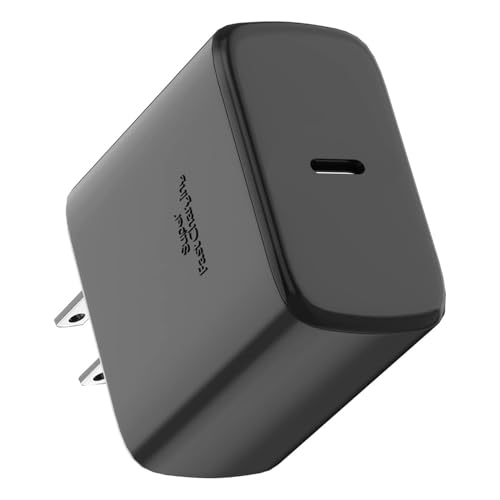
【Fast Charger Samsung2.0】Our 45W USB C Samsung charger uses Programmable Power Supply technology to provide the most efficient charging. Charge your Galaxy S26/S26 Ultra/S26+/S25 Ultra/S25/S25+/S24 Ultra/S24/S24+/S23/S22 Ultra from 0% to 100% in just 50 minutes, faster than other 25W/15W chargers.Super Fast Charging 2.0 max. 45W; PD 3.0 PPS max.

60W PD Charging: Enjoy fast and reliable charging up to 60W (20V/3A) with this USB C to USB C cable, perfect for quickly powering up your devices. Plus, you get data transfer speeds of up to 480 Mbps for seamless syncing.

Up to 10W Wireless Charging: Delivers up to 10W for Samsung Galaxy and 7.5W for iPhone models. Requires a 9V / 2A adapter (not included) for best performance. Charges an iPhone 15 in approximately 3 hours and 47 minutes.
Charging Practices
- Charge Smart: Avoid letting your battery drop below 20%. Keeping it between 20% and 80% maintains battery health.
- Use Original Charger: Always use the charger that came with your Samsung device. It’s optimized for your phone’s battery.
- Avoid Overnight Charging: Don’t leave your phone plugged in overnight. This practice can wear down the battery over time.
- Enable Optimized Charging: If available, turn on optimized charging settings. This feature adjusts the charge rate based on your daily routine.
Settings Adjustments
- Lower Screen Brightness: Reducing brightness significantly cuts battery drain. Use adaptive brightness for automatic adjustments.
- Limit Background Apps: Close apps running in the background. Use the app manager to see what’s consuming power.
- Turn Off Unused Features: Disable Bluetooth, Wi-Fi, or GPS when not in use. These features constantly search for connections and drain the battery.
- Use Battery Saver Mode: Activate this mode during periods of low battery. It limits background processes and reduces performance to extend life.
Implementing these practices can extend your Samsung phone battery life and enhance your overall experience.
Conclusion
Understanding how long your Samsung phone battery should last can really help you manage your device better. By being aware of the factors that affect battery life and making a few simple adjustments to your usage habits, you can enjoy a longer-lasting charge.
Remember to keep an eye on your settings and utilize those handy battery-saving features. With a little effort, you can maximize your phone’s performance and keep it powered throughout your day. So go ahead and make those tweaks to ensure your Samsung phone stays ready for whatever you need.
Frequently Asked Questions
How can I improve my Samsung phone battery life?
To improve your Samsung phone’s battery life, consider enabling Power Saving Mode, reducing screen brightness, and limiting background apps. Regularly check for software updates, disable unnecessary notifications, and turn off features like Bluetooth when not in use. These simple adjustments can help you maximize battery efficiency.
What factors affect battery life on Samsung phones?
Several factors impact battery life, including screen brightness, background app usage, software updates, and connectivity settings. Usage patterns, such as prolonged screen time and high-processing applications, can also significantly drain the battery. Monitoring these factors can help you manage battery performance effectively.
What is the average battery life of different Samsung models?
The average battery life varies across Samsung models. The Galaxy S Series typically lasts between 12 to 20 hours, while the Galaxy A Series offers around 10 to 17 hours of use. Battery performance also depends on individual usage habits, so real-world experiences may vary.
How should I charge my Samsung phone for optimal battery health?
To maintain optimal battery health, charge your Samsung phone when it is between 20% and 80%. Use the original charger and avoid overnight charging to prevent overcharging. Enabling optimized charging settings can also help preserve battery longevity over time.
How can I assess my Samsung phone’s battery performance?
You can assess your Samsung phone’s battery performance by navigating to the Settings menu, then selecting Battery. This section provides insights into battery usage, performance, and how specific apps impact battery life, enabling you to make informed adjustments.
