

Key Takeaways
- Battery Life Expectation: The Samsung Watch 5 typically lasts between 40 to 50 hours on a full charge, depending on usage and settings.
- Usage Scenarios Impact: Standard tasks offer about 40 hours of battery, while GPS tracking reduces this to approximately 20 hours, and the always-on display drops it to around 30 hours.
- Effective Charging: Charging the Samsung Watch 5 takes about 1.5 hours with a wireless charger, allowing for quick recharging during short breaks.
- Maximizing Battery Life: To extend battery lifespan, limit notifications, adjust brightness settings, and deactivate the always-on display when not in use.
- User Insights: Feedback indicates that users can achieve better battery performance by managing display settings and reducing GPS usage during workouts.
- Comparison with Competitors: The Samsung Watch 5 offers superior battery longevity compared to models like the Apple Watch Series 8, making it an appealing choice for users prioritizing extended use.
Wondering how long your Samsung Watch 5 can keep up with your busy day? You’re not alone. Many users are curious about battery life, especially when juggling workouts, notifications, and daily tasks.
Imagine relying on your smartwatch for fitness tracking or staying connected, only to find it’s running low on juice when you need it most. This article breaks down the battery performance of the Samsung Watch 5, so you can plan your day without worrying about constant charging.
Overview Of Samsung Watch 5 Battery Life
Samsung Watch 5 battery life varies based on usage and settings. The watch typically lasts between 40 to 50 hours on a single charge. Factors impacting battery duration include display brightness, always-on display features, and active tracking modes.
Typical Usage Scenarios
- Standard Use: For daily notifications and moderate fitness tracking, expect around 40 hours.
- GPS Tracking: Using GPS for activities like running may lead to a reduction to about 20 hours.
- Always-On Display: If you enable the always-on display, battery life may decrease significantly to around 30 hours.
Charging Options
You can recharge the Samsung Watch 5 using a wireless charger. It takes approximately 1.5 hours to reach a full charge. Consider using battery saver modes and lower brightness settings to prolong battery life.
Tips for Maximizing Battery Life
- Limit Notifications: Reduce notifications to only essential apps.
- Adjust Brightness: Set brightness to a comfortable but lower level.
- Deactivate Always-On: Turn off the always-on display to save energy during non-usage periods.
By understanding the factors that affect battery life, you can better manage your Samsung Watch 5’s power consumption throughout your day.
Factors Affecting Battery Duration
Several factors influence how long your Samsung Watch 5 lasts on a charge. Understanding these can help you manage its energy consumption more effectively throughout the day.
Recommended Products

👉2-Pack Convenient Spare Charger: Comes with 2 chargers in one pack, which can be used in various ways. Long, lightweight and compact enough fit in travel, home and office, such as night stand, desk, end table, car, camper and motorhome etc. You can carry it in your bag at any time in case you forget an extra charger

Compatible Smartwatch Model: This battery kit is specifically designed for Samsung Galaxy Watch 5 40mm (with model SM-R900 SM-R905 series), please double confirm your smartwatch model before purchasing
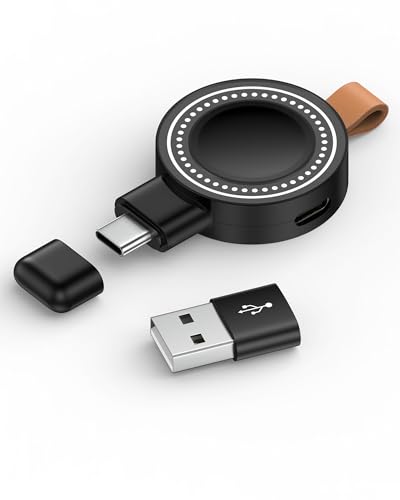
【Samsung Watch Charger Compatibility】: The galaxy smartwatch charger is only compatible with the samsung galaxy series watch. Compatible with Samsung Galaxy Watch 8, Galaxy Watch8 Classic, Galaxy Watch 7, Galaxy Watch Ultra, Galaxy Watch FE, Galaxy Watch 6, Galaxy Watch 6 Classic, Watch 5 Pro, Watch 5, Watch 4 Classic, Watch 4, Watch 3, Watch Active 2, Watch Active 2 Aluminum, Watch Active. Not for Galaxy watch (released in 2018) and Gear S2/S3/S4.
Usage Patterns
Your daily activities significantly impact battery life. Engaging in fitness tracking like running or cycling uses GPS, which drains the battery more quickly. For standard notifications and app usage, expect around 40 hours of battery life. However, if you frequently rely on GPS tracking, anticipate a reduction to about 20 hours. The more you use your watch for tracking workouts or streaming music, the more you’ll see the impact.
Settings and Configuration
Adjusting your watch’s settings can extend its battery life. Here are some key areas to change:
- Display Brightness: Lowering the brightness can conserve energy.
- Always-On Display: Turning off this feature extends battery life significantly. Instead, activate the display only when you raise your wrist.
- Notifications: Limit unnecessary notifications. Responding to frequent alerts can drain battery faster.
Regularly reviewing these settings helps maximize your watch’s performance throughout the day.
Battery Performance In Daily Use
The Samsung Watch 5 provides impressive battery performance, but actual usage varies. This section outlines how long the battery typically lasts in different scenarios and during specific activities.
Recommended Products

【Compatible Model】This EB-BR900ABY Battery Compatible with for Samsung Galaxy Watch 5 40mm SM-R900 905U.

COMPATIBILITY: The battery model is EB-BR910ABY, it is only compatible with Samsung Galaxy Watch 5 (44 mm), SM-R915F series, please carefully confirm the model of your smartwatch before purchase.

【Compatible Model】This Replacement Battery model is EB-BR900ABY.Compatible with Watch 5 40mm SM-R900 R905U. please carefully examine your device model and old battery if it fits before purchasing.
Typical Battery Life Scenarios
For standard use, you’ll see about 40 hours on a single charge. This includes simple tasks like checking notifications and tracking steps. While using features like GPS tracking, expect around 20 hours. If you activate the always-on display, battery life drops to approximately 30 hours. Adjusting settings can extend this time. For example, reducing display brightness or turning off unnecessary notifications can make a noticeable difference in battery longevity.
Performance During Activities
During fitness activities, battery life varies significantly. When using GPS, battery drains quickly, sometimes down to 20 hours of life. For regular workouts without GPS, such as heart rate monitoring, you’ll likely see closer to 30-35 hours. To maximize battery during sessions, consider these tips:
- Limit GPS Use: Opt for indoor workouts when possible.
- Switch Off Always-On Display: This feature can consume extra power.
- Review Notifications: Disable non-essential alerts to save energy.
By following these guidelines, you can better manage your Samsung Watch 5’s battery life while enjoying its full range of features.
Comparison With Other Smartwatches
When comparing the Samsung Watch 5’s battery life to other smartwatches, you’ll find varying performance metrics that cater to different user needs.
Recommended Products

ADVANCED SLEEP COACHING: Manage your overall sleep quality with an advanced sleep tracker that detects and analyzes sleep stages while you rest; Plus, Advanced Sleep Coaching helps you develop better sleep habits by analyzing your sleep patterns.Supported Application:Fitness Tracker,Blood Pressure Monitor,Multisport Tracker,Time Display,GPS. Connectivity technology:Bluetooth. Wireless comm standard:Bluetooth,802_11_AGNAC

Perfect Fit – Specially designed for Galaxy Watch 5 Pro 45mm (SM-R920, SM-R925). Please verify your watch model before purchase.

Designed for Samsung Watch: This portable charger for Samsung Watch 8/8 Classic/7/ 7 Ultra / 6 /6 Classic / 5 / 5 Pro / 4 /3, Active 2 / Active 1 ensures seamless compatibility with new and old watches. This for Samsung galaxy watch charger can be carried around without a power source and can solve your low battery anxiety anytime.(Not for Galaxy Watch 9,Ultra 2)
Similar Models
Similar smartwatch models, like the Apple Watch Series 8 and Fitbit Versa 4, showcase diverse battery life ranges. The Apple Watch Series 8 offers about 18 hours of typical use, while the Fitbit Versa 4 boasts up to 6 days. While the Samsung Watch 5 lasts between 40 to 50 hours, it stands out with a longer battery life option for users who prioritize extended use.
Differences in Battery Tech
Differences in battery technology impact longevity. The Samsung Watch 5 uses a 284mAh lithium-ion battery, allowing for quick charging and decent longevity. In contrast, other models may rely on larger batteries but optimize their power consumption in different ways. For example, the Apple Watch Series 8 uses a smaller battery but incorporates an efficient power management system. As a result, the efficiency of the software significantly influences how long these watches last on a single charge. Being aware of these differences helps you choose the right smartwatch based on how you use it.
User Feedback and Experiences
User feedback about the Samsung Watch 5 battery life varies significantly based on personal usage and settings. Many users report that with standard use, they achieve approximately 40 hours on a single charge. At the same time, those who actively engage in GPS tracking often notice a reduction in battery performance, with some experiencing lifespans around 20 hours.
Common experiences include varying battery life due to display settings. Users find that keeping the brightness at a lower level noticeably extends battery duration. Similarly, turning off the always-on display can add crucial extra hours of use.
Real-world examples highlight typical user scenarios. Fitness enthusiasts, for instance, often experience battery depletion during long outdoor runs, particularly when using GPS. When engaging in activities without GPS tracking, users frequently report lasting 30 to 35 hours on a charge. By maintaining a good balance of features, such as minimizing notifications, you can optimize the battery performance to meet daily demands effectively.
Additionally, some users express satisfaction with quick charging capabilities. Feedback indicates that charging the Samsung Watch 5 takes about 1.5 hours, allowing for convenient recharging during short breaks or while getting ready for the day. This feature becomes valuable for those with busy schedules who rely on their smartwatch throughout the day.
In comparing experiences with other smartwatches, many users appreciate the Samsung Watch 5’s extended battery life relative to models like the Apple Watch Series 8 and Fitbit Versa 4. While some competitors may last significantly less time, owners of the Samsung Watch 5 notice that its longer-lasting battery provides an advantage for constant connectivity and health tracking.
To further enhance your Samsung Watch 5’s battery life, consider these practical tips:
- Limit notifications: Disable non-essential alerts to reduce power consumption.
- Adjust brightness: Set display brightness to a comfortable yet low level.
- Toggle the always-on display: Switch it off during less active times.
Subscribe to user forums and feedback platforms for ongoing insights about battery performance, ensuring you keep up with the latest tips and tricks from fellow users. Knowing what works best for you will help you make the most out of your Samsung Watch 5’s features without worrying about battery drain.
Conclusion
Understanding your Samsung Watch 5’s battery life is key to making the most out of its features. By being mindful of your usage and adjusting settings like brightness and notifications you can enjoy longer battery performance throughout your day.
Whether you’re tracking workouts or staying connected the watch’s ability to last between 40 to 50 hours on a single charge can really enhance your experience. With a little attention to detail you can ensure your watch is ready whenever you need it.
So go ahead and explore all the great functionalities your Samsung Watch 5 offers without the worry of running out of power.
Frequently Asked Questions
What is the battery life of the Samsung Watch 5?
The Samsung Watch 5 typically lasts between 40 to 50 hours on a single charge, depending on usage. Standard use generally provides around 40 hours, while GPS tracking can reduce it to about 20 hours.
How long does it take to fully charge the Samsung Watch 5?
Charging the Samsung Watch 5 takes approximately 1.5 hours for a full charge. This quick charging feature is convenient for users with busy schedules.
What factors affect the battery life of the Samsung Watch 5?
Several factors can impact battery life, including display brightness, always-on display settings, and the use of GPS tracking. Adjusting these settings can help extend battery duration.
How can I maximize the battery life of my Samsung Watch 5?
To maximize battery life, limit notifications, reduce display brightness, and turn off the always-on display when it’s not needed. Regularly reviewing these settings can also help.
How does the Samsung Watch 5’s battery life compare to other smartwatches?
The Samsung Watch 5 offers a longer battery life compared to models like the Apple Watch Series 8 (about 18 hours) and Fitbit Versa 4 (up to 6 days). This makes it a strong choice for those needing extended use.
