

Key Takeaways
- The LG G5 features a removable 2,800 mAh lithium-ion battery, providing approximately 9 hours of life with moderate usage and up to 12 hours with light use.
- Battery life significantly decreases during heavy usage, such as gaming or video streaming, which can reduce duration to around 4-5 hours.
- Quick Charge 3.0 technology enables the LG G5 to fully charge in about 1.5 hours, making it convenient for busy users.
- To optimize battery life, adjust screen brightness, limit background app activity, and utilize the built-in Battery Saver mode.
- Regularly monitor battery consumption through settings to identify and manage apps that drain power excessively for better performance.
- Understanding your device’s battery capacity and usage habits is essential for maximizing performance throughout the day.
Wondering how long your LG G5 battery will last? You’re not alone. Many users find themselves checking their battery percentage more often than they’d like, especially during those long days filled with calls, texts, and social media scrolling.
Overview Of LG G5 Battery
The LG G5 features a removable 2,800 mAh lithium-ion battery. This design allows for easy replacement and provides flexibility for users. On average, you can expect around 9 hours of battery life during typical moderate usage, which includes web browsing, chats, and social media.
Battery performance varies based on your usage habits. For instance, heavy gaming or video streaming can decrease battery life significantly, dropping it to around 4-5 hours. Conversely, light usage, like reading or listening to music, can extend battery life up to 12 hours.
Charging time takes approximately 1.5 hours with the included fast charger. Quick Charge 3.0 technology shortens charging time compared to standard chargers.
To maximize battery longevity, consider these tips:
- Adjust Screen Brightness: Reduce brightness levels or use auto-brightness features.
- Limit Background Apps: Close apps running in the background to save power.
- Utilize Battery Saver Mode: Activate this feature during low battery situations to prolong usage.
Understanding your LG G5 battery’s capacity, charging habits, and maintenance tips helps you optimize its performance throughout the day.
Battery Specifications
The LG G5’s battery features key specifications that affect performance and longevity. Here’s a closer look.
Capacity and Type
The LG G5 comes equipped with a removable 2,800 mAh lithium-ion battery. This capacity provides a balance between daily use and battery performance. In real-world usage, expect about 9 hours of battery life with moderate activities, such as browsing and messaging. Heavy usage, including gaming or streaming, typically reduces battery life to 4-5 hours, while light usage can stretch it to around 12 hours.
Charging Technology
The LG G5 supports Quick Charge 3.0 technology, allowing for rapid recharging. Charging the battery takes about 1.5 hours with the included fast charger. Utilizing this technology means you can quickly get back to using your device after a power drain. For optimal charging, avoid using the phone while it charges to maximize efficiency.
Real-World Usage
Understanding the LG G5’s battery life in real-world scenarios helps you manage your usage effectively. Here’s how different activities impact battery performance.
Screen-On Time
The LG G5 offers varied screen-on time based on different usage levels. During moderate usage, you can expect about 6-9 hours of screen-on time. This includes activities like browsing, texting, and casual app use. In cases of heavy usage—like gaming or streaming videos—screen time may drop to around 4-5 hours. For light users, engaging in tasks such as reading or checking notifications can stretch screen-on time to 10-12 hours or more.
Background Usage
Background app usage also affects battery life. Apps that continuously run in the background, such as location services or chat applications, can drain battery more quickly. It’s advisable to review your app settings to limit background activity. For example, turning off unnecessary notifications or adjusting location settings could lead to more efficient battery performance. Regularly checking which apps consume the most power can help you make informed choices about your usage and settings.
Factors Affecting Battery Life
Battery life on the LG G5 can fluctuate based on various factors. Understanding these aspects can help you manage your device’s performance more effectively.
Recommended Products
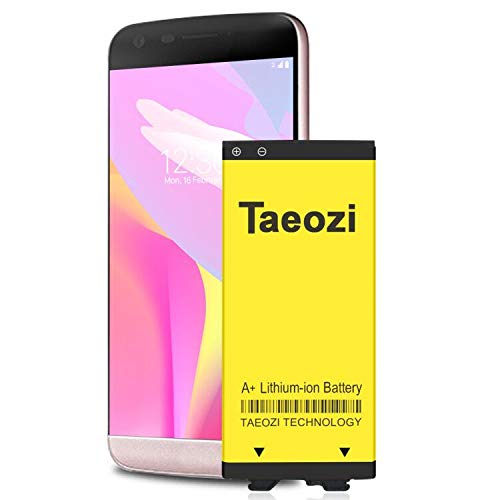
100% Full Compatibility: This a Updated G5 Replacement Battery Compatible with LG G5 BL-42D1F VS987 Verizon, H820 At&T, LS992 Sprint, H830 T-Mobile, US992 US Cellular, H845 H860 Phone.
 High Capacity Battery Replacement for LG V60 ThinQ 5G BL-T46 LM-V600TM T-Mobile/Sprint/U.S. Cellular with Repair Tool Kits](https://m.media-amazon.com/images/I/41WJirBHAvL._SL500_.jpg)
【Upgrade K60 Battery】This Battery Compatible with LG V60 ThinQ Only, Model: LM-V600TM, LM-V600, BL-T46, [Note: Not for LG V50 or other Galaxy model.]Plz Check your phone model before purchasing.

High Capacity Battery: 2800mAh cell provides solid power for all-day use with fewer recharges needed.
Display Brightness
Display brightness significantly impacts battery life. The brighter the screen, the more power it consumes. Reducing brightness or enabling adaptive brightness can extend battery life. For everyday use, keep brightness around 50% or lower to conserve energy. In bright environments, using auto-brightness can help adjust levels automatically, ensuring visibility without excessive drain.
App Usage
App usage plays a crucial role in battery performance. Background apps can drain power even when you’re not using them. You can manage this by closing unused apps and checking settings for those that run in the background. Social media apps, streaming services, and games often consume the most power. Prioritize lighter usage or limit high-drain apps when you’re low on battery. Regularly review app power consumption in the settings to identify and adjust or remove apps that are heavy on battery usage.
Tips For Extending Battery Life
Maximizing your LG G5’s battery life enhances your experience. Follow these tips to keep your device running longer between charges.
Recommended Products
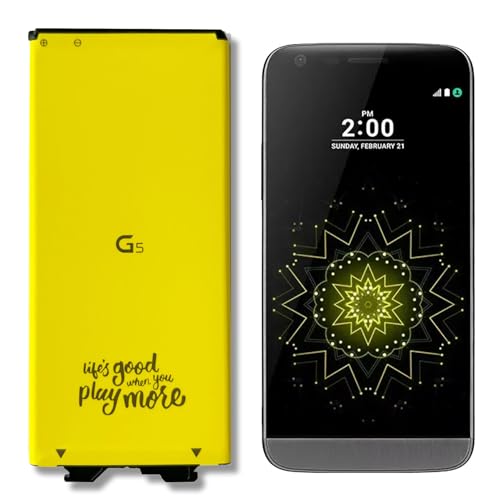
[Exact BL-42D1F fit] This Replacement Battery Compatible with LG G5 BL-42D1F VS987 Verizon, H820 At&T, LS992 Sprint, H830 T-Mobile, US992 US Cellular, H845 H860 H890 Phone.

[PLS CONFIRM DEVICE MODEL] -- The repair kit contains the instruction to guide you step by step installation, and we have professional engineers to answer all your questions about the repair process. Please verify your old battery part number and model before purchasing this replacement battery. Compatible with BL-T39, LG G7 ThinQ, G710 LMG710VM Verizon LMQ610 Q7 Plus ThinQ G710EM G710N EAC63958401.
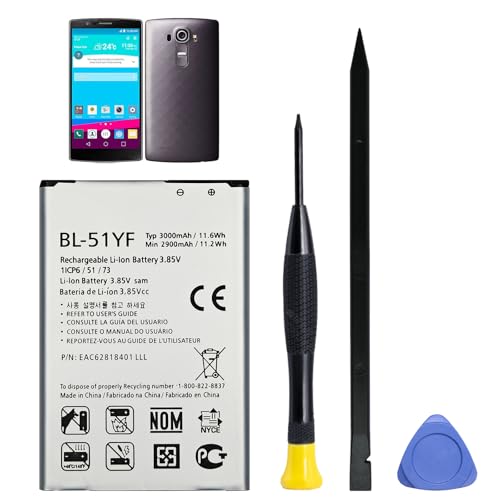
Compatible Models: Battery model BL-51YF, only compatible with LG G4 LS991, VS986, VS999, H812, H815, H810, H811, Vista 2 H740 STYLO LS770 H631 MS631 H634 H635 F500. Please confirm your phone model to ensure compatibility before purchase.
Power Saving Modes
Activate power saving modes to conserve battery. The LG G5 offers built-in modes like “Battery Saver,” which reduces background activity and limits performance. To enable this, go to Settings > Battery & Power Saving and toggle on the mode. You’ll notice longer battery life during daily use.
Optimize Apps
Optimize your apps to prevent unnecessary battery drain. Check for apps that run in the background and limit their activity. Go to Settings > Apps and select apps you don’t use often. Disable background data and notifications for those apps. This step helps reduce battery consumption significantly during regular usage.
Regularly monitor which apps consume the most power by going to Settings > Battery. Here, you can see a list of applications sorted by their battery usage. Uninstall or restrict power-hungry apps to extend overall battery life.
Conclusion
The LG G5’s battery life can vary greatly depending on how you use your phone. With a bit of attention to your habits and settings you can stretch that battery life to meet your needs. Whether you’re a light user or someone who loves streaming and gaming there are ways to optimize your experience.
By keeping an eye on background apps and adjusting your brightness you can make the most of your battery. Remember to take advantage of the power-saving features too. With these tips in mind you can enjoy your LG G5 without constantly worrying about running out of juice.
Frequently Asked Questions
What is the battery capacity of the LG G5?
The LG G5 features a removable 2,800 mAh lithium-ion battery. This allows for easy replacement and flexibility for users who may need extra power during the day.
How long does the battery last with different usage levels?
With moderate usage, the LG G5 typically lasts around 6-9 hours. Heavy activities like gaming or streaming reduce this to about 4-5 hours, while light usage can extend battery life up to 10-12 hours.
How long does it take to charge the LG G5?
The LG G5 charges in approximately 1.5 hours using the included fast charger and Quick Charge 3.0 technology, promoting efficient battery replenishment.
What tips can help extend the LG G5’s battery life?
To extend battery life, reduce screen brightness, limit background app usage, enable battery saver mode, and avoid phone use while charging. Regularly reviewing app settings can also help.
How do background apps affect battery life?
Background apps can drain the LG G5’s battery even when not in use. It’s essential to monitor which apps consume the most power and limit their background activity to optimize battery performance.
What is the impact of display brightness on battery life?
Display brightness significantly affects power consumption. Keeping brightness at 50% or lower and using adaptive brightness can help conserve battery life throughout the day.
