

Key Takeaways
- Samsung Smart Tags typically operate on a CR2032 coin cell battery, with an average lifespan of about 6 months under normal usage.
- Factors such as frequency of use, signal strength, and environmental conditions can significantly affect battery longevity.
- To maximize battery life, limit the frequency of use, monitor battery status using the SmartThings app, and store the tag in moderate temperatures.
- Regularly check the battery status and keep spare CR2032 batteries on hand for quick replacements when necessary.
- Proper management and maintenance of your Smart Tag can prevent unexpected battery drain, ensuring reliable performance when tracking your belongings.
Have you ever wondered how long the battery in your Samsung Smart Tag lasts? If you rely on these handy little devices to keep track of your belongings, knowing their battery life is crucial. Imagine misplacing your keys or wallet only to find out your Smart Tag ran out of juice right when you needed it.
In this article, you’ll discover the typical lifespan of a Samsung Smart Tag battery and tips for maximizing its use. Understanding how long it lasts can help you stay organized and avoid those frustrating moments of searching for lost items. Let’s explore what you need to know to keep your Smart Tag working for you.
Overview of Samsung Smart Tags
Samsung Smart Tags serve as compact trackers designed to help you find everyday items such as keys, bags, or pets. Utilizing Bluetooth technology, these tags connect to your smartphone through the SmartThings app, making item location straightforward.
Battery Life
Samsung Smart Tags operate on a CR2032 coin cell battery. Typically, this battery lasts around 6 months under normal usage conditions. However, several factors can influence battery life.
Factors Affecting Battery Longevity
- Frequency of Use: Greater usage often leads to faster battery drain. Regularly locating items can shorten battery lifespan.
- Signal Strength: Keeping your Smart Tag within a short distance from your phone enhances connectivity and efficiency, potentially conserving battery.
- Environmental Conditions: Extreme temperatures and humidity may impact battery prevalence, leading to premature depletion.
Maximizing Battery Life
To optimize battery longevity, consider these tips:
- Limit Usage: Reduce the frequency of locating items if it’s not necessary.
- Check Battery Status: Monitor your Smart Tag’s battery status via the SmartThings app to predict when replacement is necessary.
- Store Properly: Keep Smart Tags in moderate temperatures and dry environments to protect the battery.
- Replacement Awareness: Keep a CR2032 battery on hand for quick swaps when needed.
Replacement Instructions
If you need to replace the battery, follow these steps:
- Open the Smart Tag’s back cover using a coin or a flat tool.
- Remove the old battery carefully.
- Insert the new CR2032 battery, ensuring the positive side faces up.
- Snap the cover back on securely.
By understanding these factors and implementing these tips, you can effectively manage your Samsung Smart Tag’s battery life, ensuring it remains a reliable tool for keeping track of your belongings.
Battery Specifications
Samsung Smart Tags run on a CR2032 coin cell battery, known for its compact size and reliability. Understanding the battery specifications can help you maintain optimal performance.
Type of Battery Used
You’ll find that the Smart Tags use a CR2032 lithium coin cell battery. This battery type is widely available and fits easily into the tag, ensuring quick replacements when needed. You can purchase CR2032 batteries at electronics stores, pharmacies, and online retailers.
Battery Life Expectations
Under normal usage, you can expect a Samsung Smart Tag’s battery to last approximately 6 months. Several factors may influence this lifespan:
- Frequency of Use: Frequent use for tracking can drain the battery faster.
- Signal Strength: Using the tag in areas with poor connectivity may increase power usage.
- Environmental Conditions: Extreme temperatures can affect battery performance.
To get the most out of your battery, check your tag’s battery status through the SmartThings app. Regularly monitoring it helps you stay prepared for replacements, enhancing your experience with the Smart Tag.
Factors Affecting Battery Life
Understanding the factors that impact the battery life of Samsung Smart Tags helps you maximize their efficiency. Several elements play significant roles in determining how long your tag lasts.
Recommended Products

2 PACK - SMART TAG BATTERY REPLACEMENT: Specifically selected to fit Android-compatible trackers including the Samsung Galaxy SmartTag2, Motorola Moto Tag, and Chipolo Point.

Optimized for Air Tracker: Specifically designed to be the perfect for MiLi MiTag, Moto Tag, Samsung Galaxy SmartTag, Samsung Galaxy SmartTag 2 ensuring your device runs smoothly without interruptions.
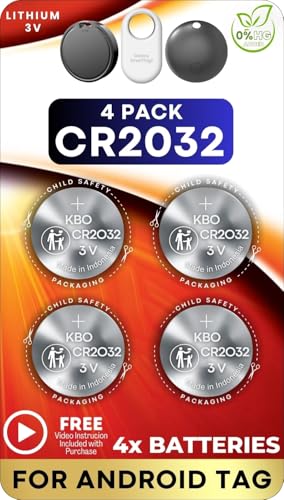
4 PACK - SMART TAG BATTERY REPLACEMENT: Specifically selected to fit Android-compatible trackers including the Samsung Galaxy SmartTag2, Motorola Moto Tag, and Chipolo Point.
Frequency of Use
Greater frequency of use results in faster battery depletion. Every time you activate the Smart Tag to locate an item, it consumes power. For instance, if you constantly check your tag’s location, expect reduced battery life compared to occasional use. Limiting tracking sessions helps stretch battery longevity.
Environmental Conditions
Environmental conditions can substantially impact battery performance. Extreme temperatures—both hot and cold—can shorten battery life. If you expose your Smart Tag to freezing conditions or direct sunlight for prolonged periods, expect the battery to drain more quickly. Try to keep your tag in moderate temperatures to maintain optimal functionality.
Settings and Features
Settings and features of the Smart Tag play a crucial role in battery consumption. Features like the “alert” function, which notifies you when you stray too far from your tracked item, use additional energy. Adjusting your settings to minimize alerts or using power-saving modes can conserve battery life. Regularly checking and optimizing these settings keeps your tag performing effectively.
Tips to Extend Battery Life
Maximizing the battery life of your Samsung Smart Tag keeps your devices operational longer. Simple changes in usage and maintenance can lead to significant improvements.
Optimal Usage Practices
- Limit Activation Frequency: Use the Smart Tag sparingly. Each activation consumes battery power.
- Reduce Alert Settings: Turn off unnecessary distance alerts. Alerts engage Bluetooth and drain battery faster.
- Use “Find” Feature Wisely: Don’t overuse the “Find” feature. Frequent use can accelerate battery depletion.
Maintenance Recommendations
- Store in a Moderate Environment: Keep your Smart Tag in a temperature-controlled area. Avoid extreme heat or cold, as these conditions can adversely affect battery life.
- Check Battery Status Regularly: Use the SmartThings app to monitor battery status. By checking periodically, you can address low battery warnings promptly.
- Replace Batteries as Needed: Keep extra CR2032 batteries on hand. Quick replacements keep your Smart Tag functional and enhance your tracking experience.
Implementing these strategies ensures your Samsung Smart Tag remains an efficient and reliable tool for tracking your belongings.
Conclusion
Keeping your Samsung Smart Tag powered up is essential for tracking your belongings effectively. By understanding the typical battery life and the factors that can influence it, you can take steps to ensure your tag stays functional for as long as possible.
Remember to monitor its usage and adjust settings to maximize battery longevity. With a little care and attention you can enjoy the convenience of your Smart Tag without the hassle of frequent battery changes. So keep those extra CR2032 batteries handy and stay connected to your important items.
Frequently Asked Questions
How long does the battery of a Samsung Smart Tag last?
The battery of a Samsung Smart Tag, which uses a CR2032 coin cell battery, typically lasts around 6 months under normal usage. However, factors like frequency of use, signal strength, and environmental conditions can impact battery longevity.
What type of battery do Samsung Smart Tags use?
Samsung Smart Tags operate on a CR2032 lithium coin cell battery. This battery type is compact, reliable, and widely available, making it easy to find replacements when needed.
How can I extend the battery life of my Samsung Smart Tag?
To extend battery life, limit usage, check the battery status through the SmartThings app, store the tag in a moderate environment, and adjust settings to minimize power consumption. Reducing activation frequency and alert settings can also help.
How do I replace the battery in a Samsung Smart Tag?
To replace the battery in your Samsung Smart Tag, gently twist or use a coin to open the battery compartment. Remove the old CR2032 battery and insert a new one, ensuring the positive side is facing up, then close the compartment securely.
Can environmental conditions affect the battery life of Samsung Smart Tags?
Yes, environmental conditions can affect the battery life of Samsung Smart Tags. Extreme temperatures, both hot and cold, can lead to faster battery depletion, so it’s best to store the tags in moderate environments for optimal performance.
