

Key Takeaways
- Battery Capacity: The Samsung S23 Ultra features a robust 5000 mAh battery, providing substantial usage, including up to 15 hours of video playback and around 12 hours of mixed usage.
- Daily Performance: Under typical conditions, users can expect up to 12 hours of screen-on time with average activities, while heavy tasks like gaming and video streaming may reduce battery life to approximately 10 to 15 hours, respectively.
- Impact of Settings: Adjusting screen brightness, setting a short screen timeout, and utilizing adaptive brightness can significantly extend battery life by reducing unnecessary power consumption.
- App Management: Resource-intensive apps drain battery faster; thus, closing background apps and managing app settings can help optimize battery performance.
- Comparative Insights: The S23 Ultra’s battery life is comparable to other flagship smartphones and offers competitive performance, especially during demanding tasks.
- Battery Care Tips: Practices such as avoiding full discharges, using the original charger, and charging in moderate temperatures can enhance battery health and longevity.
Wondering how long your Samsung S23 Ultra will last on a single charge? You’re not alone. With all the features packed into this powerhouse, it’s crucial to know how the battery holds up during your daily activities.
Overview of Samsung S23 Ultra Battery
The Samsung S23 Ultra features a powerful battery designed to support extensive usage throughout the day. Understanding its specifications and capacity helps in assessing how long you can rely on it.
Key Specifications
- Battery Type: Lithium-ion
- Battery Size: 5000 mAh
- Charging Options: Fast charging (45W), wireless charging, reverse wireless charging
- Screen-on Time: Up to 12 hours on average with mixed usage
These specifications indicate that the S23 Ultra supports demanding tasks without frequently requiring a recharge.
Battery Capacity
The 5000 mAh capacity of the Samsung S23 Ultra allows for substantial use across various applications.
- Video Playback: Approximately 15 hours
- Web Browsing: Up to 13 hours
- Gaming: Around 10 hours based on intensity
In practical terms, you can expect a full day of usage under normal conditions. For optimal battery life, minimize high-performance activities when possible and utilize power-saving modes during critical times.
Factors Affecting Battery Life
Several factors influence the battery life of your Samsung S23 Ultra. Understanding these elements helps you maximize usage and efficiency.
Recommended Products

➤[Safe charging and protection design] Passed CE, FC, RoHS certification to ensure your charging safety. Use high-quality battery cells to ensure power, safety and reliability, and long-term use will not reduce the health of the battery life.
![YINGYKJ Battery Case for Galaxy S22 Ultra/S23 Ultra,[12000mAh] Portable Protective Smart Wireless Charging Case Support Carplay Compatible with Galaxy S22 Ultra/Galaxy S23 Ultra Battery Case (Black)](https://m.media-amazon.com/images/I/41BEVMBtQJL._SL500_.jpg)
[Safe charging and protection design] Passed CE, FC, RoHS certification to ensure your charging safety. Use high-quality battery cells to ensure power, safety and reliability, and long-term use will not reduce the health of the battery life.
Screen Usage
Screen brightness and duration directly affect battery life. Higher brightness settings consume more power. Using adaptive brightness can help maintain optimal levels. Keep the screen timeout short, ideally under 30 seconds. Reducing the screen-on time when not in use conserves energy. Additionally, avoid watching videos at maximum brightness. For example, a 20% decrease in brightness can extend battery life by hours.
App Performance
App behavior plays a crucial role in battery longevity. Resource-intensive apps, like games and video streaming services, drain more power than basic apps. Close background apps when not in use to reduce CPU workload. Review app settings and disable unnecessary notifications that keep the device awake. Tracking apps can highlight power-hungry applications. For instance, a social media app may consume significant battery if it refreshes frequently. Customize app settings to balance performance and battery life.
Real-World Battery Performance
The Samsung S23 Ultra’s battery performance varies based on usage patterns and settings. Understanding how long this device lasts in practical situations helps you manage your day effectively.
Typical Daily Usage
In typical daily usage, you can expect the S23 Ultra to last up to 12 hours with average screen-on time. This includes activities like texting, browsing social media, and streaming music. To optimize your experience, consider these tips:
- Use adaptive brightness. It adjusts the screen automatically based on lighting conditions.
- Limit background app activity. Close apps that drain power but aren’t in use.
- Activate power-saving mode. This feature reduces performance to conserve battery life.
Heavy Usage Scenarios
For heavy usage scenarios, like gaming or video streaming, battery life fluctuates significantly. Here are some examples:
- Gaming sessions. You might see around 10 hours of gameplay before needing a recharge.
- Video playback. Expect up to 15 hours when watching movies or shows continuously.
- Web browsing. Engage in about 13 hours of consistent online surfing.
When engaging in these activities, consider the following strategies to extend battery life:
- Reduce screen brightness. Dimming the screen protects your battery.
- Close unused apps. This minimizes the power draw from multitasking.
- Set shorter screen timeout. Limiting on-screen time when not in use helps save battery.
By implementing these practices, you can maximize the battery performance of your Samsung S23 Ultra.
Comparison with Competitors
When looking at battery life, comparing the Samsung S23 Ultra to other devices helps gauge its performance.
Recommended Products

[PLS CONFIRM DEVICE MODEL]-- The repair kit contains the instruction to guide you step by step installation, and we have professional engineers to answer all your questions about the repair process. Please verify your old battery part number and model before purchasing this replacement battery. Compatible with Samsung Galaxy S23 Ultra SM-S918, S918V, S918A, S918T, S918P, S918R4, S918U, S918U1, EB-BS918ABY. ★NOT FOR Samsung Galaxy S23, S23+, S23 FE★

Compatible Phone Model: This battery kit is specifically designed for Samsung Galaxy S23 Ultra(with model SM-S918 series), NOT work for Galaxy S23 or S23 Plus, please double confirm your phone model before purchasing
![[5800mAh] Galaxy S23 Ultra Battery,EB-BS918ABY Battery with Repair Kit | Fits SM-S918B/U/U1/W, EB-BS918ABY, CE/UL/RoHS, Overcharge Protected, Original size, 0 Cycle](https://m.media-amazon.com/images/I/413u8eALCsL._SL500_.jpg)
⚡ Premium Quality: Experience a new level of performance with our upgraded 5800mAh 3.85V battery replacement. This high-quality battery will restore your phone’s battery life to like-new condition, ensuring you stay connected longer.
Other Flagship Phones
The Samsung S23 Ultra competes closely with other flagship models. For instance, the iPhone 14 Pro Max features a 4323 mAh battery, typically lasting around 29 hours of talk time. Users generally experience about 13 to 14 hours of web browsing. The Google Pixel 7 Pro, with a 5000 mAh battery, offers similar performance. It tends to last approximately 12 hours for mixed usage, comparable to the S23 Ultra’s averages.
These flagship models showcase strong performance, but features like screen-on time, display technology, and software optimizations impact real-world usage. You might find that the S23 Ultra performs slightly better in scenarios involving intensive tasks like gaming or video playback due to its high-efficiency display.
Budget Alternatives
Budget smartphones also provide impressive battery life. The Moto G Power, equipped with a 5000 mAh battery, supports a remarkable 3-day usage under light conditions. Users enjoy around 11 hours for web browsing. Similarly, the Samsung Galaxy A54, with a 5000 mAh battery, offers around 12 hours for video streaming.
While these budget options excel in battery lifespan, they often lack the advanced features present in the S23 Ultra, such as fast charging and high screen resolution. You might prioritize battery life if your usage is more casual, but the S23 Ultra’s features and performance justify its status among top-tier devices.
Tips for Extending Battery Life
Extend your Samsung S23 Ultra’s battery life with a few smart strategies. Adjusting settings and managing charging habits make a noticeable difference.
Recommended Products
![S23 USB Type C Cable Fast Charging Cord for Samsung Galaxy S23 Ultra/S23+ | Android Phone C Charging Car Cord[3 Pack,6ft] for Samsung Galaxy S26+/S24/S24 Ultra/S25 Ultra/S25/A17/A27/A37/A57/S22/S21/S20](https://m.media-amazon.com/images/I/41F6F7kK0JL._SL500_.jpg)
【USB C Compatibility】: USB-A to Type-C Fast Charging USB C Cable Compatibility for Moto G Stylus/Play/Power/Pure 2023 2022 (2021),Moto G71/G51/G41 5G,G Stylus/Fast,G9 Power/Plus/Play,Razr 5G,E7 Power,Samsung Galaxy S24/S24+/S24 Ultra /Z Fold 4 3/Flip 4 3 5G,S23 Ultra 5g/S23+/S23/S22 Ultra 5g/S22+ 5G/S22/S21/S20 Fe Ultra 5G,S10+,Note21/20 Ultra 5g/10/9 F62 A03s/A13/A33/A53/A73,A42/A32/A72/A22/A52 5G A12 A31 A21s,OnePlus 10/9/9Pro/9R/8 Pro/7T Pro/Nord N10 5G,Google Pixel 7Pro/7/6Pro/6/5/4/3.

Compatibility: Compatible for Samsung Galaxy S23 Ultra 5G Charging Port Replacement SM-S918U USB Dock Connector flex cable replacement(Single SIM,, NOT FOR S9180 Dual SIM!!!). Please be sure to confirm the phone model before place the order(Setting, General, About the Phone).
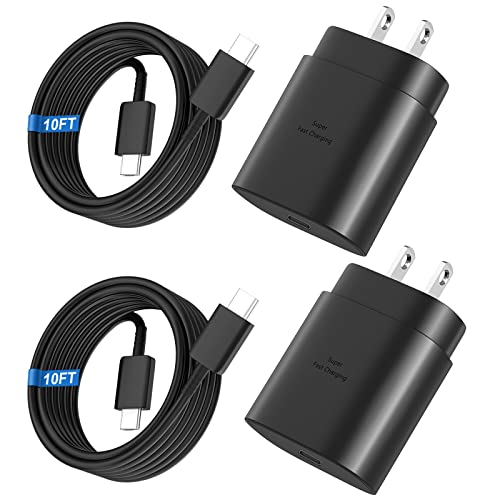
Small & Powerful: With 25W charging power but smaller size, this Vilive Samsung charger fast charging cord is more convenient and portable. Equipped with a type c port, you can charge your device back to full power in no time by using the 25W USB C fast charger for Samsung Galaxy S26 S25 series. It takes about 1 hour to fully charge your Samsung Galaxy S26 ultra, S25 ultra, S24 ultra, S23 ultra, 3 times as fast as standard PC USB-C charger.
Settings Adjustments
- Adaptive Brightness: Enable adaptive brightness to automatically adjust screen brightness based on your environment. This helps save power without sacrificing visibility.
- Screen Timeout: Set a shorter screen timeout. Keeping it around 30 seconds minimizes unnecessary battery drain when you’re not using your device.
- Power-Saving Mode: Activate power-saving mode. This feature reduces background activity and limits certain functions to stretch your battery life during heavy usage.
- App Settings: Check app settings for background activity. Limit apps that run in the background. Close any resource-heavy apps when not in use.
- Location Services: Disable location services for apps that don’t need it. Turn off GPS when you’re not navigating to prevent constant battery drain.
Charging Habits
- Avoid Full Discharges: Try not to let your battery fully discharge. Regularly charging your phone before it drops below 20% helps maintain battery health over time.
- Use Original Charger: Use the original Samsung charger for optimal charging speed. Avoid third-party chargers that may not regulate power flow effectively.
- Avoid Overnight Charging: Refrain from leaving your phone plugged in overnight. Unplugging it when fully charged prevents overcharging and extends battery lifespan.
- Charge at Room Temperature: Charge your device at room temperature. Extreme heat or cold impacts battery performance and longevity.
- Wireless Charging Alternatives: Consider wired charging instead of wireless. Wired charging generally charges the battery faster and generates less heat.
Incorporating these tips helps maintain your Samsung S23 Ultra’s battery life, ensuring you make the most of its powerful capabilities.
Conclusion
Your Samsung S23 Ultra is built to keep up with your busy lifestyle. With its powerful battery and smart features, you can enjoy a full day of usage without constantly worrying about recharging. By following a few simple tips to optimize battery life, you can ensure your device performs at its best.
Remember to adjust settings like adaptive brightness and power-saving modes to get the most out of your battery. Whether you’re gaming, streaming, or just catching up on social media, the S23 Ultra has you covered. Enjoy all the amazing features it offers while keeping your battery running strong!
Frequently Asked Questions
What is the battery capacity of the Samsung S23 Ultra?
The Samsung S23 Ultra comes with a robust 5000 mAh lithium-ion battery, designed to support extensive daily usage and various features of the device.
How long does the battery last on a single charge?
Under typical usage conditions, the S23 Ultra can last up to 12 hours with mixed activities, and up to 15 hours for video playback, 13 hours for web browsing, and around 10 hours for gaming.
Does the S23 Ultra support fast charging?
Yes, the Samsung S23 Ultra supports fast charging at 45W, along with wireless charging and reverse wireless charging capabilities to enhance user convenience.
What can I do to extend my S23 Ultra’s battery life?
To optimize battery life, consider using adaptive brightness, minimizing screen-on time, closing resource-heavy apps, and activating power-saving mode when needed.
How does the S23 Ultra’s battery compare to other flagship phones?
While other flagship phones, like the iPhone 14 Pro Max and Google Pixel 7 Pro, offer competitive battery life, the S23 Ultra shines in intensive tasks due to its efficient display technology.
Are there budget alternatives to the S23 Ultra with good battery life?
Yes, options like the Moto G Power and Samsung Galaxy A54 provide impressive battery life, although they may lack the advanced features found in the S23 Ultra.
What charging habits should I adopt for the S23 Ultra?
To maintain battery health, avoid full discharges, use the original charger, refrain from overnight charging, charge at room temperature, and prefer wired charging over wireless when possible.
