

Key Takeaways
- Average Battery Life: The Google Nest Cam battery typically lasts between 1 to 2 months on a single charge, influenced by usage and settings.
- Factors Impacting Longevity: Battery life is impacted by usage frequency, video quality, motion detection sensitivity, and environmental conditions.
- High vs. Low Activity Areas: Cameras in high-activity zones may drain faster (around 1 month), while those in quieter spaces can last up to 2 months.
- Maintenance Tips: Regular charging, adjusting resolution settings, and optimal camera placement are key practices for enhancing battery performance.
- Heat and Cold Effects: Extreme temperatures can significantly affect battery efficiency; keep the camera in a stable environment for best results.
- Comparative Performance: Compared to other security cameras, the Google Nest Cam strikes a balance between functionality and competitive battery life.
Wondering how long the battery on your Google Nest Cam lasts? You’re not alone. Many people rely on these smart cameras for home security, but battery life can be a real concern. Imagine setting up your camera only to find it’s out of juice when you need it most.
Overview of Google Nest Cam Battery Life
Google Nest Cam battery life varies based on usage and settings. On average, the battery lasts about 1 to 2 months on a single charge. Several factors affect this duration, including video quality, streaming frequency, and motion detection settings.
Factors Affecting Battery Life
- Usage Frequency: More frequent recording or streaming drains the battery faster.
- Video Quality: Higher resolution settings consume more power. Lowering the resolution can extend battery life.
- Motion Detection Sensitivity: High sensitivity settings lead to more frequent alerts, impacting battery longevity.
Real-World Scenarios
In a typical home environment, if you experience significant motion triggers daily, expect the battery to last closer to 1 month. Conversely, if your camera sees minimal activity, extending battery life to 2 months is possible.
Battery Maintenance Tips
- Regular Charging: Charge the battery when the power level drops to 20% to maintain optimal performance.
- Adjust Settings: Change streaming quality and motion sensitivity based on your monitoring needs.
- Placement Considerations: Position the camera to limit exposure to extreme temperatures, which can affect battery efficiency.
Understanding these aspects of Google Nest Cam battery life helps you optimize its performance for your specific security needs.
Factors Affecting Battery Life
Battery life for the Google Nest Cam depends on several factors. Understanding these can help you maximize usage before needing a charge.
Recommended Products

Continuous Stability and Efficient Solar Panel for Google Nest. The upgraded solar power panel charger utilizes high conversion rate monocrystalline silicon material, providing fast and efficient charging for the camera. Both the solar panel and the bracket are made of sturdy and corrosion-resistant aluminum alloy material, ensuring longevity and durability over time. When installing, if you do get the "Plugged In" instead of "Solar" then remove and replug the solar panel cable to the camera upto 8-10 times until it says it is solar. (This status is visible inside camera settings, in the battery section)

Energizer Double A Lithium batteries are the world's longest lasting AA batteries.

Compatibility: Specifically designed for Google Nest Camera charging cable (Battery) 2nd Generation, applicable both outdoor and indoor to provide continuous charging, eliminating the need to change batteries. It is not suitable for Nest Camera power cord 1st Generation, Nest Cam IQ power connector or any other Google Nest charging cable devices. (Notes: Google Nest Camera is Not Included)
Frequency of Activity Detection
Higher activity detection frequency drains the battery faster. Cameras monitoring busy areas encounter more motion, leading to more triggered events. For example, if your camera frequently captures moving vehicles or people, expect a reduced battery life, often closer to 1 month. Conversely, if the camera is positioned where activity is minimal, it can stretch battery life up to 2 months.
Environmental Conditions
Environmental factors play a significant role in battery performance. Extreme temperatures negatively impact battery efficiency. Cold weather can shorten battery life, while excessive heat may cause the battery to drain quickly. If your camera operates in a garage or under a tree where temperatures fluctuate, consider relocating it to help maintain optimal battery function.
Camera Settings and Usage
Adjusting camera settings helps you conserve battery life. For instance, setting lower video quality reduces energy consumption. Likewise, limiting the sensitivity of motion detection decreases how often the camera activates. Regularly monitor your camera usage patterns. If you notice lowered activity, consider changing settings for a more efficient battery performance.
Typical Battery Life Expectations
The battery life of your Google Nest Cam typically hinges on how you use it. Understanding these expectations helps you plan and manage your camera’s performance effectively.
Recommended Products

-Weatherproof cable Available in both 2m (6ft) and 10m (33ft), so you can choose the length that works best for your Google Nest Cam, inside or outside your house without worrying the distance.
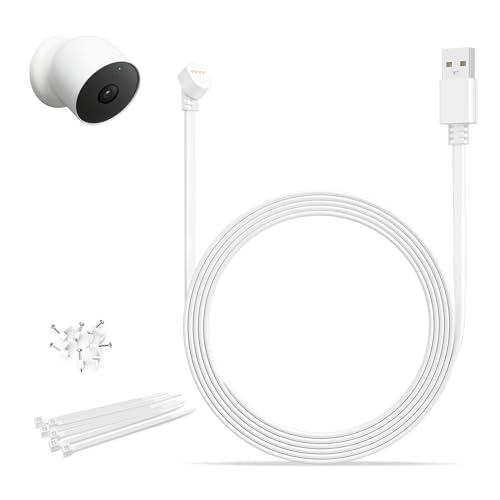
Only compatible with Google Nest Cam (Battery): Designed exclusively for Google Nest Cam Outdoor or Indoor Battery, this charger cable provides a secure and stable connection for daily use, making it a practical charging solution for indoor and outdoor camera setups. Please verify your camera model before purchase.

Perfect Replacement for lost original Nest Cam bracket - Made of durable plastic, this replacement part is a great replacement for the original Nest Cam bracket that you may have lost.
Average Longevity in Different Scenarios
The average battery lasts about 1 to 2 months on a single charge. Here’s how different scenarios influence battery longevity:
- High Activity Areas: If your camera monitors a busy entrance, expect around 1 month of battery life. Frequent motion detection triggers the camera, leading to quicker drain.
- Low Activity Spaces: If it oversees a quieter area, you might see battery life extend to 2 months. Minimal motion means less processing.
- Video Quality Settings: Using high-definition video may shorten battery life. Switching to standard definition can improve longevity.
- Temperature Conditions: Extreme cold or heat affects performance. Cold weather may reduce efficiency, while excessive heat might increase drain.
Comparison with Other Security Cameras
When you compare the Google Nest Cam to other security cameras, battery life remains competitive. Here’s how it stacks up:
- Ring Spotlight Cam: Offers about 6 months of battery life with low activity, but may struggle in busy areas.
- Arlo Pro 4: Typically lasts 3 to 6 months depending on usage. Its features often require more frequent charging.
- Wyze Cam Outdoor: Can achieve up to 6 months, but with fewer features compared to the Nest Cam.
These comparisons highlight how the Google Nest Cam balances functionality and battery longevity, making it a solid choice for home security.
Tips for Extending Battery Life
To maximize the battery life of your Google Nest Cam, implement the following strategies.
Recommended Products

Nest Cam has built-in intelligence and can tell the difference between a person, animal, and vehicle and send alerts directly through the Google Home app[1], no subscription required.Controller Type:Google Assistant.Connectivity protocol:Bluetooth;Wi-Fi.Power source type:Battery Powered.Operating Temperature : –4°F to 104°F (–20°C to 40°C).
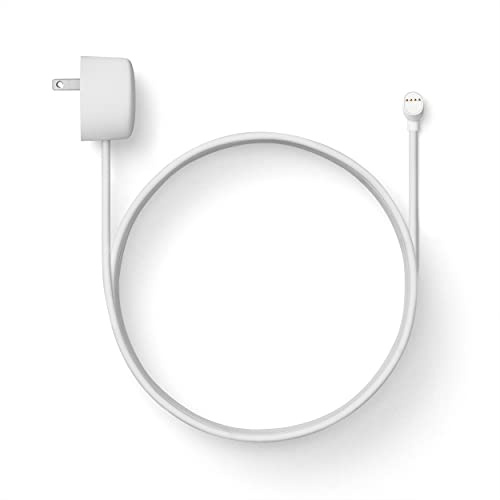
Weatherproof cable[1] and power adapter keep your Nest Cam home security camera connected with continuous power[2]
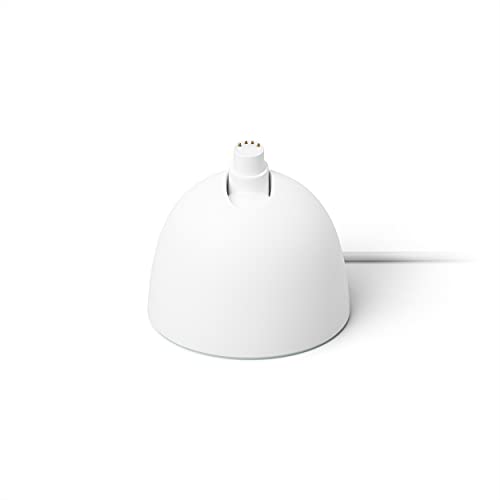
Use the Nest Cam Stand to place your home security camera on a table or shelf for easy charging[1]
Optimal Placement of the Camera
- Avoid direct sunlight: Position your camera where it isn’t exposed to harsh sunlight. Sunlight can overheat the camera and drain the battery faster.
- Select a sheltered spot: Install the camera in a location protected from wind and precipitation. This can help maintain optimal operating temperatures.
- Limit camera range: Choose an angle that monitors a smaller area. A narrower view reduces the frequency of detected motion and conserves battery life.
- Minimize background movement: If possible, avoid placing the camera where it may continually capture movements from trees, animals, or traffic. This reduces unnecessary activity notifications.
Adjusting Settings for Efficiency
- Lower video quality: Set the camera to record at a lower resolution. Reducing video quality can significantly extend battery life.
- Limit motion detection sensitivity: Adjust the motion detection settings to be less sensitive. This helps decrease unnecessary alerts and conserves energy.
- Schedule on/off times: Use the scheduling feature to power down the camera during times when you don’t need monitoring, such as when you’re home.
- Review notification settings: Disable notifications for less critical activities. This minimizes energy drain from constant alerting.
By applying these tips, you can effectively prolong the battery life of your Google Nest Cam and ensure it’s ready when needed.
Conclusion
Understanding your Google Nest Cam’s battery life is key to ensuring your home stays secure. By keeping an eye on usage patterns and adjusting settings, you can make the most of that battery. Remember that factors like activity levels and environmental conditions play a big role in how long the battery lasts.
With a little effort in optimizing your camera’s settings and placement, you can extend its battery life significantly. This way, you’ll have peace of mind knowing your camera is ready to capture any important moments. Stay proactive and keep your Nest Cam running smoothly for all your home security needs.
Frequently Asked Questions
How long does the battery last on the Google Nest Cam?
The battery life of the Google Nest Cam typically lasts between 1 to 2 months on a single charge. This duration can vary significantly based on usage frequency, video quality settings, and motion detection sensitivity.
What factors affect the battery life of the Google Nest Cam?
Several factors influence battery life, including how often activity is detected, environmental conditions like temperature, and camera settings. High activity in busy areas can reduce battery life, especially in extreme weather conditions.
How can I optimize the battery life of my Google Nest Cam?
To maximize battery life, adjust camera settings such as lowering video quality and limiting motion detection sensitivity. Additionally, place your camera in a sheltered location away from direct sunlight and minimize background movement.
What can I do if my Google Nest Cam battery drains quickly?
If your Google Nest Cam battery drains quickly, consider reviewing and adjusting your camera settings, reducing the detection range, and monitoring your usage patterns. Regular charging and placement in a less active area can also help.
How does the Google Nest Cam’s battery life compare to other cameras?
The Google Nest Cam offers competitive battery life compared to similar devices like the Ring Spotlight Cam, Arlo Pro 4, and Wyze Cam Outdoor. While each camera has its strengths, the Nest Cam balances functionality and battery longevity effectively.
