

Key Takeaways
- Battery Lifespan Variability: Google Nest batteries generally last between one to three years, influenced by usage patterns, environmental conditions, and specific device models.
- Model-Specific Longevity: The Google Nest Cam can last up to seven months on a charge, while the Nest Doorbell varies between one to six months depending on activity levels.
- Factors Influencing Battery Life: High motion alerts, extreme temperatures, and weak Wi-Fi signals can drain battery life more rapidly, necessitating thoughtful placement and usage settings.
- Optimization Strategies: Adjusting motion sensitivity and notification frequency, choosing strategic locations for devices, and regular software updates can significantly enhance battery performance.
- Monitoring and Maintenance: Use the Google Home app to track battery health and receive reminders for charging; maintain devices by cleaning sensor areas to ensure optimal functionality.
Wondering how long your Google Nest batteries will last? You’re not alone. Many users find themselves asking this question, especially when they’re relying on their devices for home security or smart home automation.
Imagine setting up your Nest device only to realize the battery life isn’t what you expected. It can be frustrating to deal with unexpected downtime. This article will give you the insights you need to understand battery longevity, factors that affect it, and tips for maximizing performance. By the end, you’ll feel more confident about managing your Google Nest devices.
Overview Of Google Nest Batteries
Google Nest devices typically feature rechargeable batteries designed for user convenience. On average, these batteries last between one to three years, depending on various factors such as usage and settings.
Battery Types
- Google Nest Cam (Battery): Uses a rechargeable battery, lasting up to 7 months with optimal usage.
- Google Nest Doorbell (Battery): Battery life ranges from 1 to 6 months based on notifications and video usage.
Factors Affecting Battery Life
- Usage Patterns: Frequent motion alerts or video streaming deplete battery faster.
- Temperature: Extreme temperatures—both hot and cold—can shorten battery life.
- Network Strength: Weak Wi-Fi signals cause devices to use more power.
Optimizing Battery Performance
- Adjust Settings: Reduce motion sensitivity and notification frequency.
- Optimize Location: Place devices in areas with reliable Wi-Fi to minimize power consumption.
- Regular Maintenance: Keep software updated for enhanced efficiency.
Monitoring Battery Status
- App Notifications: Use the Google Home app to track battery health and get alerts when charging is needed.
- Visual Indicators: Check device lights for a quick status overview.
Understanding these aspects helps in managing your Google Nest battery life effectively, ensuring consistent performance for your home automation and security needs.
Factors Affecting Battery Life
Various factors impact the battery life of your Google Nest devices. Understanding these elements helps you manage their performance effectively.
Recommended Products
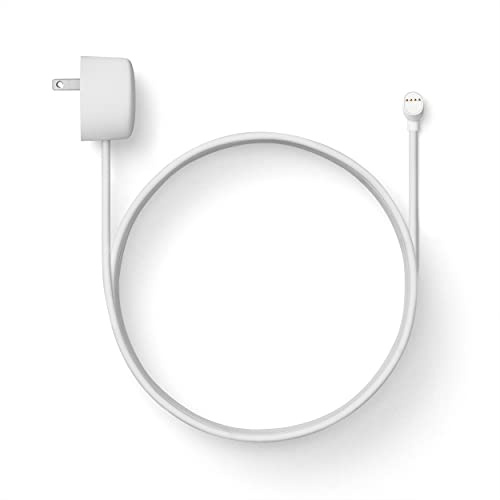
Weatherproof cable[1] and power adapter keep your Nest Cam home security camera connected with continuous power[2]

Meet the smarter, sharper wired Google Nest Cam Indoor; with 2K HDR video and Gemini, it knows what to look out for and what to do next[1,2,3](Gemini features require a Google Home premium subscription; try it for 1 month at no cost to you)[4]
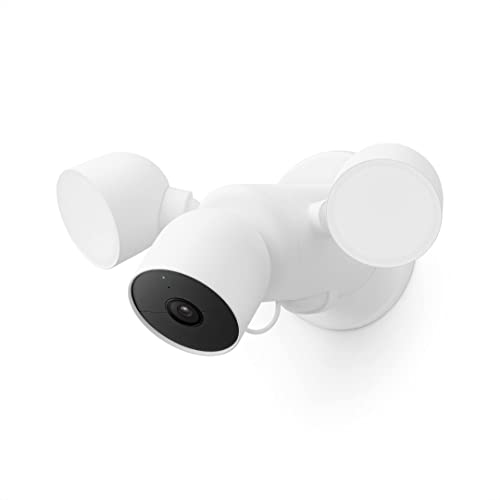
Nest Cam with floodlight has built-in intelligence and can tell the difference between a person, animal, and vehicle and send alerts directly through the Google Home app[1], no subscription required
Usage Patterns
Usage patterns significantly influence battery longevity. Frequent activities, such as motion alerts or video streaming, drain the battery faster. For example, using the Google Nest Cam (Battery) with high sensitivity settings can lead to more notifications, which reduces battery life. Adjust your settings based on your needs. If you don’t require constant monitoring, lower the motion sensitivity or switch to specific detection zones. This helps conserve battery and extends device operation time.
Environmental Conditions
Environmental conditions also play a critical role in battery performance. Extreme temperatures can affect battery efficiency. For instance, high heat or freezing cold not only reduces battery capacity but may also shorten its overall lifespan. It’s best to place your Google Nest devices in controlled environments. Ensure they aren’t exposed to direct sunlight or freezing temperatures. Additionally, keep your devices away from thick walls or large objects that impact Wi-Fi signal strength. A strong, stable connection to your network can improve battery life by reducing the need for constant reconnecting.
Average Lifespan Of Google Nest Batteries
Google Nest batteries typically last between one to three years, depending on various factors. Understanding how different models perform and what users experience can help you manage battery life effectively.
Recommended Products

CONTINUOUS POWER SUPPLY - No need to climb a ladder or change the batteries, this power cord charges your nest cam continuously, more convenience and save money. (Note: Nest Camera NOT Included; Only Cable) Not compatible with Google Nest cam Outdoor (Wired,2nd Gen), Google Nest Cam Indoor (Wired, 3rd Gen), Google Nest Cam with Floodlight.

-Weatherproof cable Available in both 2m (6ft) and 10m (33ft), so you can choose the length that works best for your Google Nest Cam, inside or outside your house without worrying the distance.
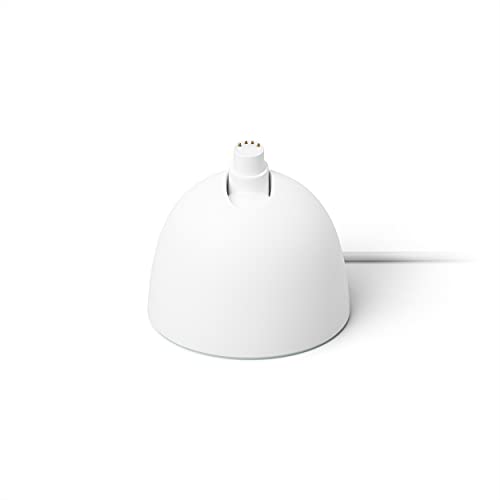
Use the Nest Cam Stand to place your home security camera on a table or shelf for easy charging[1]
Model Variations
Google Nest offers several models, and each has its own battery lifespan:
- Google Nest Cam (Battery): Lasts up to seven months on a single charge, with factors like usage intensity influencing this duration.
- Google Nest Doorbell (Battery): Delivers around one to six months of battery life, depending on the volume of activity sensed and video streaming frequency.
These models provide options for users wanting either extended or frequent use. Choose a model based on your needs and expected usage patterns.
Real-World Experiences
Users report varying battery experiences based on conditions and settings:
- Frequent Alerts: If you activate many motion alerts, your battery can drain more quickly. Users suggest limiting alerts to essential activities.
- Temperature Impact: Batteries may perform poorly in extreme heat or cold. Users find that placing devices in sheltered, controlled environments enhances performance.
- Network Stability: A stable Wi-Fi connection reduces battery drain from constant re-connections. Consider investing in a Wi-Fi extender if you encounter weak signals.
Monitoring your battery status through app notifications helps you stay ahead of performance issues. Adjust settings according to your specific usage to maximize lifespan.
Tips To Extend Battery Life
You can maximize your Google Nest battery life with a few practical strategies. Implementing regular maintenance and following optimal usage practices makes a noticeable difference in performance.
Recommended Products

Meet the smarter, sharper wired Google Nest Cam Outdoor; with 2K HDR video and Gemini, it knows what to look out for and what to do next[1,2,3](Gemini features require a Google Home premium subscription; try it for 1 month at no cost to you)[4]
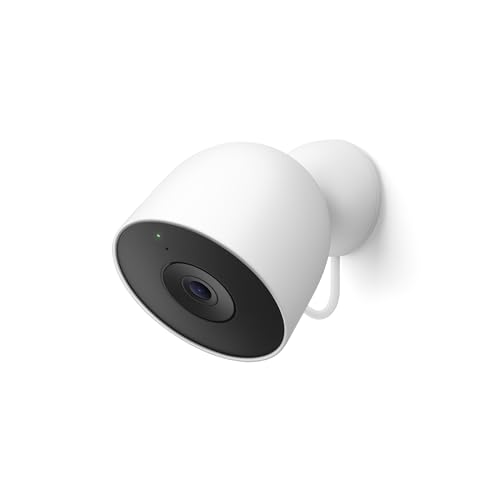
Meet the smarter, sharper wired Google Nest Cam Outdoor; with 2K HDR video and Gemini, it knows what to look out for and what to do next[1,2,3](Gemini features require a Google Home premium subscription; try it for 1 month at no cost to you)[4]

360° Visual Coverage & 1080p Full HD Live View: Provides 360° horizontal & 130° vertical viewing range to cover every corner. Reveals clear and sharp images with more details. The camera's field of view is greater than the mechanical pan/tilt range.
Regular Maintenance
- Update Software: Always ensure your devices have the latest software updates. Regular updates can include performance improvements that enhance battery efficiency.
- Check Battery Status: Monitor battery levels through the Google Home app. Keeping track of battery health helps you recognize unusual drain patterns.
- Clean Devices: Dust or debris can obstruct sensors. Regularly clean your devices, particularly the cameras and microphones, to maintain optimal functionality.
Optimal Usage Practices
- Limit Motion Alerts: Adjust motion sensitivity settings to reduce unnecessary notifications. Focus on essential movement to conserve energy.
- Use Defined Zones: Set specific detection zones. By limiting the areas your devices monitor, you can cut down on battery consumption.
- Optimize Wi-Fi Connection: Ensure your devices have a strong Wi-Fi connection. A reliable signal minimizes battery drain by reducing the need for constant reconnections.
Incorporating these tips can significantly prolong your Google Nest battery life, helping ensure consistent performance and reliability.
Conclusion
Understanding how long Google Nest batteries last can help you make the most of your devices. By keeping an eye on usage patterns and environmental factors you can significantly extend battery life.
Remember to adjust your settings to fit your needs and maintain a strong Wi-Fi connection. Regular maintenance and monitoring can also go a long way in ensuring your devices perform at their best.
With a little effort you can enjoy the benefits of your Google Nest devices without the hassle of frequent battery changes. Happy smart home managing!
Frequently Asked Questions
What is the average battery life of Google Nest devices?
Google Nest devices typically have a battery lifespan of one to three years. For specific models like the Google Nest Cam (Battery), the battery can last up to seven months, while the Google Nest Doorbell (Battery) may last between one to six months, depending on usage patterns.
What factors affect the battery life of Google Nest devices?
Battery life is influenced by several factors: usage patterns (like motion alerts), temperature extremes, and network strength. Frequent alerts and poor Wi-Fi connections can drain the battery faster, while environmental conditions play a significant role in battery capacity.
How can I extend the battery life of my Google Nest device?
To extend battery life, limit unnecessary motion alerts, optimize detection zones, maintain stable Wi-Fi connections, and ensure devices are kept away from extreme temperatures. Regular maintenance like software updates and monitoring battery levels through the Google Home app is also essential.
Is there a way to monitor the battery status of my Google Nest device?
Yes, users can monitor their device’s battery status through the Google Home app. This allows you to keep track of battery life and receive notifications regarding any necessary maintenance or updates.
How do temperature and environment impact battery performance?
Extreme temperatures can reduce battery capacity and lifespan. It’s best to place your Google Nest devices in temperature-controlled environments, away from direct sunlight and thick walls that may interfere with Wi-Fi connectivity.
