

Key Takeaways
- Using your phone while charging can generate excess heat, which is detrimental to lithium-ion battery health and can shorten its lifespan.
- To prolong battery life, aim to keep your charging levels between 20% and 80% and avoid letting your battery fully discharge or overcharge.
- Engaging in demanding activities, like gaming or streaming, while charging can reduce efficiency and lead to more frequent charging cycles, further wearing down the battery.
- Always use the original or certified chargers to prevent overheating and ensure safe charging practices.
- Implementing power-saving modes can help limit background activity and reduce strain on the battery during charging sessions.
Do you ever find yourself scrolling through social media while your phone’s plugged in? You’re not alone. Many people do this, but it raises an important question: does using your phone while charging actually harm the battery?
You might be worried about battery life or performance, especially if you rely on your device for everything from work to entertainment. This article will break down the facts, helping you understand how your charging habits impact your Android’s battery health. By the end, you’ll know whether you can keep using your phone or if it’s time to put it down while it charges.
Overview of Smartphone Charging
Smartphone charging involves various processes that impact battery health. Understanding these processes helps you make informed choices about usage while charging.
Battery Chemistry
Lithium-ion batteries power most Android devices. These batteries charge quickly and have a limited lifespan, typically around 2 to 3 years or 300 to 500 full charge cycles. Battery performance decreases when regularly charged from 0% to 100%.
Charging Phases
Charging occurs in two main phases:
- Constant Current Phase
During this phase, the charger supplies a steady current until the battery reaches about 70% charge. Faster charging happens here.
- Constant Voltage Phase
In this phase, the voltage remains constant while the current gradually decreases until the battery is fully charged. This helps prevent overheating and damage.
Using Your Phone While Charging
Using your Android phone while it’s charging can affect battery performance. Tasks like gaming or streaming increase processing demands, causing excess heat. Heat is a primary factor that shortens battery life. If your device gets hot while charging, consider limiting demanding activities.
Charging Accessories
Using the right accessories is crucial. Always opt for the charger that comes with your device. Third-party accessories can affect charging speed and battery health. Look for certified products to ensure compatibility and safety.
Tips for Healthy Charging Habits
- Avoid Extreme Temperatures
Keep your device in a cool area during charging to prevent overheating.
- Use Power Saving Modes
Activating power saving settings can help reduce strain while charging.
- Regularly Charge Between 20% and 80%
Frequent top-ups within this range improve battery longevity.
Adopting these practices enhances overall battery life and maintains optimal performance for your Android device.
The Science Behind Battery Charging
Understanding how battery charging works is essential for maintaining the health of your Android device. Mobile devices primarily use lithium-ion batteries. These batteries are efficient but vulnerable to certain usage habits.
Lithium-Ion Battery Basics
Lithium-ion batteries operate by moving lithium ions between the positive and negative electrodes. They perform best when charged between 20% and 80%. This range helps prolong battery life, reducing wear from deep discharges and overcharging. Most Android devices automatically manage charging to prevent damage, but using your phone while charging can create heat, which accelerates lithium-ion degradation.
Charging Cycles and Battery Health
A charging cycle occurs when a battery discharges to 0% and recharges to 100%. Each cycle slowly diminishes the battery’s capacity. Frequent use while charging can lead to premature cycle completion, especially during intensive tasks that require more power, such as gaming or streaming. This increases heat production, adversely affecting battery longevity. Aim to charge your device when it’s closer to 20%, especially if you plan to use it during charging. Limit demanding tasks while charging to minimize heat generation.
Does Using Your Phone While Charging Damage the Battery Android?
Using your phone while charging can affect battery health. Understanding the potential risks helps you make better choices.
Recommended Products
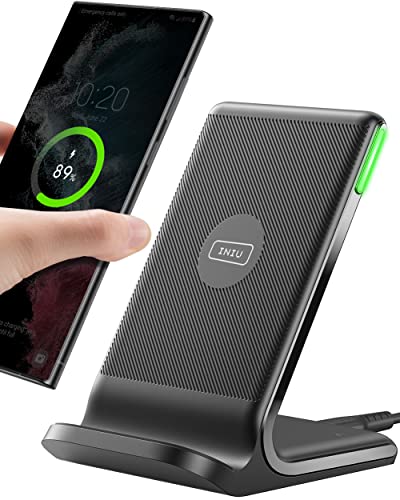
15W Fast Charge for the Morning Rush: Save up to 45 minutes with the INIU Wireless Charger. Powered by AirFuel tech, it’s ideal for commuters needing a rapid power boost before leaving, eliminating the frustration of slow charging.

Safeguard Protection - USB c Android chargers comes with premium built-in safeguards and intelligent IC identification technology to prevent against short circuit, over-current, over-voltage, over-heating and over-charging. It can intelligently recognize the battery type and status, will automatically stop charging when fully charged for a safety charging and long lifespan
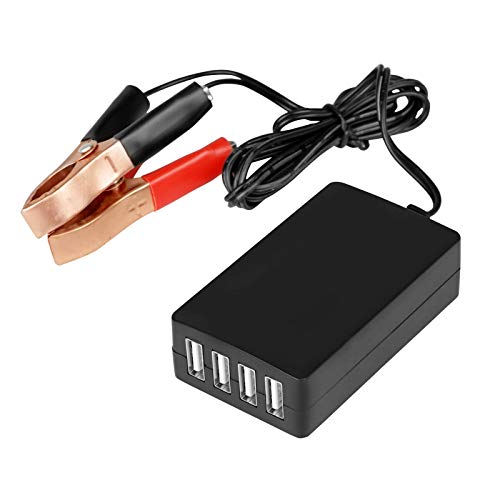
Input voltage: DC 8-35V, (12V/24V lead-acid battery or lithium-ion battery can be changed to 5V)
Potential Risks Involved
Using your phone during charging often leads to increased heat generation. Heat is one of the main factors that can degrade battery life. For example, playing graphic-intensive games or streaming videos while charging raises the device’s temperature. This excess heat can harm battery components over time. Frequent exposure to high temperatures can lead to a shorter lifespan for your battery.
Another risk is the impact on the charging cycle. When you use your phone, the battery continues to discharge while it also charges. If you have demanding apps running, the charging efficiency drops. It may take longer to reach a full charge or require more frequent charging sessions. This behavior can lead to more cycles than necessary, which can wear down the battery faster.
User Experiences and Anecdotes
Many users report battery issues after regular multitasking while charging. For instance, an Android user shares that heavy gaming while the device charges led to noticeable performance drops. The phone would heat up excessively, and the battery started depleting quicker than before.
Other users recommend alternatives. One suggests turning on battery saver mode before charging. This practice limits background app usage and can help reduce heat. Overall, consistent monitoring of temperature and charging habits can support battery longevity. Users who pay attention to these factors often see better performance from their devices over time.
Best Practices for Battery Care
Caring for your battery can extend its lifespan and improve performance. Adopting good habits while charging your Android device makes a significant difference.
Recommended Products

Market's Thinner 10000mAh: The 0.55-inch sleek portable charger power bank is small enough to go into any backpack or pocket. The battery pack are powerful enough to last the entire day. Each one charges the iPhone 17 1.9 times, the Galaxy S24 1.9 times, the Pad Mini 6 1.6 times.

【Safeguard Protection】USB C Android chargers comes with premium built-in safeguards and intelligent IC identification technology to prevent against short circuit, over-current, over-voltage, over-heating and over-charging. It can intelligently recognize the battery type and status, will automatically stop charging when fully charged for a safety charging and long lifespan.
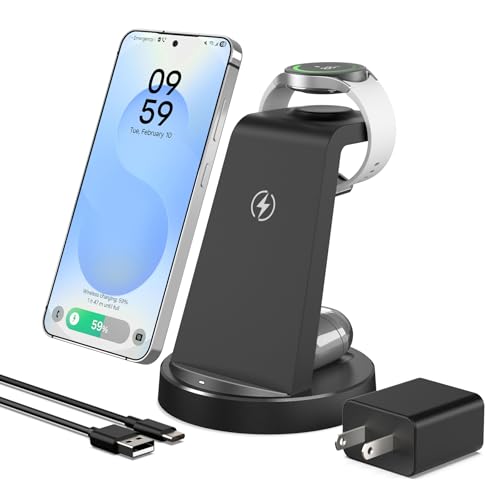
【Designed for Samsung Users】This 3-in-1 wireless charging station charge your Samsung phone, watch and earbuds at the same time. Each device gets its own dedicated power zone — no sharing, no speed drop — so all three are ready when you are. Its compact design fits neatly on your desk or nightstand, keeping your daily charging simple and organized
Optimal Charging Techniques
- Charge regular intervals: Aim to keep your battery percentage between 20% and 80%. Avoid letting it drop to 0% or charging it to 100%.
- Use the correct charger: Always use the charger that came with your device or a certified replacement. This reduces the risk of overheating and damage.
- Avoid overnight charging: Unplug your phone once it reaches a full charge to prevent extended exposure to heat.
Tips for Maximizing Battery Lifespan
- Limit heavy usage: Avoid resource-intensive activities like gaming or streaming while charging. Reducing heat generation helps maintain battery health.
- Enable battery saver mode: Activate it to limit background processes and extend your battery’s life during charging sessions.
- Monitor temperature: Keep your phone cool. Charging in high-temperature environments can damage battery components and decrease longevity.
- Disconnect when fully charged: Unplugging your device promptly after reaching full charge prevents overcharging, improving battery lifespan.
Conclusion
Using your phone while it’s charging might seem convenient but it can have some drawbacks for your battery’s health. The heat generated from heavy tasks can lead to faster degradation over time.
To keep your battery in top shape it’s best to follow those healthy charging habits. Stick to charging between 20% and 80% and avoid using your device for demanding activities while it’s plugged in.
By being mindful of how you use your phone during charging you can help extend its lifespan and maintain optimal performance. Your battery will thank you for it!
Frequently Asked Questions
Is it bad to use my phone while it’s charging?
Using your phone while charging can negatively impact battery life. Intensive tasks can generate heat, which can accelerate battery degradation.
What is the optimal charging range for my phone?
For best battery health, keep your Android device charged between 20% and 80%. This range helps maximize the lifespan of lithium-ion batteries.
How do lithium-ion batteries work?
Lithium-ion batteries charge by moving lithium ions between electrodes. They perform optimally within specific charge levels and have a limited lifespan.
What are the two charging phases?
The charging process consists of two phases: the Constant Current Phase quickly charges the battery to about 70%, while the Constant Voltage Phase prevents overheating during full charge.
How often should I charge my phone?
It’s best to charge your phone regularly to maintain levels between 20% and 80%, reducing the need for deep discharges that can harm the battery.
Can multitasking while charging affect performance?
Yes, multitasking during charging can lead to longer charge times and more frequent charging sessions, which may wear down the battery faster.
What are some good charging habits?
To promote battery health, avoid overnight charging, use the right charger, enable battery saver mode, and limit heavy usage while your phone is charging.
How can I prevent my phone from overheating?
To avoid overheating while charging, keep your device in a cool place, avoid heavy tasks, and monitor its temperature regularly during use.
