

When it comes to phone batteries, there are many misconceptions and myths floating around. One of the most common questions people ask is whether phone batteries have acid. In this article, we’ll dive deep into the topic, debunk common myths, and provide you with all the information you need to know about phone batteries and acid.
The Chemistry of Phone Batteries
Before we dive into the topic of acid in phone batteries, it’s essential to understand the chemistry behind them. Phone batteries are typically made up of a cathode, an anode, and an electrolyte. The cathode is typically made of lithium cobalt oxide, while the anode is made of graphite. The electrolyte is a liquid or gel substance that conducts ions between the cathode and anode.
When you charge your phone, lithium ions move from the cathode to the anode, storing energy in the battery. When you use your phone, the process reverses, and the lithium ions move from the anode back to the cathode, generating electricity to power your device.
Debunking the Myth: Phone Batteries Don’t Contain Acid
Now that we understand the basic chemistry of phone batteries let’s tackle the myth – do phone batteries contain acid? The answer is no. Phone batteries do not contain acid. The electrolyte inside a phone battery is typically a non-acidic substance, such as lithium-polymer, which is a type of electrolyte known for its stability and safety.
However, it’s crucial to note that some phone batteries can still be dangerous if not handled correctly. For example, if you puncture a phone battery, it can release toxic and flammable gases, which can be harmful.
One key takeaway from this text is that phone batteries do not contain acid, but rather a non-acidic substance like lithium-polymer. However, it’s still important to handle phone batteries safely to avoid any dangers like toxic and flammable gases that could be released if the battery is punctured. It’s also important to follow proper charging and storage techniques to extend the lifespan of your phone battery.
Battery Acid: What It Is and Where You Can Find It
While phone batteries don’t contain acid, there are other types of batteries that do. Lead-acid batteries, which are commonly used in cars, contain sulfuric acid. This acid is highly corrosive and can cause severe burns and damage to skin and clothing.
If you come into contact with battery acid, it’s important to take immediate action. Rinse the affected area with plenty of water for at least 15 minutes, and seek medical attention if necessary.
Phone batteries do not contain acid, rather they are typically made up of a cathode, an anode, and an electrolyte. The electrolyte inside a phone battery is typically a non-acidic substance, such as lithium-polymer, known for its stability and safety. It is important to handle phone batteries safely, avoiding puncturing the battery, using the right charger, not overcharging the battery, and storing it in a cool, dry place away from extreme temperatures. There are different types of phone batteries, including lithium-ion, lithium-polymer, and nickel-cadmium batteries, and it’s essential to follow tips to extend your phone battery’s lifespan.
Recommended Products

❤【High Quality Grade A Premium Battery】: This New Upgraded TLi017D1 Battery uses Grade A+ rated battery cells with CE and ROHS UL certification,ensure last over 2000+ charge cycles.This is Perfect for TLi017d1 replacement battery.

HAC-006 Battery: Widely compatible with Nintendo Switch controller, battery model: HAC-006, HAC-A-BPJMX-C0, controller model: for Nintendo HAC-015 HAC-016 HAC-A-JCL-C0 HAC-A-JCR-C0 Switch NS Joy-Con controller

EXTENDED POWER: The Artisan Power Replacement Battery is for the Yealink W78H, W78P, W73H, W73P, W53H, W53P Handsets. With a 1010 mAh capacity that is rated 10% higher than the OEM, it ensures extended opperating time and talk time.
How to Handle Phone Batteries Safely
While phone batteries don’t contain acid, they can still be dangerous if not handled correctly. Here are some tips to help you handle your phone battery safely:
Phone batteries do not contain acid, as the electrolyte inside is typically a non-acidic substance, such as lithium-polymer. However, some phone batteries can still be dangerous if mishandled, and it’s best to avoid puncturing the battery, use the right charger, avoid overcharging, and store it safely. Additionally, there are different types of phone batteries, including Lithium-Ion, Lithium-Polymer, and Nickel-Cadmium batteries, each with its advantages and disadvantages. To extend your phone battery’s lifespan, avoid extreme temperatures, charge it correctly, use battery-saving features, and replace it when needed.
Recommended Products
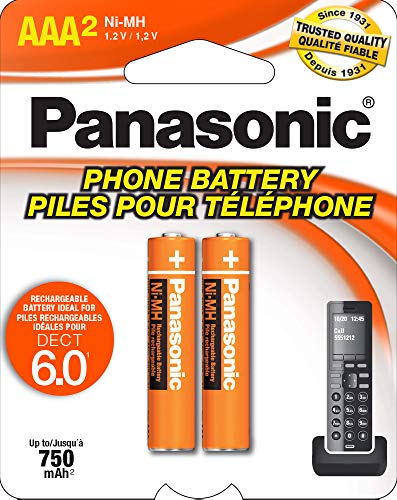
GENUINE PANASONIC OEM QUALITY: This orange AAA Ni-MH rechargeable battery with the white Panasonic logo is made by Panasonic in our own factory

Voltage: 2.4V - Capacity: 800mAh - Type: AAA*2 . Connector Type:5264; Jack: Round. - (Tips: This battery model not suit for all cordless phone model, please kindly read our listing in details and confirm your old battery model, then select correct battery model.)

Energizer 1616 Lithium Coin Battery
1. Avoid Puncturing the Battery
As mentioned earlier, puncturing a phone battery can release toxic and flammable gases, which can be harmful. Avoid puncturing your phone battery, and if your battery is damaged or swollen, take it to a professional for repair or replacement.
2. Use the Right Charger
Using the wrong charger for your phone can damage your battery and even cause it to overheat. Always use the charger that came with your phone or an approved third-party charger that’s compatible with your device.
3. Don’t Overcharge Your Battery
Overcharging your phone battery can shorten its lifespan and even cause it to overheat or explode. Avoid leaving your phone plugged in for extended periods and unplug it once it’s fully charged.
4. Store Your Battery Safely
If you’re storing your phone battery for an extended period, store it in a cool, dry place away from direct sunlight and heat sources. Avoid storing your battery in extreme temperatures, such as in your car during the summer.
The Different Types of Phone Batteries
There are several types of phone batteries, each with its advantages and disadvantages. Here are some of the most common types:
Phone batteries do not contain acid, and their electrolytes are typically non-acidic substances like lithium-polymer, which is a safe and stable electrolyte. It is important to handle phone batteries safely by not puncturing them, using the correct charger, not overcharging them, and storing them in a cool, dry place. Lithium-ion batteries are the most common type of phone battery, while nickel-cadmium batteries have been replaced by lithium-ion batteries due to safety and capacity issues. To extend a phone battery’s lifespan, users should avoid extreme temperatures, charge it correctly, use battery-saving features, and replace it when necessary.
Recommended Products
![Abtter SCP-73LBPS Battery, [1800mAh] High Capacity Replacement for Kyocera DuraXV Extreme E4810 Verizon Flip Phone](https://m.media-amazon.com/images/I/41rYF39ffTL._SL500_.jpg)

Compatible Model: This battery replacement kit is only compatible with Samsung Galaxy Watch Active 2nd 40mm with model numbers SM-R830 SM-R835, please carefully check your device model before purchasing

EXTENDED BATTERY: Our replacement battery is designed to keep your Poly Rove, Rove 30, and Rove 40 Phones powered up. With a 1200 mAhr capacity than the original battery, you’ll enjoy extended talk time and more charge cycles.
1. Lithium-Ion Batteries
Lithium-ion batteries are the most common type of phone battery. They are lightweight, have a high energy density, and are rechargeable. They are also relatively safe and don’t suffer from the memory effect.
2. Lithium-Polymer Batteries
Lithium-polymer batteries are a type of lithium-ion battery that uses a polymer electrolyte instead of a liquid one. They are even more lightweight than lithium-ion batteries and can be made in any shape, which makes them ideal for thin devices like smartphones and tablets.
3. Nickel-Cadmium Batteries
Nickel-cadmium batteries were once popular in phones but have since been replaced by lithium-ion batteries. They are less safe than lithium-ion batteries and suffer from the memory effect. They are also less energy-dense and have a lower capacity than lithium-ion batteries.
How to Extend Your Phone Battery’s Lifespan
Phone batteries don’t last forever, but there are things you can do to extend their lifespan. Here are some tips:
1. Avoid Extreme Temperatures
Extreme temperatures can damage your phone battery and cause it to degrade faster. Avoid exposing your phone to extreme heat or cold, such as leaving it in your car on a hot summer day.
2. Charge Your Battery Correctly
Overcharging or undercharging your phone battery can cause it to degrade faster. Follow the manufacturer’s recommendations for charging your battery, and avoid leaving it plugged in for extended periods.
3. Use Battery-Saving Features
Most smartphones have battery-saving features that can help extend your battery life. These features can include dimming the screen, turning off notifications, and limiting background data usage.
4. Replace Your Battery When Needed
Even with proper care, phone batteries will eventually degrade and need to be replaced. If you notice that your phone’s battery life has significantly decreased, it may be time to replace it.
FAQs: Do Phone Batteries Have Acid?
What is a phone battery made of?
Phone batteries are typically made of lithium-ion, which consists of a cathode, an anode, and an electrolyte. The cathode is made of a metal oxide such as cobalt, nickel, or manganese, while the anode is made up of graphite or other carbonaceous materials. The electrolyte is a lithium salt in an organic solvent.
Does a phone battery contain acid?
While phone batteries do not contain acid in the traditional sense, the electrolyte in a lithium-ion battery is highly acidic. It is made up of a lithium salt dissolved in an organic solvent, which can be highly corrosive and harmful. In the event of a battery leak or rupture, this electrolyte can leak out and cause damage to the device or harm to the user.
Is it safe to touch a phone battery?
In general, it is safe to touch a phone battery as long as it is not leaking or ruptured. If a battery is damaged and leaks its electrolyte, it can be highly corrosive and harmful to skin and eyes. It is important to handle phone batteries carefully and dispose of them properly to avoid any potential hazards.
How should I dispose of a phone battery?
Phone batteries should always be disposed of properly and safely. Many electronics retailers offer recycling programs for batteries and other electronics, and some cities have hazardous waste disposal programs where you can bring your old batteries for safe disposal. Never throw a phone battery in the trash, and avoid puncturing or damaging the battery to prevent leaks or ruptures.
Can a phone battery explode?
While instances of phone batteries exploding are rare, it is possible for a battery to overheat or rupture due to damage or a manufacturing defect. This can lead to a fire or explosion, which can be extremely dangerous. It is important to handle phone batteries with care and avoid exposing them to extreme temperatures or physical damage that could lead to an explosion. If a battery shows signs of swelling or other damage, it should be disposed of immediately.
