Close Menu
Battery Spotlight
    Battery Spotlight
    • Home
    • Phone Batteries
    • Laptop Batteries
    • Car Batteries
      • Golf Cart Batteries
    • Battery Info
      • Battery Chargers
      • Battery Life
      • Battery Maintenance
      • Marine Batteries
      • Rechargeable Batteries
      • Solar Batteries
    • About Us
      • Contact
    Battery Spotlight
    Navigation: Home » Car Batteries » Troubleshooting Car Key Issues with a New Battery: A Complete Guide
    Car Batteries

    Troubleshooting Car Key Issues with a New Battery: A Complete Guide

    Jackson DoyleBy Jackson DoyleSeptember 1, 20247 Mins Read
    Share Facebook Twitter Pinterest LinkedIn Tumblr Email WhatsApp Copy Link
    Share
    Facebook Twitter LinkedIn Pinterest Email Copy Link

    Ever found yourself stranded with a car key that just won’t cooperate, even after a new battery? Frustrating, right? You’re not alone. Picture this: you’re running late, ready to hit the road, and your key decides to play hard to get. It’s a tale as old as time, but fear not – solutions are within reach.

    Table of Contents

    Toggle
    • Common Reasons for Car Key Malfunction
    • Manufacturing Defects:
    • Transponder Issues:
    • Signal Interference:
    • Key Fob Damage:
    • How to Properly Insert a New Battery into Your Car Key
    • Testing Your Car Key after Battery Replacement
    • Potential Solutions for a Car Key Not Working with a New Battery
    • Tips for Maintaining Your Car Key's Functionality
    • Conclusion
    • Frequently Asked Questions
    • What does the article focus on?
    • What steps are provided in the guide for replacing the battery?
    • How should one test the key after replacing the battery?
    • What additional solutions are suggested if the new battery doesn't fix the problem?
    • What are the key tips for maintaining a car key's functionality?

    In this article, we’ve got your back. Discover the secrets to unlocking the mystery behind your car key’s resistance to that shiny new battery. Say goodbye to the headache of a stubborn key and hello to hassle-free journeys. Stay tuned for quick fixes and expert tips to get you back on the road in no time.

    Common Reasons for Car Key Malfunction

    If you’re dealing with a car key that’s still not working even with a new battery, several factors could be contributing to this frustrating issue. Let’s delve into some common reasons for car key malfunction:

    • Manufacturing Defects:

    • Sometimes, car keys may have manufacturing defects that prevent them from working correctly, even with a new battery.
    • Transponder Issues:

    • Transponders, which help your car identify the correct key, can malfunction due to damage or programming issues.
    • Signal Interference:

    • Signal interference from electronic devices or metal surfaces can disrupt the communication between your key and your car’s ignition system.
    • Key Fob Damage:

    • Physical damage to your key fob, like worn-out buttons or internal components, can impede its proper functioning.
    • Issues with the ignition cylinder can also lead to difficulties in starting your car despite having a functional key.

    Understanding these potential causes can help you troubleshoot the problem effectively and get back on the road swiftly. By addressing these issues, you can save time and avoid unnecessary stress.

    How to Properly Insert a New Battery into Your Car Key

    You might be surprised at how a seemingly simple task like replacing a car key battery can sometimes be the solution to your car key not working. Here’s a step-by-step guide on how to properly insert a new battery into your car key:

    • Identify the Battery Type: Look for a small screw on your key fob. Use a small screwdriver to unscrew it.
    • Size Matters: Pay attention to the size and type of battery needed. Most car keys use CR2032 batteries.
    • Remove the Old Battery: Carefully take out the old battery from its compartment. Be gentle to avoid damaging any components.
    • Insert the New Battery Correctly: Ensure the new battery is facing the right way. The positive (+) and negative (-) symbols should match the markings in the fob.
    • Secure the Battery: Once the new battery is in place, make sure it fits snugly. Replace the cover and screw it back in.
    SEE ALSO  How to Replace BMW Key Fob Battery: Step-by-Step Guide

    Properly inserting a new battery into your car key can often resolve issues with key fob responsiveness. By following these simple steps, you can troubleshoot and potentially fix the issue yourself, saving time and money.

    Recommended Products

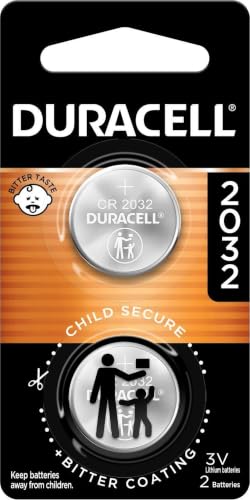
    Duracell 2032 Lithium Battery, 4 Count (Pack of 1), Child Safety Features, Compatible with Key Fob, Tea Light Candles and Other Devices, CR2032 Battery
    Duracell 2032 Lithium Battery, 4 Count (Pack of 1), Child Safety Features, Compatible with Key Fob, Tea Light Candles and Other Devices, CR2032 Battery

    LONG-LASTING BATTERIES DESIGNED FOR DEPENDABILITY: Duracell Lithium Coin CR2032 3 Volt batteries deliver long-lasting power and performance you can count on for devices throughout the home or on-the-go, such as key fobs, remote controls, Apple AirTag️, flameless candles, wireless cameras, thermometers, toys, and more.

    VIEW LATEST PRICE

    As an affiliate, we earn on qualifying purchases.

    Duracell 2032 Lithium Battery, 2 Count (Pack of 1), Child Safety Features, Compatible with Key Fob, Tea Light Candles and Other Devices, CR2032 Battery
    Duracell 2032 Lithium Battery, 2 Count (Pack of 1), Child Safety Features, Compatible with Key Fob, Tea Light Candles and Other Devices, CR2032 Battery

    LONG-LASTING BATTERIES DESIGNED FOR DEPENDABILITY: Duracell Lithium Coin CR2032 3 Volt batteries deliver long-lasting power and performance you can count on for devices throughout the home or on-the-go, such as key fobs, remote controls, Apple AirTag️, flameless candles, wireless cameras, thermometers, glucose monitors, toys, and more.

    VIEW LATEST PRICE

    As an affiliate, we earn on qualifying purchases.

    Amazon Basics CR2032 3V Lithium Coin Cell Batteries for Key Fob, Watch, Remote, Child-Proof Package, Non-Coated, AirTag Compatible, 10-Pack
    Amazon Basics CR2032 3V Lithium Coin Cell Batteries for Key Fob, Watch, Remote, Child-Proof Package, Non-Coated, AirTag Compatible, 10-Pack

    IN THE BOX: 10-pack of CR2032 3 volt lithium coin cell batteries; replacement for BR2032, DL2032, and ECR2032

    VIEW LATEST PRICE

    As an affiliate, we earn on qualifying purchases.

    Testing Your Car Key after Battery Replacement

    You’ve replaced the battery in your car key and you’re eager to see if it solves the issue. Here’s what you need to do next:

    • Give it a Go: Test the key by pressing the buttons.
    • Check for Signals: Make sure the fob responds to your commands.
    • Be Patient: Sometimes it may take a few tries for the key to sync properly.
    • Consult the Manual: If problems persist, refer to the car’s manual for troubleshooting steps.
    SEE ALSO  How to Replace a BMW Battery Safely: Step-by-Step Guide

    You’re closer to resolving the issue and getting your car key back to perfect working condition.

    Recommended Products

    Duracell 2032 Lithium Battery, 8 Count (Pack of 1), Child Safety Features, Compatible with Key Fob, Tea Light Candles and Other Devices, CR2032 Battery
    Duracell 2032 Lithium Battery, 8 Count (Pack of 1), Child Safety Features, Compatible with Key Fob, Tea Light Candles and Other Devices, CR2032 Battery

    LONG-LASTING BATTERIES DESIGNED FOR DEPENDABILITY: Duracell Lithium Coin CR2032 3 Volt batteries deliver long-lasting power and performance you can count on for devices throughout the home or on-the-go, such as key fobs, remote controls, Apple AirTag️, flameless candles, wireless cameras, thermometers, toys, and more.

    VIEW LATEST PRICE

    As an affiliate, we earn on qualifying purchases.

    Amazon Basics CR2032 3V Lithium Coin Cell Batteries, Child-Proof Package, Non-Coated, AirTag Compatible, 4-Pack
    Amazon Basics CR2032 3V Lithium Coin Cell Batteries, Child-Proof Package, Non-Coated, AirTag Compatible, 4-Pack

    Plastic, Metal

    VIEW LATEST PRICE

    As an affiliate, we earn on qualifying purchases.

    Duracell 2032 Lithium Battery, 6 Count (Pack of 1), Child Safety Features, Compatible with Key Fob, Tea Light Candles and Other Devices, CR2032 Battery
    Duracell 2032 Lithium Battery, 6 Count (Pack of 1), Child Safety Features, Compatible with Key Fob, Tea Light Candles and Other Devices, CR2032 Battery

    LONG-LASTING BATTERIES DESIGNED FOR DEPENDABILITY: Duracell Lithium Coin CR2032 3 Volt batteries deliver long-lasting power and performance you can count on for devices throughout the home or on-the-go, such as key fobs, remote controls, Apple AirTag️, flameless candles, wireless cameras, thermometers, glucose monitors, toys, and more.

    VIEW LATEST PRICE

    As an affiliate, we earn on qualifying purchases.

    Potential Solutions for a Car Key Not Working with a New Battery

    Facing a situation where your car key is still not working even with a new battery can be frustrating. Here are a few potential solutions to help resolve this issue:

    • Check Battery Placement: Ensure the new battery is placed correctly with the positive and negative sides aligned properly.
    • Reprogram the Key Fob: Sometimes, new batteries may require reprogramming the key fob to sync with the vehicle. Refer to your car’s manual for specific instructions on reprogramming.
    • Inspect for Corrosion: Check the battery contacts inside the key fob for any signs of corrosion. Clean them gently with a cotton swab and alcohol if needed.
    • Test Range of the Key Fob: Test the key fob from different distances and angles to see if the issue is related to signal range.
    • Replace the Key Fob: If none of the above solutions work, consider replacing the key fob entirely to ensure proper functionality.

    These steps can often help diagnose and fix issues with a car key not working even with a new battery. Remember, troubleshooting key fob problems requires patience and attention to detail.

    SEE ALSO  How to Easily Replace a Honda Key Battery: Test Your Key Fob Like a Pro

    Tips for Maintaining Your Car Key’s Functionality

    When it comes to keeping your car key in optimal working condition, a little care can go a long way. Here are some simple yet effective tips to help you maintain the functionality of your car key:

    • Avoid Exposure to Extreme Temperatures: Extreme heat or cold can impact the performance of your car key’s battery. Try to keep it away from direct sunlight or freezing temperatures.
    • Regularly Clean Your Key Fob: Dust and dirt can build up over time and affect the key’s functionality. Use a soft cloth to gently clean your key fob and keep it free from debris.
    • Replace Batteries Promptly: If your key fob starts to show signs of weakening, don’t wait too long to replace the battery. Using a weak battery can lead to further issues down the line.
    • Keep Spare Batteries Handy: It’s always a good idea to have spare batteries on hand for your key fob. This way, you can quickly swap out the old battery with a fresh one when needed.
    • Test Regularly: To ensure your key fob is working correctly, test it periodically by pressing the buttons and checking for a response. This simple check can help you catch any issues early on.
    • Seek Professional Help If Needed: If you’ve tried various solutions and your car key still isn’t working properly, it might be time to consult a professional locksmith or your car manufacturer for assistance.

    By incorporating these maintenance tips into your routine, you can extend the lifespan of your car key and prevent potential issues in the future.

    Conclusion

    Ensuring your car key functions properly is essential for a smooth driving experience. By following the steps outlined in this article, you can easily troubleshoot key malfunctions related to a new battery. Remember to test the key after battery replacement, be patient for syncing, and explore additional solutions if needed. Maintaining your key fob’s functionality is simple with regular cleaning, battery replacements, and testing. By taking these proactive steps, you can avoid potential issues and maximize the lifespan of your car key. If problems persist, don’t hesitate to seek professional assistance to keep your key working efficiently.

    Frequently Asked Questions

    What does the article focus on?

    The article focuses on the importance of correctly inserting a new battery into a car key to address key malfunctions.

    What steps are provided in the guide for replacing the battery?

    The guide includes identifying the battery type, removing the old battery, and inserting the new one.

    How should one test the key after replacing the battery?

    Test the key by pressing the buttons, checking responses, being patient for proper syncing, and consulting the car’s manual for persistent issues.

    What additional solutions are suggested if the new battery doesn’t fix the problem?

    Check battery placement, reprogram the key fob, inspect for corrosion, test the key fob’s range, and consider key fob replacement if needed.

    What are the key tips for maintaining a car key’s functionality?

    Avoid extreme temperatures, clean the key fob regularly, promptly replace batteries, keep spare batteries handy, test the key fob regularly, and seek professional help when needed.

    Share. Facebook Twitter Pinterest LinkedIn Tumblr Email WhatsApp Copy Link
    Jackson-Doyle
    Jackson Doyle

      Battery industry professional with 5+ years of experience. Bachelor of Science in Electrical Engineering from Georgia Tech. Specializes in power systems and renewable energy.

      Related Posts

      Car Batteries

      Top Online Platforms to Buy Authentic Optima Car Batteries

      January 5, 2025
      Car Batteries

      Maximize Tesla Battery Life: Practical Tips & Longevity Insights

      January 5, 2025
      Car Batteries

      Discover Who Makes Bosch Car Batteries in A Sustainable Drive for Eco-friendly Power Solutions

      January 5, 2025
      Car Batteries

      Top Companies That Deliver Car Batteries to Your Doorstep

      January 4, 2025
      Car Batteries

      Understanding Tesla Powerwall Battery: A Green Energy Solution for Your Home

      January 3, 2025
      Car Batteries

      Extending the Life of Used Car Batteries: Top Tips and Savings Guide

      January 3, 2025
      Add A Comment
      Leave A Reply Cancel Reply

      Search
      Affiliate Disclaimer

      As an Amazon Associate I earn from qualifying purchases.

      Latest Articles

      How to Replace Battery in Samsung Phone: A Step-by-Step Guide for Easy Replacement

      Android Batteries

      How to Remove Battery from Samsung Smart TV Remote: A Step-by-Step Guide for Easy Replacement

      Android Batteries

      How to Check Your Battery Health on Samsung: Simple Methods to Extend Your Phone’s Lifespan

      Android Batteries

      How Much Is a Battery for a Samsung Galaxy S6: Pricing and Replacement Options Explained

      Android Batteries

      How to Remove Battery from Samsung Galaxy S7: A Step-by-Step Guide for Easy DIY Fixes

      Android Batteries

      Why is My Battery Going Down While Charging Android – Effective Solutions to Fix the Issue

      Android Batteries
      Battery Spotlight

      Battery Spotlight is a website dedicated to helping you solve common battery problems.

      Read more about us here

      Affiliate Disclaimer
      As an Amazon Associate I earn from qualifying purchases.

      Site Navigation
      • Above Mirror Bathroom Lighting
      • Android Batteries
      • Bathroom Pendant Lighting
      • Battery Chargers
      • Battery Life
      • Battery Maintenance
      • Car Batteries
      • Ceiling Lighting Ideas
      • Golf Cart Batteries
      • Japandi Lighting
      • Laptop Batteries
      • Marine Batteries
      • Mood Lighting Living Room
      • Phone Batteries
      • Rechargeable Batteries
      • Reviews
      • Solar Batteries
      • Uncategorized
      • Vaulted Ceiling Lighting
      Latest Articles

      How to Replace Battery in Samsung Phone: A Step-by-Step Guide for Easy Replacement

      How to Remove Battery from Samsung Smart TV Remote: A Step-by-Step Guide for Easy Replacement

      How to Check Your Battery Health on Samsung: Simple Methods to Extend Your Phone’s Lifespan

      How Much Is a Battery for a Samsung Galaxy S6: Pricing and Replacement Options Explained

      How to Remove Battery from Samsung Galaxy S7: A Step-by-Step Guide for Easy DIY Fixes

      • Home
      • About
      • Contact
      • Privacy Policy
      • Editorial Policy
      • Disclaimer
      • Terms and Conditions
      • Affiliate Disclosure
      © 2026 Battery Spotlight

      Type above and press Enter to search. Press Esc to cancel.